Loading Weights That Aren't on the Hub: A Live Digit Reader
Part II's capstone: build a small MLP, load a trained state dict into it from a plain URL — the move for every model that isn't on a model hub — and wrap it in a Gradio app that reads handwritten digits you draw.
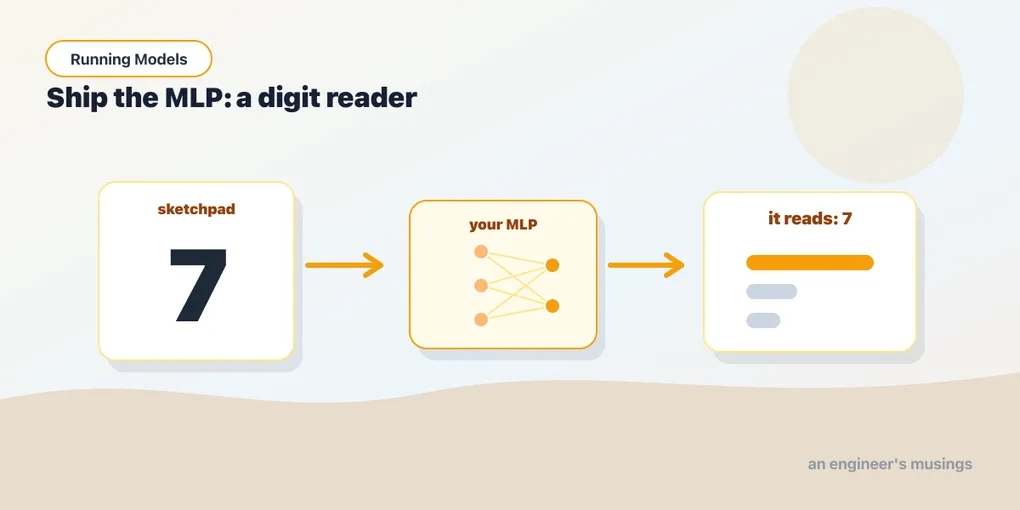
Every model you have run so far came through a library that knew where its weights lived: torchvision fetched ResNet’s, transformers fetched DistilBERT’s. Plenty of models are not like that. A colleague hands you a .pt file; a research repo links a checkpoint from a README; a model you trained last year sits in a bucket. The move is the same every time — build the architecture, load the state dict into it — and it is the one thing from chapter 11 you will use most. This chapter does it with the smallest model that makes a satisfying app: an MLP that reads a digit you draw with your mouse, with a web UI and a link you can share. It’s Part II’s capstone.
One honest note up front. A fresh network has random weights and guesses nonsense — the numbers that make it work come from training, which is the Training Models book’s whole job. So we’re not training here; we load weights we trained for you and run them. That’s a completely normal way to use a model (it’s exactly what “pretrained” means).
▶ Open the companion notebook in Colab
Run against: PyTorch 2.2.2 on CPU (macOS); Gradio 6.17.3 for the component signatures. The weights were trained with the companion’s train_mnist_mlp.py and score 96.1% on the MNIST test set; the drawing UI itself was not exercised in a browser — see the note below it.
Rebuild the exact network
Weights only fit the architecture they were trained on, so step one is to build the exact network the file expects — the chapter 11 shape, sized for an image: a Flatten to turn the 28×28 grid into a row of 784, a hidden Linear, a ReLU, and ten outputs, one per digit.
import torch
import torch.nn as nn

mlp = nn.Sequential(
    nn.Flatten(),                 # 28x28 image -> a row of 784
    nn.Linear(28 * 28, 128),
    nn.ReLU(),
    nn.Linear(128, 10),           # 10 outputs, one per digit
)
Nothing new — it is chapter 11’s stack with bigger numbers. Right now it’s full of random values.
Load the trained weights
The numbers that make it read digits live in a small file we trained on MNIST (the classic dataset of handwritten digits) and put in the companion repo. PyTorch can pull it straight from a URL and pour it into your model:
url = "https://github.com/book-companion/blog-companion/raw/main/running-models/weights/mnist_mlp.pt"
state = torch.hub.load_state_dict_from_url(url, map_location="cpu")

mlp.load_state_dict(state)
mlp.eval()
Three things worth naming. load_state_dict_from_url downloads the file once and caches it (for a file on disk, it’s torch.load(path) instead). The state dict is chapter 11’s dictionary of learned tensors keyed by layer name — load_state_dict copies them into the matching layers and answers <All keys matched successfully>, which only happens because your architecture matches ours exactly; change 128 to 64 and it refuses with a size-mismatch error naming 1.weight. And mlp.eval() flips the model into evaluation mode, the inference reflex from chapter 4.
That’s the whole “no training” trick — someone did the learning, saved the numbers, and you loaded them.
Wrap it in a function
A model is just a function: input in, answer out. Our input will be a little drawing; our output, a dictionary of digit scores. The drawing arrives as an image, so the function’s real work is preprocessing it the same way the training data was prepared — grayscale, 28×28, and normalized with MNIST’s mean and standard deviation. Get this wrong and the model returns confident nonsense, so it matters.
import numpy as np
from PIL import Image, ImageOps
import torch.nn.functional as F

def read_digit(img):
    if img is None:
        return {}
    if isinstance(img, dict):                    # Gradio's sketchpad hands over its layers;
        img = img["composite"]                   # the finished drawing is "composite"
    img = img.convert("L").resize((28, 28))     # grayscale, 28x28
    img = ImageOps.invert(img)                   # MNIST digits are white on black
    x = torch.tensor(np.array(img), dtype=torch.float32).reshape(1, -1) / 255.0
    x = (x - 0.1307) / 0.3081                    # MNIST's mean and std
    with torch.no_grad():
        probs = F.softmax(mlp(x), dim=1)[0]
    return {str(i): float(probs[i]) for i in range(10)}
It’s the same recipe you’ll see for every model in this book — preprocess, forward, read the output — just small enough to fit on one screen. softmax turns the raw scores into probabilities (chapter 6 took that apart); we hand back the ten of them. The isinstance check is there because current Gradio’s sketchpad does not hand you an image: it hands you a dictionary of the drawing’s layers, and the finished picture is under "composite". Fed real MNIST test digits through this exact function, the model reads 99% of them correctly.
Put a face on it with Gradio
Gradio builds a web UI around a Python function — you describe the input and output, it draws the page. We want a little canvas to draw on and a bar chart of the model’s guesses:
import gradio as gr

gr.Interface(
    fn=read_digit,
    inputs=gr.Sketchpad(type="pil", image_mode="L"),
    outputs=gr.Label(num_top_classes=3),
    title="Draw a digit, the MLP reads it",
    description="Scribble a 0–9 and the network you built guesses what it is.",
).launch(share=True)
Run it and a sketchpad appears right in the notebook. Draw a 3, watch the bars jump. share=True gives you a temporary public link (like https://a1b2c3.gradio.live) you can send to someone — they draw, your model reads. The MLP that started life as a shape exercise is now a tool with a URL.
Not run. The model path above was executed against real MNIST digits; the sketchpad UI was checked against Gradio 6.17’s component signatures and
Sketchpad’s documented return type, not driven in a browser. If your drawing comes out inverted (a black digit on white where MNIST expects the reverse), theImageOps.invertline is the one to flip.
Gotchas
- Preprocessing must match training. The model learned on grayscale 28×28 digits, white-on-black, normalized with a specific mean/std. Feed it anything prepared differently and accuracy collapses with no error message — this is the single most common reason a loaded model “doesn’t work.”
- Architecture must match the weights exactly. Change a layer size and
load_state_dictthrows a shape-mismatch error. The weights and thenn.Sequentialare a matched pair. - The sketchpad’s value shape varies by Gradio version. Gradio 6 hands
read_digita dict of layers (handled above); Gradio 3 handed a NumPy array. If you get an error about.convert, that is the version talking, andtype="pil"plus theisinstancecheck is the fix. - A wobbly drawing fools it. This is a tiny MLP, not a state-of-the-art model — it can mistake a hasty
7for a1. That’s honest: it shows you what a small model can and can’t do, and the Training Models book is where you’d make it better. eval()andno_grad().eval()once after loading;no_grad()around the forward pass. Neither is optional folklore — they’re the inference reflexes from chapter 4.
What’s next
You just built a model from a file. The MLP reads real handwriting and lives behind a link — and you did it by matching an architecture to a state dict and wrapping a function, the move that covers every checkpoint that was never on a hub. That closes Part II: you can read a vision model, read a language model, tell a backbone from a head, and load weights from anywhere.
Part III goes back to running, with the text models that do most of the useful work in the world: classify, embed, search. The first stop is the one practical gap between you and any transformer — ResNet ate a tensor of pixels, but a transformer eats token IDs, and turning a sentence into those IDs is its own small craft.
Next: Tokens, Batches, and Model Inputs Across Text and Images.
Comments