Tokens, Batches, and Model Inputs Across Text and Images
A beginner-friendly bridge from image preprocessing to text tokenization: token IDs, attention masks, padding, truncation, batching, and how to choose the right model input abstraction.
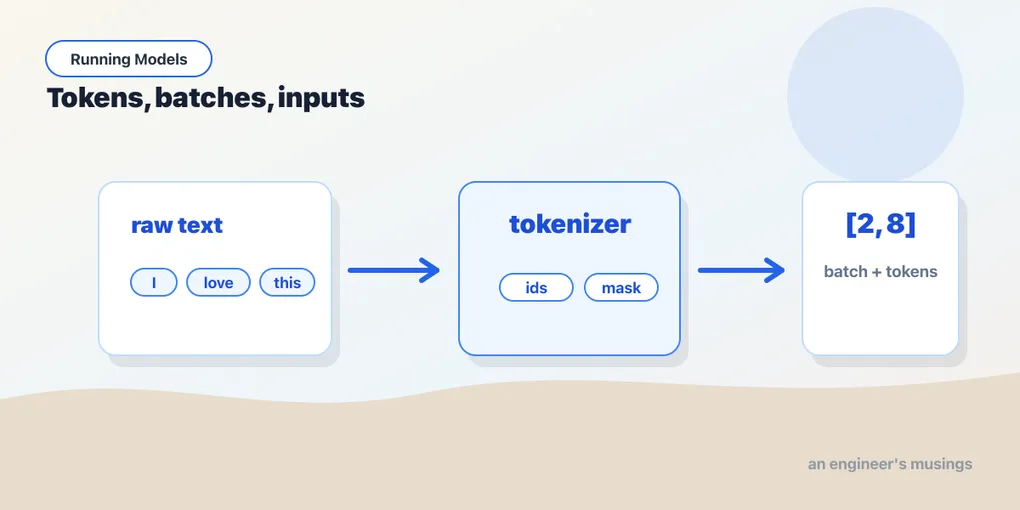
Part III is about running text models for real work, and it starts with the one step that stands between a string and any transformer. Chapter 13 turned a sentence into IDs and embedding rows by hand, on a twelve-word toy vocabulary. Real text needs a real tokenizer, and that’s this chapter. You already know the vision recipe from chapter 6: raw image in, preprocessing, batch dimension, forward pass, logits out. Text follows the same recipe, but the preprocessing has a different name and a few new words: tokenizer, token IDs, attention mask, padding, truncation, and — for the models of Part IV — padding side.
This is the missing bridge before Hugging Face starts looking easy. Once you understand what a tokenizer hands to a model, pipeline() and from_pretrained() stop feeling like magic wrappers.
▶ Open the companion notebook in Colab
Run against: PyTorch 2.2.2 and transformers 4.57.6 on CPU (macOS); where transformers 5.x behaves differently the text says so, from its source.
Models do not read words
A text model does not receive this:
I love this movie.It receives integers:
from transformers import AutoTokenizer

name = "distilbert-base-uncased-finetuned-sst-2-english"
tok = AutoTokenizer.from_pretrained(name)

inputs = tok("I love this movie.", return_tensors="pt")
print(inputs["input_ids"])
The numbers are token IDs. Each one points to an entry in the tokenizer’s vocabulary. A token might be a whole word, part of a word, punctuation, or a special marker the model expects.
You usually do not inspect token IDs by hand. You just need to know why the tokenizer exists: it turns human text into the exact integer format the model was trained to read.
See what the IDs mean
You don’t normally need to, but you can turn those integers back into something human — and it’s the fastest way to build intuition for what the tokenizer actually did:
ids = inputs["input_ids"][0]
print(tok.convert_ids_to_tokens(ids))
# ['[CLS]', 'i', 'love', 'this', 'movie', '.', '[SEP]']
Two things jump out. The text came back lowercase with the period as its own token (this is an uncased tokenizer). And it’s bookended by [CLS] and [SEP] — special tokens the model expects on every input: [CLS] marks the start (its output often doubles as the whole-sentence summary), [SEP] marks the end. Those two were never in your string; the tokenizer added them because that’s the format the model was trained on. tok.decode(ids) collapses the whole list back into a readable string.
Tokens are not always words
Try this:
tokens = tok.tokenize("unbelievably practical")
print(tokens)
# ['un', '##bel', '##ie', '##va', '##bly', 'practical']
The rare word split into five pieces, while the common one stayed whole. (Another tokenizer would cut it differently; the pieces are a property of the tokenizer, not of English.) The ## prefix means “glue this onto the previous piece.” That is normal: tokenizers handle words they have never seen by composing them from fragments they do know, so they never truly hit an unknown word.
This matters for two reasons:
- Length limits are token limits, not word limits. A model with a 512-token limit does not mean 512 English words.
- Different tokenizers split differently. This is why tokenizer and model must come from the same model name.
The attention mask
The tokenizer usually returns more than input_ids:
print(inputs.keys())
# dict_keys(['input_ids', 'attention_mask'])
The attention mask tells the model which positions are real input and which positions are padding.
For one short sentence, it may be all ones:
input_ids:      [101, 1045, 2293, 2023, 3185, 1012, 102]
attention_mask: [  1,    1,    1,    1,    1,    1,   1]
The model needs both. You don’t pass them separately — you hand the whole dictionary straight to the model, and the ** unpacking turns it into the keyword arguments the model expects. We’ll actually run that forward pass by hand in chapter 17; here the point is just what the tokenizer produces — the integer IDs, plus the mask marking which positions are real.
Batching text means padding
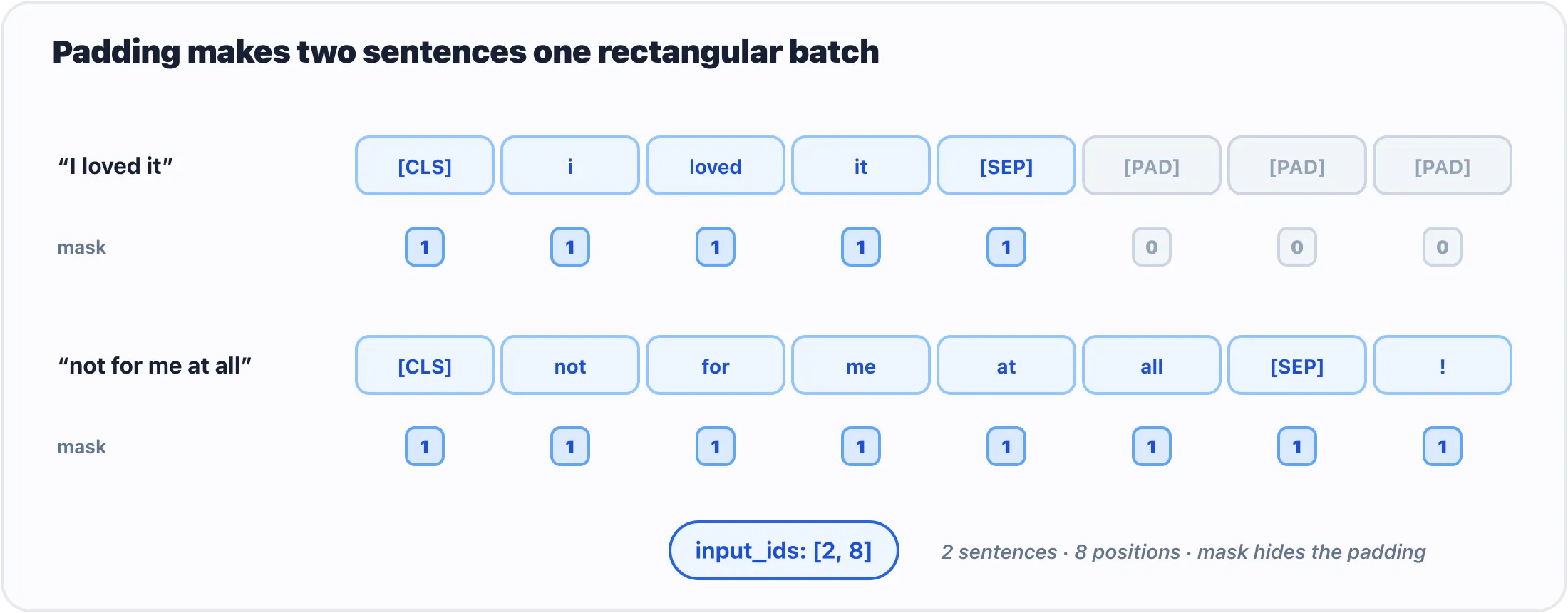
Padding makes two different-length sentences one rectangular batch; the mask marks which positions are real.
Images in a batch can all be resized to the same height and width. Text is messier: sentences have different lengths.
batch = tok(
    ["short", "this one is a little longer"],
    padding=True,
    return_tensors="pt",
)

print(batch["input_ids"].shape)
print(batch["attention_mask"])
padding=True makes the shorter input as long as the longest input in the batch. The attention mask marks the extra positions as padding so the model can ignore them.
The shape will look like:
[batch, sequence_length]For two strings padded to eight tokens:
torch.Size([2, 8])Read it as “two examples, eight token positions each.”
Truncation protects you from long inputs
Every text model has a maximum context length. If your input is too long, you need a policy. For a first pass, use truncation:
long_text = "This review goes on for pages and pages. " * 200   # far past the model's limit

inputs = tok(
    long_text,
    truncation=True,
    max_length=512,
    return_tensors="pt",
)
print(inputs["input_ids"].shape)   # torch.Size([1, 512])
That says “cut the input to fit this model.” It is not always the right product behavior, but it is much better than accidentally crashing on a long document. Later, when you care about quality, you can chunk long text and process it in pieces.
Padding side: a rule you’ll need in Part IV
One detail hides inside padding=True, and it does nothing until you reach generation, where it quietly breaks things. The tokenizer above padded on the right: real tokens first, filler after. For an encoder like DistilBERT that is fine — the attention mask tells it which positions to ignore, and every real token can see every other. A decoder (GPT-2, the chat models of Part IV) is different: it predicts the token that comes after the last position, and if the last positions are padding, it continues from the padding. The fix is to pad on the left, so every sequence ends on its real last token:
tok.padding_side = "left"
batch = tok(["short", "this one is a little longer"], padding=True, return_tensors="pt")
print(batch["attention_mask"])
# tensor([[0, 0, 0, 0, 0, 1, 1, 1],
#         [1, 1, 1, 1, 1, 1, 1, 1]])
Same mask, zeros now at the front. You do not need this until chapter 23, but it is a tokenizer setting, so it lives here: encoders pad right, decoders pad left, and transformers warns you when a decoder sees right padding.
The input map
Here is the practical map:
- Images use an image transform or image processor. Output shape usually looks like
[batch, channels, height, width]. - Text uses a tokenizer. Output shape usually looks like
[batch, sequence_length]. - Audio uses a feature extractor or processor. Output shape depends on the model, but the same rule holds: raw human input becomes model-shaped tensors.
- Multimodal models often use
AutoProcessor, which may bundle a tokenizer and an image processor together.
The names change. The job does not: turn messy human input into tensors the model was trained to expect.
Choosing the right level of abstraction
You now have three levels available:
- Use
pipeline()when you want a common task to work quickly. - Use tokenizers/processors plus Auto models when you need logits, thresholds, batching control, embeddings, or custom postprocessing.
- Use raw PyTorch modules when you are inspecting architecture, building layers, or eventually training.
Do not drop lower just to feel more serious. Lower-level code gives you control, but it also gives you more ways to be wrong. Reach for the level that matches the problem.
Gotchas
- Forgetting
return_tensors="pt". Without it, tokenizers return Python lists instead of PyTorch tensors. - Mixing tokenizer and model names. They are a matched pair. Load both from the same model name unless you have a very specific reason.
- Padding without an attention mask. The model needs to know which tokens are real and which are filler.
- Confusing words with tokens. Long words, punctuation, and special markers affect token count.
- Ignoring truncation. Long inputs can exceed a model’s limit. Decide whether to truncate, summarize first, or split into chunks.
What’s next
Now that you know exactly what a tokenizer hands a model, you can stop letting pipeline() do it for you. The next chapter drops one level down — tokenizer and model by hand, the three steps of chapter 6 written out for text — which is the level you need the day you want every class score, the raw vectors, or a model no pipeline covers.
Next: Beyond pipeline(): Taking the Wheel with from_pretrained.
Comments