Transfer Learning: Standing on a Pretrained Model's Shoulders
Series: Practical PyTorch · II (Phase II) — Part 4 of 9
Here’s a confession that should make your life easier: almost nobody trains a model from scratch. Not the people shipping AI features, not most research teams, not the tutorials that look like they’re starting from zero. Training a vision model from nothing takes millions of images, a rack of GPUs, and days you don’t have. Yet you can build a perfectly good classifier this afternoon, on a free Colab GPU, with a few dozen images per class. The trick is transfer learning — you start from a model that already knows how to see, and you only teach it the small new thing you care about.
This is the heart of practical fine-tuning, so it’s worth getting the mental model right.
Open the companion notebook in ColabDon’t start from zero
A model trained on ImageNet — a million-plus photos across a thousand categories — didn’t just memorize cats and toasters. To tell those apart, it had to learn generally useful visual machinery: edges, then textures, then shapes, then “this looks like fur” and “this looks like a wheel.” Those features aren’t specific to ImageNet. They’re how images work. A network that can find edges and shapes is most of the way to recognizing your classes too, whether that’s defective vs. fine widgets or ten species of bird it has never seen.
Transfer learning is the move that exploits this: take that hard-won visual knowledge and reuse it, instead of paying for it again from scratch. The same idea drives language models — a model that already understands sentence structure can be nudged toward your specific task with a fraction of the data it took to learn English in the first place.
The mental model: a feature extractor with a head
Picture a trained vision model as two parts stacked together.
The backbone (also called the feature extractor) is the deep stack of layers that turns a raw image into a compact list of numbers — a feature vector that summarizes “what’s in this picture” in the abstract. This is the expensive, general-purpose part, and it’s exactly the part you want to keep.
The head is the small final layer sitting on top. It takes that feature vector and maps it to answers — one score per class. The head is the only part that’s specific to the original task. An ImageNet model’s head outputs 1,000 scores, one per ImageNet category. That’s almost certainly not what you want.
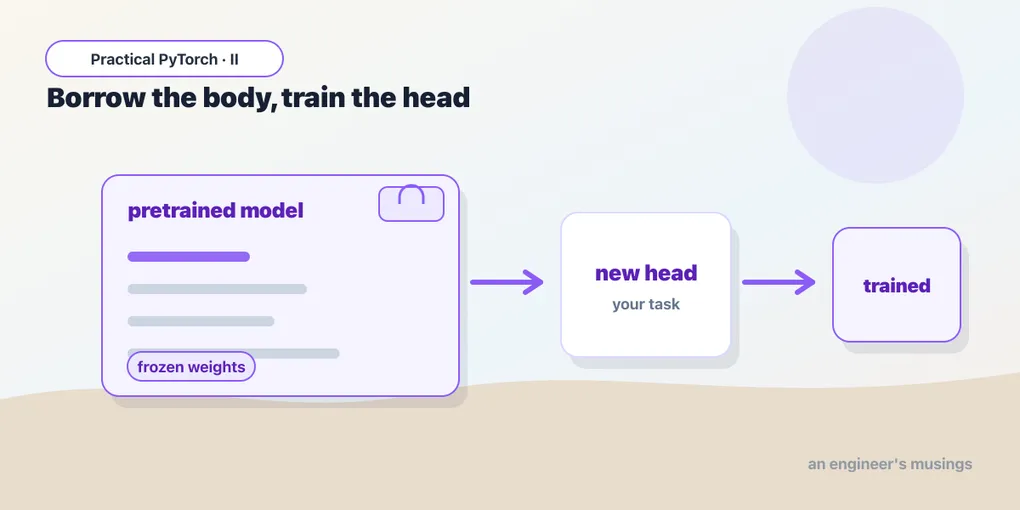
So the recipe writes itself: keep the backbone, replace the head. Swap in a fresh head sized for your classes, and train just that. The backbone keeps doing what it’s good at; the new head learns to read its output for your problem.
Swap the head
Let’s make it concrete with resnet18, a small, fast, well-behaved vision model that ships with torchvision. Loading it with pretrained weights is one line:
import torch.nn as nn
from torchvision.models import resnet18, ResNet18_Weights

model = resnet18(weights=ResNet18_Weights.DEFAULT)
ResNet18_Weights.DEFAULT grabs the current best-available pretrained weights (ImageNet), so the model arrives already knowing how to see. Now, the head. In ResNet the final layer is called fc (fully connected), and we can ask it how many features feed into it, then replace it with a fresh layer that outputs our number of classes:
num_classes = 2  # however many categories you have

model.fc = nn.Linear(model.fc.in_features, num_classes)
That’s the whole head swap. model.fc.in_features is the size of the backbone’s feature vector — we read it off the old head so the new one lines up. The new nn.Linear starts with random weights and, crucially, is trainable by default. Different model families name their head differently — ResNets use .fc, many others use .classifier — but the move is identical: find the last layer, replace it with one sized for your classes.
Freeze the backbone
Right now the whole model would train — backbone and new head together. But the backbone is already good; we mostly want to leave it alone and just train the little head. We do that by freezing the backbone, which means telling PyTorch not to update those weights.
Every parameter in a PyTorch model has a requires_grad flag. When it’s True (the default), PyTorch tracks that parameter and the optimizer will nudge it during training. Flip it to False and the parameter is frozen — along for the ride, but never updated.
So we freeze everything first, then swap the head (the fresh head comes back with requires_grad=True automatically):
model = resnet18(weights=ResNet18_Weights.DEFAULT)

# Freeze the entire backbone.
for p in model.parameters():
    p.requires_grad = False

# Swap in a fresh head — trainable by default.
model.fc = nn.Linear(model.fc.in_features, num_classes)
Now only the head’s parameters will learn. This is the feature-extraction flavor of transfer learning: the backbone is a frozen feature extractor, and you’re training a tiny classifier on top of its output. It’s fast, it needs very little data, and it’s the right default.
Train just the head
Here’s the payoff — you reuse the exact training loop from Part 2, with one small change. Because only the head should update, you hand the optimizer only the trainable parameters:
import torch.optim as optim

optimizer = optim.Adam(
    filter(lambda p: p.requires_grad, model.parameters()),
    lr=1e-3,
)
loss_fn = nn.CrossEntropyLoss()
The filter(...) keeps only parameters where requires_grad is True — i.e. just the head. (Since this is a ResNet, model.fc.parameters() would do the same job and read more clearly; the filter version is the general pattern that works no matter how much you’ve frozen.) From there the loop is the one you already know:
for epoch in range(num_epochs):
    model.train()
    for images, labels in train_loader:
        images, labels = images.to(device), labels.to(device)

        optimizer.zero_grad()
        outputs = model(images)
        loss = loss_fn(outputs, labels)
        loss.backward()
        optimizer.step()
Nothing here is new. The backbone runs forward on every batch (it still produces features), but because its parameters are frozen, step() only moves the head. With a frozen backbone and a handful of images per class, this converges in a couple of epochs and minutes — that’s the whole promise of transfer learning made real.
Feature extraction vs. full fine-tuning
Freezing the backbone is one of two settings on the same dial.
Feature extraction (what we just did): freeze the backbone, train only the new head. Fast, cheap, hard to overfit, works with tiny datasets. Reach for it first — especially when your data looks roughly like what the model was pretrained on (everyday photos, in ResNet’s case).
Full fine-tuning: unfreeze the backbone and train everything, head and all. You skip the freezing step (or flip requires_grad back to True), and you pass the whole model to the optimizer. This lets the backbone’s features shift to fit your domain — useful when your images are unusual (medical scans, satellite imagery, something far from ImageNet) and you have enough data to support it. The cost: slower, more memory, and a real risk of overfitting on small datasets.
One non-negotiable detail for full fine-tuning: use a much smaller learning rate, typically 10x lower (think 1e-4 or 1e-5 instead of 1e-3). The backbone’s weights are already good; large updates would scribble over the very knowledge you’re trying to keep. A common middle path is to start with feature extraction, then unfreeze and fine-tune at a low learning rate for a few more epochs once the head has settled.
Why does freezing the early layers in particular make sense? Because the earliest layers learn the most general features — edges and colors are edges and colors in any dataset — while later layers get progressively more task-specific. The general stuff transfers almost for free; only the specialized end ever needs adjusting.
Gotchas
- Match the head to your class count. The new head’s output size must equal your number of classes —
nn.Linear(in_features, num_classes). Get this wrong and either the loss function errors out or, worse, it silently trains toward the wrong number of categories. Count your classes once and pass that number. - Only trainable params go to the optimizer. If you freeze the backbone but then hand the optimizer
model.parameters()(everything), you’ve quietly told it to train the frozen layers — except they have no gradients, so you get confusing behavior and wasted memory. Passfilter(lambda p: p.requires_grad, model.parameters())ormodel.fc.parameters(). - Freeze first, swap second. The freeze loop sets
requires_grad=Falseon current parameters. If you swap the head and then freeze, you’ll freeze the new head too and nothing will learn. Freeze, then replace — the fresh layer arrives trainable. - Use the right learning rate for the mode. A frozen-backbone head trains happily at
1e-3. Full fine-tuning wants something like1e-4or lower, or you’ll erase the pretrained features. Same code, very different learning rate. - Preprocess inputs the way the model expects. Pretrained weights were trained on images resized, cropped, and normalized a specific way. Use the matching transforms — torchvision hands them to you via
ResNet18_Weights.DEFAULT.transforms()— or the backbone sees inputs unlike anything it trained on and accuracy quietly tanks. - Switch to
model.eval()for inference. ResNet has batch-norm layers that behave differently in training vs. evaluation. Callmodel.eval()before you predict, or your numbers will wobble.
What’s next
You now have the core move of practical fine-tuning: reuse a pretrained backbone, swap the head for your classes, freeze (or don’t), and train with the loop you already know. This is why fine-tuning is cheap — you’re paying only for the last small layer, not for teaching a machine to see from scratch.
Doing this by hand is great for understanding, but in practice you’ll often reach for tooling that handles the loop, evaluation, and checkpointing for you. Next: Part 5 — Fine-Tuning with the Trainer, where we hand the boilerplate to Hugging Face’s Trainer and keep our attention on the parts that matter.
Target keyword(s): transfer learning pytorch, fine-tune pretrained model, freeze backbone pytorch.
Comments