Datasets and DataLoaders: Feeding the Beast Without Choking It
Series: Practical PyTorch · II (Phase II) — Part 3 of 9
In the last post you built a training loop: feed in some data, get a prediction, measure how wrong it was, nudge the model, repeat. We hand-fed it a tiny batch of numbers to keep things simple. But a real loop is hungry — it wants thousands of examples, in the right-sized mouthfuls, in a different order every time through. Doing that by hand is tedious and error-prone, so PyTorch ships two small abstractions that handle all of it: the Dataset and the DataLoader.
Get these two right and the rest of training is mostly bookkeeping. They’re also the part you’ll reuse on every project, so it’s worth ten minutes to make them routine.
Open the companion notebook in ColabThe loop needs feeding
Picture the training loop from last time as a machine on a conveyor belt. It doesn’t care where the data comes from or how it’s stored on disk — it just wants the next batch handed to it, over and over, until the data runs out. Then it wants the whole thing again, reshuffled.
That’s two distinct jobs:
- Where do examples live, and how do I fetch one? That’s the
Dataset. - How do I serve them up in batches, shuffled, ready for the loop? That’s the
DataLoader.
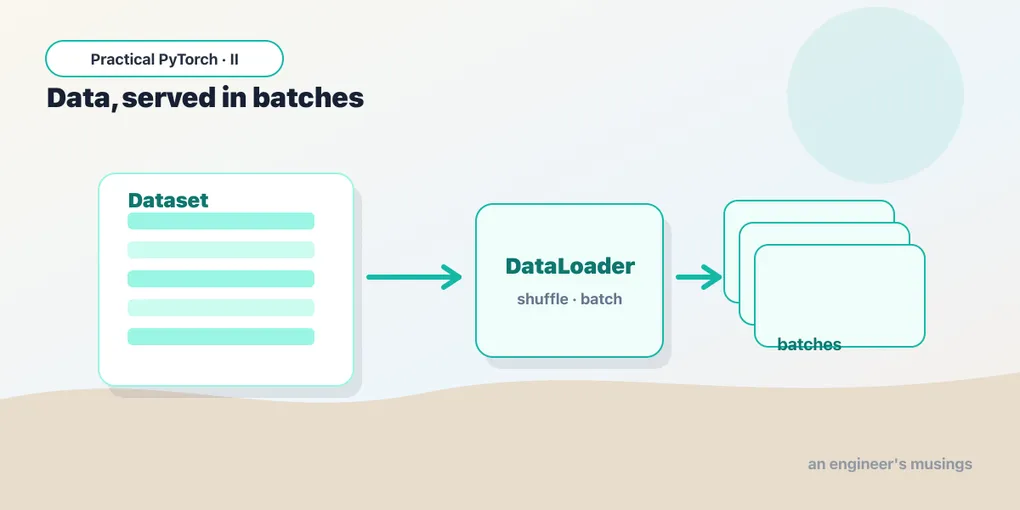
Keeping these separate is the whole trick. Your Dataset knows about your data — CSV rows, image files, rows in a database. The DataLoader knows nothing about any of that; it just knows how to batch and shuffle whatever the Dataset gives it. Swap one without touching the other.
The Dataset: two methods, that’s it
A PyTorch Dataset is almost insultingly simple. You subclass it and implement exactly two methods:
__len__— “how many examples do you have?”__getitem__(i)— “give me example numberi.”
That’s the entire contract. If your object can answer those two questions, PyTorch can train on it. Here’s a tiny custom one over data you already have in memory:
from torch.utils.data import Dataset

class MyData(Dataset):
    def __init__(self, features, labels):
        self.features = features   # e.g. a tensor of inputs
        self.labels = labels       # e.g. a tensor of answers

    def __len__(self):
        return len(self.features)          # how many examples

    def __getitem__(self, i):
        return self.features[i], self.labels[i]   # one (x, y) pair
That’s a complete, working Dataset. Notice what __getitem__ returns: a single (x, y) pair — one input and its label. Not a batch, not the whole thing, just example i. The batching is somebody else’s job, which is exactly the point.
The reason this design is so freeing: __getitem__ can do anything to produce that pair. Read a row from a CSV. Open an image file and resize it. Tokenize a sentence. As long as you hand back one example, PyTorch doesn’t care whether it came from RAM or was decoded from a JPEG half a second ago. You can build a Dataset over 10 million images that never all fit in memory at once, because you only ever load one (or one batch) at a time.
The DataLoader: batches, shuffled, on tap
Your Dataset can hand over one example. But the loop wants batches — and it wants them shuffled. That’s the DataLoader. You wrap your dataset in it and set two knobs:
from torch.utils.data import DataLoader

ds = MyData(features, labels)
loader = DataLoader(ds, batch_size=32, shuffle=True)batch_size=32— serve 32 examples at a time, stacked into a single tensor.shuffle=True— reorder the examples each epoch so the model doesn’t see them in the same sequence every time.
Now you can iterate it like any Python collection, and each step hands you a whole batch already stacked into tensors:
for xb, yb in loader:
    # xb has shape (32, ...), yb has shape (32, ...)
    # one step of training goes here
    ...
The DataLoader quietly did several things for you: it picked 32 random indices, called __getitem__ for each, and stacked the results into batch tensors so xb isn’t a list of 32 separate inputs but one tensor with a batch dimension out front. That stacking is what makes the next part fast.
Why batches at all?
Two reasons, and they pull in the same direction.
Efficiency. GPUs are built to do the same operation on a lot of numbers at once. Feeding examples one at a time leaves the hardware mostly idle — like running a delivery truck with a single parcel in the back. A batch of 32 (or 256) fills the truck, and the per-example cost plummets. This is the single biggest reason training is batched.
Better learning. Updating the model from one example at a time makes the learning jumpy — each step lurches toward whatever that one example wanted. Averaging the signal over a batch smooths it out, so each nudge points in a more sensible direction. Batches are a happy accident where the fast thing is also the more stable thing.
Why shuffle?
If your data is sorted — all the cat photos, then all the dog photos — and you feed it in order, the model spends the first half of every epoch convinced the world is entirely cats, then panics and overcorrects. It learns the order as much as the content. Shuffling breaks that pattern so each batch is a fair, mixed sample. Cheap to do, and it genuinely helps the model generalize.
Putting it in the loop
Here’s the shape of a real training loop now — the DataLoader slots right in where the hand-fed batch used to be:
loader = DataLoader(ds, batch_size=32, shuffle=True)

for epoch in range(num_epochs):
    for xb, yb in loader:           # one batch per step
        preds = model(xb)
        loss = loss_fn(preds, yb)

        optimizer.zero_grad()
        loss.backward()
        optimizer.step()
One epoch is one full pass through the DataLoader — every example seen once, in a fresh random order. The outer loop repeats that for as many epochs as you want. Everything inside the inner loop is the same five lines from the last post; the loader is just doing the feeding now.
You usually don’t write your own
All of that is worth understanding, because it demystifies what’s happening — but in practice you’ll often grab a Dataset someone already built. Two sources cover almost everything:
torchvision.datasets — ready-made image datasets (MNIST, CIFAR-10, ImageNet, and friends), already shaped as Dataset objects you can drop straight into a DataLoader:
from torchvision import datasets, transforms

ds = datasets.MNIST(
    root="data", train=True, download=True,
    transform=transforms.ToTensor(),
)
loader = DataLoader(ds, batch_size=64, shuffle=True)
The Hugging Face datasets library — the de facto source for real-world text, audio, and increasingly everything else. One line pulls a dataset down from the Hub:
from datasets import load_dataset

data = load_dataset("imdb")   # 50k movie reviews, train/test split
print(data["train"][0])       # {'text': '...', 'label': 1}
When you start fine-tuning models in the next few posts, this is where your data will come from far more often than a hand-rolled class. But the hand-rolled class is what you reach for the moment your data is genuinely yours — a folder of customer tickets, a proprietary CSV, anything off the beaten path. Knowing both is the goal.
Gotchas
A handful of mistakes that bite nearly everyone once:
- Shuffle the training set, not the test set.
shuffle=Truefor training (you want varied batches);shuffle=Falsefor validation and test (you want stable, repeatable evaluation, and the order doesn’t affect the score anyway). Mixing this up won’t crash — it’ll just quietly waste a little time. - Batch size trades speed for memory. Bigger batches are faster but eat more GPU memory. The classic out-of-memory error mid-training is almost always a batch size that’s too big — halve it and try again. There’s no universally correct number; 32, 64, and 128 are sane starting points.
__getitem__should return tensors, not Python lists. TheDataLoaderstacks whatever you return, and it stacks tensors cleanly. If you hand back raw lists or NumPy arrays, you’ll hit confusing type errors at collation time. Convert inside__getitem__(or use a transform that does).- Every example must be the same shape. The default stacking assumes example 5 and example 500 have identical shapes so they can be glued into one tensor. Variable-length data (sentences of different lengths, say) needs padding or a custom
collate_fn— a real thing, just past today’s scope. - The last batch may be smaller. 100 examples with
batch_size=32gives you three batches of 32 and one of 4. Usually fine; if a layer chokes on the runt batch, passdrop_last=Trueto discard it. num_workersspeeds up loading, but start at 0. It parallelizes data fetching across processes — great for image pipelines, occasionally finicky on certain setups. Get things working single-threaded first, then turn it up.
What’s next
You now have the full data plumbing: a Dataset that knows how to produce one example, and a DataLoader that batches and shuffles them into the training loop. That completes the machinery for training a model from scratch — which is exactly the thing you’ll almost never do.
Because here’s the plot twist of modern deep learning: training from zero is expensive and usually unnecessary. Far better to start from a model that already knows a great deal and adapt it to your problem with a fraction of the data and time.
Next: Part 4 — Transfer Learning, where we stop building models from scratch and start standing on the shoulders of ones that already work.
Target keyword(s): pytorch Dataset DataLoader, batching data pytorch, pytorch custom dataset.
Comments