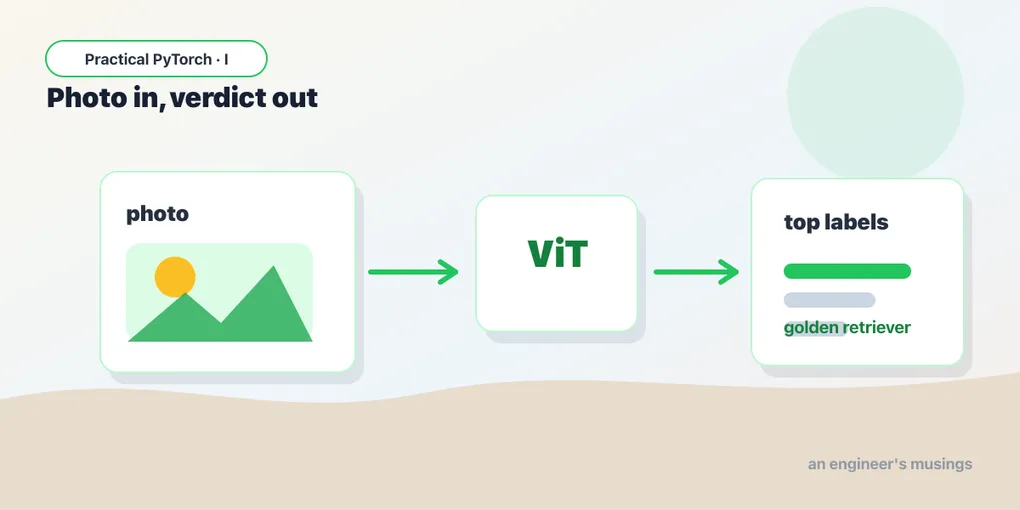
Your First Real Model Run, From Photo to Verdict
Series: Practical PyTorch · I (Phase I) — Part 4 of 9
So far we’ve talked about PyTorch: tensors, the shape of a model, the parts you’re allowed to ignore. This is the post where you finally point a real, pretrained model at a real photo and watch it tell you what’s in it. It’s the most satisfying moment in the whole series, and it’s about a dozen lines of code.
Open the companion notebook in ColabWe’ll use ResNet-50, a battle-tested image classifier from torchvision. It was trained on ImageNet, a dataset of a thousand everyday categories: dog breeds, coffee mugs, sports cars, schooners. You hand it a picture, it hands you back a label. Nothing to install, nothing to train. Let’s walk the whole path, one named step at a time.
Step 1 — Load the model and its weights
A model is two things: an architecture (the arrangement of layers) and the weights (the numbers learned during training). The architecture is the empty vessel; the weights are everything the model actually knows. Modern torchvision keeps the two together so you never mismatch them.
from torchvision.models import resnet50, ResNet50_Weights

weights = ResNet50_Weights.DEFAULT
model = resnet50(weights=weights).eval()
Three small things worth naming:
ResNet50_Weights.DEFAULTmeans “the best available pretrained weights for this model.” The first time you run it, PyTorch downloads them (a few seconds); after that they’re cached.weights=weightsis the modern way to ask for a pretrained model. If you find an old tutorial usingpretrained=True, it still works but it’s deprecated, andweights=...is the form to learn..eval()flips the model into evaluation mode. We’ll come back to why this matters in the gotchas, but the short version: you want it on for inference, and forgetting it is the classic beginner stumble.
That weights object is doing more than holding numbers — it also knows how images must be prepared before this particular model will accept them. We’ll use that in Step 3, and it’s the trick that saves you a lot of grief.
Step 2 — Get an image
We need a picture. We’ll grab one from the web with requests and open it with Pillow (PIL), the standard Python imaging library.
import requests
from PIL import Image

url = "https://upload.wikimedia.org/wikipedia/commons/2/26/YellowLabradorLooking_new.jpg"
img = Image.open(requests.get(url, stream=True).raw).convert("RGB")
The .convert("RGB") is small but load-bearing: it guarantees three color channels (red, green, blue). Some images sneak in with a transparency channel or in grayscale, and the model expects exactly three. Converting up front means you never debug a shape error later.
At this point img is just a picture. The model can’t read a picture; it reads tensors of a very specific size and scale. Bridging that gap is the next step.
Step 3 — Preprocess (let the weights do it)
Every pretrained model was trained on images prepared in a particular way — resized to a fixed size, cropped, and normalized so the pixel values sit in the range the model learned from. Feed it images prepared differently and the predictions quietly fall apart. No error, just nonsense.
Here’s the part that makes this easy: the weights object carries its own matching preprocessing. You don’t guess the numbers — you ask for them.
preprocess = weights.transforms()

batch = preprocess(img).unsqueeze(0)
Two things happened:
weights.transforms()returns the exact resize-crop-normalize pipeline this model expects. Because it comes bundled with the weights, it can’t drift out of sync with the model, which is the most common source of “it runs but gives garbage.”preprocess(img)turns your picture into a tensor with shape[3, 224, 224]: three color channels, 224 by 224 pixels. Then.unsqueeze(0)adds a fourth dimension at the front, giving[1, 3, 224, 224].
That leading 1 is the batch dimension. PyTorch models always expect a batch of images, even when the batch is a single photo, so we wrap our one image in a batch of one. Forgetting .unsqueeze(0) is the other classic beginner error, and the error message it throws is famously unhelpful.
Step 4 — Run it (eval + no_grad)
Now we feed the batch through the model. Two guardrails wrap this call:
import torch

with torch.no_grad():
out = model(batch).eval()(from Step 1) tells the model “we’re predicting, not training,” which changes how certain layers behave. For ResNet it matters; for some other models it matters a lot.torch.no_grad()switches off autograd, the training-only bookkeeping from Part 1. We’re not learning anything here, so we don’t need it, and turning it off makes inference faster and lighter on memory. Pure upside when you’re just running a model.
What comes back in out is a tensor of 1,000 raw scores, one per ImageNet category. Higher means “more likely.” But raw scores aren’t an answer yet; they’re not even percentages. Let’s read them.
Step 5 — Read the answer
To turn 1,000 scores into a single human-readable verdict, we do two small things: convert the scores into probabilities, then pick the winner.
probs = out.softmax(dim=1)[0]
class_id = probs.argmax().item()

label = weights.meta["categories"][class_id]
confidence = probs[class_id].item()

print(f"{label}  ({confidence:.1%})")
# Labrador retriever (87.3%)softmaxturns the raw scores into probabilities that sum to 1 — that’s all you need to know about it for now. (Part 5 takes inputs and outputs apart in proper detail.) The[0]pulls out the first — and only — image in our batch.argmax()finds the position of the highest probability, and.item()pulls that index out as a plain Python integer.weights.meta["categories"]is the list of human-readable labels that ships with the weights — index 207 is"golden retriever", and so on. We look up our winning index in it.
And there it is — a photo went in, a label came out. That’s a complete, honest model run, with nothing hidden behind a convenience wrapper. Load, prepare, infer, read. Every vision model you meet in Phase I follows this same shape, just with bigger models and more interesting pictures.
Gotchas
A short list of the things that bite everyone exactly once.
- Forgot
.eval(). Without it the model stays in training mode, and layers like batch-norm and dropout behave differently — your predictions wobble or degrade for no obvious reason. Make.eval()a reflex right after loading a model for inference. - Forgot the batch dimension. A model expects
[batch, channels, height, width]. Hand it a bare[3, 224, 224]and you’ll get a shape-mismatch error that doesn’t mention batches at all. The fix is always.unsqueeze(0). - Wrong preprocessing. If you hand-roll your own resize and normalization, it’s easy to use numbers the model wasn’t trained on — and it’ll run fine while returning confident nonsense. Use
weights.transforms()and let the weights tell you how they want their inputs. - Skipped
.convert("RGB"). Grayscale or transparent images arrive with the wrong number of channels and blow up at the first layer. Convert on load and forget about it. - Skipped
torch.no_grad(). Not fatal, and your answer is still correct, but you’re paying for training-time bookkeeping you don’t need, which wastes memory and time. On big models that waste can be the difference between fitting in memory and crashing. - Comparing raw scores as if they were probabilities. The model’s output isn’t percentages until you run
softmax. A raw score of12.0doesn’t mean 12% of anything.
What’s next
You just ran a real model end to end, and along the way we glossed over two things on purpose: what exactly the preprocessing did to your image, and what those 1,000 numbers really are before softmax tidies them up.
Those are the two halves of every model run, the input and the output, and they each deserve a proper look. That’s the next post.
Next: Part 5 — Inputs and Outputs, Demystified — what your data turns into on the way in, and how to read what comes out.
Target keyword(s): run a pretrained model pytorch, image classification pytorch, torchvision resnet beginner.
Comments