What a Model Really Is: A Read-Only Peek Inside the Black Box
Series: Practical PyTorch · I (Phase I) — Part 3 of 9
“A model” is one of those phrases that sounds like it should be mysterious. You download a few hundred megabytes, call it, and answers come out (image labels, sentiments, translations), and somewhere in there is intelligence, supposedly. It’s tempting to treat the whole thing as a sealed box you’re not qualified to open.
So let’s open it. Not to change anything — we’re only looking this time — but to see that a model is far less magical than it sounds. It’s a nested container of layers, and each layer holds some numbers. That’s genuinely most of it. By the end of this post the box will be made of glass.
Open the companion notebook in ColabA model is an nn.Module
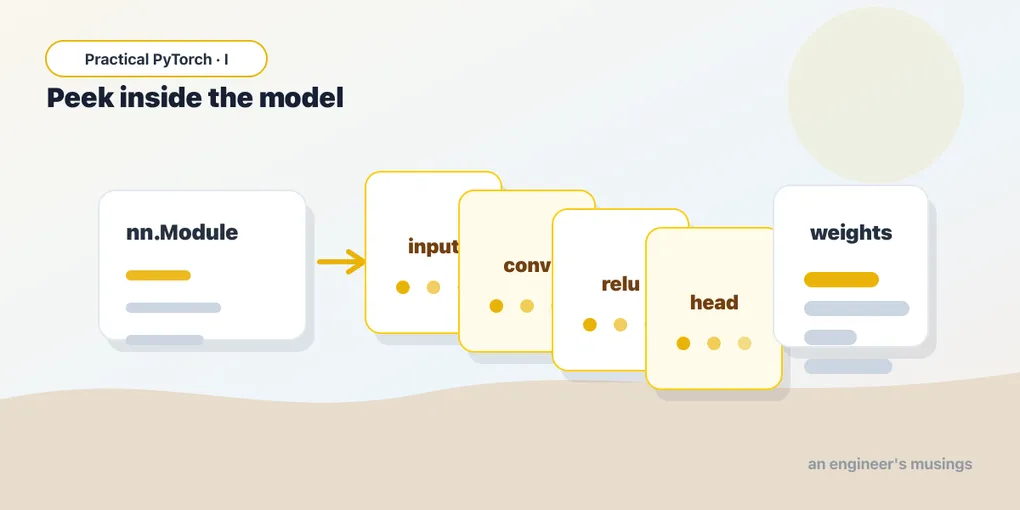
In PyTorch, almost every model you’ll ever run is an instance of one base class: nn.Module. That’s the common shape. A language model, an image classifier, a speech recognizer — under the hood they’re all nn.Modules, which means once you can read one, you can read them all.
An nn.Module does two jobs:
- It holds layers, and layers can hold other layers, so a model is really a tree. A big model is a module made of modules made of modules.
- It knows how to do a forward pass: take an input, push it through those layers in order, and produce an output. That’s the thing that happens when you call
model(x).
We’re going to look at the first job in detail and the second one briefly. The part we’re not touching is how the numbers inside got to be the right numbers — that’s training, that’s the next phase, and you don’t need it to run anything.
Loading a real model and reading it
Let’s grab a small, famous vision model — ResNet-18, an image classifier — with its pretrained weights already loaded:
from torchvision.models import resnet18, ResNet18_Weights

model = resnet18(weights=ResNet18_Weights.DEFAULT)
That weights=ResNet18_Weights.DEFAULT is torchvision’s modern way of saying “give me the best official pretrained weights for this model.” (You’ll still see older tutorials write pretrained=True; that’s the deprecated spelling of the same idea.) The first run downloads the weights; after that they’re cached.
Now the fun part — just print it:
print(model)You’ll get a long, indented outline. Don’t read every line; read the shape of it. The top says ResNet(, and then nested inside are things like:
ResNet(
  (conv1): Conv2d(3, 64, kernel_size=(7, 7), ...)
  (bn1): BatchNorm2d(64, ...)
  (relu): ReLU(inplace=True)
  (layer1): Sequential(
    (0): BasicBlock(
      (conv1): Conv2d(64, 64, kernel_size=(3, 3), ...)
      ...
    )
  )
  ...
  (fc): Linear(in_features=512, out_features=1000, bias=True)
)
That indentation is the tree. ResNet contains a conv1, a bn1, a relu, then several Sequential blocks (layer1…layer4), and finally an fc at the end. Each named line is a sub-module. This printout is basically the model’s table of contents — and you just read it without knowing any math.
Peeking at the parameters
The layers are the structure; the parameters are the actual learned numbers living inside them. These are the weights — the values that got tuned during training so the model does something useful. When people say a model “has 100 billion parameters,” this is what they’re counting.
You can count them for ResNet-18 in one line:
total = sum(p.numel() for p in model.parameters())
print(f"{total:,} parameters")   # 11,689,512 parameters
model.parameters() hands you every parameter tensor in the model; .numel() is “number of elements” in one tensor; summing gives the grand total. Roughly 11.7 million numbers — which sounds enormous until you remember today’s language models are in the billions. ResNet-18 is the compact, friendly one.
To see where those numbers live, iterate over them by name — but just the first few, or you’ll be scrolling for a while:
for name, p in list(model.named_parameters())[:5]:
    print(name, tuple(p.shape))
conv1.weight (64, 3, 7, 7)
bn1.weight (64,)
bn1.bias (64,)
layer1.0.conv1.weight (64, 64, 3, 3)
layer1.0.conv1.bias (64,)Two things worth noticing. First, the names mirror the tree you saw in print(model): layer1.0.conv1.weight is “the weight of conv1, inside block 0, inside layer1.” It’s just a path. Second, every parameter is a tensor with a shape, exactly the thing Part 2 made routine. You don’t need to know why conv1.weight is (64, 3, 7, 7); you just need to recognize it as a stack of numbers with a size, and you do.
What the common layers actually do
The model printout was full of layer types. You don’t need the math behind any of them, but it helps enormously to have a one-line, plain-English picture of the three you’ll meet constantly:
nn.Linear— a weighted sum. It takes a list of input numbers, multiplies each by a learned weight, adds them up (plus a bias), and produces a list of output numbers. Every “fully connected” layer is this. Thefcat the very end of ResNet is aLinearturning 512 numbers into 1000 — one score per ImageNet category.nn.Conv2d— slides a small filter over an image. Instead of looking at the whole picture at once, it drags a little window across it looking for a pattern (an edge, a texture, a color blob), and reports where it found that pattern. Stack a lot of these and the model learns to spot increasingly complex things. This is the workhorse of vision models.nn.ReLU— keep the positives. Almost comically simple: any negative number becomes zero, positives pass through unchanged. It’s the little nonlinear “kink” sprinkled between the heavier layers that lets the model represent complicated relationships instead of just one big straight line.
There are others (BatchNorm2d, MaxPool2d, Dropout) but you can run almost anything in Phase I knowing just those three vibes: weighted sum, slide a filter, keep the positives. The rest are supporting cast.
Building a tiny model and watching data flow through it
ResNet is a good thing to read, but it’s too big to feel in your hands. So let’s build the smallest honest model there is — three layers, stacked with nn.Sequential, which just means “run these in order, top to bottom”:
import torch
import torch.nn as nn

net = nn.Sequential(
    nn.Linear(10, 5),   # weighted sum: 10 numbers in, 5 out
    nn.ReLU(),          # keep the positives
    nn.Linear(5, 2),    # weighted sum: 5 numbers in, 2 out
)

print(net)
This is a complete nn.Module. It takes 10 numbers, squeezes them to 5, zeroes out the negatives, then squeezes to 2. Now feed it a random input and watch it run:
x = torch.rand(1, 10)   # one example, 10 features, random values
out = net(x)

print("input shape: ", tuple(x.shape))    # (1, 10)
print("output shape:", tuple(out.shape))   # (1, 2)
print("output:", out)
That call, net(x), is the entire idea of a forward pass: data goes in the top, flows down through each layer in turn, and comes out the bottom transformed. The first Linear turns 10 numbers into 5, ReLU clips the negatives, the second Linear turns those into 2. No magic, no training, no math you had to do — just numbers flowing through a stack.
The two output numbers are meaningless here because nobody taught this little net anything; its weights are random. But the mechanics are identical to ResNet’s. When you call model(image) on the real thing next post, this is exactly what’s happening, only with eleven million numbers and a picture instead of ten random ones.
Gotchas
print(model)shows structure, not the weights. It lists layers and their sizes — it does not dump eleven million numbers (thank goodness). To touch actual values you go through.parameters()or.named_parameters().- Random weights ≠ a useful model. Build a fresh
nn.Sequentialand its numbers are random, so its outputs are noise. “Pretrained” is what makes a model worth running; those carefully-tuned weights are the whole product. Loading the architecture without the weights gives you an empty shell. - Inputs need a batch dimension. We wrote
torch.rand(1, 10), nottorch.rand(10). That leading1means “a batch of one example.” Most models expect a batch even when you have a single input, and forgetting it is the most common shape error you’ll hit. (More on this in Part 5.) - Output numbers usually aren’t probabilities yet. A model’s raw outputs (often called logits) are just scores — they can be negative, and they don’t sum to 1. Turning them into “87% confident it’s a cat” is a separate step we’ll cover when we talk about reading outputs.
for p in model.parameters()will flood your screen. Always slice it —list(model.named_parameters())[:5]— when you just want a peek. A real model has hundreds of parameter tensors.- You don’t need
model.eval()ortorch.no_grad()just to look. Those matter when you actually run a pretrained model for real predictions (next post), but printing structure and counting parameters needs neither.
What’s next
The box is glass now. A model is an nn.Module — a tree of layers, each holding a pile of learned numbers — and running it is just data flowing down through that tree. You read a real one, counted its parameters, named a few weights, and ran your own three-layer toy. Notice we never trained anything; we only looked, and looking was enough to make it ordinary.
Next we stop looking and start using: Part 4 — Running Your First Pretrained Model, where we hand ResNet an actual image and read back what it thinks it’s seeing.
Target keyword(s): pytorch nn.Module, what a neural network is made of, pytorch model layers parameters.
Comments