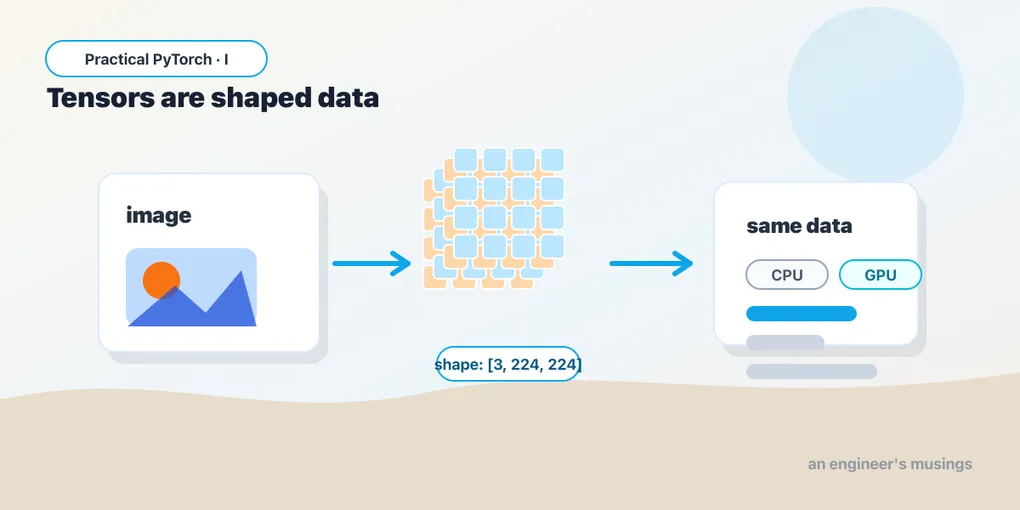
Tensors: The One Data Structure You Actually Have to Like
Series: Practical PyTorch · I (Phase I) — Part 2 of 9
Last post promised that tensors are the one part of PyTorch you genuinely need to be comfortable with. This is where we make good on that — and it’s friendlier than it sounds. A tensor is an array of numbers — a spreadsheet, if you like — that happens to be able to live on a GPU. That’s the whole idea. Everything a model takes in, passes around inside itself, and hands back is a tensor. Get easy with this one structure and the rest of the series is mostly knowing which buttons to press.
Open the companion notebook and run along — every snippet below is in there:
Open the companion notebook in ColabMaking a tensor
The most direct way is to hand torch.tensor a Python list:
import torch

x = torch.tensor([[1, 2, 3],
                  [4, 5, 6]])
print(x)
A flat list gives you a 1-D tensor (a row of numbers); a list of lists gives you a 2-D tensor (a grid, like a spreadsheet); nest one more level and you get 3-D, and so on. The number of nesting levels is the number of dimensions, and that’s the only piece of vocabulary you have to keep.
Most of the time, though, you don’t type numbers out by hand. You ask PyTorch to build a tensor of a given shape and fill it for you:
torch.zeros(2, 3)     # a 2x3 grid of zeros
torch.ones(2, 3)      # a 2x3 grid of ones
torch.arange(0, 10)   # 0, 1, 2, ... 9 — like Python's range()
torch.rand(2, 3)      # a 2x3 grid of random numbers between 0 and 1
The arguments (2, 3) are the shape: 2 rows, 3 columns. These four show up constantly; rand in particular is how you fake some input data when you just want to see whether code runs before you’ve got the real thing.
Shape, dtype, device — the three questions to ask any tensor
When a tensor confuses you, three attributes answer almost every question. Get in the habit of printing them:
x = torch.rand(2, 3)

print(x.shape)    # torch.Size([2, 3]) — how big, in each dimension
print(x.dtype)    # torch.float32     — what kind of number
print(x.device) # cpu — where it physically lives.shapeis the size along each dimension.[2, 3]means 2 rows and 3 columns. When something breaks in PyTorch, the cause is usually a shape that isn’t what you assumed — so this is the first thing to check, always..dtypeis the kind of number:float32(decimals) orint64(whole numbers) most often. A list of whole numbers gives you an integer tensor; add a single decimal point and you get a float tensor. Models almost always want floats..deviceis where the data lives:cputo start,cudaonce you move it to a GPU. More on that shortly.
Indexing, slicing, reshaping
If you’ve used NumPy or even plain Python lists, this part is muscle memory. Square brackets pull out pieces:
x = torch.tensor([[1, 2, 3],
                  [4, 5, 6]])

print(x[0])        # first row:    tensor([1, 2, 3])
print(x[0, 1])     # row 0, col 1: tensor(2)
print(x[:, 0])     # every row, first column: tensor([1, 4])
Rows are counted from zero, the comma separates dimensions, and a bare : means “all of this dimension.” That’s the entire grammar.
Reshaping rearranges the same numbers into a different grid without changing them. A tensor of 6 numbers can be 2×3, or 3×2, or a flat row of 6, whichever you want:
x = torch.arange(6)        # tensor([0, 1, 2, 3, 4, 5]), shape [6]
y = x.reshape(3, 2)        # same six numbers, now 3 rows of 2
print(y)
The numbers and their order never change; only the box you’re pouring them into does. You’ll see .view(...) used for the same job — it’s a faster variant that works when the data is laid out contiguously in memory. When in doubt, reach for .reshape; it always works and figures out the rest.
A handy trick: pass -1 for a dimension and PyTorch computes it for you. x.reshape(2, -1) says “2 rows, and you work out the columns.” Saves you the arithmetic.
Doing things with tensors
Arithmetic on tensors happens elementwise — the operation runs on each number in turn, and you get a tensor of the same shape back:
a = torch.tensor([1, 2, 3])
b = torch.tensor([10, 20, 30])

print(a + b)   # tensor([11, 22, 33])
print(a * 2)   # tensor([2, 4, 6])
print(a * b)   # tensor([10, 40, 90]) — pairs multiplied, not "matrix math"
Note that a * b multiplies matching positions — it is not the matrix multiplication you may dimly remember from school.
That other kind — matrix multiplication — has its own operator, @:
m = torch.tensor([[1, 2],
                  [3, 4]])
n = torch.tensor([[5, 6],
                  [7, 8]])
print(m @ n)
Here’s all the intuition you need: @ is the core operation a neural network repeats over and over — it’s how a layer combines its inputs to produce outputs. You’ll see @ everywhere inside models. You do not need to be able to compute it by hand or prove anything about it; you need to recognize it and know it’s the “real” matrix multiply, as opposed to the elementwise *.
A gentle word on broadcasting
Sometimes you combine tensors of different shapes and it just works. PyTorch quietly stretches the smaller one to fit:
grid = torch.ones(2, 3)        # 2x3 of ones
row  = torch.tensor([1, 2, 3]) # a single row of 3

print(grid + row)
# tensor([[2, 3, 4],
#         [2, 3, 4]])
The single row got added to every row of the grid. That convenience is called broadcasting, and it’s why you often see a small thing combined with a big thing without any loops. You don’t have to memorize the rules — recognizing that PyTorch sometimes resizes things to match is enough to keep it from surprising you.
Moving to the GPU, and talking to NumPy
A tensor on the CPU and a tensor on the GPU behave identically — the only difference is speed, and the GPU’s edge shows up once tensors get large. The portable way to move one is the pattern from the last post:
device = "cuda" if torch.cuda.is_available() else "cpu"

x = torch.rand(2, 3)
x = x.to(device)
print(x.device)   # cuda  (if a GPU is attached) or cpu otherwise
That device line is a small kindness to yourself: the same notebook runs on a laptop with no GPU and on a Colab GPU runtime, untouched.
Tensors and NumPy arrays are close cousins, and you can pass data between them freely — handy because a lot of the world’s data tooling speaks NumPy:
import numpy as np

t = torch.tensor([1.0, 2.0, 3.0])
arr = t.numpy()              # tensor -> NumPy array

arr2 = np.array([4.0, 5.0, 6.0])
back = torch.from_numpy(arr2)  # NumPy array -> tensor
One more you’ll use constantly: when a tensor holds a single number — a model’s confidence score, say — .item() pulls it out as a plain Python float or int:
score = torch.tensor(0.98)
print(score.item())   # 0.98  — a normal Python float, not a tensor
That’s the move when you want to print a result, compare it with >, or stick it in a regular Python data structure.
Gotchas
A few friendly trip-wires that catch nearly everyone at least once:
- Shape mismatches are the #1 error. “size mismatch” or “shapes cannot be multiplied” almost always means a tensor wasn’t the shape you pictured. Print
.shapeon both sides before you blame the math. *is not@.*multiplies matching positions;@is matrix multiplication. Mixing them up gives you wrong numbers, not an error — the sneakiest kind of bug.- Integer vs. float surprises.
torch.tensor([1, 2, 3])is an integer tensor; many model operations expect floats and will complain. Add a decimal point ([1.0, 2.0, 3.0]) or call.float()to convert. - CPU and GPU tensors don’t mix. Trying to combine a
cputensor with acudatensor errors out. Move both to the samedevicefirst. .numpy()only works on the CPU. A GPU tensor has to come home before NumPy can read it:x.cpu().numpy().- In-place vs. a copy. A trailing underscore means “modify me in place” —
x.add_(1)changesx, whilex.add(1)(orx + 1) returns a new tensor and leavesxalone. When a value mysteriously changes underneath you, look for that underscore.
What’s next
That’s the data structure the entire series runs on. You can now make a tensor, ask it its shape, reshape it, do arithmetic on it, send it to a GPU, and trade it with NumPy — which is genuinely most of what “handling data in PyTorch” means day to day. None of it required a single derivative.
Next we point a flashlight inside an actual model and watch tensors flow through it, so the thing stops being a black box.
Next: Part 3 — A Peek Inside a Model, where these tensors finally meet a real network.
Target keyword(s): pytorch tensors, pytorch tensors for beginners, pytorch tensor shape.
Comments