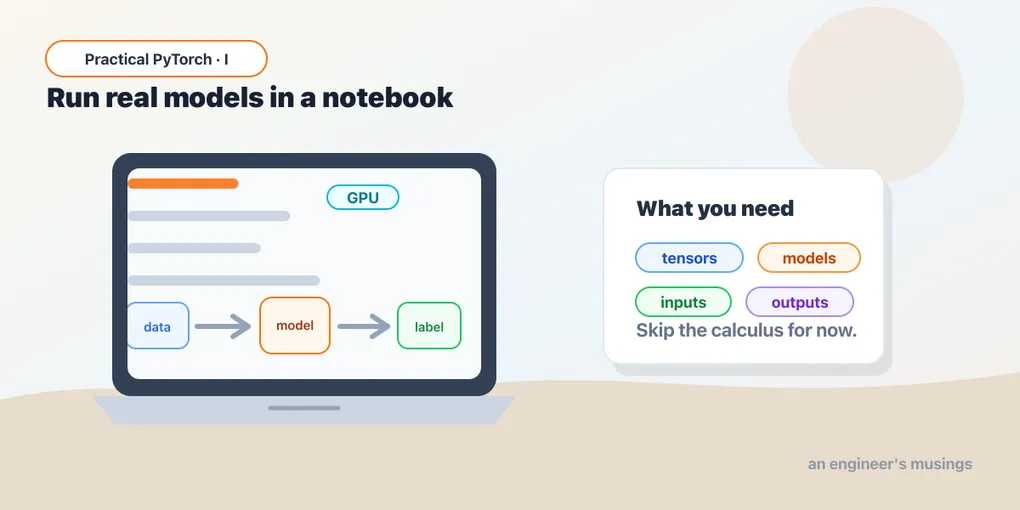
PyTorch Without the Calculus: What It Is and What You Can Ignore
Series: Practical PyTorch · I (Phase I) — Part 1 of 9
There’s a gap between “I read the announcement about a new AI model” and “I ran it myself and saw what it does.” Closing that gap is what this series is for. You’re a capable engineer (or a technical PM who isn’t scared of a code cell), you don’t have a deep-learning math background, and you don’t want one — you want to take models off the shelf and run them. That’s a completely reasonable goal, and PyTorch is the tool that gets you there.
This first post sets expectations: what PyTorch is, what you’re allowed to ignore, and how to get a free GPU running in your browser. Every post comes with a companion notebook you can run as you read:
Open the companion notebook in ColabWhat PyTorch actually is
PyTorch is the engine that runs most modern AI models. When you read about a new open model — a language model, an image generator, a speech recognizer — the odds are overwhelming that it was built with PyTorch and ships as PyTorch weights. Learn to drive PyTorch and a huge fraction of the AI world opens up.
Under the hood it’s three things:
- Tensors — multi-dimensional arrays (think NumPy arrays) that can live on a GPU for speed. This is the data structure everything flows through, and it’s the one part you genuinely need to be comfortable with. Next post.
- Autograd — the bookkeeping that lets a model learn by automatically working out how to adjust its numbers. It’s the clever core of training. Here’s the good news: to run an existing model, you never touch it.
nn(neural network building blocks) — the layers models are assembled from. We’ll take a look inside one so models stop feeling like black boxes, but you won’t be hand-building architectures.
The useful analogy: PyTorch is like a car. Autograd and the training math are the engine internals. You’re learning to drive — steering, pedals, reading the dashboard — not to rebuild the transmission. Plenty of people drive their whole lives without opening the hood, and they get where they’re going.
What you can safely ignore
Because this trips people up, let me be blunt about what this series deliberately skips:
- The calculus. Gradients, derivatives, the chain rule, backpropagation — the machinery of how models learn. You can run any pretrained model without it.
- The training loop. Epochs, loss functions, optimizers. That’s how a model is made; we’re using ones that already exist.
- The linear algebra proofs. You need to know a tensor has a shape, not how to derive a matrix multiplication.
None of that is forbidden knowledge — it’s just a different goal, and it’s where a “Phase II” would go (understanding and fine-tuning models on your own data). Phase I keeps both hands on the wheel: load a model, feed it input, read the output, repeat with bigger and more interesting models. If you’ve been put off PyTorch by a tutorial that opened with partial derivatives, this is the series that doesn’t.
Your runtime: Google Colab
Running models means running real computation, sometimes on a GPU. You do not need a powerful laptop or a CUDA install — Google Colab gives you a Python notebook with a free GPU, in your browser, with PyTorch already installed. It’s where this whole series lives.
To get set up:
- Go to colab.research.google.com and create a new notebook (a Google account is all you need).
- For a GPU: Runtime → Change runtime type → Hardware accelerator → GPU. (You don’t need it for the first few posts; it matters once models get bigger.)
- Type Python into a cell and press Shift+Enter to run it.
That’s the entire setup. No terminal, no pip install torch, no driver wrangling.
Your first thirty seconds of PyTorch
Open the companion notebook above and run this — it confirms PyTorch is present and tells you whether a GPU is attached:
import torch

print("PyTorch version:", torch.__version__)
print("GPU available:", torch.cuda.is_available())
Then make your first tensor — an array PyTorch understands and can move to the GPU:
x = torch.tensor([[1.0, 2.0, 3.0],
                  [4.0, 5.0, 6.0]])

print(x.shape)    # torch.Size([2, 3]) — 2 rows, 3 columns
print(x.device)   # cpu (for now)
If that ran, you’re already further than most people who “mean to get into AI.” We’ll spend the next post making tensors feel routine, because they’re the one thing you’ll touch constantly.
What “running a model” will look like
To show you where this is heading, here’s the kind of code Phase I builds toward — a complete, working sentiment classifier using a pretrained model:
from transformers import pipeline

classify = pipeline("sentiment-analysis")
print(classify("I can't believe how easy this was."))
# [{'label': 'POSITIVE', 'score': 0.9998}]
Five lines, a real model, a real answer. You don’t yet know what pipeline is doing or where the model came from — that’s exactly what the series unpacks. But notice the shape of it: load a pretrained thing, hand it an input, read the output. Almost everything you’ll run follows that pattern.
What Phase I covers
By the end of these nine posts you’ll comfortably take a model you found online and run it yourself:
- tensors, and a guided peek inside a model so it’s not a black box
- running your first pretrained vision model end to end
- making sense of inputs and outputs (preprocessing, and turning raw scores into answers)
- the Hugging Face ecosystem —
pipeline()for instant results, thenfrom_pretrainedfor control - choosing models from the Hub, and running bigger ones without melting your laptop (GPUs, memory, quantization)
- a capstone where you wrap a model into a tiny shareable app
Final thoughts
The single most freeing idea in this series is permission to not learn the math first. The people shipping AI features into products mostly aren’t deriving gradients; they’re running capable pretrained models and wiring them into something useful, and that skill is learnable in an afternoon’s worth of notebooks. PyTorch is just the engine you’re learning to drive — and you can drive it well long before you understand every part under the hood.
Next: Part 2 — Tensors, the one data structure everything in PyTorch speaks, made routine.
Target keyword(s): pytorch for beginners, run pretrained models pytorch, pytorch colab.
Comments