Reading Tensor Shapes Without Panicking
A practical PyTorch shape-reading guide for beginners: batches, image tensors, classifier outputs, token IDs, hidden states, and the print-shape habit that makes model code debuggable.
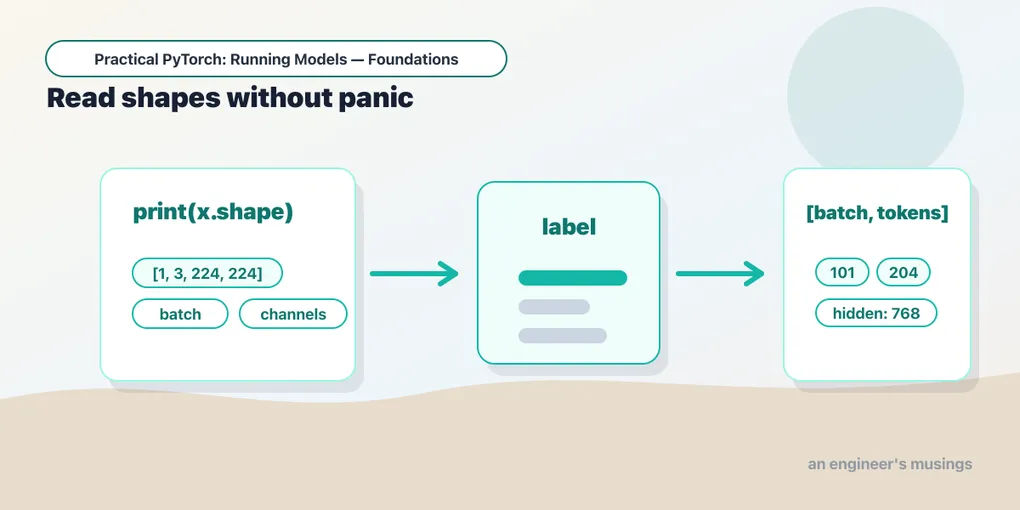
Series: Practical PyTorch: Running Models — Foundations — Part 4 of 7
You now know what tensors are and how to move them between CPU and GPU. The next skill is less glamorous and more useful: reading shapes.
When PyTorch code breaks, the error usually looks like a machine arguing with itself: mat1 and mat2 shapes cannot be multiplied, expected 4D input, size mismatch, expected all tensors to be on the same device. Half of those errors become boring once you can look at a shape and say what each number means.
This post is the cheat sheet. No new math. Just the shape patterns you’ll see again and again.
Open the companion notebook in ColabThe habit: print shapes at every boundary
Put this reflex in your hands early:
print("x:", x.shape, x.dtype, x.device)Do it after loading data, after preprocessing, before calling a model, and after reading the output. You are asking three questions:
- What shape is it? How many dimensions, and what does each dimension mean?
- What type is it? Floats for model inputs, integers for token IDs and labels.
- Where does it live? CPU or GPU.
Most beginner debugging is just answering those questions honestly.
A single thing vs a batch of things
The first dimension is often the batch: how many examples are moving through the model together.
one_vector = torch.rand(10)
batch = one_vector.unsqueeze(0)

print(one_vector.shape)  # torch.Size([10])
print(batch.shape)       # torch.Size([1, 10])
Read [1, 10] as “one example, ten features.” If you had 32 examples, the shape would be [32, 10].
That leading batch dimension feels annoying when you only have one input, but it lets models process many examples efficiently. PyTorch models are built for the many-example case, so a single example still has to dress up as a batch of one.
Images: [batch, channels, height, width]
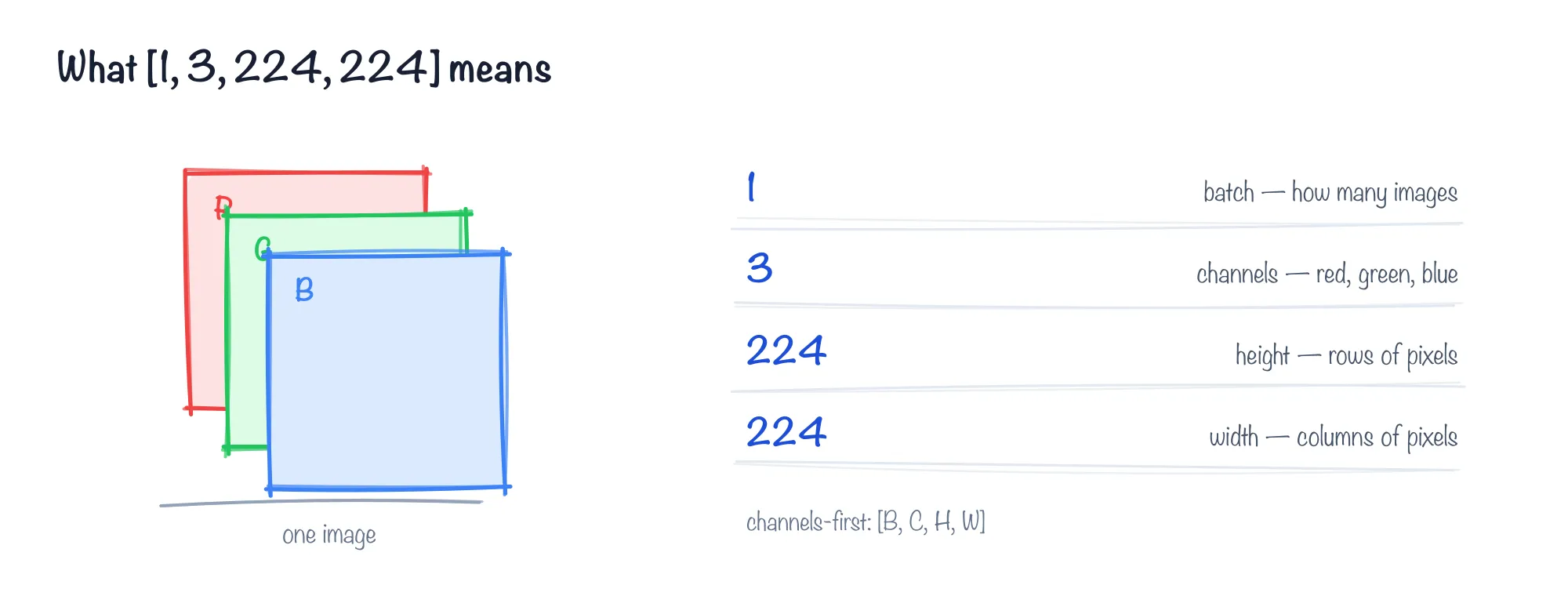
Each number in [1, 3, 224, 224] names a part of the picture: batch, channels, height, width.
Most PyTorch vision models use channels first:
[batch, channels, height, width]So this:
torch.Size([1, 3, 224, 224])means:
1image in the batch3color channels: red, green, blue224pixels high224pixels wide
If you see [3, 224, 224], that is one image without the batch dimension. Add it:
batch = image_tensor.unsqueeze(0)If you see [1, 224, 224, 3], that is channels-last, common in NumPy and browser code but not what most PyTorch vision models expect. You usually need to rearrange it before feeding a PyTorch model.
Classifiers: [batch, classes]
Image classifiers and text classifiers usually return one score per class:
logits.shape # torch.Size([1, 1000])Read that as “one example, 1000 class scores.” For ImageNet, those 1000 scores correspond to 1000 labels. For a sentiment model, you might see:
logits.shape # torch.Size([1, 2])That means “one example, two labels” — usually negative and positive, though you should always read the model’s label map instead of guessing.
The rule for softmax follows from the shape:
probs = logits.softmax(dim=-1)dim=-1 means “across the last dimension.” In [batch, classes], the last dimension is the class scores, which is exactly where probabilities belong.
Text: [batch, sequence_length]
Text models do not receive words. They receive token IDs: integers that stand for pieces of text. (You’ll meet tokenizers properly in the tokens and model inputs post in the Language series — here we’re just previewing the shapes they produce.)
inputs = tokenizer("PyTorch is practical", return_tensors="pt")
print(inputs["input_ids"].shape)
You will usually see:
torch.Size([1, 6])Read that as “one text input, six tokens.” The exact token count may surprise you because tokens are not always words. Some words split into pieces; punctuation may be its own token; special start/end tokens may be added.
For several strings:
inputs = tokenizer(
    ["short text", "a slightly longer text"],
    padding=True,
    return_tensors="pt",
)
print(inputs["input_ids"].shape)
You might see:
torch.Size([2, 6])That means “two text inputs, padded to six token positions each.”
Hidden states: [batch, tokens, hidden_size]
Some models return not just a final answer, but internal representations called hidden states or embeddings (the embeddings post is all about these). Their shape often looks like:
[batch, tokens, hidden_size]For example:
torch.Size([1, 6, 768])Read it as “one text input, six token positions, 768 numbers describing each token.” That final 768 is not a class count. It is the model’s internal representation size.
You do not need to understand every number inside it. You do need to recognize that it is not shaped like classifier output. [1, 2] might be two labels. [1, 6, 768] is a sequence of token representations.
When the error already names the shapes
Half the time you do not even need to print anything — the error message hands you the shapes. Take the most common one:
RuntimeError: mat1 and mat2 shapes cannot be multiplied (1x10 and 5x2)Don’t read the words, read the two shapes. mat1 is (1, 10) — your input, a batch of one with ten features. mat2 is (5, 2) — a layer’s weights, expecting 5 inputs, not 10. For a matrix multiply the inner two numbers have to match (10 and 5), and they don’t. So the fix is upstream: either the input should have 5 features, or the layer should have been built to expect 10. The scary red text was just naming the two numbers that disagree.
Fixing a shape once you’ve read it
Reading a shape is half the job; the other half is bending it into what the model wants. Four moves cover almost everything:
x = torch.rand(3, 224, 224)

x = x.unsqueeze(0)       # add a batch dim:    [3, 224, 224] -> [1, 3, 224, 224]
x = x.squeeze(0)         # drop a size-1 dim:  [1, 3, 224, 224] -> [3, 224, 224]
x = x.reshape(1, -1)     # flatten to a row:   [3, 224, 224] -> [1, 150528]
And when an image arrives channels-last (height, width, channels — common from PIL or NumPy) but the model wants channels-first, permute reorders the axes:
img = torch.rand(224, 224, 3)   # channels-last
img = img.permute(2, 0, 1)      # -> [3, 224, 224], channels-first
permute doesn’t touch the numbers, only which axis is which. One shape-adjacent cousin: if the model complains about the type rather than the size — expected scalar type Float but found Long — that’s a .float() (or .long()) away, not a reshape.
The shape-reading checklist
When you meet a new tensor, ask:
- Does it have a batch dimension?
- If it is an image, are the channels in the right place?
- If it is classifier output, which dimension is classes?
- If it is text, is the sequence length reasonable?
- If it has three dimensions, is it token-level data rather than a final prediction?
- Are the tensors on the same device?
You do not have to memorize every possible shape. You just need to slow down enough to label the dimensions you see.
Gotchas
- A missing batch dimension changes everything.
[3, 224, 224]and[1, 3, 224, 224]look close to a human, but they are completely different to a model. - Images from different libraries use different conventions. PIL images, NumPy arrays, and PyTorch tensors often arrange channels differently.
dim=0is rarely what you want for classifier softmax. For[batch, classes],dim=-1is the class axis.dim=0normalizes across examples in the batch, which is usually nonsense.- Token counts are not word counts. The tokenizer decides how text is split.
- Hidden size is not a label count. A final classifier output might be
[1, 2]; a model representation might be[1, 20, 768].
What’s next
Shapes are the bridge between “I made a tensor” and “I can read a model.” Next we build the smallest real model pieces and watch those shapes flow through them.
Next: What a Model Is Made Of, where you build a model by hand, one layer at a time.
Target keyword(s): pytorch tensor shapes, batch dimension pytorch, image tensor shape, token tensor shape.
Comments