Connectors, and the Art of Calling Somebody Else
What a connector actually is, and how to use the HTTP Request connector to call a downstream REST API and reshape its response into your own.
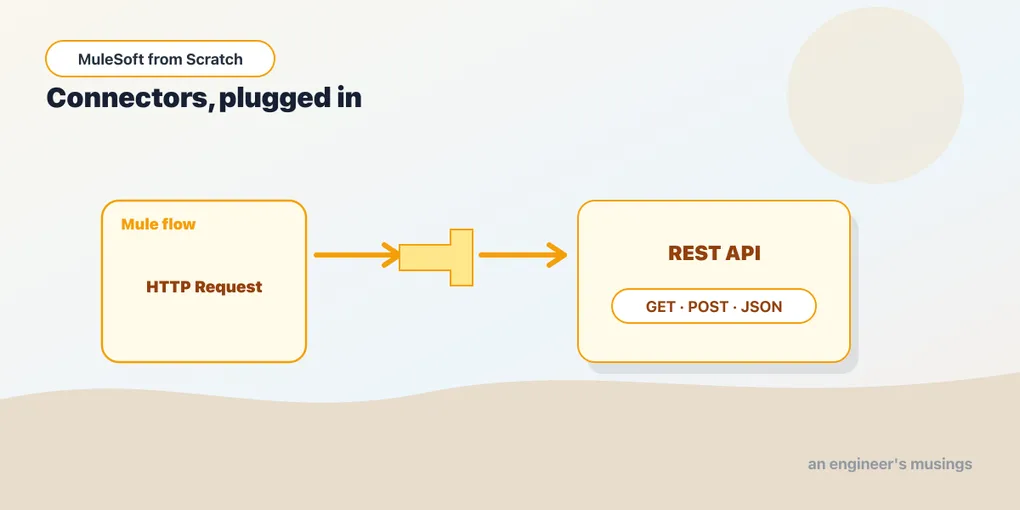
So far your Mule apps have been talkers, not listeners to the wider world. An HTTP Listener catches a request, you set a payload, you respond. But the reason integration exists is that your app almost never has the data — it has to go get it from somewhere else. A CRM, a database, a payments API, a legacy SOAP service wheezing away in a data center. Reaching out to those systems is what connectors are for.
What a connector is
A connector is a prebuilt integration to some protocol or system, packaged as a Mule extension you drop into a flow. Instead of hand-writing an HTTP client, a JDBC layer, or a Salesforce SOAP wrapper, you install the connector and configure it. Under the hood it handles the tedious parts — connection pooling, retries, serialization, auth — and exposes a handful of operations you wire into your flow like any other processor.
Connectors come from Anypoint Exchange, MuleSoft’s catalog of reusable assets. Some are maintained by MuleSoft (HTTP, Database, File, JMS), some by partners (Salesforce, SAP, Workday, ServiceNow), and you add one to a project through Studio, which pulls it in as a Maven dependency. There are hundreds. You’ll spend most of your early career with maybe five of them, and the one you’ll meet first, because you already have, is HTTP.
Two sides of the HTTP connector
The HTTP connector plays two roles. The Listener is inbound — it sits at the start of a flow as a source, waiting for requests to arrive. That’s the piece you’ve used since your first app. The Request is outbound — it sits in the middle of a flow as a processor, and its job is to make a call to some other server and hand you back the response.
Same connector, opposite directions. Listener receives; Request sends. Today is about Request.
Configuring an outbound call
Like the Listener, the HTTP Request operation splits its settings into a reusable config and a per-call operation. The config holds the things that don’t change between calls — where the downstream service lives:
<http:request-config name="Users_API_config">
    <http:request-connection
        host="jsonplaceholder.typicode.com"
        port="443"
        protocol="HTTPS" />
</http:request-config>
Define that once and every request against this API reuses it. If the host moves, you change it in one place. (In a real app the host wouldn’t be hard-coded — it’d come from a property like ${users.api.host}, which we’ll get to when we deploy.)
The operation itself names the method and path:
<http:request
    config-ref="Users_API_config"
    method="GET"
    path="/users/{id}">
    <http:uri-params>#[{ id: attributes.uriParams.id }]</http:uri-params>
</http:request>
The {id} in the path is a URI parameter, a placeholder filled from the uri-params you supply. Here it’s pulled straight from the inbound request’s own URI params with a #[...] DataWeave expression, so a caller hitting GET /users/42 on our listener drives a GET /users/42 on the downstream. Query parameters work the same way through a query-params element, if the downstream expects ?active=true instead.
A flow that calls out and reshapes
Now put it together. The flow below exposes GET /users/{id} on our own listener, forwards the id to the downstream Users API, then reshapes that response into the leaner object our callers actually want:
<flow name="get-user-flow">
    <http:listener config-ref="HTTP_Listener_config"
                    path="/users/{id}" />

    <http:request config-ref="Users_API_config"
                  method="GET"
                  path="/users/{id}">
        <http:uri-params>#[{ id: attributes.uriParams.id }]</http:uri-params>
    </http:request>

    <ee:transform>
        <ee:message>
            <ee:set-payload><![CDATA[%dw 2.0
output application/json
---
{
    id: payload.id,
    name: payload.name,
    email: payload.email,
    company: payload.company.name
}]]></ee:set-payload>
        </ee:message>
    </ee:transform>
</flow>
Trace the payload as it moves. The Listener starts the flow — at this point the payload is the (empty) inbound body, and the id lives in attributes.uriParams. The Request fires the downstream call and, crucially, replaces the payload with the downstream response body, already parsed. So by the time we reach the Transform Message, payload is the user object the other API returned, and payload.company.name reaches into its nested company object. The transform picks the four fields we care about and drops the rest.
That payload-replacement is the one thing to internalize. Every operation that fetches something — HTTP Request, a Database Select, a File Read — sets its result as the new payload. The flow is a conveyor belt, and each connector puts a new thing on the belt for the next processor to work with.
Reading the response, not just the body
The body is on the payload, but the rest of the HTTP response — status code, headers — lands on attributes. After an HTTP Request, attributes.statusCode is the downstream status (200, 404), and attributes.headers is the header map. You’ll use these constantly: branching on a 404 to return your own not-found, reading a Location header, pulling a correlation id back out. The body answers what came back; the attributes answer how it went.
The other connectors, briefly
HTTP is the front door, but the same shape — a reusable config plus per-operation settings — repeats across the whole catalog. The Database connector configures a datasource once, then exposes Select, Insert, Update, and bulk operations that return query results as the payload. The File and FTP/SFTP connectors read and write files. JMS and the VM connector move messages onto queues. Salesforce, SAP, and the rest wrap their respective APIs. Learn the HTTP Request pattern deeply and every other connector is mostly a matter of looking up which operations it offers — the muscle memory transfers.
Final thoughts
An integration platform’s real value shows up the moment your flow stops answering from memory and starts reaching out. The HTTP Request connector is the plainest version of that: point a config at a host, call an operation, and the response arrives on the payload ready for DataWeave to reshape. Once a call can fail, though — and downstream calls fail all the time — you need a plan for when it does. But first, one request often isn’t enough. Sometimes you need to decide which downstream to call, or call several at once.
Comments