One Message, Many Paths: Routing in Mule
Choice, Scatter-Gather, and For Each — how a Mule flow branches on a condition, fans out in parallel, and walks a collection one element at a time.
A flow that runs the same steps in the same order every time is a straight line. Real integrations aren’t straight lines. A gold-tier customer gets routed to the priority pipeline and everyone else to the standard one. An order-status request needs data from three services at once and can’t afford to fetch them one after another. A batch of records arrives as a single payload and each one has to be handled on its own. For all of that, Mule gives you routers — processors that don’t transform the payload so much as decide where it goes next.
Three of them cover almost everything you’ll meet early on: Choice, Scatter-Gather, and For Each.
Choice: pick one branch
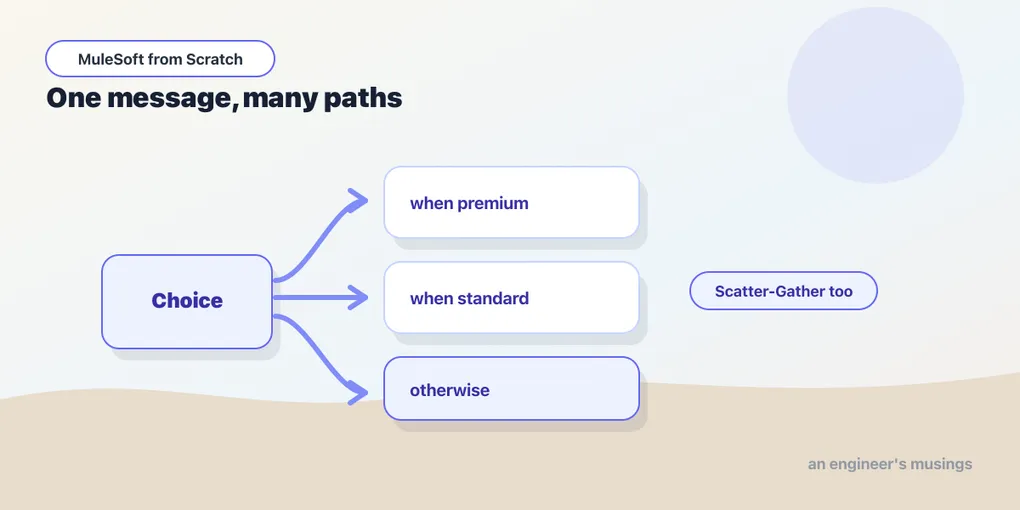
Choice is the if/else of Mule. It evaluates conditions in order and runs the first branch whose condition is true; if none match, it runs the otherwise branch. Each condition is a DataWeave boolean expression, so you have the full language available to decide.
Here’s a Choice routing on a customer’s tier:
<choice>
    <when expression="#[payload.tier == 'gold']">
        <flow-ref name="priority-fulfilment" />
    </when>
    <when expression="#[payload.tier == 'silver']">
        <flow-ref name="standard-fulfilment" />
    </when>
    <otherwise>
        <logger level="INFO"
            message="#['Unknown tier: ' ++ payload.tier]" />
    </otherwise>
</choice>
Only one branch runs. A gold customer hits the first when, gets sent to the priority sub-flow via a Flow Reference, and Choice is done — the silver condition is never even evaluated. Order matters here exactly the way it does in an if/else if chain: put the most specific conditions first. The otherwise is your safety net for input you didn’t anticipate, and leaving it out means an unmatched message simply falls through Choice untouched, which is rarely what you want.
Notice that the branches are whole sequences of processors, not just values. A when can contain a transform, three connector calls, and another Choice nested inside it. Choice decides the path; whatever you put on that path runs.
Scatter-Gather: do several at once
Sometimes you don’t want to pick one branch — you want all of them, and you want them running in parallel. That’s Scatter-Gather. It sends the same incoming event down every route concurrently, waits for all of them to finish, and merges the results.
<scatter-gather>
    <route>
        <http:request config-ref="Inventory_API"
            method="GET" path="/stock" />
    </route>
    <route>
        <http:request config-ref="Pricing_API"
            method="GET" path="/price" />
    </route>
    <route>
        <http:request config-ref="Reviews_API"
            method="GET" path="/reviews" />
    </route>
</scatter-gather>
Three downstream calls that would take, say, 200ms each run at the same time rather than in sequence — so the whole thing costs roughly one call’s latency, not three. That’s the reason to reach for Scatter-Gather: independent work that can happen simultaneously.
The catch is the output shape. Scatter-Gather doesn’t hand you back a tidy single payload — it returns an object keyed by route index (0, 1, 2), each entry holding that route’s resulting message with its own payload and attributes. So the step after a Scatter-Gather is almost always a Transform Message that reaches into payload['0'].payload, payload['1'].payload, and so on to stitch the pieces into the response you actually want. Budget for that transform; it’s not optional.
One more property worth knowing: if any route fails, Scatter-Gather raises an error that aggregates the failures, rather than silently returning partial results. You get all-or-nothing by default, which is usually the honest behavior for a fan-out.
For Each: walk the collection
Choice and Scatter-Gather branch the flow. For Each does something different — it takes a payload that is a collection and runs the same sequence of processors once per element, in order.
<foreach collection="#[payload.orders]">
    <http:request config-ref="Fulfilment_API"
        method="POST" path="/dispatch">
        <http:body>#[payload]</http:body>
    </http:request>
</foreach>
Inside the scope, the payload is the current element — one order — not the whole array, which is what lets the HTTP Request post each order individually. For Each also gives you a counter variable (the 1-based position) and, by default, iterates the payload if you don’t name a collection. When the loop finishes, the payload is restored to what it was before the scope, so For Each is for driving side effects — calling a service per element, writing per-record — not for building up a transformed collection.
And that last point is the common beginner trap: if all you want is to reshape a list into another list, you don’t need For Each at all. That’s map in DataWeave, and it’s both faster and clearer. Reach for For Each when each element needs to do something — a connector call, a discrete unit of work — and reach for map when each element just needs to become something. (When the collection is genuinely large, there’s a dedicated Batch scope built for volume; that’s a topic for the advanced series.)
The routers you’ll meet later
Choice, Scatter-Gather, and For Each are the ones you’ll use daily, but the family is larger. First Successful tries a list of routes in order and stops at the first that doesn’t error — handy for failover between a primary and a backup service. Round Robin distributes messages across routes in rotation. And the Async scope forks a branch to run on its own without the main flow waiting for it. You don’t need them yet, but it’s good to know they’re in the box for the day a straight line and a Choice aren’t enough.
Final thoughts
Routing is where a flow stops being a script and starts being a decision. The trick is matching the router to the shape of the problem: Choice when the answer is which one, Scatter-Gather when it’s all of them, now, For Each when it’s each of them, in turn. Get that mapping right and your flows read like the logic they implement. Get it wrong — a For Each where a map belonged, a Choice where you needed a Scatter-Gather — and you’ll feel the friction immediately. All of this assumes the happy path, of course. Downstream calls time out, routes fail, and expressions blow up on data you didn’t expect — so next we make peace with things going wrong.
Comments