DataWeave: JSON Goes In, Anything Comes Out
Meet DataWeave 2.0 — the transformation language that is the actual skill in MuleSoft. Selectors, map, building objects, and turning JSON into XML.
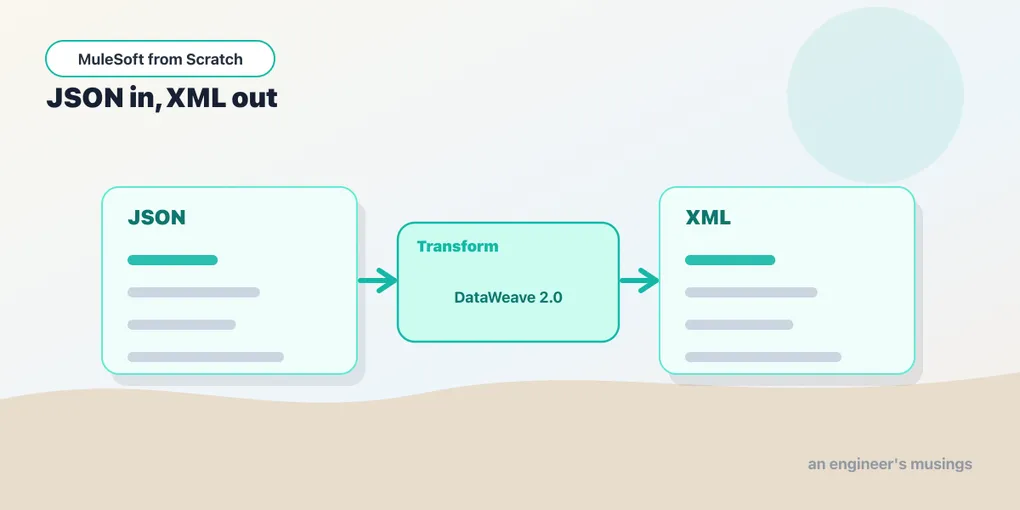
Every integration you will ever build does the same thing at its core: it takes data shaped one way and hands it over shaped another way. The customer record from Salesforce doesn’t match the order object your warehouse expects. The API you’re calling wants XML; the app that called you sent JSON. Reshaping data is the job — and in Mule, the tool for it is DataWeave.
If you learn one thing well in this whole series, make it this. Connectors and routers you can look up. DataWeave is the language you’ll be writing every single day, and fluency in it is the difference between a Mule developer who fights the platform and one who barely thinks about it.
What DataWeave is
DataWeave 2.0 is Mule’s functional language for transforming data. You give it an input — a payload, a variable, some attributes — and a script that describes the output you want, and it produces that output. It’s declarative: you write what the result looks like, not a loop that mutates a buffer.
It runs in two places. Small expressions live inline anywhere Mule accepts a #[...] — you saw those in the last post accessing payload and attributes. Bigger transformations live in the Transform Message component, a processor you drop into a flow whose entire job is running a DataWeave script and setting the result as the new payload.
The shape of a script
Every DataWeave script has three parts. Here’s the smallest one that does anything:
%dw 2.0
output application/json
---
{ greeting: "Hello, Mule!" }
The header comes first — %dw 2.0 declares the language version, and output application/json says what format to produce. Then ---, the separator, which you’ll type a thousand times. Everything below it is the body: a single expression that evaluates to your output. That’s the whole grammar. One expression, not a sequence of statements.
Change the output directive and DataWeave writes the same value out in a different format. output application/xml, output application/csv, output text/plain — the body stays put, the serialization changes. Hold onto that idea; it’s the trick behind the JSON-to-XML transform below.
Reading data with selectors
Say the payload flowing into your transform is this:
{
  "customer": { "name": "Ada", "tier": "gold" },
  "orders": [
    { "id": 1, "total": 40 },
    { "id": 2, "total": 15 }
  ]
}
Selectors are how you reach into it. The single dot picks a key:
%dw 2.0
output application/json
---
payload.customer.name
That returns "Ada". Chaining dots walks down the tree. Square brackets index into an array — payload.orders[0] is the first order, and negative indexes count from the end, so payload.orders[-1] is the last. There are two more you’ll reach for constantly: .* selects all values matching a key (useful in XML, where repeated elements share a name), and .. descends recursively to find a key at any depth. Start with . and []; the other two are there when the shape gets awkward.
One quiet convenience: if you select a key that doesn’t exist, DataWeave gives you null rather than throwing. payload.customer.address.city on the data above is just null, no crash — which makes navigating optional fields far less painful than it sounds.
Mapping an array
The workhorse function is map. It walks a collection and returns a new collection, running your expression on each element. This is how you reshape a list of things into a differently-shaped list of things:
%dw 2.0
output application/json
---
payload.orders map (order, index) -> {
  orderId: order.id,
  amount: order.total
}
The lambda takes each order (and its index, which you can omit) and returns a new object. The result is a fresh array:
[
  { "orderId": 1, "amount": 40 },
  { "orderId": 2, "amount": 15 }
]
Notice you never wrote a loop, an accumulator, or an index counter. You described one element’s transformation, and map applied it across the collection. That mental move — transform the element, let the function handle the iteration — is most of DataWeave.
Building objects
Objects are written with curly braces and key: value pairs, and the values can be any expression — a selector, a literal, another map, a nested object. You compose the output you want by nesting these:
%dw 2.0
output application/json
---
{
  who: payload.customer.name,
  status: payload.customer.tier,
  lineItems: payload.orders map (o) -> {
    ref: o.id,
    price: o.total
  }
}
Read it top to bottom and the output structure is right there in the source — who, status, and a lineItems array built from the orders. That readability is the point. A DataWeave script is a picture of its own result.
JSON in, XML out
Here’s where the output directive earns its keep. Same input, but now a downstream system wants XML. You change one line of the header and give the body a single root key — XML needs exactly one root element:
%dw 2.0
output application/xml
---
{
  order: {
    customer: payload.customer.name,
    tier: payload.customer.tier
  }
}
Which serializes to:
<?xml version='1.0' encoding='UTF-8'?>
<order>
  <customer>Ada</customer>
  <tier>gold</tier>
</order>
The keys became element names, the values became text content, and you didn’t touch a single XML-building API. DataWeave treats the object as an abstract tree and lets the output directive decide how to write it down. Swap the directive back to application/json and the same tree comes out as JSON again. That separation — model the data once, serialize however the consumer needs — is why you’re not stitching strings together like it’s 2004.
A word on types
Values in DataWeave have types — String, Number, Boolean, Object, Array, plus Date and friends — and mostly it infers them for you. When you need to force one, the as operator coerces: payload.orders[0].total as String gives you "40", and payload.age as Number turns a numeric string back into a number. You’ll lean on this at the edges, where an upstream system sends a number as a quoted string and the consumer wants a real one. It’s a small tool, but coercion bugs are a common first stumble, so it’s worth knowing as exists before you trip over one.
Final thoughts
DataWeave rewards a small shift in how you think. Stop reaching for loops and temporary variables and start describing the output as one expression built from selectors and map. Once that clicks, transformations you’d have dreaded in Java — flatten this, regroup that, coerce these fields — become a few readable lines. The advanced series has a whole post on the sharp edges (reduce, groupBy, custom functions), but everything there is built from the four moves you just saw: header, selectors, map, and building objects.
Comments