Total Recall: Caching and Object Store in Mule
How a Mule app remembers things between runs — Object Store v2, the Cache scope, and watermarking for incremental sync.
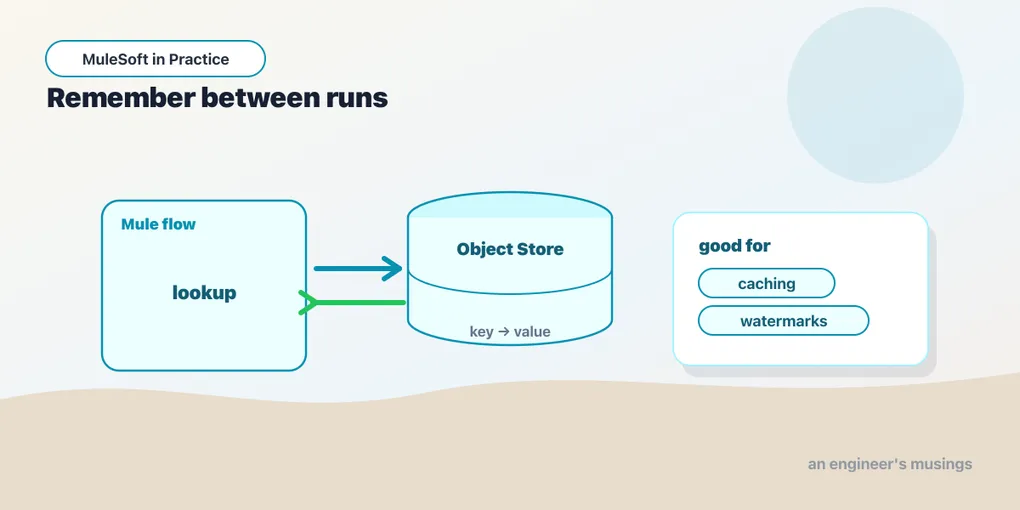
Everything you’ve built so far has been stateless by design. A message arrives, moves down the flow, leaves — and the app forgets it ever happened. That’s a feature: stateless apps scale sideways and restart without ceremony. But some problems genuinely need memory. You want to avoid calling a slow downstream API twice for the same input. You want a scheduled job to pick up where it left off instead of re-reading the whole table. For those, Mule gives you a key/value store that outlives any single execution: Object Store.
Object Store v2, the durable dictionary
At its core, Object Store is a persistent map — keys to values — that your flows can read and write. The version you want on CloudHub is Object Store v2: it’s persistent, replicated, cluster-safe, and shared across the workers of a deployed app, so two workers hit the same store instead of drifting apart. You don’t provision a database for it; it’s a managed service you talk to through the Object Store connector.
The operations are exactly what you’d expect from a map:
<os:object-store name="Tokens_Store" persistent="true" entryTtl="50" entryTtlUnit="MINUTES"/>

<flow name="cacheToken">
  <os:retrieve key="downstream-token" objectStore="Tokens_Store" target="token">
    <os:default-value>#[null]</os:default-value>
  </os:retrieve>

  <choice>
    <when expression="#[vars.token == null]">
      <flow-ref name="fetchFreshToken"/>
      <os:store key="downstream-token" objectStore="Tokens_Store"
                value="#[payload]"/>
    </when>
  </choice>
</flow>os:store, os:retrieve, os:contains, and os:remove cover the whole surface. Note entryTtl — Object Store handles eviction for you, so a token cached with a 50-minute TTL disappears on its own and the next retrieve returns your default. You’re storing state without signing up to garbage-collect it.
A caution worth stating plainly: Object Store v2 is built for coordination and small state — tokens, cursors, flags, modest lookup values — not as a general-purpose database. It’s rate-limited and size-limited per the platform’s published quotas. If you find yourself writing tens of thousands of large objects a minute, you’ve outgrown it and want a real datastore.
The Cache scope, for expensive answers
Manually retrieve-check-store, as above, is fine when you want control. But the most common reason to remember something is dull and repetitive: a downstream call is slow or expensive, the inputs repeat, and you’d like to serve the second identical request from memory. Wiring that by hand every time is tedious — so Mule wraps the whole pattern in a Cache scope.
Everything inside the scope runs once per distinct key. On a cache hit, the scope short-circuits and returns the stored result without executing its body at all:
<ee:object-store-caching-strategy name="Product_Cache"
    keyGenerationExpression="#[attributes.uriParams.productId]">
  <ee:in-memory-store maxEntries="500" entryTtl="10" entryTtlUnit="MINUTES"/>
</ee:object-store-caching-strategy>

<flow name="getProduct">
  <http:listener config-ref="HTTP" path="/products/{productId}"/>
  <ee:cache cachingStrategy-ref="Product_Cache">
    <http:request config-ref="Catalog_API"
                  path="#['/catalog/' ++ attributes.uriParams.productId]"/>
    <ee:transform>
      <ee:message>
        <ee:set-payload>#[payload filterObject ((v, k) -> k != 'internalNotes')]</ee:set-payload>
      </ee:message>
    </ee:transform>
  </ee:cache>
</flow>
The keyGenerationExpression is the crux — it’s a DataWeave expression that turns each event into a cache key. Get it wrong and you either cache too coarsely (two different requests collide on one key and users see each other’s data — a real bug, not a slow one) or too finely (every request is unique, the cache never hits, you’ve added overhead for nothing). Key on exactly the inputs that determine the answer. Here that’s the product ID and nothing else.
By default the Cache scope is backed by an in-memory store, which resets on restart and doesn’t share across workers. Point its strategy at an Object Store v2 store instead and the cache becomes persistent and cluster-wide — the same durability the manual pattern gave you, without the manual part.
Watermarking, or picking up where you left off
The third use of durable state is the one that quietly saves the most work. A scheduled job polls a source — a database table, a Salesforce object, a file drop — and you only want the records that changed since last time. To do that, you have to remember “last time.” That remembered cursor is a watermark.
Mule 4 doesn’t hand you a magic Poll scope for this the way Mule 3 did; you build it, and it’s a satisfyingly small pattern. Store a timestamp or a monotonic ID in Object Store, read it at the start of each run, query for everything after it, and write the new high-water mark at the end:
<flow name="syncNewOrders">
  <scheduler>
    <scheduling-strategy>
      <fixed-frequency frequency="5" timeUnit="MINUTES"/>
    </scheduling-strategy>
  </scheduler>

  <os:retrieve key="orders-watermark" objectStore="Sync_Store" target="since">
    <os:default-value>#[|2000-01-01T00:00:00Z|]</os:default-value>
  </os:retrieve>

  <db:select config-ref="OrdersDB">
    <db:sql>SELECT id, updated_at, total FROM orders WHERE updated_at > :since ORDER BY updated_at</db:sql>
    <db:input-parameters>#[{ since: vars.since }]</db:input-parameters>
  </db:select>

  <!-- process the new records here (Batch, For Each, etc.) -->

  <choice>
    <when expression="#[sizeOf(payload) > 0]">
      <os:store key="orders-watermark" objectStore="Sync_Store"
                value="#[max(payload.*updated_at)]"/>
    </when>
  </choice>
</flow>
Two details make this correct rather than merely plausible. First, the default value on the very first run — you need a sane floor, or your first poll either grabs everything or nothing. Second, only advance the watermark after you’ve successfully processed the batch. Store it too early and a mid-run failure means those records are marked “done” and never come back. Update it last, and a failure simply re-reads the same window next time, which is exactly the at-least-once behavior you want. Ordering by the watermark column and taking the max keeps the cursor honest.
Final thoughts
Caching is a bargain you make with staleness, and the bill always comes due. Every cached value is a promise that the source hasn’t changed in a way you’d care about — and sometimes it has. The failure mode isn’t a crash; it’s a customer looking at a price that moved an hour ago and a support ticket you can’t reproduce because your own logs show the “correct” answer. So cache the things that are genuinely expensive and genuinely slow to change, keep the TTL short enough that reality can’t drift too far, and give yourself a way to purge a key when you have to.
Watermarking has the opposite temperament — it’s almost pure upside, as long as you respect the write-last rule. Together they cover the two honest reasons a stateless platform needs memory: to avoid redoing expensive work, and to avoid redoing work you’ve already finished. Reach for state deliberately, and your Mule apps stay easy to reason about even when they stop forgetting.
Comments