No Token, No Entry: Securing a Mule API
OAuth 2.0 enforcement, TLS, and secure properties — the layers that decide who gets through the gateway and who gets a 401.
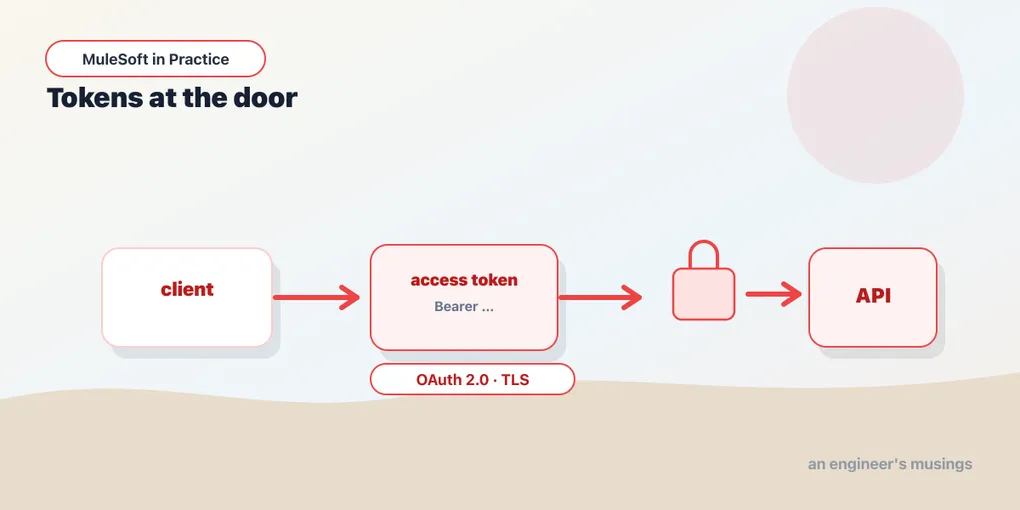
In the last post you put a rate-limit policy at the gateway and watched it reject the 101st request without touching a line of app code. Security works the same way, but the stakes are higher: instead of “how often can you call me?” the question is “who are you, and should I be talking to you at all?” This post walks the three layers that answer it — identity at the gateway, encryption on the wire, and secrets that never sit in plaintext.
None of this lives in your flows. That’s the point. Authentication is a cross-cutting concern, and the moment you scatter it across every flow you’ve signed up to change forty places when the rules move.
The simplest gate: client ID enforcement
Before OAuth, there’s the baseline you already met in passing — client ID enforcement. Every consumer registers an application against your API in Anypoint Exchange and receives a client_id and client_secret. The policy checks that each request carries a valid pair, usually in headers:
curl https://orders-api.example.com/orders \
  -H 'client_id: 3f9c2a...' \
  -H 'client_secret: 9b7e...'
That’s enough to know which app is calling, which is what SLA tiers and per-consumer rate limits key off. What it isn’t is real user authentication or a rotating credential — the secret is long-lived, and a leaked pair is a standing key. It’s fine for internal service-to-service traffic behind a trusted boundary. For anything more, you want tokens that expire.
OAuth 2.0 at the gateway
OAuth 2.0 replaces the standing secret with a short-lived access token. For API-to-API traffic — one Mule app calling another, a backend job hitting your API — the relevant grant is client credentials: there’s no human clicking “allow”, just a service proving it’s allowed.
The shape of it is three parties:
- The client presents its
client_id/client_secretto an authorization server and asks for a token. - The authorization server returns a signed, expiring bearer token.
- The client calls your API with
Authorization: Bearer <token>. The gateway validates the token before your flow ever runs.
# Step 1 — get a token from the authorization server
curl -X POST https://auth.example.com/oauth/token \
  -d 'grant_type=client_credentials' \
  -d 'client_id=3f9c2a...' \
  -d 'client_secret=9b7e...'
# → { "access_token": "eyJ...", "expires_in": 3600, "token_type": "Bearer" }

# Step 2 — call the protected API with it
curl https://orders-api.example.com/orders \
  -H 'Authorization: Bearer eyJ...'
On the Mule side you apply the OAuth 2.0 Access Token Enforcement policy in API Manager. Here’s the part people gloss over, so I won’t: MuleSoft does not magically become an OAuth provider. The policy validates tokens — it doesn’t mint them. Something has to play authorization server. You have three realistic options:
- An external identity provider — Okta, PingFederate, Azure AD, Auth0. The gateway validates each token against that provider (introspection endpoint or a cached JWKS for signed JWTs). This is what most shops actually run.
- Mule’s own OAuth provider — a Mule app built from the client-management template that issues and introspects tokens, registered as a “client provider” for the environment. Workable, but now you own an auth server.
- A managed provider tied to Anypoint’s client management.
Whichever you pick, the enforcement step is the same and it’s cheap to reason about: token missing or malformed → 401 Unauthorized; token valid but lacking a required scope → 403 Forbidden; token good → the request reaches your flow, and the granted scopes are available to it. Standing up a full authorization server is its own project — I’m describing the validate step because that’s the part you configure on the API, and it’s the part that protects you.
TLS: encrypting the wire
A bearer token in transit over plain HTTP is a password shouted across a room. TLS closes that — and for internal APIs you often want more than the browser’s default handshake.
One-way TLS is the familiar case: the client verifies the server’s certificate, the channel is encrypted, the server doesn’t verify the client. That’s every https:// you’ve ever typed. On a Mule listener it’s a keystore holding the server’s identity:
<tls:context name="Server_TLS">
  <tls:key-store type="jks"
                 path="server-keystore.jks"
                 keyPassword="${secure::tls.keyPassword}"
                 password="${secure::tls.storePassword}"/>
</tls:context>

<http:listener-config name="HTTPS_Listener" protocol="HTTPS">
  <http:listener-connection host="0.0.0.0" port="8082" tlsContext="Server_TLS"/>
</http:listener-config>
Mutual (two-way) TLS adds the reverse check: the server also demands and verifies a client certificate. Now identity is proven by the certificate itself, before a single byte of the request is processed — which is why mTLS is common between trusted backend services where you’d rather not manage tokens at all. It needs a truststore: the set of client certificates (or their signing CA) you’re willing to accept.
<tls:context name="Mutual_TLS">
  <tls:key-store type="jks" path="server-keystore.jks"
                 keyPassword="${secure::tls.keyPassword}"
                 password="${secure::tls.storePassword}"/>
  <tls:trust-store type="jks" path="client-truststore.jks"
                   password="${secure::tls.trustPassword}"/>
</tls:context>
Add <tls:context enabledProtocols="TLSv1.2,TLSv1.3"> to pin protocol versions, and don’t ship a keystore that trusts everything. The keystore is you; the truststore is who you’ll believe.
Secrets that aren’t in plaintext
Notice every password above was ${secure::...}, not the literal value. That’s the Secure Configuration Properties module, and it’s the difference between a config file you can commit and one that’s a breach waiting to happen.
You keep a properties file where sensitive values are encrypted — wrapped in ![...] — and Mule decrypts them at startup using a key supplied at runtime, never stored with the app:
# secure-config.yaml
db:
  password: "![nZ8kQ2...ciphertext...]"
tls:
  keyPassword: "![pR4m...]"
storePassword: "![xW9...]"<secure-properties:config name="Secure_Props"
file="secure-config.yaml"
key="${secure.key}">
<secure-properties:encrypt algorithm="AES" mode="CBC"/>
</secure-properties:config>You generate the ciphertext with MuleSoft’s secure-properties tool, and you pass the decryption key at deploy time — -M-Dsecure.key=... locally, or as a hidden property in Runtime Manager for a CloudHub app. Referencing a secure value uses the secure:: prefix so it’s obvious at a glance which properties are the dangerous ones. The plaintext key lives in exactly one place — the runtime environment — and never in the repo.
Final thoughts
These three layers answer three different questions, and it’s worth being clear about which is which. TLS answers is anyone listening? OAuth and client ID answer who are you? Secure properties answer where do the secrets live? Conflating them is how APIs end up with a beautiful OAuth policy and a database password sitting in config.yaml on a public branch.
The honest framing for a Mule shop is that the gateway does the heavy lifting for identity, but it does not absolve you of running — or renting — a real authorization server, and it does not manage your keystores. Buy that part from an identity provider you trust, keep your secrets encrypted and your key out of the repo, and let the gateway do what it’s genuinely good at: turning a missing token into a 401 before your business logic ever wakes up.
Comments