One Line, Then Every Line
Introduce arrays and callbacks through line totals, then calculate a complete order summary.
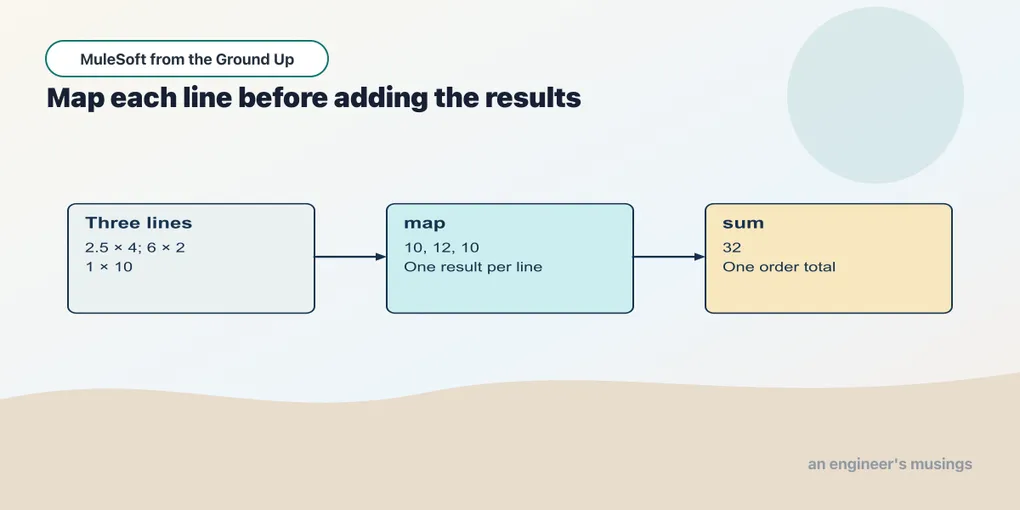
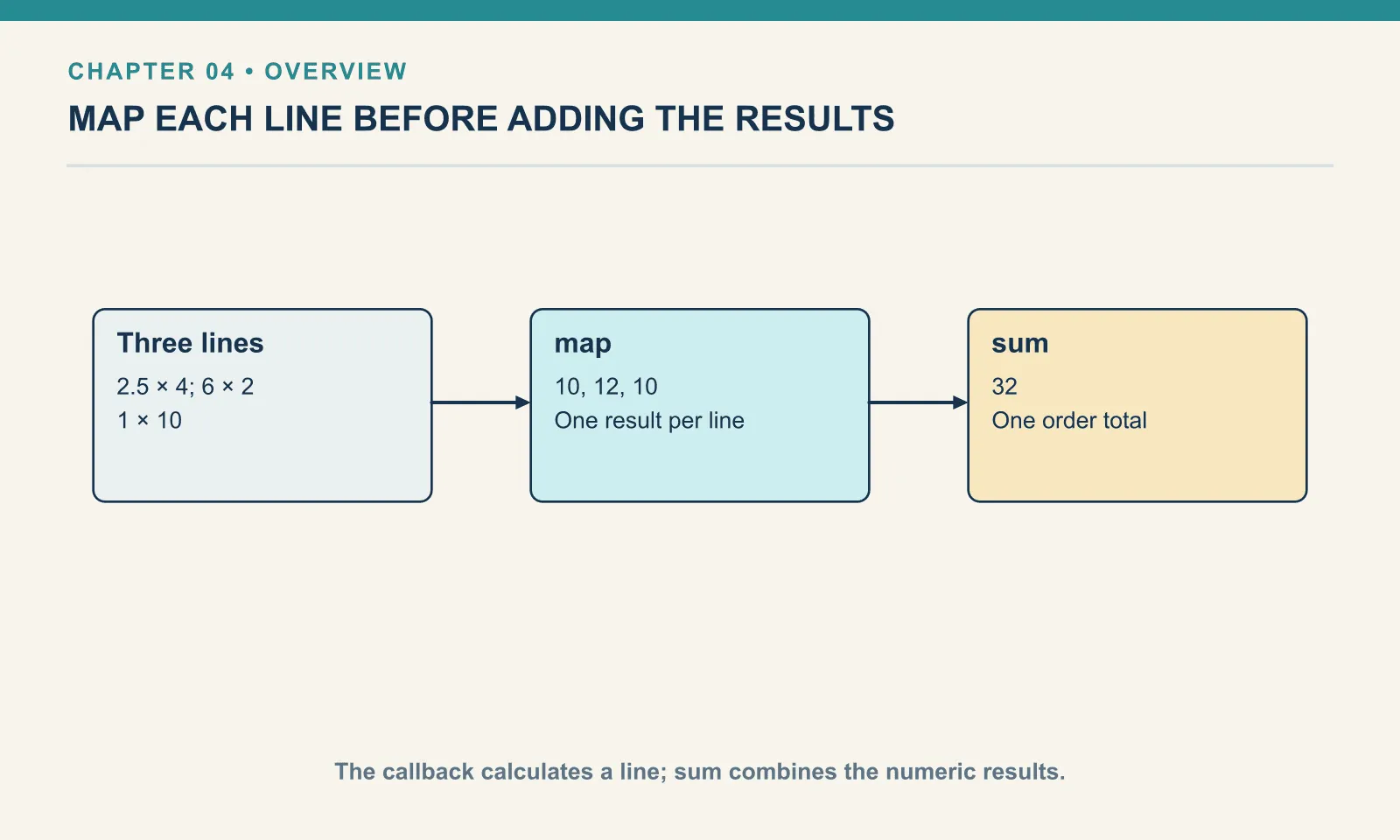
Dana’s order has three lines. We already know how to calculate one of them: multiply price by quantity. The next step is to apply that calculation to each item and inspect the resulting list before adding its numbers.
Open this checkpoint in ACB
Stop the previous application. Open book/checkpoints/04-order-lines from the companion as the project folder, then open src/main/mule/app.xml. Use Flow List to select the named example. Run Run Mule Application from Run and Debug; wait for deployment before sending requests. After a canvas edit, use Save and Hot-deploy to Local Runtime.
The HTTP verification command, run from the companion root while this checkpoint is running, is python3 book/run.py verify 04. It checks the supplied baseline; restore exercise changes before using it.
Read the collection before transforming it
Use the named calculation fixture order-calculation.json:
{
  "orderId": "A-1001",
  "customer": {
    "id": "C-42",
    "name": "Dana"
  },
  "items": [
    {
      "sku": "PEN-01",
      "price": 2.5,
      "qty": 4
    },
    {
      "sku": "PAD-22",
      "price": 6,
      "qty": 2
    },
    {
      "sku": "CLP-08",
      "price": 1,
      "qty": 10
    }
  ]
}
items holds an array, written with square brackets. Each array element is an object. The elements retain their positions: the pen line is first, the notepad line is second and the clips are third. DataWeave indexes arrays from zero, so payload.items[0] selects the first item and payload.items[0].qty selects its quantity, 4.
Do not add all quantities to get the price — four pens and ten clips do not share a unit price, so the order total is not a function of the quantities alone. Calculate each line from its own price first, then combine the line amounts.
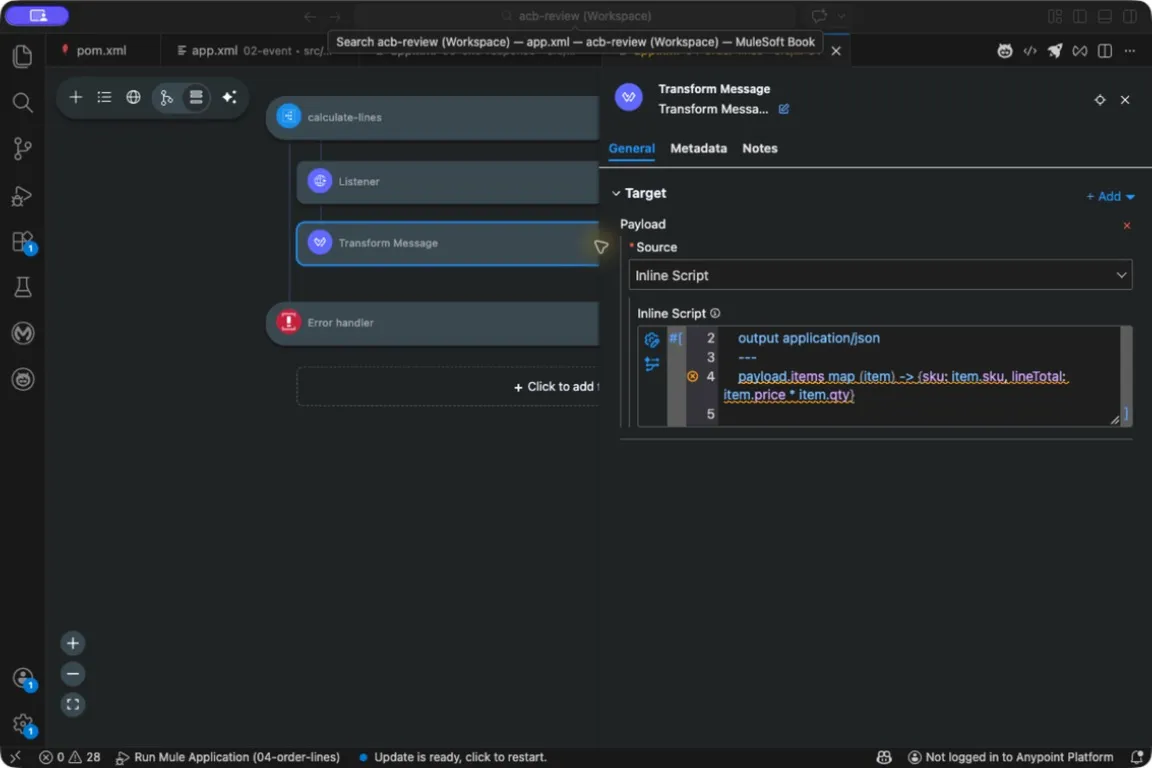
The mapping stays in Transform Message’s Payload script. The canvas still has one transform, even though its expression visits several items. The red marker beside the script is a design-time metadata diagnostic, not a runtime error; Appendix A explains why these schema-free projects show them.
Apply one expression to every item
Example 008 — Calculate every line
In Flow List, select calculate-lines, then open Transform Message → Payload → Inline Script. The complete source is in checkpoints/04-order-lines/src/main/mule/app.xml.
%dw 2.0
  output application/json
  ---
  payload.items map (item) -> {sku: item.sku, lineTotal: item.price * item.qty}
map reads an array and constructs another array. (item) -> introduces the expression used for each element. The name item is a parameter: during one evaluation it means the pen object, during the next it means the notepad object, and during the last it means the clip object.
To the right of the arrow is the result for that one item. It uses the same multiplication as Calculate one line. The object also keeps the SKU so we can see which amount belongs to which product.
From the companion root, send the calculation fixture to the running application:
curl --include -H 'Content-Type: application/json' \
  --data @book/fixtures/order-calculation.json \
  http://127.0.0.1:18881/lines
The response body is:
[
  {"sku":"PEN-01","lineTotal":10},
  {"sku":"PAD-22","lineTotal":12},
  {"sku":"CLP-08","lineTotal":10}
]
There are three input items and three output objects in the same order. map did not total the order or remove an item; it applied the expression once per item and collected the results. Nor did it call anything: one result per input item is a transformation, and sending a request per line is a connector’s job inside a routing scope. Keeping those two responsibilities apart is what leaves the mapping testable on its own.
A useful way to read the callback is to cover the rest of the array with your hand and calculate one result. Once that result is clear, uncover the next item. This works for later callbacks too; the parameter gives the current input a name.
Add the line amounts
Example 009 — Calculate the order total
Select order-total in Flow List and open its Transform Message inline script. The complete source is in checkpoints/04-order-lines/src/main/mule/app.xml.
%dw 2.0
  output application/json
  ---
  {orderId: payload.orderId, total: sum(payload.items map (item) -> item.price * item.qty)}
This version maps each item directly to a number. Before sum consumes the mapped result, those numbers are [10, 12, 10]. sum combines them into 32. The surrounding object keeps the order identity beside the total.
Posting the fixture to /summary returns:
{"orderId":"A-1001","total":32}Read the nested expression from the inside outward: select the items, calculate one number per item, add those numbers, then place the result in the output object. There is no hidden running total to trace. Each expression produces the value its enclosing expression needs.
Both examples belong together because the first exposes the intermediate shape the second consumes. If the total is unexpected, inspect the mapped numbers before changing sum. A correct addition of incorrect line amounts still produces an incorrect order total.
Decide what an empty collection means
For {"orderId":"EMPTY","items":[]}, the mapped array is empty and this summary returns a total of 0. That is a useful arithmetic result. It does not decide whether an empty order should be accepted by a shop.
Chapter 7 will reject empty order commands. Keep those two responsibilities separate in your reasoning: the transformation explains the calculation, and the intake rule decides which commands may reach the service. An empty array can be perfectly well represented and still violate the order contract — can this be represented? and is this an allowed request? are different questions. A missing items field is also different from an explicitly empty array — do not let a malformed document quietly become an empty order.
The compact callback spelling $ refers to the current item in common array callbacks. You may see payload.items map ($.price * $.qty) in other Mule examples. It expresses the same calculation here. The book’s main examples keep the named parameter, because a name stays readable when there is more than one collection in view.
Try it
1. Change the pen quantity. Increase it from 4 to 6. Write the three line totals before calculating the order total.
Show answer
The line totals become 15, 12 and 10; the order total is 37. The number of array elements stays three.
2. Keep quantity in the mapped result. Add it beside the SKU and line total.
Show answer
Add qty: item.qty to the object returned by the callback. This preserves an input value in each corresponding output element; it does not change the multiplication.
3. Explain the two results. Why does /lines return an array while /summary returns an object?
Show answer
The body of the first script is a map expression whose result is an array. The second script constructs an object; one field uses a mapped array as the input to sum. The outermost expression determines the overall result shape.
The order calculation is now small enough to test and reuse. Before extracting it, the next chapter retains a value that another processor would otherwise replace.
Comments