Keep a Value, Name a Calculation
Retain event context, extract a subflow and compare ordinary and targeted Flow Reference calls.
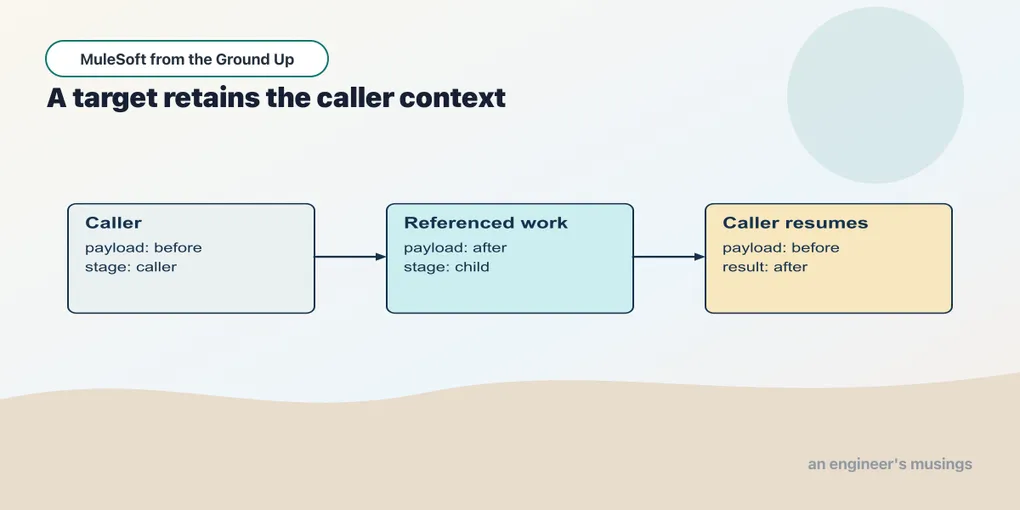
By the time a flow has a calculated total on its payload, the order identifier that arrived with the request is no longer there to read. Ask for payload.orderId at that point and you get nothing useful — the order did not vanish, the current payload simply is not the order any more. Keeping the identifier has to be deliberate, and a variable is where it goes: a name for the value that remains available as the event moves through the flow.
Checkpoint 05 keeps the summary endpoint and adds three ways to examine local context. None calls an external service.
Open this checkpoint in ACB
Stop the previous application. Open book/checkpoints/05-context-and-subflows from the companion as the project folder, then open src/main/mule/app.xml. Use Flow List to select the named example. Run Run Mule Application from Run and Debug; wait for deployment before sending requests. After a canvas edit, use Save and Hot-deploy to Local Runtime.
The HTTP verification command, run from the companion root while this checkpoint is running, is python3 book/run.py verify 05. It checks the supplied baseline; restore exercise changes before using it.
Save the value before replacing its source
Example 010 — Keep the order identifier
The complete source is in checkpoints/05-context-and-subflows/src/main/mule/app.xml.
Choose Flow List → keep-order-context. Read the canvas from Listener to Set Variable, Set Payload and Transform Message.
- Select Set Variable. Set Name to
orderIdand enterpayload.orderIdin the Value expression field. - Select Set Payload. Its text-mode Value is
lookup complete. - Select Transform Message → Payload → Inline Script and use the script below. The first output value reads the variable; the second reads the replaced payload.
%dw 2.0
output application/json
---
{orderId: vars.orderId, lookup: payload}
Set Variable evaluates payload.orderId while the original order is still the payload. The variable’s name is orderId; later expressions read it as vars.orderId. Set Payload then replaces the body with text.
Posting the calculation fixture to /context returns:
{"orderId":"A-1001","lookup":"lookup complete"}The two fields come from different locations. orderId comes from the retained variable. lookup comes from the current payload. Move Set Variable after Set Payload and its source is no longer the original order object. The processor order is part of this flow’s meaning.
A variable belongs to this event’s processing. It is not a database row and does not automatically become shared state for another HTTP request — saving an order in a variable cannot make it survive a runtime restart, and it cannot make one request’s value visible to the next.
Give a familiar calculation a reusable name
Example 011 — Extract the total calculation
The complete source is in checkpoints/05-context-and-subflows/src/main/mule/app.xml.
Choose calculate-total in Flow List. It is a Sub Flow, so its canvas starts with Transform Message rather than a Listener. Open that component’s inline script and keep the calculation below.
To practice extraction, open the flow containing the calculation, use the Transform Message card’s … → Extract To… → Sub Flow action, and give the extracted work a distinct name. Compare the generated Flow Reference and subflow with the supplied call-total and calculate-total pair. Do this in a copy of the checkpoint so you do not create two definitions with the same name.
%dw 2.0
output application/json
---
{orderId: payload.orderId, total: sum(payload.items map (item) -> item.price * item.qty)}
The script is the order-total calculation from the previous chapter. The canvas names the extracted Sub Flow calculate-total. A subflow has no source of its own and no error handler of its own; another flow invokes it. A flow without a source can also be called internally and does keep a flow-level handler, so the two names are not interchangeable — decide whether the extracted work needs its own error policy, because that choice picks between them.
Example 012 — Call the calculation
The complete source is in checkpoints/05-context-and-subflows/src/main/mule/app.xml.
Choose Flow List → call-total. Select Listener and check Path /total. Select Flow Reference, then set General → Name to calculate-total. Leave Advanced → Target Variable empty for this ordinary call.
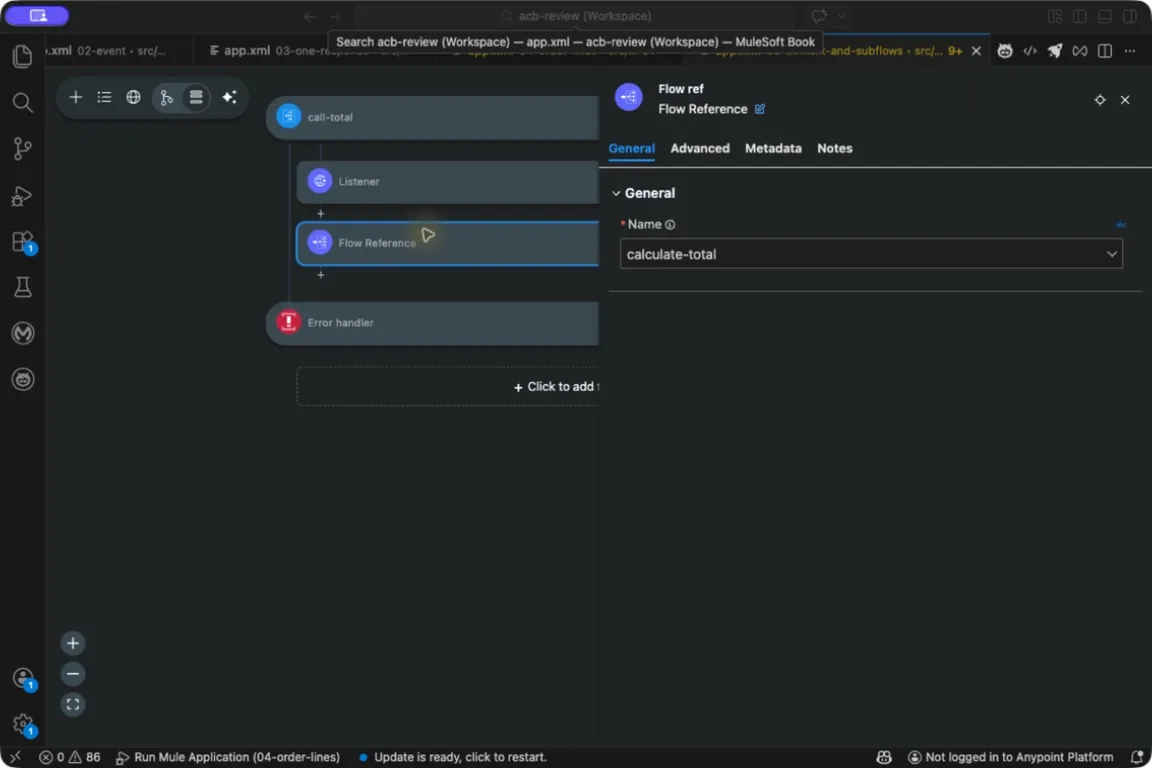
The Name field chooses work in this application. A Flow Reference does not make an HTTP request.
The listener receives the order, and Flow Reference invokes the named subflow in the same application. The subflow’s result becomes the current payload. Sending the fixture to /total returns the same order identity and total, 32, as /summary.
Extraction is useful when it gives an already understood operation a name and one place to maintain it. It does not make a network API. A flow-ref names a flow or subflow in this application; calling a separately deployed service requires a connector and a service contract.
The input contract of calculate-total is still important. It expects the calculation fixture’s orderId and items containing numeric price and quantity. Calling it by name does not validate that contract or make a different payload fit it. The obligation runs the other way too: a subflow’s variable names are an internal interface, so one that quietly changes vars.order from an order object to a string breaks its callers even when its own processors work.
Retain a called result without replacing the caller’s state
Sometimes the called flow is a calculation whose result you need alongside the current message. A Flow Reference target expresses that choice. First inspect the child:
Example 013 — Change the child event
The complete source is in checkpoints/05-context-and-subflows/src/main/mule/app.xml.
Choose Flow List → change-child-event. Select Set Payload and inspect the literal after. Then select Set Variable: Name is stage, and its Value expression is 'child'. Those quotes create a DataWeave string; they do not belong in a text-mode greeting field.
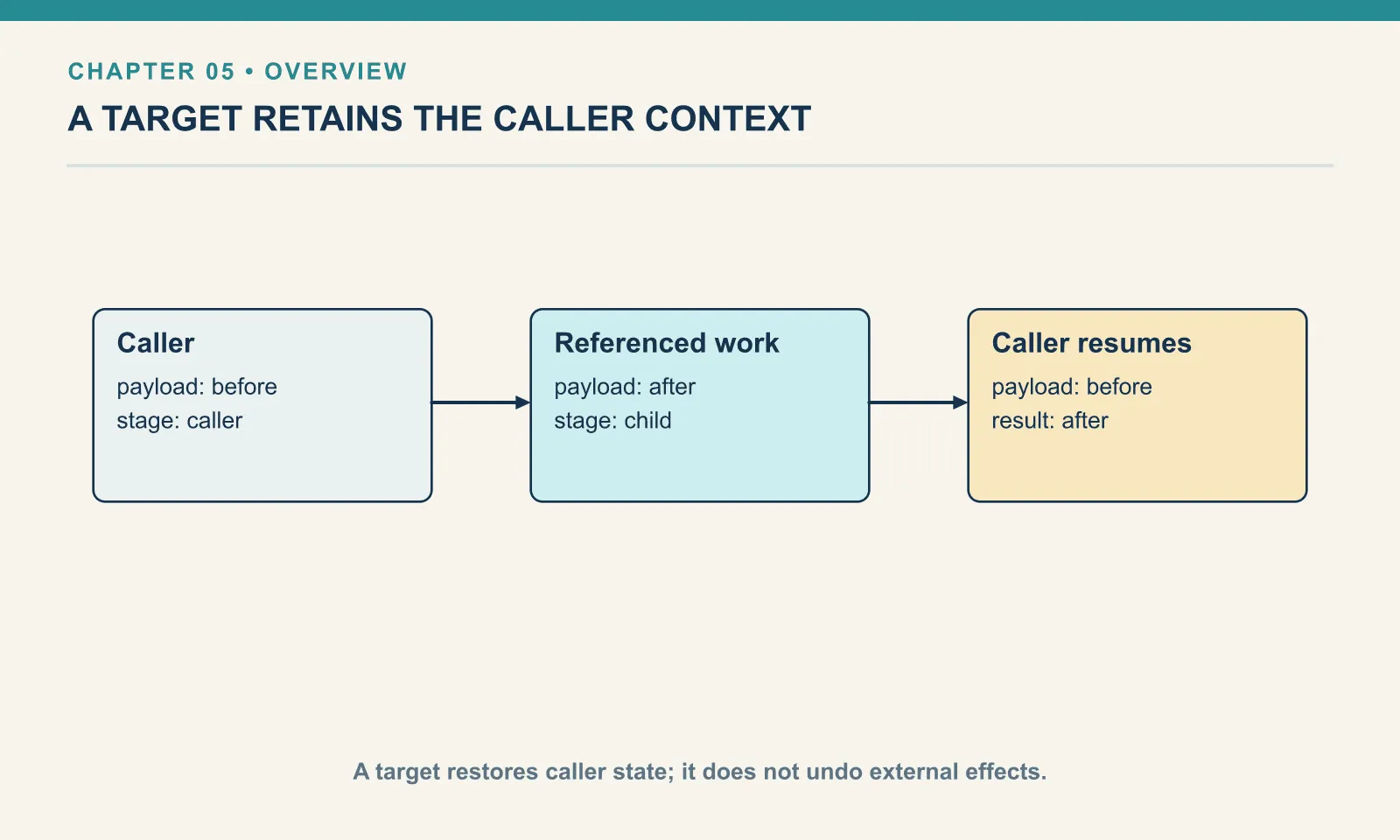
The child produces payload after and variable stage equal to child. Now call it with a target:
Example 014 — Retain a subflow result
The complete source is in checkpoints/05-context-and-subflows/src/main/mule/app.xml.
Choose Flow List → targeted-subflow. The Listener uses /target. Inspect the components in order:
| Component | Field to inspect | Value |
|---|---|---|
| Set Payload | Value, text mode | before |
| Set Variable | Name; Value, expression mode | stage; 'caller' |
| Flow Reference | General → Name | change-child-event |
| Flow Reference | Advanced → Target Variable | childResult |
| Flow Reference | Advanced → Target Value | payload |
Open the final Transform Message and use this inline script. Keep Target Value as an expression and Target Variable as a plain variable name.
%dw 2.0
output application/json
---
{payload: payload, stage: vars.stage, result: vars.childResult}
Requesting /target returns:
{"payload":"before","stage":"caller","result":"after"}The target holds the child’s returned payload under vars.childResult. The caller continues with its earlier payload and variable state, which is why stage is still caller. Without the target, an ordinary call exposes the child’s changed event state to everything after it. That may be exactly what an orchestration wants; it is a surprising side effect for a caller that only wanted a calculation.
This example changes only local event state. If the child had written a file or called an external system, restoring the caller’s message would not undo that work. Database rollback needs a transaction; it is not a consequence of using target. A target is not a fallback either: if the called work fails there is no fresh target holding a successful result, and an error handler has to decide whether to propagate or produce an alternative. Reuse one target name across several calls and an earlier value can survive into that failure path — give distinct results distinct names.
An HTTP Request target later lets us retain a dependency result too, but the operation and its returned attributes deserve their own example. The local subflow comparison gives us a clear starting point without requiring a second server.
Write a state trace
| Point in Retain a subflow result | Payload | vars.stage | vars.childResult |
|---|---|---|---|
| Before Flow Reference | before | caller | Not set |
| Inside child after its two processors | after | child | Not the returned target yet |
| After targeted Flow Reference | before | caller | after |
This is more useful than a vague statement that a flow “keeps context.” It names the values and the boundary at which they change. When a result is wrong, write the same table for the failing flow: record where each processor’s inputs came from and where its results went, then compare the failing expression with the last point at which the value it wants still existed.
Try it
1. Move the variable. In Keep the order identifier, place Set Variable after Set Payload. Explain why its original selector can no longer supply the original order ID.
Show answer
The selector now starts from the replacement text. Retaining a value requires reading it before its source is replaced, or reading it from another explicitly retained structure.
2. Remove the Flow Reference target. Predict the payload and stage after calling change-child-event with Advanced → Target Variable cleared.
Show answer
The ordinary call returns the changed event: payload after and stage child. There is no newly assigned vars.childResult. Update the response expression as part of the experiment rather than interpreting a missing target as a child result.
3. Choose an extraction boundary. Should selecting payload.orderId by itself become a reusable subflow?
Show answer
Usually the selector is clearer where it is used. A reusable unit earns its name by representing a coherent operation, such as calculating the order total. Creating a separate subflow for every selector adds navigation without explaining more behavior.
We have several small behaviors with definite results. The next chapter makes those expectations executable inside MUnit.
Next: Make the Result a Test
Comments