Routing: Turning URLs Into Code
The Ktor routing DSL from the ground up — HTTP verbs, path and query parameters, nested routes, and how to split your routes into clean, composable functions.
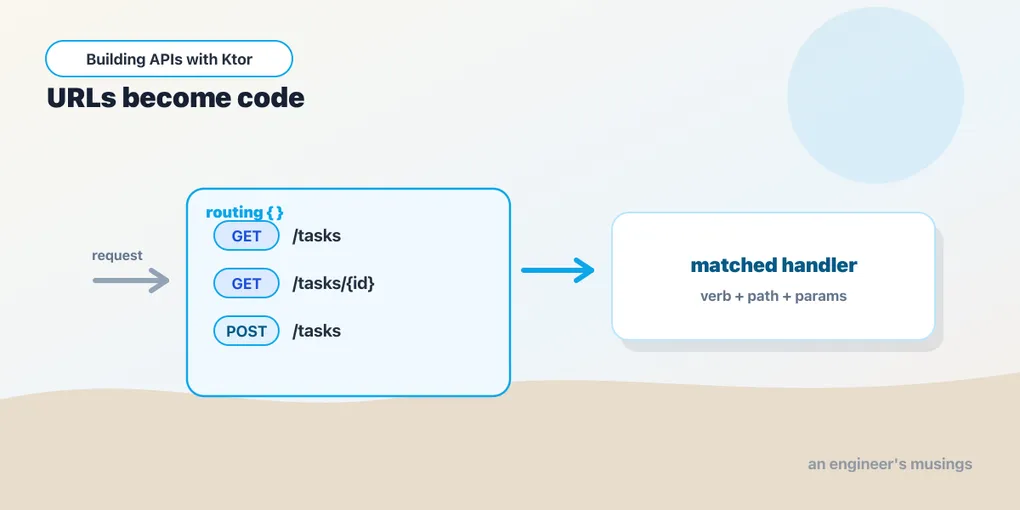
Routing is how Ktor decides which block of code answers a given request. It’s a small DSL. But you’ll spend a lot of your time in it, so let’s learn it properly. We’ll start building the task API here.
Verbs and paths
Inside routing { }, you declare handlers with the HTTP verb as the function name and the path as the argument:
routing {
    get("/tasks") {
        call.respondText("All tasks")
    }
    post("/tasks") {
        call.respondText("Created a task")
    }
    delete("/tasks") {
        call.respondText("Deleted everything")
    }
}get, post, put, patch, delete — each maps a method-and-path pair to a handler. The same path can have different handlers per verb. GET /tasks and POST /tasks above are two separate routes. If a request matches no route, Ktor responds 404 automatically.
Path parameters
Most real URLs have variable parts: a task’s id, a user’s name. Mark them with braces in the path and read them from call.parameters:
get("/tasks/{id}") {
    val id = call.parameters["id"]
    call.respondText("You asked for task $id")
}
call.parameters["id"] returns a String?, null if the segment is somehow missing. You’ll usually want it as a number, so convert and handle the bad case:
get("/tasks/{id}") {
    val id = call.parameters["id"]?.toIntOrNull()
    if (id == null) {
        call.respondText("That's not a valid id", status = HttpStatusCode.BadRequest)
        return@get
    }
    call.respondText("Task #$id")
}
Two Kotlin idioms do real work here. toIntOrNull() turns a bad id into null instead of throwing. return@get bails out of the handler lambda early. We’ll replace this hand-written validation with a cleaner pattern once we reach error handling. For now, see the shape of it.
Query parameters
Query-string values are the ?status=done&limit=10 part. They come from a different place: call.request.queryParameters.
get("/tasks") {
    val status = call.request.queryParameters["status"]   // "done", or null
    val limit = call.request.queryParameters["limit"]?.toIntOrNull() ?: 20
    call.respondText("Tasks with status=$status, limit=$limit")
}
Note the difference. Path parameters are part of the route pattern (/tasks/{id}). Query parameters are not declared in the path at all, so you just read whatever the client sent. The ?: 20 gives limit a sensible default when it’s absent.
Nesting routes
As an API grows, repeating /tasks on every line gets noisy. route(path) { } lets you nest: declare the common prefix once and group everything under it:
routing {
    route("/tasks") {
        get {                       // GET /tasks
            call.respondText("All tasks")
        }
        post {                      // POST /tasks
            call.respondText("Created a task")
        }
        route("/{id}") {
            get {                   // GET /tasks/{id}
                val id = call.parameters["id"]
                call.respondText("Task $id")
            }
            delete {                // DELETE /tasks/{id}
                val id = call.parameters["id"]
                call.respondText("Deleted task $id")
            }
        }
    }
}
Inside a route block, get { } and post { } take no path — they attach to the enclosing prefix. The nesting mirrors the URL hierarchy, so your route structure reads like a map of your API.
Splitting routes into functions
Everything inside routing { } doesn’t have to live in one place. The receiver inside the block is a Route, so you can pull a group of routes into an extension function on Route and call it:
fun Route.taskRoutes() {
    route("/tasks") {
        get { call.respondText("All tasks") }
        post { call.respondText("Created a task") }
        get("/{id}") {
            call.respondText("Task ${call.parameters["id"]}")
        }
    }
}
Then your application module stays tidy, no matter how many resources you add:
fun Application.module() {
    routing {
        taskRoutes()
        // userRoutes()
        // healthRoutes()
    }
}
This is the single most useful organizing habit in Ktor: one extension function per resource. We’ll lean on it for the rest of the series, and revisit it properly when we structure the whole application.
A note on static files
Not everything is an API. Sometimes you need to serve a folder of static files: a built frontend, images, a robots.txt. Ktor has a one-liner for that:
routing {
    staticResources("/assets", "static")   // serves src/main/resources/static
}
Now GET /assets/logo.png returns resources/static/logo.png. Handy for small apps that ship a UI alongside the API.
Final thoughts
Routing in Ktor is just functions: a verb, a path, and a lambda. You nest them to match your URLs and split them into Route extensions to stay readable. There’s no annotation scanner deciding what runs — the route tree is the code. Get comfortable here, because every feature for the rest of the series hangs off a route.
So far we’ve only sent back plain strings. Next: requests and responses — reading what the client sends and replying with the right status codes and headers.
Comments