Helm, Kustomize, and the Selector That Cost Me a Namespace
Two ways to stop copy-pasting YAML, the failures each one hands you, and an honest recommendation about which to reach for.
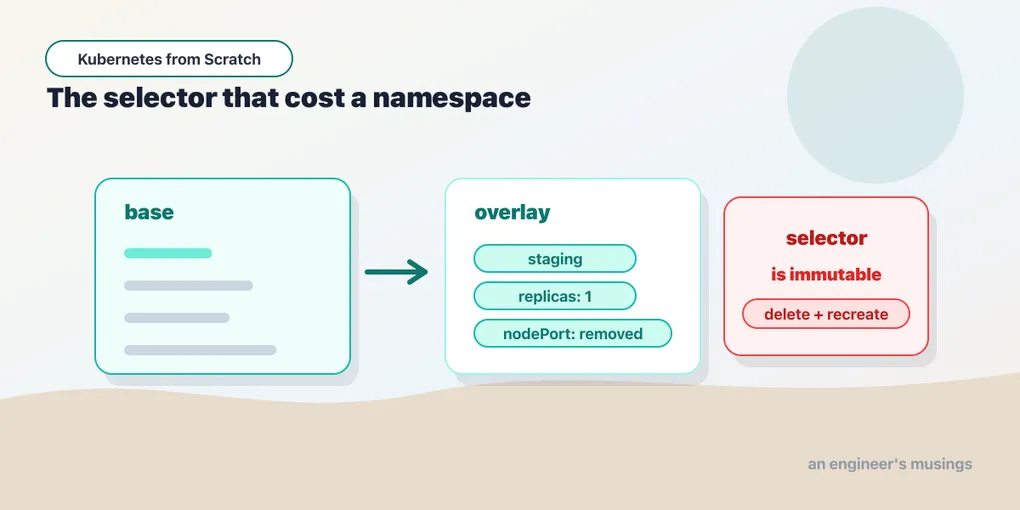
The bookshop needs a staging environment. Same five manifests, three replicas fewer, a different namespace, and a banner that says STAGING so nobody demos the wrong URL to a customer. So you do the obvious thing:
cp -r manifests/bookshop manifests/stagingAnd you have just created the bug. Not today — today the two directories are identical and everything works. The bug arrives in six weeks, when someone adds a preStop hook to web in production and does not think to add it to staging, and staging starts dropping requests during rollouts in a way production does not — and the difference is invisible, because it is a diff between two directories nobody diffs. Copy-paste does not duplicate your YAML. It duplicates your maintenance, and then quietly stops keeping the copies honest.
Everything in this chapter exists to avoid that cp -r. There are two serious answers — they disagree about almost everything, and both of them will hand you a failure worth understanding.
Helm: a package manager for clusters
Helm’s model is templates plus values plus a release. You write Kubernetes YAML with Go template placeholders in it, you supply a values.yaml with the defaults, and helm install renders the templates and applies the result to the cluster as a named, versioned thing called a release. Change a value, run helm upgrade, and Helm renders again and applies the diff. That release — a first-class object with a history, living in the cluster — is what separates Helm from a fancy envsubst.
Everything here is Helm 4.2.3 — worth saying out loud, because Helm 3 and Helm 4 advice is already interleaved on the internet, and Helm 2’s is actively dangerous (it had a cluster-side component called Tiller with god permissions; if a tutorial mentions Tiller, close the tab).
version.BuildInfo{Version:"v4.2.3", GitCommit:"43e8b7feece8beb0fcba47059ec9b522fd929a64",
                  GitTreeState:"clean", GoVersion:"go1.26.5", KubeClientVersion:"v1.36"}
Start with the scaffold, because it tells you what Helm thinks a chart is:
$ helm create bookshop-chart
  bookshop-chart/.helmignore
  bookshop-chart/Chart.yaml
  bookshop-chart/templates/_helpers.tpl
  bookshop-chart/templates/deployment.yaml
  bookshop-chart/templates/hpa.yaml
  bookshop-chart/templates/httproute.yaml
  bookshop-chart/templates/ingress.yaml
  bookshop-chart/templates/NOTES.txt
  bookshop-chart/templates/service.yaml
  bookshop-chart/templates/serviceaccount.yaml
  bookshop-chart/values.yaml
Look at line six. httproute.yaml. Helm’s default scaffold now emits a Gateway API HTTPRoute next to the Ingress — not instead of it, alongside it, both switched off by default in values.yaml. That is a small thing and a real signal: the tool that ships more Kubernetes YAML than any other has decided a new chart should emit Gateway API by default. If you wondered whether the traffic chapter was right to lead with Gateway API and treat Ingress as the legacy path, the default scaffold of Helm 4 just agreed with it.
The rest of the scaffold is a full-featured chart for an app that does not exist — an HPA, a ServiceAccount, a _helpers.tpl full of naming functions, and a values.yaml with about sixty lines of options. It is a fine starting point for shipping software to strangers and a terrible one for learning, because you cannot see the mechanism through the ceremony. So throw the templates away and write the smallest chart that does something.
A chart with one idea in it
Keep Chart.yaml from the scaffold, replace values.yaml, and keep exactly one template.
# Chart.yaml
apiVersion: v2
name: bookshop-chart
description: A minimal chart for the bookshop storefront
type: application
version: 0.1.0        # the CHART's version — bump it when the templates change
appVersion: "1.16.0"  # the APP's version — this is scaffold junk I left in on purpose
# values.yaml
replicas: 2
image: bookshop:v1
greeting: "The Bookshop"# templates/deployment.yaml
apiVersion: apps/v1
kind: Deployment
metadata:
name: {{ .Release.Name }}-web
spec:
replicas: {{ .Values.replicas }}
selector:
matchLabels: { app: {{ .Release.Name }}-web }
template:
metadata:
labels: { app: {{ .Release.Name }}-web }
spec:
containers:
- name: web
image: {{ .Values.image }}
command: ["/usr/local/bin/web"]
env:
- { name: GREETING, value: "{{ .Values.greeting }}" }Two variables are doing the work. .Values is your values.yaml, merged with anything the user passes on the command line. .Release is Helm’s own metadata about this installation — its name, its namespace, its revision — and it is the reason a chart can be installed twice into one cluster without colliding, which a directory of static YAML can never do.
Those two fields in Chart.yaml trip people up, so: version is the chart’s and appVersion is the software’s. They are independent — and that 1.16.0 is the scaffold’s default, which I deliberately did not clean up, because it will show up again in sixty seconds and I want you to recognize it when it does.
The most useful command in Helm
Before you install anything:
$ helm template demo ./bookshop-chart --set replicas=3
    name: demo-web
    replicas: 3
          - name: web
              - {name: GREETING, value: "The Bookshop"}
helm template renders the chart to stdout and touches nothing — no cluster connection, no release, no state. It is the command that turns “what does this chart actually do” from a question of trust into a question of reading, and it is how you should evaluate every third-party chart before you point it at anything you care about. Note what the render proves: the release name demo flowed into demo-web, --set beat the default of 2, and the greeting fell back to values.yaml. Precedence, made visible, for free.
Pipe it into grep, pipe it into a diff against the last release, pipe it into kubectl apply -f - if you want the rendering without the release management. Whatever else you take from this chapter: helm template first, helm install second.
Install, upgrade, and the history you did not know you had
$ helm install shop ./bookshop-chart -n helm-lab
  NAME: shop
  STATUS: deployed
  REVISION: 1

$ kubectl get deploy -n helm-lab
  shop-web   2/2   2     2     1s
Two replicas, the default from values.yaml, and a release called shop at revision 1. Now change a value — no file edits, no kubectl:
$ helm upgrade shop ./bookshop-chart -n helm-lab \
    --set greeting="Summer Sale" --set replicas=1
  STATUS: deployed
  REVISION: 2

  replicas now: 1, GREETING: Summer Sale
Helm re-rendered the templates with the new values and applied the difference. The live Deployment has one replica and a new greeting, and the release is at revision 2. So far this is a nicer sed — here is the part that is not.
$ helm history shop -n helm-lab
  REVISION	UPDATED                 	STATUS    	CHART               	APP VERSION	DESCRIPTION
  1       	Mon Jul 13 18:36:57 2026	superseded	bookshop-chart-0.1.0	1.16.0     	Install complete
  2       	Mon Jul 13 18:36:58 2026	deployed  	bookshop-chart-0.1.0	1.16.0     	Upgrade complete
There is the 1.16.0 I left in the scaffold — now permanently stamped on your release history, which is what happens to junk you do not clean up. And there is the history itself: revision 1 superseded, revision 2 deployed. Helm remembers what it did.
$ helm rollback shop 1 -n helm-lab
  Rollback was a success! Happy Helming!

  after rollback -> replicas: 2, GREETING: The Bookshop
One command, and the cluster is back to the state of revision 1. Not “back to the YAML in my git checkout” — back to what was actually running, values and all, without needing the old values on your laptop or in your shell history.
Two details in that rollback are worth more than the rollback itself.
The rollback created revision 3. It did not delete revision 2, and it did not rewind a pointer. Helm’s history is append-only — rolling back to 1 renders revision 1’s content and applies it as a new revision. Which means you can roll back a rollback, and it means helm history is a genuine audit log rather than an undo stack that eats its own tail.
Where does that history live? Not on your machine.
$ kubectl get secrets -n helm-lab
    sh.helm.release.v1.shop.v1
    sh.helm.release.v1.shop.v2
    sh.helm.release.v1.shop.v3
Every revision is a Secret in the release’s namespace, holding the rendered manifests and the values that produced them. Three revisions, three Secrets, including the one the rollback just wrote. This is a design decision with real consequences: the state is in the cluster, so any engineer with credentials can helm history and helm rollback a release someone else installed, from a laptop that has never seen the chart. It also means kubectl delete namespace takes your release history with it, and that a Secret is a Secret — anything in your rendered manifests is readable by anyone with get secrets in that namespace, which the config chapter established is not much of a wall.
What Helm actually costs you
Now the honest part, because Helm is usually sold without it.
Helm is string templating over YAML. It does not know it is producing Kubernetes objects. It does not know it is producing YAML. It is Go’s text/template emitting bytes, and YAML’s meaning is decided afterwards, by the parser. Which means the errors are not the errors you want. Get an indent wrong inside a {{- toYaml .Values.resources | nindent 12 }} and you do not get “resources.limits must be a map.” You get a YAML parse error thirty lines from the mistake, or — much worse — a document that parses fine and means something you did not intend, because in YAML the difference between a key and a list item and a string is whitespace. There is no type system anywhere in that pipeline. helm lint and helm template catch a lot of it, and you should run both, but they are catching it after the fact, from the outside.
And templating compounds. A chart that is genuinely reusable ends up with conditionals around every block, a _helpers.tpl of naming functions, {{- if .Values.ingress.enabled }} wrappers, required, default, tpl calls that template a value that is itself a template. I have read production charts where the ratio of Go template syntax to Kubernetes YAML was better than one to one, and the only way to know what the thing produces is — inevitably — to run helm template and read the output, which is to say: the source of truth is no longer the source.
I did not sit down and break a chart on purpose in this lab, so treat that as an argument from the design rather than a demonstration. But the design is not in dispute: when your configuration language does not know the shape of what it emits, a whitespace bug is a semantic bug. That is the entire argument for the other tool.
Kustomize: patch, don’t template
Kustomize’s premise is a refusal — no templating language, no placeholders in your YAML. Your base manifests are real, valid, applyable Kubernetes objects; you can kubectl apply -f them right now, with no tooling at all. An environment is then expressed as a set of patches on top of them.
It is also already installed, which is a genuinely underrated fact:
kubectl kustomize manifests/overlays/staging   # render to stdout
kubectl apply -k manifests/overlays/staging    # render and apply
No binary to install, no version to pin, no chart repository. kubectl has kustomize compiled into it.
The base is the bookshop’s own manifests/bookshop/kustomization.yaml — a list of files, a namespace, and a label rule:
apiVersion: kustomize.config.k8s.io/v1beta1
kind: Kustomization
namespace: bookshop
labels:
  - pairs:
      part-of: bookshop
    includeSelectors: false
resources:
  - config.yaml
  - catalog.yaml
  - orders.yaml
  - web.yaml
  - postgres.yaml
And staging is a patch on it:
apiVersion: kustomize.config.k8s.io/v1beta1
kind: Kustomization
namespace: bookshop-staging
resources:
  - ../../bookshop          # the BASE. Not a copy of it — a reference to it.
replicas:
  - { name: web, count: 1 }
  - { name: catalog, count: 1 }
patches:
  - target: {kind: ConfigMap, name: bookshop-config}
    patch: |-
      apiVersion: v1
      kind: ConfigMap
      metadata:
        name: bookshop-config
      data:
        GREETING: "The Bookshop (STAGING)"
Everything not named here is inherited. Staging gets the preStop hook, the probes, the resource requests, the Secret references, and every future change to the base, without anyone remembering to copy them. The overlay says only what is different: a namespace, two replica counts, and one value.
The patch I wrote first, which was wrong in the most expensive way
The obvious way to change the greeting is to patch the Deployment, because that is where you go looking for environment variables. So the first version of this overlay said:
  - target: {kind: Deployment, name: web}
    patch: |-
      - op: replace
        path: /spec/template/spec/containers/0/env/0/value
        value: "The Bookshop (STAGING)"
That is a JSON 6902 patch, it applies cleanly, kubectl apply -k reports success, and it is a bug.
Look at what env[0] actually is in the base:
$ kubectl get deploy web -o jsonpath='{.spec.template.spec.containers[0].env[0].name}'
CATALOG_URL
GREETING is not in env: at all. It arrives through envFrom, from the bookshop-config ConfigMap — which is exactly what the config chapter set up, and a JSON pointer into env[] cannot reach it. So that patch does not set the greeting. It silently overwrites CATALOG_URL with the string The Bookshop (STAGING), and the staging storefront renders:
The Bookshop
catalog is unreachable: Get "The Bookshop (STAGING)/books": unsupported protocol scheme ""
The greeting is unchanged and the shop is broken, and the only thing that told me was the page.
I want to be precise about how I caught this, because the way I didn’t catch it is the real lesson. When I first “verified” this overlay, I checked it like this:
$ kubectl get deploy web -n bookshop-staging -o jsonpath='{...env[0].value}'
The Bookshop (STAGING)
There it is. The string I asked for, in the field I patched. I was reading back the very field my patch had corrupted, and calling it a pass. A JSON 6902 patch always “works” — it puts your value at your path. It cannot tell you the path was wrong. The check has to be at a layer the patch does not control:
$ curl -s http://web/ | grep '<h1>'
<h1>The Bookshop (STAGING)</h1>
That is the verification. The page, not the field.
Never index env[] positionally in a base you do not own. Somebody adds a variable at the top of that list and your staging config silently starts editing a different setting. If a value comes from a ConfigMap, patch the ConfigMap.
Kustomize’s other built-in transformers earn their keep quickly — namePrefix, images (swap a tag without a template), configMapGenerator (which hashes the ConfigMap’s contents into its name, so that changing config forces a rollout, solving the stale-env-var problem from the config chapter at the packaging layer). But the two things worth the whole chapter are the failures I hit while building that overlay.
Failure one: a nodePort is a cluster-wide singleton
The first kubectl apply -k of the staging overlay was rejected:
The Service "web" is invalid: spec.ports[0].nodePort: Invalid value: 30080:
provided port is already allocated
The base pins nodePort: 30080, because the kind cluster maps host port 30080 to that node port — that is how you reach the bookshop from your browser at all. But a NodePort is a port on every node in the cluster. It is not namespaced, and it cannot be: there is one network stack per node, and 30080 on it is taken. Two namespaces, one port, and the API server is right to refuse.
The fix is a patch that removes a field, which is a thing JSON 6902 can express and a strategic merge patch cannot do nearly as cleanly:
  - target: {kind: Service, name: web}
    patch: |-
      - op: remove
        path: /spec/ports/0/nodePort
With the pin removed, Kubernetes allocates one from the NodePort range: staging came up on 31863, production kept 30080, and both work. But notice what actually happened here. The overlay had to undo a decision the base made, and that is a smell. A base should express what is true everywhere. This one is pinning a port for a reason I will defend in the next chapter — kind’s extraPortMappings need a fixed port, and a book you can follow along with is worth a compromise — but in a cluster you did not build a lab in, leave the nodePort out of the base and let each overlay add one if it needs one. Pinning a nodePort in a base is a decision that scales to exactly one deployment of it, and you will find that out the day you try to stand up a second.
Failure two: the deprecation that eats your Deployments
This one cost me a namespace, and I want you to have it for free.
Every Kustomize tutorial written before about 2023 tells you to use commonLabels to stamp a label onto everything in the base — and do that today, and Kustomize tells you not to:
Warning: 'commonLabels' is deprecated. Please use 'labels' instead.Fine. The migration looks completely mechanical — it is a rename plus one new field, and the docs hand it to you:
labels:
  - pairs: {part-of: bookshop}
    includeSelectors: false
Apply that to a cluster where the old commonLabels version is already running, and:
Deployment.apps "web" is invalid: spec.selector: Invalid value:
{"matchLabels":{"app":"web"}}: field is immutable
Here is what happened. commonLabels does not only add labels to metadata.labels — it also injects them into spec.selector.matchLabels and into the pod template’s labels, so that the selector and the pods stay consistent. The replacement, labels with includeSelectors: false, deliberately does not touch selectors. Which is the better behavior, and is why the new field exists. But it means the two settings produce Deployments with different selectors: {app: web, part-of: bookshop} under the old one, {app: web} under the new one.
And a Deployment’s selector is immutable. You proved that in the labels chapter by trying to patch one and being told, in exactly this language, that the field cannot change. So the migration is not a migration — it is a replacement, and the API server will not let you perform it in place. The only way through is to delete the Deployments and recreate them, which on a real system means a full outage of everything the old label scheme touched: scheduled, announced, and probably done at 2am. In my lab I deleted the namespace and rebuilt it — forty seconds, and the lesson at a discount.
Two things to take from that, and they are bigger than Kustomize.
Your label scheme is an API, and selectors make it permanent. Not “hard to change” — permanent, for the lifetime of the object. Choose it before you ship (app, part-of, the app.kubernetes.io/* conventions) and then stop touching it. Every tool that stamps labels for you is quietly writing into an immutable field on your behalf, and you should know which ones do.
A deprecation warning is not a promise that the replacement is compatible. commonLabels and labels are not the same feature with different names. They have different semantics, deliberately, and the warning says nothing about that. When a tool tells you to migrate, render both versions and diff the output — kubectl kustomize costs nothing and would have shown me a changed spec.selector in a line of diff.
So which one
Both. For different jobs. The honest split, having built the bookshop with each:
Kustomize for the applications you own. Your manifests stay real YAML — there is no templating language to learn, to review, or to be wrong in whitespace about. It is already in kubectl, so there is nothing to install on a laptop or in CI, and the diff between production and staging is a small file you can read in ten seconds rather than a values file you have to render before you can understand it. When the thing being configured is yours and the environments are few and similar, Kustomize wins on the metric that actually matters: how long it takes a new engineer to know what will be applied.
Helm for software you distribute to strangers. The moment your users are people who will never read your YAML — an internal platform team shipping to twenty product teams, or an open-source project shipping to the world — Helm’s whole feature list stops being ceremony and starts being the product. A versioned artifact in a registry. Declared dependencies on other charts. A values.yaml that is a documented interface rather than a diff. helm install in one line on a cluster you have never seen, and helm rollback when it goes wrong. Kustomize has no answer to “distribute this, versioned, to people who do not have your repo,” and Helm’s answer is the reason every project you install ships a chart.
They also compose, in two directions. You can render a chart and hand the output to Kustomize as a base — the helm template ... > base.yaml route, or Kustomize’s helmCharts: field, which inflates a chart during the build (it needs --enable-helm, since it shells out to the helm binary). That is how a lot of teams consume a third-party chart while still patching it locally, instead of waiting for upstream to add a values knob for the one field they need. I did not run that combination in this lab — I ran Helm and Kustomize separately, and everything shown above came from those runs. Treat the composition as a direction to explore rather than a recipe I have verified.
And both are, in the end, ways of producing YAML that someone or something applies. When that something is a controller in the cluster watching a git repo rather than an engineer at a terminal, you have GitOps — Argo CD and Flux both consume Helm charts and Kustomize overlays natively, and neither replaces the tools in this chapter. They replace the kubectl apply. That is a topic this book does not cover, and I would rather say so than gesture at it.
Final thoughts
The mistake I see teams make is treating this as a religious question. It is not. It is a question about who is going to read the thing.
If the reader is you and your four teammates, and they will read it every week, then plain YAML with small patches is the kindest possible choice, and any templating you add is a tax on every future reader for a flexibility you probably will not use. If the reader is a thousand people you will never meet, running clusters you cannot see, needing to change things you did not anticipate — then a template language, a values interface, and a version number in a registry are not overhead, they are the entire job, and Kustomize will let you down within a week.
What both tools share is that they are pure functions ending in kubectl apply. Neither runs in your cluster. Neither watches anything. They render, they apply, they exit — and everything after that is the reconcile loop from the last chapter, doing what it always does: reading your wish and closing the gap. Packaging is only how you write the wish down without writing it five times.
Which leaves exactly one thing to do: put the whole bookshop together, with every decision in it earned by a chapter, and run it.
Next: The Bookshop on Kubernetes: One Command, Fifteen Chapters
Comments