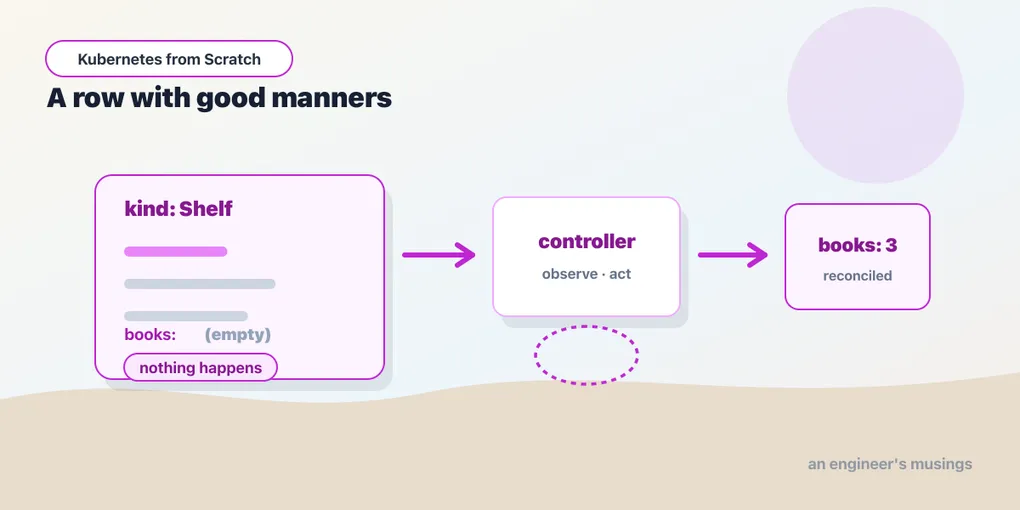
A CRD With No Controller Is a Database Row With Good Manners
Custom resources, controllers, and the reconcile loop — by defining a new kind, watching nothing happen, and then writing the fifteen lines of shell that make it real.
In the traffic chapter you created a Gateway before installing anything to serve it, and it sat there like a note left on a fridge:
NAME          CLASS   ADDRESS   PROGRAMMED   AGE
bookshop-gw   nginx             (empty)      6s
The object was accepted. It was validated. It was stored. And it did absolutely nothing, because nothing was watching for it. Then you installed NGINX Gateway Fabric, and within seconds the same object had PROGRAMMED: True, a pod, and a Service — created by software that had been running for ten seconds and had never heard of you.
That gap between “the object exists” and “the world matches the object” is the whole subject of this chapter. It is also, if you squint, the whole subject of Kubernetes. In the first chapter you deleted a catalog pod and a new one appeared, and I told you a controller did that. Now you are going to be the controller.
What the API server actually is
Strip away the vocabulary and the Kubernetes API server is one boring thing — a validating REST store with a change feed. It accepts objects, checks them against a schema, persists them in etcd, and lets anything with credentials watch for changes. That is it. It does not start containers, it does not attach volumes, and it does not know what a Deployment means.
The meaning lives in the controllers. kube-controller-manager — one of those static pods you listed on the control plane in chapter one — is a bag of about thirty of them, and the Deployment controller inside it is a program with exactly one idea: read Deployments, read ReplicaSets, and if they disagree, change the ReplicaSets. The kubelet on each node runs the same shape of loop for pods. Nothing in that architecture is privileged to Kubernetes’ own types. The API server does not have a special table for Deployments and a locked drawer for everything else.
Which means the extension story writes itself. If you can teach the API server a new kind, and you can run a program that watches that kind and acts on it, you have added a feature to Kubernetes without touching a line of Kubernetes. That is a CustomResourceDefinition plus a controller, and between them they explain how Istio, cert-manager, the Prometheus Operator, Argo, and Gateway API can all exist as things you install rather than things you fork.
Teaching the API server a new noun
The bookshop needs a curated shelf: a named list of ISBNs, so a merchandiser can say “these three books are the staff picks” and have the shop know about it. That is configuration, and there is no built-in Kubernetes object for it. Perfect.
apiVersion: apiextensions.k8s.io/v1
kind: CustomResourceDefinition
metadata:
  # The name is mandatory and mechanical: <plural>.<group>
  name: shelves.bookshop.engineers-musings.dev
spec:
  group: bookshop.engineers-musings.dev
  scope: Namespaced
  names:
    plural: shelves
    singular: shelf
    kind: Shelf
    shortNames: [sh]
  versions:
    - name: v1
      served: true
      storage: true
      schema:
        openAPIV3Schema:
          type: object
          properties:
            spec:
              type: object
              required: [displayName, isbns]
              properties:
                displayName:
                  type: string
                isbns:
                  type: array
                  items: { type: string }
            status:
              type: object
              properties:
                bookCount:
                  type: integer
      subresources:
        status: {}
      additionalPrinterColumns:
        - name: Display
          type: string
          jsonPath: .spec.displayName
        - name: Books
          type: integer
          jsonPath: .status.bookCount
Apply it, and the API server changes its mind about what exists in the world — immediately, with no restart:
customresourcedefinition.apiextensions.k8s.io/shelves.bookshop.engineers-musings.dev created$ kubectl api-resources --api-group=bookshop.engineers-musings.dev
NAME SHORTNAMES APIVERSION NAMESPACED KIND
shelves sh bookshop.engineers-musings.dev/v1 true ShelfRead that table slowly, because it is doing more than it looks like. kubectl get shelves now works. So does kubectl get sh, and kubectl describe, and -o yaml, and --watch, and label selectors, and kubectl auth can-i list shelves against the RBAC rules from the identity chapter. A Shelf gets a metadata block with labels, annotations, a resourceVersion, and a UID, because every object in Kubernetes does. You wrote forty-odd lines of YAML and got the entire API machinery for free, uniformly, including the parts you did not think to ask for.
The group name matters more than it seems. bookshop.engineers-musings.dev is a DNS name I control, and that is the convention — the API group namespaces your types so that your Shelf and someone else’s Shelf can coexist in one cluster. It is the same instinct as a Java package or a Go module path, and it is why a cluster can run Istio, cert-manager, and your team’s homegrown operator without a name collision.
Validation you did not have to write
The openAPIV3Schema is not documentation. The API server enforces it, at admission time, before anything is stored. Try to create a Shelf without the required field:
apiVersion: bookshop.engineers-musings.dev/v1
kind: Shelf
metadata:
  name: broken
spec:
  displayName: "Broken"
The Shelf "broken" is invalid: spec.isbns: Required valueNo controller was running. No admission webhook was installed. Nobody wrote a validator. The API server read the schema you handed it and rejected a bad object with a message that names the exact field path, which is more than most hand-rolled config loaders manage on their best day. You can go further than required — enum, minimum, maxLength, pattern, and (in modern Kubernetes) CEL validation rules in x-kubernetes-validations that can express things like “isbns must not shrink” — and all of it runs on the server, where it cannot be skipped by a client that forgot to check. I only exercised required in this lab; the rest I am telling you exists, not showing you.
That is the good news. Now the bad news.
The empty column
Here is a valid Shelf:
apiVersion: bookshop.engineers-musings.dev/v1
kind: Shelf
metadata:
  name: staff-picks
  namespace: bookshop
spec:
  displayName: "Staff Picks"
  isbns:
    - "978-0132350884"
    - "978-1492034025"
    - "978-1449373320"
shelf.bookshop.engineers-musings.dev/staff-picks created$ kubectl get shelves -n bookshop
NAME DISPLAY BOOKS
staff-picks Staff Picks The BOOKS column is empty.
The object exists. It was validated. It is in etcd, it survives a control-plane restart, it has a UID and a resourceVersion, kubectl describe prints it beautifully, and it will sit there, immaculate, forever. Nothing happened. A CRD without a controller is a database row with good manners.
This is the single most common misunderstanding about extending Kubernetes, so let me be blunt. Defining a custom resource does not add behavior to your cluster. It adds a place to put a wish. The Gateway with the empty PROGRAMMED column was the same thing wearing an official-looking label: Gateway API is CRDs, and the CRDs shipped, and the controller had not. kubectl apply reported success both times, because from the API server’s point of view it was a success — the write landed.
Everything you have used in this book so far has quietly had a controller behind it. Deployment has one. Service has one. PersistentVolumeClaim has one, which is why the PVC in the storage chapter sat in Pending until a pod needed it and then a PV appeared out of nowhere. You never noticed the controllers because they were always already there. Define your own kind and the scaffolding falls away: you get the storage, the validation, the RBAC, the CLI — and none of the meaning.
What a controller is, exactly
A controller is a loop with three steps, and I want to write them down before writing any code, because the code is trivial and the shape is not.
- Observe. Read the desired state (
.spec, written by a human or another controller) and the actual state (whatever the world currently looks like). - Diff. Work out what is different.
- Act. Make one change toward closing the gap. Then record what you saw, in
.status.
Then do it again. Forever. Not “when something changes” — again, unconditionally, whether or not anything changed.
That distinction has a name worth knowing: Kubernetes controllers are level-triggered, not edge-triggered. An edge-triggered system reacts to events: “a Shelf was created, therefore create a ConfigMap.” A level-triggered system reacts to state: “here is a Shelf; is there a matching ConfigMap? No? Make one.” The difference only shows up when things go wrong, which is when it matters. An edge-triggered controller that misses an event — because it was restarting, because the network hiccuped, because someone deleted the ConfigMap behind its back — has permanently diverged and will never notice. A level-triggered controller that misses an event fixes the problem on the next pass, because it never trusted the event in the first place; it only trusted the world.
Everything Kubernetes does that feels magical is downstream of that choice. It is why your Deployment survives a control-plane restart, and it is why the loop you are about to write, which is embarrassingly stupid, is nonetheless correct.
Fifteen lines of shell
Here is the controller. It is a shell script — that is not a simplification for the book, it is what ran.
#!/bin/sh
while true; do
kubectl get shelves \
-o jsonpath='{range .items[*]}{.metadata.name}{" "}{.spec.isbns[*]}{"\n"}{end}' |
while read -r name isbns; do
[ -z "$name" ] && continue
count=$(echo "$isbns" | wc -w | tr -d ' ')
# ACT: make the world match the spec.
kubectl create configmap "shelf-$name" --from-literal=count="$count" \
--dry-run=client -o yaml | kubectl apply -f - >/dev/null
# REPORT: write what we observed to the status subresource.
kubectl patch shelf "$name" --subresource=status --type=merge \
-p "{\"status\":{\"bookCount\":$count}}" >/dev/null
echo "reconciled shelf/$name -> bookCount=$count"
done
sleep 5
doneRead it against the three steps. It observes by listing the Shelves in its namespace and pulling the ISBNs out with a jsonpath. It acts by creating a ConfigMap named after the shelf — create --dry-run=client -o yaml | kubectl apply -f - is the idiom that makes “create it” idempotent, because a plain create would fail on the second pass and a level-triggered loop cannot afford that. And it reports by patching .status, which is a separate write to a separate endpoint. Then it sleeps five seconds and does the whole thing again.
That --subresource=status is the piece worth slowing down for. Declaring subresources: { status: {} } in the CRD split the object into two writable halves with different owners. .spec is the human’s; .status is the controller’s. A write to /shelves/staff-picks cannot touch .status, and a write to /shelves/staff-picks/status cannot touch .spec. This is not decoration — it is what lets you grant a controller permission to report on an object without granting it permission to redefine the object, and it is what stops a controller from fighting a human over the same field. Every well-behaved Kubernetes type does this. Now yours does too.
The identity it runs as
The controller needs credentials, and this is the payoff of the identity chapter: it gets a ServiceAccount, bound to a Role that grants exactly what the script uses and nothing else.
apiVersion: rbac.authorization.k8s.io/v1
kind: Role
metadata:
name: shelf-controller
namespace: bookshop
rules:
- apiGroups: ["bookshop.engineers-musings.dev"]
resources: ["shelves", "shelves/status"] # status is its own resource
verbs: ["get", "list", "watch", "update", "patch"]
- apiGroups: [""]
resources: ["configmaps"]
verbs: ["get", "list", "create", "update", "patch"]Note shelves/status. It is named separately in RBAC, because it is separate — the same split that keeps spec and status apart in the API is visible in the permission model. A controller that can patch status but not spec is a controller that structurally cannot rewrite your intent, and that is a property you can point at during a security review.
And note what is missing: no delete on configmaps, no verbs on secrets, no cluster-admin. RBAC is purely additive, as you proved with kubectl auth can-i — there is no deny rule, so the only lever you have is granting less. Grant less.
The bug that this Role catches for you
Look at the script once more. It runs kubectl get shelves with no -n and no -A, so it lists Shelves in its own namespace — the one its ServiceAccount lives in. The first version I wrote was more ambitious. It said kubectl get shelves -A, because a controller that watches the whole cluster feels like the more serious thing to build.
It does not work, and the cluster says so with admirable precision:
$ kubectl exec deploy/shelf-controller -- kubectl get shelves -A
Error from server (Forbidden): shelves.bookshop.engineers-musings.dev is forbidden:
User "system:serviceaccount:bookshop:shelf-controller" cannot list resource "shelves"
in API group "bookshop.engineers-musings.dev" at the cluster scopeRead the last three words. At the cluster scope. A Role grants verbs inside one namespace; listing across all namespaces is a cluster-scoped read, and no amount of namespaced Role will authorize it. -A requires a ClusterRole and a ClusterRoleBinding. The permission model is not being pedantic — it is telling you that “every namespace” is a genuinely bigger ask than “my namespace,” and making you say so out loud.
There is a real design decision hiding in that error, and it is worth taking on purpose rather than by accident. A namespaced controller is blast-radius-limited: compromise it, and an attacker gets one namespace. A cluster-scoped controller can read every Shelf in the cluster, which is what you want for a genuine platform component and what you emphatically do not want for a bookshop feature. The bookshop’s controller stays namespaced. When you do reach for cluster scope — and real operators do, that is why they exist — do it knowing you have just widened the blast radius to the whole cluster.
The image, and the failure that taught me something
The first time I ran this, the pod would not start.
STATUS: RunContainerError
Error: failed to create containerd task: ... exec: "sh": executable file not found in $PATHThe controller image was registry.k8s.io/kubectl:v1.36.1 — the official one, published by the Kubernetes project, containing the exact kubectl binary this cluster runs. And it cannot run a shell script, because it is distroless. There is no /bin/sh in it. It is a kubectl binary and its libraries and nothing else, on purpose — nothing for an attacker who lands code execution to pivot with.
Which is a straight callback to the debugging chapter. Ephemeral containers and kubectl debug --target are not a nicety — they exist precisely because good production images look like this. You cannot kubectl exec -- sh into a distroless container, and the answer is not “go back to a fat base image,” it is “attach a debug container that has the tools, into the target’s namespaces.”
The fix for the controller is the honest one: if you need a shell, ship a shell.
# The official registry.k8s.io/kubectl image is DISTROLESS — it has no shell, so a
# shell-loop controller cannot run in it. This adds kubectl to a base that has one.
FROM alpine:3.21
ARG KUBECTL_VERSION=v1.36.1
RUN apk add --no-cache curl && \
curl -sSLo /usr/local/bin/kubectl "https://dl.k8s.io/release/${KUBECTL_VERSION}/bin/linux/amd64/kubectl" && \
chmod +x /usr/local/bin/kubectl
ENTRYPOINT ["/bin/sh"]bookshop-controller:v1. Build it, kind load docker-image it — kind nodes do not share your Docker daemon’s image cache, and forgetting that is an ErrImagePull every time — and run it as a one-replica Deployment with the ServiceAccount above, passing the script as args: ["-c", "<the loop>"].
Watch it close the loop
The controller’s log:
reconciled shelf/staff-picks -> bookCount=3
reconciled shelf/staff-picks -> bookCount=3The same line, twice, five seconds apart — because a level-triggered controller has nothing better to do than confirm that the world is still right. Now the object:
$ kubectl get shelves -n bookshop
NAME          DISPLAY       BOOKS
staff-picks Staff Picks 3The BOOKS column is populated — and you did not populate it. That integer was written by a program, into a subresource, and rendered by the printer column you declared in the CRD. And the world matches:
shelf-staff-picks -> count=3A ConfigMap that nobody applied, named after a Shelf, holding the count the controller computed. That is the entire job: something wished, something else made it true.
Experiment one: break the world
Attack it from the actual-state side first. Delete the ConfigMap out from under the controller — the world is now wrong while the wish is untouched — and wait one tick:
$ kubectl delete configmap shelf-staff-picks -n bookshop
# wait
### DELETE the ConfigMap out from under it. A controller should heal this.
  configmap is BACK -> count=3
It came back. Nobody re-applied it. No event fired that anyone handled, and no state machine noticed a transition. The loop simply came around again, observed that the world did not match the wish, and fixed it — the same mechanism, the same shape, and very nearly the same code path as the one that brought back the pod you deleted in chapter one. Self-healing is not a feature. It is what a level-triggered loop looks like from the outside.
If you have ever wondered why kubectl delete on something owned by a Deployment feels futile, this is why. You are not fighting Kubernetes. You are fighting a while loop that will outlast your patience.
Experiment two: change only the wish
Now the test that separates a controller from a script. Patch the Shelf’s .spec.isbns — take one away — and then run no other command. Do not touch the ConfigMap. Do not touch the status. Change the desired state and wait.
### BEFORE (3 isbns):
    staff-picks   Staff Picks   3
    configmap count=3

### now patch desired state DOWN to 2 isbns, and run no other command:
    staff-picks   Staff Picks   2
    configmap count=2

### and back UP to 4:
    staff-picks   Staff Picks   4
    configmap count=4
Three, two, four. The status follows. The ConfigMap follows. Nobody told them to. You edited a wish and the world rearranged itself around it on a five-second delay, because a loop somewhere is comparing and correcting.
The loop closes. Both ways.
Now be honest about the toy
The controller above is a teaching device. It is correct, and it would keep working, and I would not put it in production. Three reasons.
It polls. Every five seconds it re-lists every Shelf in its namespace, whether or not anything changed. With ten Shelves that is free. With ten thousand objects across a hundred namespaces you have built a denial-of-service tool aimed at your own API server — and the platform team will find you. Real controllers do not poll; they watch. The API server exposes a streaming watch endpoint, and client libraries wrap it in an informer: a component that does one initial LIST, then holds a long-lived WATCH connection, maintains an in-memory cache of the objects it cares about, and hands you change notifications. Reads come from the cache, so a controller with a million objects in its informer costs the API server almost nothing after startup.
It has no queue. When an informer sees a change it pushes a key — a namespace/name string, not the object — onto a workqueue, and workers pop keys off it and reconcile. This sounds like a detail and is not: the queue deduplicates (twenty changes to one Shelf while you are busy collapse into one pending key), it rate-limits and backs off exponentially on failure, and it guarantees the same key is never being processed by two workers at once. My shell loop has none of that, which is fine at one Shelf and a disaster at scale. Note the deep design point here — the queue carries the key, not the change. The controller then re-reads current state from the cache. It is still level-triggered; the watch is only a hint about when to look, never a description of what happened. Edge-triggered notification, level-triggered logic. That is the pattern.
It reconciles into a void. A real controller also handles deletion (what happens to that ConfigMap when the Shelf is deleted?), and Kubernetes gives you two mechanisms for it. ownerReferences let you mark the ConfigMap as owned by the Shelf, and the garbage collector deletes it automatically when the owner goes — that is exactly the chain you traced in chapter one, from pod to ReplicaSet to Deployment. Finalizers are the heavier tool: a string on the object that blocks its deletion until your controller removes it, giving you a window to tear down something outside the cluster (a cloud load balancer, a DNS record, a database) before the object disappears. Neither is in my fifteen lines. A finalizer with a bug is also the classic way to create an object that cannot be deleted, which is an experience I recommend having in someone else’s cluster.
In practice nobody hand-writes any of this. controller-runtime — the library underneath kubebuilder and the Operator SDK — gives you a manager, informers, workqueues, leader election (so two replicas of your controller do not both reconcile), and a Reconcile(ctx, req) (Result, error) function where req is a namespace/name and you supply the three steps. Return an error and it requeues with backoff. Return Result{RequeueAfter: time.Minute} and it comes back on a timer. The whole library is the loop above, industrialized. I did not exercise controller-runtime in this lab — the shell loop is what I ran, and everything I have claimed about informers and workqueues in this section is architecture I am describing, not output I captured.
There is one more extension point I have not shown you and should name: admission webhooks. A CRD’s OpenAPI schema validates the shape of an object. A validating webhook can enforce a rule the schema cannot express (“no Shelf may reference an ISBN that is not in the catalog”), and a mutating webhook can rewrite objects on the way in (this is how a service mesh injects a sidecar into a pod that never asked for one). Both are HTTPS endpoints the API server calls synchronously during admission, which also means a broken webhook can wedge your entire cluster’s writes — one of the more spectacular self-inflicted outages available to you. Not exercised here either.
Operators, and why the word exists
An operator is a controller with domain knowledge. That is the entire definition — and it deserves de-mystifying, because the word gets used like a product category when it is really a job description.
The Deployment controller knows how to keep N copies of a stateless process running. It knows nothing about Postgres. It cannot take a base backup, it cannot promote a replica when the primary dies, it cannot run a major-version upgrade that requires pg_upgrade and a maintenance window, and it will happily do a rolling update on your database in a way that corrupts it — which is why the bookshop’s Postgres uses the blunt strategy: Recreate.
An operator encodes that missing knowledge as code, against a custom resource. You write kind: PostgresCluster with replicas: 3 and version: 17, and a controller that a database team wrote performs the initdb, configures streaming replication, watches for the primary’s failure, promotes a standby, updates the Service to point at it, takes scheduled backups to object storage, and — when you bump version to 18 — runs the upgrade in the order a competent DBA would. The custom resource is the interface. The operational runbook is the implementation. “Operator” is just what you call it when the controller’s loop is doing something a human on-call engineer used to do at 3am.
The pattern’s limit is the same as its promise. An operator is only as good as the knowledge inside it — and a shallow operator is worse than no operator, because it looks like it has your back. Read the reconcile logic before you trust one with data you cannot lose.
Why this is the whole ecosystem
Come back to the Gateway with the empty PROGRAMMED column. Gateway API is not a Kubernetes feature in any privileged sense. It is six CRDs and a controller, installed from a YAML file and a Helm chart, and the API server treats HTTPRoute with the exact same machinery it uses for Shelf. cert-manager is a Certificate CRD and a controller that talks ACME. The Prometheus Operator is ServiceMonitor and friends. Argo CD is an Application. And Istio — which is where this book’s story goes next — is a pile of CRDs and a controller that programs proxies, which is why you can install a service mesh into a cluster you did not build and remove it again without a trace.
None of those projects had to land a pull request in kubernetes/kubernetes, and none of them ships a patched API server. They all turn the same two hinges you just turned — teach the API server a noun, then run a loop that gives the noun a meaning. When you understand that a VirtualService is a database row with good manners until a controller reads it, you understand the shape of every platform tool you will ever install — and, more usefully, you understand how they fail. A CRD applied without its controller does not error. It waits, quietly, forever, exactly like the shelf that came out with an empty BOOKS column.
Final thoughts
I think the reason “declarative” gets taught badly is that it is presented as a syntax — YAML instead of shell, apply instead of run — when it is really a transfer of accountability. Imperative means you are responsible for every step, including the ones you did not anticipate. Declarative means you are responsible for the wish, and a loop somewhere is responsible for the world. That loop is not a metaphor. It is a program, it has an image and a ServiceAccount and a log, and this chapter it had a sleep 5 in it.
Fifteen lines of shell got a new noun into kubectl, a status column populated by a program, and a ConfigMap that grows back when you delete it. Nothing about that was Kubernetes doing you a favor. It was Kubernetes getting out of the way — handing you the storage, the validation, the identity model, and the watch stream, and asking you for the only part it could not know: what your object is supposed to mean.
Everything you install from here on is somebody else’s answer to that question. Now you can read theirs.
Next: Helm, Kustomize, and the Selector That Cost Me a Namespace
Comments