Storage: Where the Data Goes When the Pod Doesn't
Delete the Postgres pod and see whether the books survive — plus PVCs, StorageClasses, WaitForFirstConsumer, and why a Deployment is the wrong shape for a database.
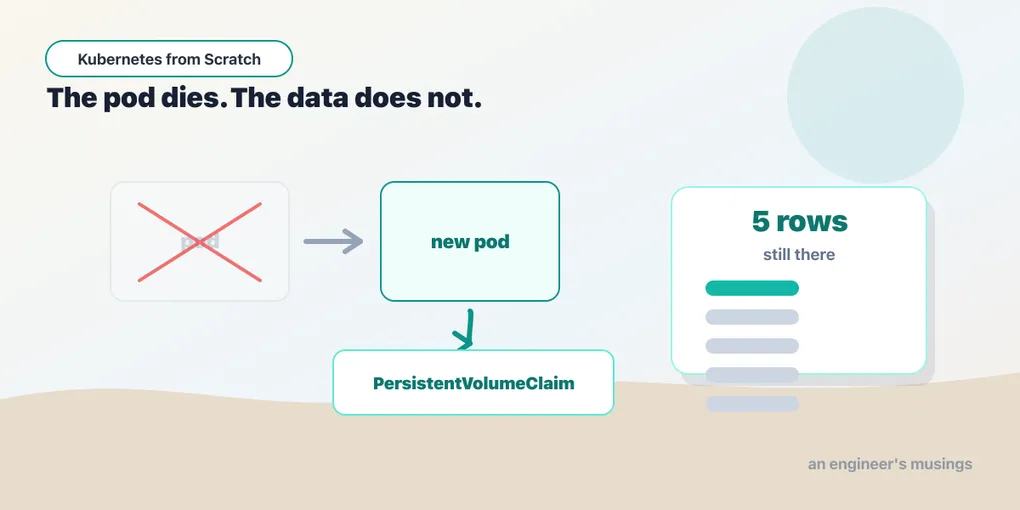
Everything in this book so far has been safe to delete. That was not an accident — it was the pitch. A pod dies and the Deployment makes another one. A pod moves and the Service finds it. A config changes and the pods roll. The whole model rests on treating the running things as replaceable, and it works beautifully right up until one of them is holding the only copy of something you cannot recreate.
And one of them has been, this whole time, and I have said nothing about it.
There is a Postgres in the bookshop. It has been there since make up in chapter one — postgres.yaml is in the base kustomization, and catalog has had a DATABASE_URL pointing at it from the first kubectl apply. Every time you deleted a catalog pod in the last four chapters, the books came back not because they are compiled into the binary (they are — there is a seed list in the Go source, used when DATABASE_URL is unset) but because a database on the other side of a Service handed them over again.
I left it running and unexplained on purpose, because the interesting question is not “how do I add a database”. It is: what exactly is keeping that data alive, and how much of it do you actually believe? The catalog pod is as disposable as everything else in this book. Postgres is not. Something underneath it is holding the only copy of the bookshop’s inventory, and if you cannot say precisely what that something is, you do not know whether you have a database or a very convincing temporary file.
So: the moment a request changes something, that change has to live somewhere — and “inside the container’s filesystem” is a promise with a very short expiry. A container’s writable layer belongs to the container. Restart the container and it’s a fresh layer. Reschedule the pod to another node and the old layer is on a machine you may never talk to again. Delete the pod and it is gone — quietly, with no error and no event — and your first sign of trouble is a customer asking where their order went.
This chapter takes the Postgres you have been running since chapter one, opens it up, and audits it: what the volume actually is, what ReadWriteOnce actually promises (not what its name suggests), whether the data really survives a pod deletion, and what happens when you take the safety catch off. Everything below was run on the lab cluster from the first chapter — kind v0.32.0, Kubernetes 1.36.1, three nodes — and where I go past what I ran, I say so out loud, because the honest map of this topic includes territory the lab doesn’t cover.
One of the things I ran turned out to disprove a claim I had already written down in an earlier chapter. That section is still in this one, with the wreckage left in.
Volumes, and the two questions that separate them
A volume is a directory that is mounted into a container and whose lifetime is not the container’s. That’s the entire definition, and every storage feature in Kubernetes is an answer to two questions about it: how long does it live, and where does the data physically sit.
emptyDir answers the first question with “as long as the pod”. The kubelet creates an empty directory on the node when the pod starts and hands it to the container:
volumes:
  - name: scratch
    emptyDir: {}
That directory survives a container restart — which matters, because a liveness probe killing and restarting a container is a normal Tuesday and you’d rather not lose your on-disk cache to it. It does not survive the pod. When the pod is deleted, the kubelet deletes the directory, and there is no second copy anywhere. emptyDir is for scratch space, caches, and a shared directory between two containers in the same pod. It is not storage; it is a place to put things you can afford to lose. (I did not run an emptyDir experiment in this lab — the experiment below is on a real persistent volume.)
For anything you cannot afford to lose, the answer to “where does the data physically sit” has to be somewhere that is not this pod, and not necessarily this node. That is what a PersistentVolume is.
PV, PVC, StorageClass: three objects, one idea
Kubernetes splits durable storage across three objects, and the split is the point.
A PersistentVolume (PV) is an actual piece of storage — a cloud disk, an NFS export, a directory on a node. It is a cluster-scoped resource, it has a size and access modes, and somebody or something has to create it — that “something” is the third object below.
A PersistentVolumeClaim (PVC) is a request for storage, made by the application, in the application’s namespace. It says what it needs and nothing about what will satisfy it:
apiVersion: v1
kind: PersistentVolumeClaim
metadata:
  name: books-data
spec:
  accessModes: [ReadWriteOnce]
  resources:
    requests:
      storage: 1Gi
There is no disk in there, no cloud, no path, no node. “I need one gibibyte that one node can write to.” That is the whole claim, and the pod refers to it by name and never learns what it got:
volumes:
  - name: data
    persistentVolumeClaim:
      claimName: books-data
A StorageClass is the thing that satisfies claims. It names a provisioner and a set of parameters, and when a PVC asks for a class, the provisioner creates a PV to match — dynamic provisioning, which is the only way anyone should be doing this in 2026. Handing an admin a ticket to pre-create PVs is the old way, and it is miserable at both ends of the ticket.
The reason for the split is that it lets the application and the infrastructure disagree about vocabulary without either one breaking. The bookshop asks for 1Gi RWO. On kind that becomes a directory on a worker node. On EKS it would become an EBS volume; on GKE, a persistent disk; on a bare-metal cluster with Ceph, an RBD image. Same PVC, same YAML, four different worlds — and the deployment manifest never mentions any of them. That portability is the reason to tolerate three objects where one would seem to do.
What kind gives you, read carefully
$ kubectl get storageclass
NAME                 PROVISIONER             RECLAIMPOLICY   VOLUMEBINDINGMODE      ALLOWVOLUMEEXPANSION   AGE
standard (default)   rancher.io/local-path   Delete          WaitForFirstConsumer   false                  18m
Six columns. Ignore AGE; the other five will each change your life at some point.
(default) means a PVC that names no storageClassName gets this one. The bookshop’s PVC names none — that’s deliberate, so the same manifest works on kind and in a cloud, each with its own default class. It also means that on a cluster with no default class, that PVC would sit Pending forever, which is a fun one to debug the first time.
rancher.io/local-path is the provisioner, and it is honest about what it does — it makes a directory on a node. That directory is not replicated, not backed up, and not reachable from any other node. It is real persistence, in that it outlives the pod, which is what we’re about to prove — but it is node-local persistence. If that node dies, so does the data. Fine for a lab. Not a database.
Delete is the reclaim policy, and it means exactly what it says. When the PVC is deleted, the PV is deleted, and the data is deleted with it. Not archived. Not detached and left lying around. Deleted. On a cloud cluster this is the difference between kubectl delete pvc costing you nothing and costing you the company — the alternative policy, Retain, keeps the PV and its data after the claim goes away, leaving you to clean up by hand. Every cloud default class I know of ships Delete, and every production database PVC I have ever been glad about was on a Retain class. Check yours. Check it before you need to know.
WaitForFirstConsumer is the interesting one, and it has its own section.
ALLOWVOLUMEEXPANSION false means you cannot grow this volume by editing the PVC’s requested size. On a class where it’s true, bumping resources.requests.storage triggers a real resize. Here it’s false, so the answer to “the database is full” is a migration, not an edit. I did not attempt an expansion in this lab.
WaitForFirstConsumer, and why the PVC sits there doing nothing
Create the PVC on its own and watch it:
$ kubectl get pvc -n bookshop
books-data   Pending                     standard   <unset>   3s
Pending. No PV, no capacity, no binding. Nothing is broken, nothing is retrying, nothing will happen. A newcomer at this point starts describing the PVC, reading provisioner logs, and wondering what’s wrong with their cluster — and the answer is that the cluster is waiting for you.
WaitForFirstConsumer tells the provisioner not to create a volume until a pod that uses this claim has actually been scheduled. And the reason is a deadlock you’d otherwise walk straight into. This provisioner makes a directory on a specific node. If it created the volume immediately — the alternative binding mode, Immediate — it would have to guess a node, say worker-2. Then the scheduler comes along to place the Postgres pod and finds that the pod’s volume only exists on worker-2, so the pod must go to worker-2 — except worker-2 is out of memory, or tainted, or full. Now the pod is unschedulable, and it is unschedulable because of a storage decision made before anyone asked where the pod should go. The same trap exists in a cloud, where a disk in us-east-1a cannot be attached to a node in us-east-1b.
WaitForFirstConsumer inverts the order: the scheduler picks the node first, considering everything it normally considers, and only then does the provisioner create the volume there. Storage follows the pod instead of constraining it.
So deploy the Postgres pod, and the claim wakes up:
$ kubectl get pvc -n bookshop
books-data   Bound   pvc-3f35e82a-80c4-4c4f-a269-6c8d0dd01534   1Gi   RWO   standard   <unset>   27s
Bound — to a PV named after a UUID nobody chose and nobody has to remember, which is exactly the point of dynamic provisioning. The PV itself now exists as a cluster-scoped object, visible to the whole cluster rather than just the namespace:
$ kubectl get pv
pvc-3f35e82a-80c4-4c4f-a269-6c8d0dd01534   1Gi   RWO   Delete   Bound   bookshop/books-data   standard   <unset>   24s
Read the columns: 1Gi, ReadWriteOnce, reclaim policy Delete, status Bound, claimed by bookshop/books-data. The PV carries the reclaim policy from the class, and the claim’s namespace is stamped on it — a PV is bound to exactly one PVC, permanently, and no other claim can take it.
Pending is the normal state of an unused PVC on this class. Say it out loud once and you will save yourself an hour.
The Postgres Deployment, and two lines that look like typos
Here is the Postgres pod spec, minus the probes and resources. Two fields in it look wrong and are load-bearing.
spec:
  replicas: 1
  strategy:
    type: Recreate
  template:
    spec:
      containers:
        - name: postgres
          image: postgres:17-alpine
          env:
            - name: POSTGRES_DB
              value: bookshop
            - name: POSTGRES_USER
              value: bookshop
            - name: POSTGRES_PASSWORD
              valueFrom:
                secretKeyRef:
                  name: bookshop-secrets
                  key: PGPASSWORD
            - name: PGDATA
              value: /var/lib/postgresql/data/pgdata
          volumeMounts:
            - name: data
              mountPath: /var/lib/postgresql/data
            - name: schema
              mountPath: /docker-entrypoint-initdb.d
      volumes:
        - name: data
          persistentVolumeClaim:
            claimName: books-data
        - name: schema
          configMap:
            name: books-schema
strategy: Recreate. The default rollout strategy is RollingUpdate, which brings a new pod up before taking the old one down — that overlap is what keeps a stateless service serving through a deploy, once you have added the preStop hook the rollout chapter had to fight for. Here the same overlap is a disaster, and it is worth being precise about why, because the reason everyone gives is wrong.
The reason everyone gives — the one I believed, and wrote into an earlier draft of this book — is that ReadWriteOnce would stop you: the volume cannot attach to a second pod, the rollout stalls, you get a Multi-Attach event, and Kubernetes has saved you from yourself.
So I flipped Postgres to RollingUpdate and rolled it, expecting to show you that error.
The rollout succeeded. No Multi-Attach. No FailedAttachVolume. No stall. Kubernetes did not save me from anything, and the reason is in the StorageClass we read at the top of this chapter: rancher.io/local-path is a directory on a node. There is no attach operation to fail. And ReadWriteOnce does not mean what its name suggests — it means one NODE, not one pod.
So I pushed it further and scaled Postgres to two replicas:
$ kubectl get pods -n bookshop -l app=postgres \
    -o custom-columns=POD:.metadata.name,READY:.status.containerStatuses[*].ready,NODE:.spec.nodeName
POD                         READY   NODE
postgres-84bfd89b75-k9pw5   true    k8s-lab-worker2
postgres-84bfd89b75-whg5s   true    k8s-lab-worker2
Two pods. Both Ready. Both on the same node. Both mounting the same directory. And the second one’s log:
LOG:  redo done at 0/1965080
LOG:  checkpoint starting: end-of-recovery immediate wait
LOG:  database system is ready to accept connections
Read that carefully. The second Postgres found a data directory that another live Postgres was using, decided it was the wreckage of a crash, ran crash recovery over it, and announced itself ready to accept connections. Two postmasters, one data directory, both serving.
Postgres has a lockfile precisely to prevent this — postmaster.pid, which records the PID of the running server. It did not help, because the two processes are in different PID namespaces: the second container looked at a PID from another container’s namespace, saw nothing at that number, and concluded the previous server was dead.
Nothing in this stack stopped it. Not Kubernetes, not the access mode, not the database’s own safety catch. Recreate is not protecting you from a failed attach — it is the only thing standing between you and two postmasters on one volume. It buys correctness with downtime: every deploy of this Postgres has an outage in it. That is not a bug in the manifest, it is the honest cost of running a database this way, and it is the loudest possible signal that this shape is wrong — which we come back to at the end of the chapter.
PGDATA: /var/lib/postgresql/data/pgdata. The volume is mounted at /var/lib/postgresql/data, which is where the Postgres image expects its data — so why point PGDATA one level deeper? Because Postgres refuses to initialise into a directory that isn’t empty, and on many storage backends the root of a freshly-mounted volume is not empty: an ext4 filesystem has a lost+found in it. Postgres sees a non-empty directory, declines to run initdb, and the container dies with an error about the data directory. Putting PGDATA in a subdirectory means Postgres initialises into a directory it created, and lost+found sits harmlessly beside it. This is the single most common “Postgres won’t start on Kubernetes” bug, and it looks, in the YAML, like somebody made a mistake.
The third piece is the seed. The books-schema ConfigMap holds a schema.sql that creates the books table and inserts four titles, and it’s mounted into /docker-entrypoint-initdb.d — a convention of the Postgres image, which runs everything in that directory exactly once, on an empty data directory. Not on every start. On first init only.
That detail is what makes the next section a real test rather than theatre. If initdb ran on every pod start, a surviving row would prove nothing — the seed would just recreate the world and we’d congratulate ourselves. It doesn’t. Once the data directory exists, the entrypoint skips the seed entirely, so anything we find in that database after a pod delete is there because the disk remembered it.
The test: delete the pod, count the books
The seed ran, so the database has the four titles the catalog used to keep in Go:
rows: 4Now write something that exists nowhere except on that disk. Not in the image, not in the seed, not in a ConfigMap — a row typed by hand into the running database:
$ kubectl exec -n bookshop deploy/postgres -- psql -U bookshop -d bookshop \
    -c "INSERT INTO books VALUES ('978-0201835953','The Mythical Man-Month','Frederick P. Brooks Jr.',29.99)"
INSERT 0 1

rows before delete: 5
Five. Now the moment of truth — delete the pod. Not gracefully drain it, not scale it down and back up: delete it, the way a node failure or an eviction or an over-caffeinated engineer would.
old pod: postgres-84bfd89b75-dj5v9
new pod: postgres-84bfd89b75-vxw27
rows AFTER pod delete: 5
survived: The Mythical Man-Month
Five rows. The book is still there — a row that existed nowhere but on a disk, read back by a process that had not been born when it was written.
Look at the two pod names before moving on, because they say more than the row count does. The hash in the middle — 84bfd89b75 — is identical, which means both pods came from the same ReplicaSet and the same pod template: nothing about the spec changed. The suffix changed, dj5v9 to vxw27, because this is a genuinely new pod, not a restarted container. New pod, new container, new writable layer, new IP, new everything — and the same data, because the data was never in the pod. It was in a PersistentVolume that the new pod’s PVC pointed it straight back at.
That is the entire promise of persistent storage in one diff. The pod is still cattle. The volume is the pet.
Wiring the catalog to a real database
The catalog service has been carrying an in-memory seed this whole time. It reads Postgres the moment DATABASE_URL is set:
- name: PGPASSWORD
  valueFrom:
    secretKeyRef:
      name: bookshop-secrets
      key: PGPASSWORD
- name: DATABASE_URL
  value: postgres://bookshop:$(PGPASSWORD)@postgres:5432/bookshop?sslmode=disable
Three of the previous chapters are hiding in that one string. The $(PGPASSWORD) expansion is from the config chapter — and it works only because PGPASSWORD is declared before it in the list. The hostname postgres is a Service name, resolved through cluster DNS by the search path: the pod has no idea which node the database landed on, and by design it never will. And the password came from a Secret — which, as we established, is base64 and not a lock, but at least isn’t sitting in the manifest.
With that set, GET /books on the catalog returns five books instead of four, including The Mythical Man-Month, and the response’s "source" field — which the Go code sets from whether a database handle exists — reads "postgres" instead of "seed". The service didn’t change. Its data did.
It is also a nicely Kubernetes-shaped design: the catalog’s readiness probe fails while Postgres is unreachable, but its liveness probe does not, because restarting the catalog container would not fix someone else’s database. That distinction has a chapter of its own, and this is the wiring that earns it.
Why this shape is wrong for a real database
I have now shown you a database on Kubernetes with a Deployment, and I would like to be very clear that you should not copy it.
A Deployment shares one PVC across all its replicas. The volumes: block names a claim, and the pod template is a template — every replica gets the same one. Scale that Postgres Deployment to 2 and you do not get two databases; you get two pods pointed at the same ReadWriteOnce volume, and depending on where the scheduler puts them you either get a pod stuck forever unable to mount, or — worse — two Postgres processes on one node fighting over one data directory. Neither is a database. (I did not scale it in the lab, because there is nothing to learn from watching a data directory get corrupted.)
And ReadWriteOnce does not mean what its name suggests. It means one node, not one pod. Two pods on the same node can both mount an RWO volume perfectly happily, and Kubernetes will let them, and the safety you thought you had is imaginary. The access mode that actually means “one pod” is ReadWriteOncePod. If you have been relying on RWO as a mutual-exclusion primitive, you have been relying on the scheduler’s habits. I did not exercise ReadWriteOncePod here — I am telling you it exists because the name ReadWriteOnce is a trap and you deserve to know before you fall in it.
The object built for this is a StatefulSet — and its differences from a Deployment are precisely the ones the problems above call for:
- Stable identity. Pods are
postgres-0,postgres-1— notpostgres-84bfd89b75-vxw27. The name survives rescheduling, which means a replica can be addressed, which is what a replication topology needs. - A volume per replica, via
volumeClaimTemplatesinstead of a fixedvolumes:entry. Each pod gets its own PVC, andpostgres-1keeps the same PVC across restarts — identity and storage stay welded together. - Ordered, one-at-a-time rollouts, so replica 1 is not torn down until replica 0 is back and ready.
- Stable DNS, via a headless Service, so
postgres-0.postgres.bookshop.svc.cluster.localresolves to that specific pod rather than being load-balanced across the set.
I did not run a StatefulSet in this lab, and I am not going to show you invented output for one. The description above is the shape of the thing and the reason it exists; take it as a map, and verify it on your cluster before you rely on it.
But here is the part that matters more than any of it: even a StatefulSet is not a database. It gives your pods stable names and personal disks. It does not give you replication, failover, connection pooling, backups, point-in-time recovery, a safe major-version upgrade, or anyone to call at 3am. Those are the actual hard parts of running Postgres, and Kubernetes has an opinion about how you get them, and the opinion is: an operator — a controller that encodes a DBA’s knowledge as a control loop, watches a custom resource that describes the database you want, and does the failovers and the backups and the upgrades on your behalf. CloudNativePG, Zalando’s, Crunchy’s; pick one. The chapter on extending Kubernetes explains how such a thing can exist at all, and it is one of the genuinely good arguments for the whole CRD-and-controller model.
And if you are asking whether to run your production database on Kubernetes at all: the answer is a real “it depends”, and “we have a managed RDS and nobody has ever paged about it” is a completely respectable engineering position. The bookshop runs Postgres in-cluster because this is a book about Kubernetes and the pod delete has to actually prove something.
Final thoughts
The reason storage is the hard part isn’t that volumes are complicated. Volumes are three objects and a binding mode; you have now read all of it. It’s hard because storage is where Kubernetes’s central assumption stops being true.
Everything else in this system works because the running things are interchangeable. The scheduler can move a pod because pods are interchangeable. A rollout can replace every pod because pods are interchangeable. A Service can load-balance across pods because pods are interchangeable. Attach a volume and that pod is now the one holding the data — it has a history, it has a location, and it cannot be replaced by an identical copy somewhere else. It has stopped being cattle — and the entire machinery you have learned in five chapters was built on the assumption that it wasn’t.
So Kubernetes gives you exactly enough to keep the fiction going: a claim, so the pod doesn’t know where its disk is; a StorageClass, so the cluster does; a binding mode, so the two decisions happen in the right order. It works, and the pod-delete test proves it works. Just notice what it cost: a Recreate strategy with downtime baked in, a reclaim policy that deletes your data if you delete the wrong object, an access mode whose name lies, and a shape that falls apart the moment you type scale --replicas=2.
Treat every one of those as a signal. Stateless workloads are easy on Kubernetes because Kubernetes was designed for them. Stateful workloads are possible on Kubernetes because people did a great deal of work to make them possible, and the seams still show. Respect the seams.
Next: Held Together by Strings: Namespaces, Labels, and Selectors
Comments