Services, and the Lie nslookup Tells You
Pods get a new IP on every rollout, so a Service gives them one address that doesn't move — and then cluster DNS quietly reports that address as broken when it isn't.
The rollout chapter left you with two catalog pods and two IPs. Write one of them down — 10.244.1.2 — curl it from inside the cluster, and you get books back. Now roll the Deployment and curl it again. Nothing. Not a 404, not a 503, not a helpful error: the connection just doesn’t happen, because that address no longer belongs to anything. The pod that owned it was deleted, and its replacement came up on a different address, assigned by the network plugin at the moment its sandbox was created.
This is not a bug you can configure away, and it is not a rough edge someone will smooth out in 1.37. A pod IP lives exactly as long as the pod, and a pod is deliberately disposable — that was the entire point of the previous chapter. Every rollout, every eviction, every node drain, every crash-and-reschedule hands you a new one. So when the orders service needs to ask the catalog service whether an ISBN exists, it cannot ask an IP. It needs a name that outlives whatever is currently answering to it.
That name is a Service. Everything in this chapter — the label selector, the EndpointSlice, the virtual IP, the DNS entry, and the two failure modes at the end that will eat an afternoon if you haven’t seen them — is machinery in service of one sentence: the caller should not have to know which pods exist.
Everything below was run against the lab from the first chapter: kind v0.32.0, Kubernetes 1.36.1, three nodes, the bookshop deployed into the bookshop namespace. Where I state something I did not run, I say so.
What a Service actually is
Here is the catalog Service, in full. It is eleven lines and it is the whole idea:
apiVersion: v1
kind: Service
metadata:
  name: catalog
spec:
  selector:
    app: catalog
  ports:
    - name: http
      port: 80
      targetPort: http
There is no IP in there, no list of pods, no health check, no reference to the Deployment. What there is: a name (catalog), a selector (app: catalog), and a port mapping — three facts. Kubernetes fills in the rest, continuously, forever.
Apply it and the API server allocates a ClusterIP from the service CIDR — in this cluster, 10.96.125.132. That address is stable for the lifetime of the Service object. It survives every rollout. It survives all the pods being deleted at once, and it survives them all coming back somewhere else. It is stable precisely because nothing owns it: no network interface anywhere in the cluster has 10.96.125.132 configured on it. Run ip addr on a node and you will not find it. Ping it and, depending on your CNI, you may get nothing at all. It is a virtual IP, and what makes it work is not routing but rewriting, which we’ll get to.
Read the port/targetPort pair slowly, because it is the first place people mis-wire a Service. port: 80 is the port the Service listens on — what callers dial. targetPort: http is the port on the pod — and here it’s given by name, resolving to the container’s containerPort: 8080. So http://catalog/books becomes 10.96.125.132:80, which becomes 10.244.1.2:8080 on some pod. Naming the target port rather than hardcoding 8080 means the app can move ports and only the Deployment changes. You’ll see the two numbers side by side in a minute, and if you know which is which, the EndpointSlice output stops being confusing.
The selector is the join
A Service does not reference a Deployment. It has never heard of your Deployment. What it has is a label selector, and the set of pods it sends traffic to is whatever currently matches, recomputed by the control plane whenever a pod appears, disappears, or changes its labels.
That is the same reconcile loop from the first chapter, applied to routing. The Deployment’s job is to make sure two pods with app: catalog exist. The Service’s job — a different loop, a different controller — is to send traffic to every pod with app: catalog. Neither knows about the other. They agree only because they both mention a label, and the entire cluster is glued together this way. Internalize that now: the labels-and-selectors chapter argues that the label model is the Kubernetes API, and Services are the first place that claim stops being abstract.
The consequence is a superpower and a footgun in the same mechanism. The superpower: you can put any pod behind a Service by giving it the right label, whether or not it came from that Deployment — which is how canaries and blue/green swaps work without a proxy config anywhere. The footgun is at the end of this chapter, and it costs people entire afternoons.
EndpointSlices: the answer to “which pods, right now”
The selector is a query. The result of that query is a real object you can look at, and looking at it is the single most useful debugging move in this chapter.
The old object was Endpoints — one object per Service holding every address in one list. It still exists in 1.36, and it still works, but it tells you what it thinks of itself:
$ kubectl get endpoints -n bookshop
Warning: v1 Endpoints is deprecated in v1.33+; use discovery.k8s.io/v1 EndpointSlice
Take the warning at face value and learn the replacement. EndpointSlice (in the discovery.k8s.io/v1 group) splits the same information across multiple bounded objects — a hundred endpoints per slice by default — so that a Service with ten thousand pods doesn’t force every node in the cluster to re-download one enormous object every time a single pod restarts. That is the whole reason it exists: watch traffic. For a two-pod Service you’ll only ever see one slice.
For catalog, that slice is:
NAME            ADDRESSTYPE   PORTS   ENDPOINTS
catalog-hmpql   IPv4          8080    10.244.1.2,10.244.2.6
Read the columns. The name is derived from the Service and suffixed randomly, because there may be several. ADDRESSTYPE IPv4 — a dual-stack cluster gets a second slice for IPv6. PORTS 8080, which is the container port, not the Service’s port 80: the slice describes the backends, not the front door. And ENDPOINTS: two pod IPs, one on each worker node, because the scheduler spread the two catalog replicas.
That list is the Service’s ground truth. When something can’t reach a Service, this is the object to look at first — before DNS, before the network, before anything. If the addresses you expect are in there, the routing layer is doing its job and your problem is elsewhere. If they aren’t, no amount of network debugging will help you — and the health chapter shows you a third case, where the address is present but marked not ready, which is not the same as absent and does not look the same in the object.
How the packet actually gets there
You dial 10.96.125.132:80. No interface owns it. So what happens?
On every node runs kube-proxy, a daemon that watches Services and EndpointSlices and programs the node’s packet-filtering machinery to rewrite traffic destined for a ClusterIP into traffic destined for a real pod IP. Its log says which mechanism it chose:
Using iptables ProxierThat’s this cluster, on Kubernetes 1.36.1: iptables mode. Your packet leaves the calling pod addressed to the virtual IP, hits a chain kube-proxy installed, gets destination-NAT’d to 10.244.1.2:8080, and is forwarded. The reply is un-NAT’d on the way back. There is no proxy process in the path, no extra hop, no userspace copy — the “proxy” in kube-proxy is a historical name for a component that today mostly writes rules and gets out of the way. kube-proxy has other backends (nftables and IPVS are the ones you’ll hear about), and a growing number of clusters replace it entirely with an eBPF datapath; I did not exercise any of those in this lab, and everything below is what iptables mode does.
The load balancing is random, and this matters
Here is the part every tutorial gets wrong. Twenty requests through the catalog Service, across the two pods:
$ for i in $(seq 20); do
    kubectl exec -n bookshop deploy/orders -- \
      wget -qO- http://catalog/books | grep servedBy
  done | sort | uniq -c
   8   "servedBy": "catalog-58544d89f4-hcdgt",
  12   "servedBy": "catalog-58544d89f4-wlvdx",
Twelve and eight. Not ten and ten. Kubernetes Services do not round-robin — in iptables mode each connection picks a backend at random, and twenty samples of a fair coin land twelve-eight often enough that you should expect it. Over a million requests it converges. Over twenty it does whatever it likes.
This is not pedantry. Two things follow from it, and both bite in production.
First, the balancing is per connection, not per request. Anything that holds a connection open — an HTTP client with keep-alive, a gRPC channel, a database pool — picks a backend once and then stays there for the life of that connection. Scale from two pods to ten and your existing long-lived clients keep talking to the original two, and your new pods sit idle while the graph shows them Ready. That is the classic “why is my gRPC traffic not spreading” question, and it is not a bug in the Service; it is the Service doing exactly what it says, at exactly the layer it operates at, which is L4. If you need per-request balancing across long-lived connections, you need something that speaks L7 — a client-side load balancer, or a mesh proxy. (This is one of the honest reasons a service mesh exists, and it is where the Istio series picks up.)
Second, with a small number of pods and a small number of requests, an unlucky distribution is normal. Do not go looking for a bug in a 12/8 split.
Three Service types, and when each is right
ClusterIP is the default and the one you should reach for by reflex — it is reachable from inside the cluster and nowhere else. catalog, orders, and postgres are all ClusterIP, because nothing outside the cluster has any business calling them directly.
NodePort opens the same Service on a port on every node, so anything that can reach any node can reach the Service. The bookshop’s web Service uses it, which is why you can hit the storefront from your laptop at all:
spec:
  type: NodePort
  selector:
    app: web
  ports:
    - name: http
      port: 80
      targetPort: http
      nodePort: 30080
Two things to know. The port range is restricted — 30000 to 32767 by default — and a nodePort is a cluster-wide singleton: pin 30080 here and no other Service anywhere in the cluster can have it. That is a real constraint the moment you try to run the same app twice, and it is exactly why the staging overlay in the companion repo strips the nodePort field and lets Kubernetes allocate one. A NodePort is also a ClusterIP — the type adds a way in, it doesn’t replace the internal address.
On kind, reaching 30080 from your laptop needs one more thing: the cluster config maps the container port through to the host, which is what makes http://localhost:30080 work. Nodes here are Docker containers — and Docker containers don’t publish ports you didn’t ask for.
LoadBalancer is the type you’ll use in a cloud. Creating one asks the cloud controller to provision an actual load balancer in front of the nodes and write its address back into the Service’s status. It is also the type that quietly does nothing on a bare kind cluster: there is no cloud controller to answer the request, so the external IP would stay <pending> forever. I did not stand up a load-balancer implementation in this lab, so I’m not going to show you invented output; know that the type exists, that it is a per-Service cloud load balancer with a per-Service bill, and that the chapter on getting traffic in is where we solve the ingress problem properly, with the Gateway API, rather than by buying one load balancer per service.
There is a fourth thing that isn’t quite a type: a Service with clusterIP: None, called headless. It gets no virtual IP and does no load balancing — DNS returns the pod IPs directly, so the client picks. That is how StatefulSets give each replica its own resolvable name, and it comes up again in the storage chapter. I did not exercise a headless Service in this lab.
Cluster DNS, and the four names that work
A ClusterIP is stable, but nobody wants to configure 10.96.125.132. So the cluster runs a DNS server — CoreDNS, in a Deployment in kube-system — that watches Services and answers for them. Every pod is pointed at it. Here is the resolver config that the kubelet writes into every pod in the bookshop namespace:
$ kubectl exec -n bookshop deploy/orders -- cat /etc/resolv.conf
search bookshop.svc.cluster.local svc.cluster.local cluster.local
nameserver 10.96.0.10
options ndots:5
Three lines, and all three matter.
nameserver 10.96.0.10 is CoreDNS — reached through, of course, a ClusterIP. Kubernetes bootstraps its own name resolution on its own load balancer, which is either elegant or alarming depending on the day.
The search list is why the bookshop’s Go code can say http://catalog and mean it. When a name doesn’t resolve as given, the resolver appends each suffix in turn — catalog becomes catalog.bookshop.svc.cluster.local, which hits. And note that the first suffix contains the pod’s own namespace, which is what makes a bare name namespace-local.
options ndots:5 is the tripwire. It says: if a name has fewer than five dots, try the search suffixes first, before trying it as an absolute name. Five is a deliberately high number chosen so that every short cluster name — one dot, two dots, three — goes through the search path. It is also the reason the next section exists, and the reason that a pod making a lot of lookups of external names (api.stripe.com, three dots) fires several failed queries before the one that works. That is a real and well-known performance footnote; I did not measure it here.
Given all that, all four of these names resolve to the same address from a pod in bookshop:
catalog                              -> 10.96.125.132
catalog.bookshop                     -> 10.96.125.132
catalog.bookshop.svc                 -> 10.96.125.132
catalog.bookshop.svc.cluster.local   -> 10.96.125.132
The full four-part form — <service>.<namespace>.svc.cluster.local — is the real name. The other three are prefixes that the search path completes.
And the search path is namespace-local, which you can prove by leaving the namespace. From a pod in a different namespace (lab), calling the same catalog Service in bookshop:
bare      catalog            : 000
qualified catalog.bookshop   : 200
000 is curl’s way of saying it never got an HTTP response at all. The bare name did not resolve, because lab’s search path starts with lab.svc.cluster.local and there is no catalog there. The qualified name resolved and returned books. This is the correct and intended behavior: a bare Service name means my namespace’s copy of that service, which is precisely what makes it safe to run the whole bookshop twice in two namespaces without the two halves calling each other. Cross-namespace calls have to say so out loud.
The centrepiece: nslookup says NXDOMAIN, and the app gets a 200
Now the thing this chapter exists for.
Every piece of cluster-DNS debugging advice on the internet tells you to exec into a pod and run nslookup. Do that in the bookshop, against a name that demonstrably works, and here is what you get. The table below is the whole trap in one grid — the getent and curl columns are what the application’s resolver does, and the last column is what nslookup reports about the exact same name:
| name | getent hosts | curl /books | busybox nslookup |
|---|---|---|---|
catalog | 10.96.125.132 | 200 | resolves, but prints two NXDOMAIN lines, exit 1 |
catalog.bookshop | 10.96.125.132 | 200 | NXDOMAIN, no answer, exit 1 |
catalog.bookshop.svc | 10.96.125.132 | 200 | NXDOMAIN, no answer, exit 1 |
catalog.bookshop.svc.cluster.local | 10.96.125.132 | 200 | clean answer, exit 0 |
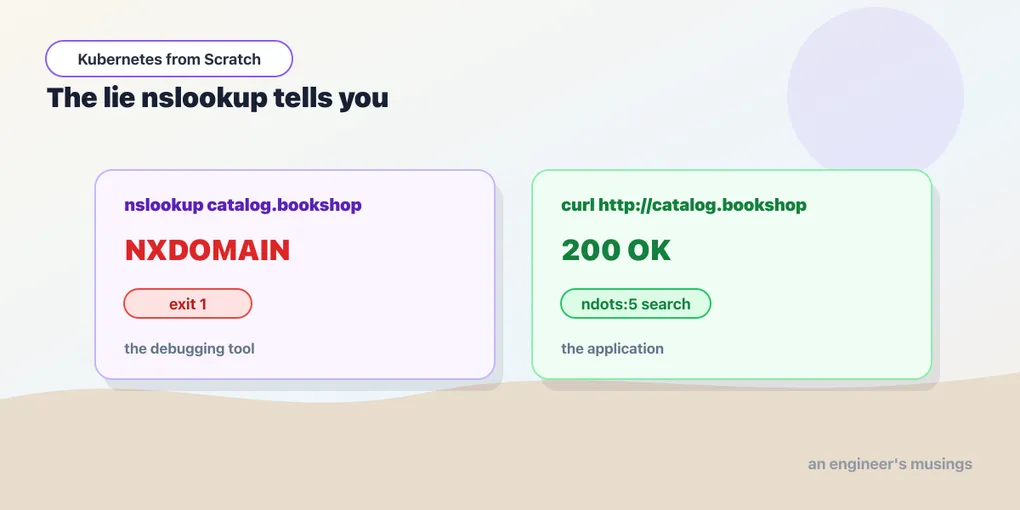
Read that again. nslookup catalog.bookshop returns NXDOMAIN — the DNS server’s way of saying “that name does not exist” — while curl http://catalog.bookshop/books in the same shell, in the same pod, one second later, returns 200 with the books in it.
Even the name that “works” looks like a failure. Here is nslookup catalog, verbatim:
$ kubectl exec -n bookshop deploy/orders -- nslookup catalog
Name:    catalog.bookshop.svc.cluster.local
Address: 10.96.125.132
** server can't find catalog.cluster.local: NXDOMAIN
** server can't find catalog.svc.cluster.local: NXDOMAIN
command terminated with exit code 1
It found the answer. It printed the answer. It then printed two errors for the suffixes that didn’t match, and it exited 1. If you wrapped that in a health check, or a CI step, or a set -e script, you have just marked a working cluster as broken.
The mechanism is not mysterious once you see it, and it is entirely on the client side.
ndots:5 instructs the libc/musl/Go resolver to treat any name with fewer than five dots as a candidate for the search path, so catalog.bookshop (one dot) is tried as catalog.bookshop.bookshop.svc.cluster.local, then catalog.bookshop.svc.cluster.local — which hits. That is the code path the bookshop’s Go binaries take, the code path curl takes, and the code path getent hosts takes. It is the code path your application takes.
busybox’s nslookup does not take that path. It is not a resolver client — it is a DNS query tool. Given a name that already contains a dot, it queries it as an absolute name, gets NXDOMAIN, and stops. It never consults search. It never applies ndots. It answers a question — “does this exact name exist in DNS?” — that is not the question you were asking, and it answers it correctly.
So the standard advice — “exec into a pod and nslookup the service to check DNS” — reports a broken cluster that is not broken. It has probably generated more phantom DNS incidents than any actual DNS failure. The busybox output compounds it: it prints the DNS server’s address at the top before the answer, so a reader skimming for an IP can grab the wrong one and conclude the Service resolved to CoreDNS.
What to do instead. Use the resolver your application uses:
kubectl exec -n bookshop deploy/orders -- getent hosts catalog.bookshopgetent goes through the same libc/musl path — search list, ndots, the lot — and gives you the answer the app would get. Or skip the abstraction entirely and just curl the name: if curl -s -o /dev/null -w '%{http_code}' http://catalog.bookshop/books prints 200, then DNS worked, the Service worked, the EndpointSlice worked, and kube-proxy worked, and you have tested the thing you actually care about instead of a proxy for it.
If you genuinely want to interrogate DNS — and sometimes you do — use dig with the fully-qualified name, and know that you are asking the absolute question. Just don’t let a tool that ignores the search path tell you your search path is broken.
The other trap: the selector with a typo
The second failure mode is the most common Service bug there is, and its symptom points you at completely the wrong thing.
Create a Service whose selector matches no pods — say, app: catalogg, one keystroke off:
apiVersion: v1
kind: Service
metadata:
  name: typo-svc
spec:
  selector:
    app: catalogg      # the Deployment's pods are labelled app: catalog
  ports:
    - port: 80
      targetPort: 8080
Everything about that Service looks healthy. kubectl get svc shows it with a ClusterIP — the ClusterIP is allocated when the Service is created, and has nothing whatsoever to do with whether any pods match. DNS resolves the name, because CoreDNS answers with that ClusterIP and the ClusterIP exists. An EndpointSlice is even created for it. But look inside it:
endpointslice endpoints: 'null'Empty. The query matched nothing, so the slice has no endpoints. And when you call it:
curl http://typo-svc/books : 000
command terminated with exit code 7
curl exit code 7 is “failed to connect”. Not a DNS error. Not a timeout. Not a 503. Not anything that says “service”. With no endpoints to DNAT to, kube-proxy’s rules reject the packet, and what comes back to your application is a connection refused — the same thing you’d get from a wrong port number, a firewall, a crashed process, a bad IP.
Look at what that does to a person. Connection refused on a service name that resolves means — surely — that the network is up and something at the other end said no. So they check the port. They check the pod’s listen address. They check whether the app binds 0.0.0.0 or 127.0.0.1. They go looking for a NetworkPolicy. They read the CNI logs. They add a debug container. All of it is in the network, and the bug is a single doubled letter in a label.
The diagnosis takes four seconds if you know where to look:
kubectl get endpointslice -n bookshop -l kubernetes.io/service-name=typo-svcNo endpoints, no pods matched, done. Connection refused from a Service name is a labels question until proven otherwise. Burn that into your reflexes: before you touch the network, ask the Service which pods it thinks it has. If the answer is none, the network was never involved.
The same reflex generalizes. A Service with the right selector but a wrong targetPort gives you a timeout or a refusal from the pod itself, because the DNAT lands on a port nobody is listening on. A Service whose pods are failing readiness gives you endpoints that exist but are marked not ready, and the traffic stops without the addresses disappearing — that one has its own section in the health chapter, because it looks different from everything here and people describe it wrong.
Final thoughts
The Service is the smallest object in this book with the biggest ratio of consequence to YAML. Eleven lines buy you a name that never changes, a virtual address that no interface owns, a membership list maintained by a control loop you never see, and packet rewriting on every node in the cluster. That’s a good trade — and it is why nobody in Kubernetes hardcodes an IP.
But notice what the two failure modes in this chapter have in common. Both are cases where the system tells you the truth and the truth is misleading. NXDOMAIN is a correct answer to the question busybox asked; connection refused is a correct description of what happened to your packet. Neither is a lie about the world. Both are lies about the cause. That is the shape of most hard Kubernetes debugging: the layer that reports the symptom is almost never the layer that has the bug, and the reflex worth building is not “what does this error mean” but “which object holds the truth about this?”
For a Service, that object is the EndpointSlice. Learn to check it first and you will skip whole categories of afternoon.
Next: ConfigMaps and Secrets: One Edit, Three Different Answers
Comments