The Parts You Stop Writing
DuckDB's own additions to SQL — EXCLUDE and REPLACE on a star, GROUP BY ALL, COLUMNS, QUALIFY, PIVOT, list comprehensions and FROM-first syntax, plus the one that is a performance feature in disguise.
Chapter 1 made a promise and it was true: your SELECTs, joins, CTEs and window functions transfer here unchanged. This is not a SQL book, and the SQL track teaches the language once against PostgreSQL.
What that promise leaves out is the other direction. DuckDB accepts everything you already write, and it accepts a good deal that Postgres will not. This is not a different language. It is the same one with a set of additions, and they exist to delete boilerplate you have been typing for years without noticing.
That sounds cosmetic. Mostly it is, and convenience is a reasonable thing to want. But one of these is a performance feature wearing syntax-sugar clothes, and it is worth knowing which.
Run against: DuckDB 1.5.5 on the edge-log dataset from chapter 5 — nine columns, 500,000 rows.
The star, minus the columns you did not want
SELECT * is either exactly what you want or nearly what you want. When it is nearly, the usual repair is to type out the other eight columns by hand.
select * exclude (ts, site_id, tags, client) from 'edge/**/*.parquet' limit 2;('/', 200, 186920, 36.2, 2026-03-01)
('/', 200, 226515, 32.65, 2026-03-01)Five columns, because four were subtracted from the star. Nothing was listed positively.
REPLACE is the sibling. It keeps every column but swaps the expression for one of them:
select * replace (round(duration_ms) as duration_ms)
from (select path, duration_ms from 'edge/**/*.parquet') limit 2;
('/', 36.0)
('/', 33.0)duration_ms is still in its original position, still called duration_ms, now rounded. Without this you would list every column just to change one.
They compose, in one order only. EXCLUDE must come first:
select * exclude (ts) replace (round(duration_ms) as duration_ms) from …   -- fine
select * replace (round(duration_ms) as duration_ms) exclude (ts) from …   -- Parser Error
Parser Error: syntax error at or near "exclude"Worth committing to memory, because there is no reason to expect it and the error does not explain it.
The one that is not just sugar
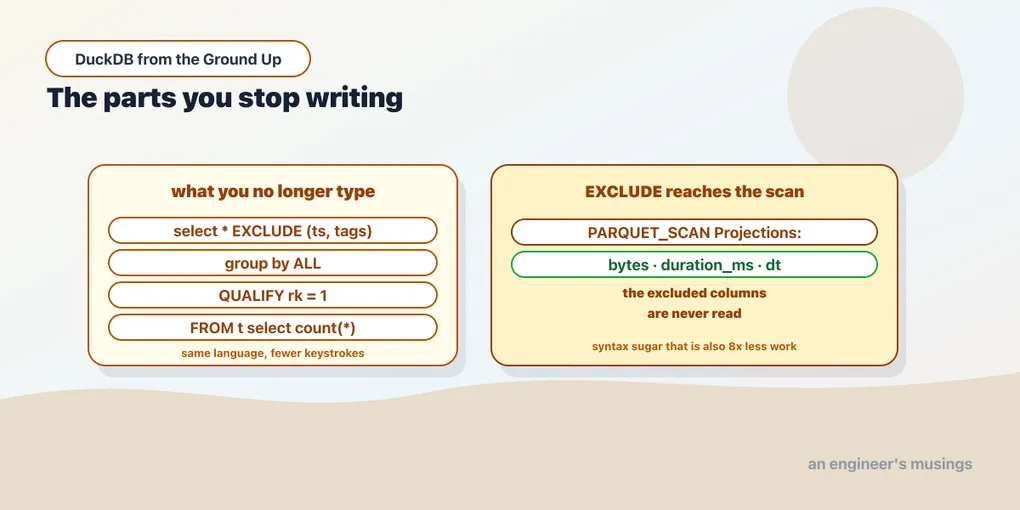
Here is the part that makes EXCLUDE more than typing relief. Ask for the plan:
explain select * exclude (ts, tags, client, path, site_id, status)
from 'edge/**/*.parquet';
│ PARQUET_SCAN │
│ Projections: │
│ bytes │
│ duration_ms │
│ dt │The excluded columns are never read. EXCLUDE resolves before the scan, so it feeds the projection pushdown from chapter 7. That chapter measured what it is worth: 29 ms for one column against 226 ms for eight.
So on a wide table, select * exclude (big_blob_column) is not a tidier select *. It is a materially cheaper one.
GROUP BY ALL
The most-typed redundancy in analytical SQL is repeating your non-aggregate select list in the GROUP BY:
select client.country, status, count(*) n
from 'edge/**/*.parquet'
group by all
order by n desc, client.country limit 3;
('DE', 200, 57144)
('BR', 200, 57143)
('GB', 200, 57143)ALL means “group by every selected expression that is not an aggregate.” DuckDB works out that client.country and status are the grouping keys and count(*) is not.
This is more than convenience, because the duplicated list is a maintenance hazard rather than a typing one. Add a column to the select list, forget the GROUP BY, and you get an error if you are lucky or a different result if you are not. GROUP BY ALL cannot drift out of sync with the select list, because it is the select list.
ORDER BY ALL is the same idea for sorting — order by every selected column, left to right:
select status, count(*) from 'edge/**/*.parquet' group by all order by all limit 3;(200, 285716)
(301, 71428)
(404, 71428)COLUMNS, which applies a function to many columns at once
COLUMNS(*) takes an expression and maps it over every column:
select max(columns(*)) from (select status, bytes, duration_ms from 'edge/**/*.parquet');(500, 900199, 40.99)One max written, three applied. The alternative is max(status), max(bytes), max(duration_ms) — fine at three columns and unwriteable at forty.
It takes a regex, which is where it earns its place:
select round(avg(columns('.*_ms')), 1) from 'edge/**/*.parquet';(21.0,)Every column whose name ends in _ms, averaged, without naming any of them. On a table with a naming convention — _ms, _count, _pct, is_ — this turns a class of tedious queries into one line. It also keeps working when someone adds a column.
QUALIFY
Window functions have an awkward gap: you cannot filter on one in a WHERE, because WHERE runs before the window is computed. The standard workaround is a subquery or CTE that exists only to give the window function a name you can filter on.
QUALIFY is HAVING for window functions:
select path, status, count(*) n,
       row_number() over (partition by status order by count(*) desc, path) rk
from 'edge/**/*.parquet'
group by 1, 2
qualify rk = 1
order by status limit 3;
('/docs/intro', 200, 57144, 1)
('/api/v1/search', 301, 14286, 1)
('/', 404, 14286, 1)The busiest path for each status code, without a wrapping subquery. “Top N per group” is one of the most common analytical shapes there is, and this is the version of it you can read.
PIVOT
Turning rows into columns is normally a stack of CASE expressions inside aggregates. DuckDB has it as syntax:
pivot (select status, client.country cc from 'edge/**/*.parquet')
on status using count(*) group by cc order by cc limit 3;
('BR', 57143, 14286, 14286, 14285)
('DE', 57144, 14285, 14286, 14285)
('GB', 57143, 14286, 14285, 14286)One row per country, one column per status code, counts in the cells. Note what did not happen: you never listed the status codes. DuckDB read the distinct values and generated the columns. A CASE-based pivot has to know them in advance, which means it silently misses any new one.
UNPIVOT goes the other way, folding columns back into rows.
FROM first
from 'edge/**/*.parquet' select count(*);(500000,)FROM before SELECT, which is the order you think in and the order the engine executes in. You pick the data, then decide what to take from it. SELECT-first is a historical accident that every autocomplete has to work around.
The SELECT is optional entirely:
from 'edge/**/*.parquet' limit 1;(1, 2026-03-02 10:08:00, '/', 200, 186920, 36.2,
{'country': 'US', 'city': 'NYC'}, ['edge'], 2026-03-01)That is the fastest way to look at a table that exists, and it is what I now type first against any unfamiliar file.
List comprehensions
Chapter 11 covers list_transform and list_filter. There is also syntax borrowed straight from Python:
select [upper(t) for t in tags] from 'edge/**/*.parquet' limit 2;(['EDGE'],)
(['EDGE', 'CACHE-HIT', 'BETA'],)With a filter clause:
select [x * 2 for x in [1, 2, 3] if x > 1];([4, 6],)Identical in meaning to the lambda forms and considerably easier to read, especially nested.
Two smaller ones
UNION ALL BY NAME matches columns by name instead of position, filling gaps with NULL:
select 1 a union all by name select 2 b;(1, None)
(None, 2)Positional UNION is a well-known way to silently swap two columns of the same type. Matching by name removes that class of bug, and chapter 12 uses it to absorb structs with different shapes.
And an alias can go in front:
select n: count(*), c: count(distinct status) from 'edge/**/*.parquet';(500000, 4)The name arrives before the expression, so a long expression does not hide what it is called.
What to actually adopt
These are not equally valuable, and treating them as one feature list is how you end up writing SQL nobody else on your team can read.
Adopt without hesitation: GROUP BY ALL and QUALIFY. Both remove a genuine correctness hazard rather than keystrokes — a GROUP BY that drifts from its select list, and a subquery that exists only to name a window.
Adopt for wide tables: EXCLUDE and COLUMNS. The first is a performance lever; the second stops being optional past about twenty columns.
Adopt for exploration: FROM-first and bare FROM. Excellent interactively. I would think twice about a committed query, since a reader who has not seen it will stumble.
Know they exist: PIVOT, REPLACE, list comprehensions, UNION BY NAME, prefix aliases. Reach for them when the standard form is genuinely worse.
The honest cost, which applies to all of them: none of this is portable. A query using GROUP BY ALL does not run on Postgres, Snowflake or BigQuery. For an analysis you run and throw away, that does not matter. For a dbt model that might move warehouses, or SQL in an application, portability may be worth more than the keystrokes. That is a judgement call, not a rule.
Final thoughts
The pattern underneath these is worth naming. Standard SQL makes you say things it could have worked out. The grouping keys are derivable from the select list. The pivot columns are derivable from the data. The columns you want are often “all of them except that one.” Each addition here removes one of those.
Two things to carry. GROUP BY ALL cannot fall out of sync with your select list, which makes it a correctness feature rather than a shortcut. And EXCLUDE pushes down into the scan, so on a wide table it is cheaper than the select * it replaces, not merely shorter.
The rest you will pick up by seeing them once. That is rather the point — none of this is a new language, and all of it is optional.
Next: Stop Paying the Flattening Tax — LIST, STRUCT and MAP as first-class types, and what they let you stop flattening.
Comments