Two Installs and a Shell Worth Knowing
Getting DuckDB running in both places you'll use it — the Python package and the standalone CLI — plus the shell's output modes, the pipe-friendly flags, and the one composition rule that catches everyone.
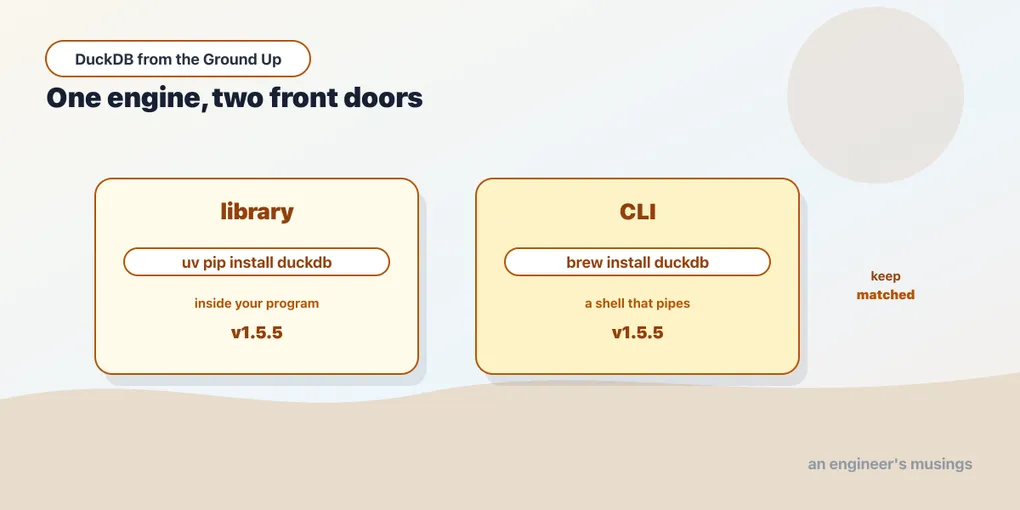
Most databases have one installation story, because there is one thing to install: a server. DuckDB has two, and they are genuinely different tools rather than two downloads of the same thing.
The library is what you embed — import duckdb in Python, a dependency in Java or Node or Rust, a linked object in C++. It runs inside your program and it is how DuckDB ends up in production.
The CLI is a standalone binary with a shell attached. It is how you explore a file, check what a query does, and answer a question without writing a program around it.
You will want both. This chapter installs each, then spends most of its length on the shell. That is where you will spend your first few hours, and it has more in it than a first look suggests.
Run against: DuckDB 1.5.5 on macOS.
The library
For Python, it is one package with no system dependencies:
uv pip install duckdbThat is the whole install. No server package, no initdb, no service to enable, no port. The wheel contains the entire database engine. That is worth sitting with, because it is the concrete form of the last chapter’s architectural claim. The database is a few megabytes of compiled code that your process loads.
Check it:
import duckdb
duckdb.connect().execute("select version()").fetchone()('v1.5.5',)The other clients follow the same shape — a JAR, an npm package, a crate — because there is nothing to install around them.
The CLI
The shell is a separate binary. On macOS:
brew install duckdbduckdb -c "select version()"┌─────────────┐
│ "version"() │
│ varchar │
├─────────────┤
│ v1.5.5 │
└─────────────┘Keep these two versions matched, or at least know when they drift. They are independent installs and nothing warns you. The drift is more survivable than the folklore suggests: DuckDB writes a backward-compatible storage format by default, and chapter 3 shows a 1.1.3 engine reading a 1.5.5 file. Matching them is still one fewer variable when a query behaves differently in the shell than in your script. Both of mine report v1.5.5, and the book pins that.
Running duckdb with no arguments drops you into an in-memory shell — a scratch database that exists only until you exit. Give it a path and it opens or creates that file instead:
duckdb analytics.duckdbThat distinction is the whole of the next chapter, so we will leave it there.
The shell, past the first query
The 1.5 release rewrote the shell, and it is more capable than the Postgres or SQLite equivalents in a few specific ways. .help lists everything; these are the parts worth knowing on day one.
Output modes change the shape, not just the styling. The default box drawing is for reading. The others are for piping:
duckdb -json -c "select 1 as a, 'x' as b"[{"a":1,"b":"x"}]duckdb -csv -c "select 1 as a, 'x' as b"a,b
1,xduckdb -line -c "select 1 as a, 'x' as b" a = 1
b = x-line is the one to remember for wide tables — a result with twenty columns is unreadable as a box and perfectly readable one field per line. Inside the shell the same modes are available as .mode json, .mode csv, .mode line.
It reads from stdin, which makes it a filter in a pipeline rather than only an interactive tool:
echo "select 'from stdin' as src;" | duckdb┌────────────┐
│ src │
│ varchar │
├────────────┤
│ from stdin │
└────────────┘Combine that with -csv and DuckDB becomes a SQL-shaped awk. It reads a file, runs real SQL over it, and writes CSV to the next process in the pipe. That is not a party trick. It is a genuinely useful position in a shell script, and it is only possible because there is no server to be running first.
The one composition rule that catches people
-c takes SQL. It does not take dot-commands, and the failure is not obvious:
duckdb -c ".mode line
select 1 as a;"
Invalid Command Error: Invalid usage of command '.mode'
Usage: '.mode MODE ?TABLE?'The instinct — “the shell accepts .mode, and -c runs shell input, so this should work” — is wrong. Dot-commands are handled by the shell’s own parser, and -c goes to the SQL parser.
What you want instead is the equivalent flag, which is why -json, -csv and -line exist as command-line options at all:
duckdb -line -c "select 1 as a"For anything more involved, put the dot-commands and the SQL in a file and run it with -f, where both are handled.
Choosing between them
Neither tool is the “real” one, and the choice is usually obvious once stated:
Reach for the CLI when the question is ad hoc. Inspecting a Parquet file someone sent you, checking what a query plan does, or getting a number out of a directory of logs without opening an editor.
Reach for the library when the answer feeds something else — a DataFrame, an API response, a scheduled job, a test. The library is also the only option when DuckDB is a component of an application rather than a thing you are using directly.
The important part is that they are the same engine over the same files. A database you build from Python opens in the CLI, and vice versa. There is no export step between them, and no server that has to be told about either.
What you have now
Two installs, both pinned to the same version, and a shell you can use as an interactive tool or as a pipeline stage.
What you do not yet have is any real sense of the thing the CLI has been quietly creating — the database file. Whether it exists at all, when it gets written, what happens when two processes want it, and how one database becomes several. That turns out to have more edges than a file usually does.
Next: One File, One Writer, No Exceptions — when the file gets written, how ATTACH joins across databases, and the lock that refuses a read-only peek.
Comments