dbt build Is a Graph Command
Selectors, graph operators, indirect test selection, artifacts, and the mechanics behind the one command you eventually run everywhere.
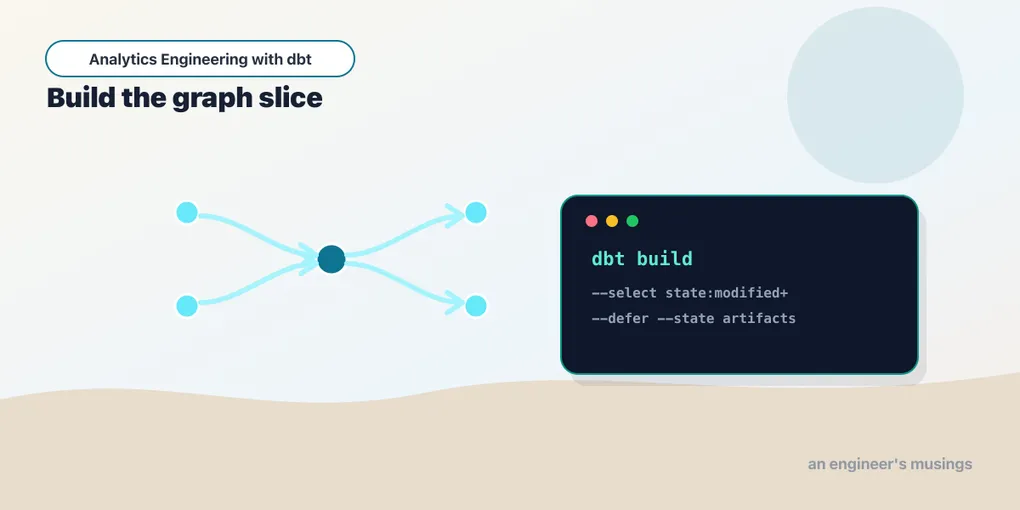
Most dbt projects start with dbt run. Mature projects converge on dbt build.
That sounds like a small command preference. It is not. dbt run builds models. dbt build understands the project as a graph of resources: seeds, snapshots, models, and tests, ordered so a failure blocks the downstream work that would no longer be trustworthy. It is the command you want in CI and production because it asks the question you actually care about: can this slice of the project be built and validated?
To use it well, you need selectors. And to read a selector, you need the shape of the graph it walks. Here is the bookshop’s, which every example below refers to:
raw_orders (seed) ───▶ stg_orders ──┬─▶ order_events
                                     ├─▶ orders_by_customer
raw_payments (seed) ─▶ stg_payments ─▶ int_order_payments ─┐
                                                           ├▶ orders ─▶ customers
raw_customers (seed) ▶ stg_customers ──────────────────────────────▶ customers
Three seeds feed three staging views. stg_payments rolls up into int_order_payments; that plus stg_orders builds the orders table; orders plus stg_customers builds customers. Two side marts, order_events and orders_by_customer, hang directly off stg_orders. Keep that picture in your head — the selectors are just precise ways of pointing at parts of it.
Selection is graph algebra
The simplest selector names one node:
dbt build --select ordersThat builds exactly one model. But dbt’s graph is the point, so the selection language includes graph operators. Put a + after a name to include its descendants — everything downstream:
dbt ls --select orders+ --resource-type model
# customers
# orders
orders has one child, customers, and that is the whole downstream cone. Put the + before the name to walk upstream instead — every ancestor that feeds it:
dbt ls --select +orders --resource-type model
# int_order_payments
# orders
# stg_orders
# stg_payments
Notice stg_customers is not there. It feeds customers, which is downstream of orders, so it is not an ancestor of orders. This is the single most common selector surprise: +orders is the models needed to build orders, not everything in its family.
Use both operators to take the full neighborhood — parents, the node, and children:
dbt build --select +orders+Depth limits keep the blast radius controlled. A number in front of the + caps how many layers dbt walks:
dbt ls --select 1+orders+2 --resource-type model
# customers
# int_order_payments
# orders
# stg_orders
1+ takes one layer of parents — stg_orders and int_order_payments, but not stg_payments two hops up. +2 takes two layers of children — customers is the only child, so the second layer is empty. Compare that to the unbounded +orders, which pulled in stg_payments. On a small graph the difference is one node; on a warehouse with fifteen staging layers under a mart, depth limits are what separate a focused CI job from rebuilding half the warehouse.
The @ operator is the odd one, and worth understanding precisely. @orders selects orders, all of its ancestors, all of its descendants, and the ancestors of those descendants:
dbt ls --select @orders --resource-type model
# customers
# int_order_payments
# orders
# stg_customers
# stg_orders
# stg_payments
stg_customers appears here but was absent from +orders. Why: customers is downstream of orders, and customers needs stg_customers to build. @ guarantees that if a node is selected, everything required to build it and everything it produces can be built too. You will not reach for @ daily, but it is exactly right for defer-based CI where dbt needs local parents for selected children while resolving the rest from production.
The * wildcard matches against a node’s fully-qualified name — package.folder.model — one segment at a time:
dbt ls --select "marts.*" --resource-type model
# customers
# order_events
# orders
# orders_by_customer
That grabs the entire marts layer. staging.* grabs the three stg_ views. Note this is an fqn glob, not a name glob: --select "stg_*" matches nothing, because stg_orders is not a folder segment. When you want “everything in a layer,” reach for the folder name plus .*, or use path: (below).
Methods select by shape
Names are one selector method. dbt can select by a node’s properties instead — its tag, config, path, resource type, or the result of a previous run. The syntax is method:value:
dbt ls --select config.materialized:view --resource-type model
# stg_customers, stg_orders, stg_payments, int_order_payments
dbt ls --select config.materialized:table   # customers, orders, orders_by_customer
dbt ls --select path:models/staging         # everything under that directory
dbt ls --select resource_type:seed          # raw_customers, raw_orders, raw_payments
dbt ls --resource-type snapshot             # customers_snapshot
dbt ls --select test_type:unit              # lifetime_value_sums_orders, lifetime_value_of_customer_with_no_orders
Every one of those is a real query against the bookshop. The method families you will actually use:
tag:— nodes carrying a tag.dbt build --select tag:nightlybuilds everything you taggednightlyin config. (The bookshop ships untagged, so this matches nothing until you add+tags: ['nightly']to a model’s config — the point is that operational intent lives in tags, not in memorized model lists.)config.materialized:— select by materialization.config.materialized:incrementalis how a migration targets only the stateful tables worth re-checking.path:— select by file location.path:models/stagingis the blunt-instrument version ofstaging.*.source:— select a declared source, e.g.source:shop.orders. The bookshop wires its raw layer as seeds rather than sources, so here the seeds (resource_type:seed) play that role; in a project withsources.yml,source:shop+builds everything downstream of a source.exposure:— select the models a named exposure depends on, so you can build exactly what a dashboard needs.resource_type:— filter tomodel,test,seed,snapshot,unit_test,source, and so on.test_type:—unit,generic,singular, ordata.dbt test --select test_type:unitruns only the two unit tests oncustomers.test_name:— select by the test’s implementation, e.g.test_name:relationshipsto run every relationships test,test_name:not_negativeto run the custom one onstg_payments.result:— select by the outcome of the last run, read fromrun_results.json:result:error,result:fail,result:success,result:warn.dbt build --select result:error+ --state ./prevrunrebuilds only what broke last time, plus its children.state:—modifiedornew, comparing the current project to a saved manifest:dbt ls --select state:modified --state ./prod-artifacts. On an unchanged project it selects nothing (the whole basis of Slim CI — more in the deployment chapter).source_status:—fresher, comparing against a savedsources.jsonso you only rebuild when upstream data actually moved.group:— select by the group a model is assigned to, useful once you carve the project into owned domains.
Method selectors let you encode operational intent. A nightly job builds tag:nightly. A pull request builds state:modified+. A recovery run builds result:error+. Exclude is the mirror image — how you say “but not that”:
dbt build --select marts.* --exclude tag:expensiveSpaces, commas, and set logic
dbt selector syntax has set logic, and it is easy to get backwards.
Arguments separated by a space form a union — nodes matching either:
dbt ls --select path:models/intermediate resource_type:snapshot
# int_order_payments
# customers_snapshot
Arguments separated by a comma (no space) form an intersection — nodes matching both:
dbt ls --select config.materialized:view,path:models/staging --resource-type model
# stg_customers
# stg_orders
# stg_payments
int_order_payments is a view too, but it lives in models/intermediate, so the intersection drops it. If you expect a small set and get a huge one, you almost certainly typed a space where you meant a comma. The same union/intersection rules apply inside YAML selectors, where they become union: and intersection: keys.
Named selectors you will reuse
When a selector becomes part of CI or production, stop typing it and put it in selectors.yml at the project root:
selectors:
  - name: pr_check
    definition:
      union:
        - method: state
          value: modified
          children: true
        - method: result
          value: error
Then call it by name:
dbt build --selector pr_check --state ./prod-artifactsThat selects everything modified in the PR (with its children) plus anything that errored on the last run, without a fragile shell string. Named selectors are documentation — a reviewer reads pr_check and knows the CI contract — and they keep quoting and punctuation mistakes from silently becoming production behavior.
State comparison: the selector CI is built on
state:modified deserves its own worked example, because it is the selector that makes CI cheap enough to run on every pull request. It compares the current project against a saved manifest.json — usually production’s — and selects the nodes whose definition changed. On its own it selects only the changed node; add + and you get the changed node plus everything downstream that might now be wrong.
Save production’s manifest somewhere (--state ./prod-artifacts), edit stg_orders, and ask what a PR would need to rebuild:
dbt ls --select "state:modified+" --state ./prod-artifacts --resource-type model
# stg_orders
# order_events
# orders_by_customer
# orders
# customers
One-line change to stg_orders, and dbt hands you its exact blast radius: the model itself and its four transitive descendants. The three untouched seeds, the two other staging views, int_order_payments — none of them rebuild, because nothing about them changed. On an unchanged project the same command selects nothing at all, which is the point: a PR that only edits a README triggers an empty, instant CI run.
The production half of the equation is --defer. state:modified+ builds the changed cone locally, and --defer --state ./prod-artifacts tells dbt to resolve every unselected ref() — stg_customers feeding customers, say — against the production tables instead of building them. Pair it with --indirect-selection cautious and you get the canonical Slim CI job: build and test exactly what changed, borrow everything else from prod, spend warehouse credits on the diff and nothing more. The deployment chapter wires this into an actual pipeline; here the takeaway is that it is all just selectors reading a saved artifact.
Indirect selection decides which tests come along
Tests are graph nodes with parents. When you select a model, dbt has to decide which of its tests to include — and a relationship test has two parents, so the decision is not obvious. This is indirect selection, controlled by --indirect-selection, and the bookshop’s orders model is the perfect specimen. It carries five tests, and one of them — the relationships test — also references customers, which is not selected when you select only orders:
dbt ls --select orders --indirect-selection eager --resource-type test
# not_null_orders_amount
# not_null_orders_customer_id
# not_null_orders_order_id
# relationships_orders_customer_id__customer_id__ref_customers_
# unique_orders_order_id
dbt ls --select orders --indirect-selection cautious --resource-type test
# not_null_orders_amount
# not_null_orders_customer_id
# not_null_orders_order_id
# unique_orders_order_idThe four modes, in order of how much they pull in:
eager(the default) — include a test if any parent is selected. The relationships test comes along even thoughcustomersis not in the selection. That is fine locally, wherecustomersalready exists in your warehouse; it breaks in CI ifcustomerswas never built.cautious— include a test only if all its parents are selected. The relationships test is dropped, becausecustomersis unselected. This is the safe CI default: it never runs a test whose data isn’t there.buildable— include a test if every unselected parent is an ancestor of the selection, i.e. it would get built as part of this run anyway. In the bookshop, selectingordersproduces the same four tests ascautious, because the missing parentcustomersis a descendant oforders, not an ancestor — nothing in a run rooted atordersbuilds it.buildableonly diverges fromcautiouswhen the extra parent sits upstream and rides along.empty— include no indirectly-selected tests at all (dbt ls --select orders --indirect-selection emptyreturns nothing). Useful when you want to run the model and handle its tests as a separate, explicit step.
If this feels fussy, it is because a relationships test between orders and customers genuinely depends on both, and selecting one side forces a policy. The right mode depends on whether your CI can resolve the other parent from production with --defer. Pair cautious (or buildable) with --defer and you get a CI job that tests exactly the changed slice against real upstream data.
What build actually does
dbt build runs resource types in dependency order — but not “all seeds, then all models, then all tests.” It interleaves them through the DAG, so each node’s tests run the moment its inputs are ready. Watch a real dbt build --select +orders:
1 of 23 OK loaded seed file main.raw_orders ............. [INSERT 15]
2 of 23 OK loaded seed file main.raw_payments ........... [INSERT 15]
3 of 23 OK created sql view model main.stg_orders ....... [OK]
4 of 23 OK created sql view model main.stg_payments ..... [OK]
6 of 23 PASS assert_no_negative_payments ................ [PASS]
8 of 23 PASS not_null_stg_payments_order_id ............. [PASS]
...
17 of 23 OK created sql view model main.int_order_payments [OK]
18 of 23 OK created sql table model main.orders ......... [OK]
19 of 23 START test not_null_orders_amount .............. [RUN]
Seeds load first because everything depends on them. Then stg_orders and stg_payments build — and immediately their tests run, before int_order_payments is even started. Only once stg_payments is tested does int_order_payments build; only once its inputs are validated does orders build; then the orders tests run. The graph, not the resource type, drives the order.
That interleaving is the whole reason build is stricter than run followed by test. If stg_payments fails a test, dbt marks its downstream nodes — int_order_payments, orders, their tests — as skipped, because their inputs are no longer trustworthy. dbt run && dbt test would happily build orders on bad data and only complain afterward. build refuses to build on top of a failure.
Before you run anything, dbt ls shows what a selector means:
dbt ls --select state:modified+ --state ./prod-artifacts
dbt ls --select marts.* --output json
The first previews your CI slice; the second emits machine-readable node metadata that orchestrators (Cosmos, Dagster’s dbt integration, homegrown DAG generators) consume to turn models into tasks. dbt ls is the quiet workhorse of the ecosystem — it reads the same manifest a full run would, without touching the warehouse.
Artifacts are the memory of a run
Every invocation writes JSON artifacts under target/. They are not logs — they are the structured record other tools read:
manifest.json— the parsed project: every node, its config, its dependencies, its compiled SQL. This is the graph.state:and--defercompare against a saved copy of it; docs sites and orchestrators load it to reconstruct lineage.run_results.json— the outcome of the last command: per-node status, timing, row counts, adapter responses.result:selectors anddbt retryread it; run-health dashboards are built on it.catalog.json— column-level metadata (types, stats) harvested from the warehouse. Written bydbt docs generate, not by a normal build, and consumed by the docs site.sources.json— source-freshness results, written bydbt source freshness.source_status:freshercompares against it. (The bookshop has no declared sources, so it never writes one — freshness is a source-only concern.)
Two commands produce artifacts without executing SQL, and both are worth knowing. dbt parse reads the project and writes manifest.json — the fastest way to validate that everything parses and get a fresh manifest for tooling. dbt compile goes one step further and renders every model’s Jinja to real SQL under target/compiled/, so you can inspect exactly what dbt would send to the warehouse without sending it. Neither touches your data; both are safe to run anywhere.
Because artifacts encode the graph and the run history, they are why target/ is git-ignored locally but preserved by production systems: a PR that runs state:modified needs production’s manifest.json to diff against, and a health dashboard needs yesterday’s run_results.json. Treat them as the build record, not disposable scratch.
Retry, fail-fast, and full-refresh
Three flags matter once builds get large or slow.
dbt retry re-runs the previous invocation starting from its failed and skipped nodes, reading run_results.json to know where it stopped. If a build of forty nodes dies at node thirty because of a transient warehouse timeout, dbt retry resumes at thirty rather than redoing the twenty-nine that already passed. It is a resume button, not a fix button — retrying a genuine SQL error is just a slower way to read the same error twice. Learn to tell a transient failure (network blip, lock, capacity) from a deterministic one (bad SQL, failing test) before you reach for it.
dbt build --fail-fast stops at the first failure instead of pressing on to collect every error. Use it when failures cascade anyway, or when warehouse spend on doomed downstream work matters more than a complete error list.
--full-refresh changes the semantics of incremental models and snapshots: instead of appending or merging new rows, dbt drops and rebuilds the table from scratch. dbt build --select orders --full-refresh would rebuild orders completely (harmless here, since it is a plain table); on a genuinely incremental model it is how you recover after changing the model’s logic or backfilling history. It is a deliberate, occasionally expensive action — not something to leave on by default.
One last thing worth internalizing: the status vocabulary dbt reports and that result: selects on. Models resolve to success, error, or skipped. Tests resolve to pass, fail, warn (a failure configured to warn rather than block), or error (the test query itself broke). Those words are not cosmetic — they are the exact values run_results.json stores and result: filters on, which is what makes “rebuild everything that errored last night” a one-line selector.
Putting it together: a broken nightly run
Selectors, statuses, and artifacts stop feeling separate the moment you use them to recover from a real failure, so trace one through the bookshop. Say the nightly dbt build dies partway: int_order_payments errors because a payments source shipped a malformed row. In the console you see int_order_payments marked error, and then orders, customers, and every test that depends on them marked skipped — dbt refused to build marts on top of the broken intermediate. stg_orders, order_events, and orders_by_customer still came out success, because nothing on their branch touched the bad data. All of that is recorded in run_results.json.
You fix the offending logic and want to re-run the wreckage — not the whole project. Two selectors do it, and they mean different things. dbt retry reads run_results.json and resumes exactly the failed-and-skipped nodes from that invocation: int_order_payments, orders, customers, and their tests, in dependency order, leaving the three healthy models alone. dbt build --select result:error+ is the more surgical cousin — it selects the nodes that errored plus their descendants, which here is the same cone, but lets you combine it with other selectors or run it from a fresh process against saved state. Reach for retry when you are resuming the same session; reach for result:error+ --state when you are re-running from CI where the failing invocation happened on another machine.
If instead the failure had been a test — not_negative_stg_payments_amount reporting fail on a genuinely negative amount — the calculus changes. That is a deterministic failure; dbt retry would just re-read the same failing rows. The fix lives in the data or the test, not in re-running. Knowing which of the status words you are staring at — error versus fail, skipped versus success — is what tells you whether the next command is retry or a code change.
Final thoughts
dbt build is not a bigger dbt run. It is the graph-aware command that turns a project into a build system. Selectors tell it which slice matters; indirect selection controls which tests follow; artifacts give it memory; state comparison makes CI cheap; retry and fail-fast make production runs operable. Once you understand those pieces, dbt stops feeling like a set of subcommands and starts feeling like make for analytics.
Comments