Packages Are How dbt Projects Borrow Good Ideas
How package installation, locking, dispatch, private dependencies, and the dbt package ecosystem fit into a production project.
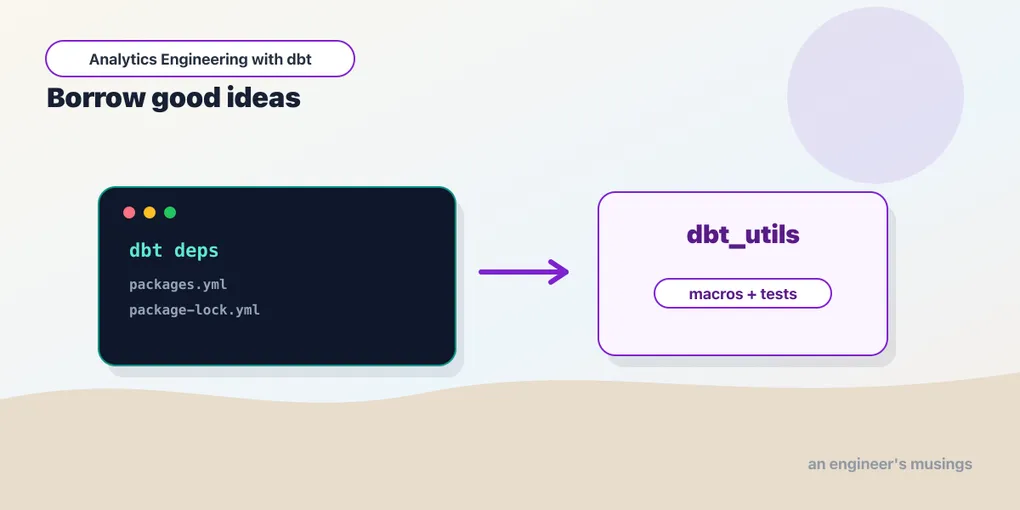
Sooner or later every dbt project writes the same helper twice. A surrogate key macro. A date spine. A pivot. A row-count comparison test. A way to generate staging models from sources. The second copy feels harmless. The tenth copy is a maintenance tax.
Packages are how dbt projects borrow good ideas without copy-pasting them. A package is just another dbt project whose macros, tests, models, and docs become available to yours. Some packages are tiny utility libraries. Some are full modeling projects. Some are internal company standards shared across dozens of repos.
This chapter is about using them without turning your build into a mystery box.
Installing a package
Most projects use packages.yml, a file that sits next to dbt_project.yml at the root of the project:
packages:
  - package: dbt-labs/dbt_utils
    version: 1.3.0
Then install:
dbt depsThat dbt-labs/dbt_utils string is a coordinate on dbt Hub (hub.getdbt.com), the package registry. The package: form is Hub-specific: dbt resolves namespace/name against the registry, reads the package’s published version list, picks a version that satisfies your constraint, and downloads the source. Hub is the default because it gives you version metadata for free — dbt can tell you that 1.3.0 exists and 1.4.0 does not, and it can warn when a package declares a require-dbt-version your dbt-core violates.
dbt downloads the package into dbt_packages/. For the bookshop, that means after dbt deps you have a real directory tree:
dbt_packages/
  dbt_utils/
    dbt_project.yml
    macros/
    integration_tests/
Notice the package has its own dbt_project.yml. It is a complete dbt project; installing it just makes its macros/, tests/, and models/ visible to yours under a namespace (dbt_utils.generate_surrogate_key, and so on). Nothing more magical is happening — dbt compiles the package’s Jinja into the same manifest as your own.
That dbt_packages/ directory is generated, not source. Add it to .gitignore right next to your other dbt artifacts:
target/
dbt_packages/
logs/
Commit packages.yml; do not commit dbt_packages/. The reason is the same reason you do not commit node_modules/ — it is a materialized copy of dependencies that dbt deps can rebuild on demand, and committing it means every dependency bump shows up as thousands of lines of noise in your diff.
The lock file pins the whole tree
Modern dbt (1.7+) writes a lock file the first time you run dbt deps:
package-lock.ymlIt looks roughly like this after installing dbt_utils:
packages:
  - package: dbt-labs/dbt_utils
    version: 1.3.0
sha1_hash: 8f2b9c...e14
The lock file records the resolved versions — the concrete ones dbt actually chose — plus a hash of the whole dependency set. packages.yml is your intent (“some 1.3.x is fine”); package-lock.yml is the answer dbt settled on (“exactly 1.3.0, and here is the fingerprint”). This distinction matters most when your constraints are ranges. If packages.yml says [">=1.3.0", "<2.0.0"] and dbt_utils later publishes 1.3.4, an unlocked project would silently pick up 1.3.4 on the next dbt deps. A locked project keeps installing 1.3.0 until you deliberately move the pin.
Commit the lock file. Treat it like package-lock.json or uv.lock: boring until the day it saves you. With it committed, CI, production, and every developer resolve to the same dependency tree, and a package that quietly ships a broken minor release cannot break your build until you choose to upgrade.
To upgrade intentionally:
dbt deps --upgrade--upgrade tells dbt to ignore the pinned versions in package-lock.yml, re-resolve packages.yml against the latest available versions inside your constraints, and rewrite the lock file. Without --upgrade, dbt deps prefers the lock file and only touches the network if a package is missing from dbt_packages/. So the everyday flow is: dbt deps (fast, reproducible, honors the lock) on every checkout and in CI; dbt deps --upgrade (deliberate, produces a reviewable lock diff) when you actually want new versions.
Review the lock-file diff like you would any dependency bump. Run the build. If a package provides tests, remember that “the package upgraded cleanly” and “our data still satisfies the tests” are separate claims — a new dbt_utils might tighten accepted_range in a way that surfaces bad data you were previously ignoring.
Version pins are production controls
A package version is part of your production behavior. A minor release can add a macro argument, change generated SQL, or tighten a test. Pin versions deliberately:
packages:
  - package: dbt-labs/dbt_utils
    version: [">=1.3.0", "<2.0.0"]
The range syntax is a list of constraints that are ANDed together. [">=1.3.0", "<2.0.0"] says “any 1.x at or above 1.3.0, but never 2.0” — which is the safe reading of semantic versioning, where a major bump is allowed to break you. An exact pin (version: 1.3.0) is a range with a single point.
Ranges are acceptable when you have CI that catches breakage, because the range plus the lock file gives you both flexibility and reproducibility: the range says what is allowed, the lock says what is installed, and --upgrade is the only thing that moves within the allowed window. Exact pins are calmer for small teams that would rather upgrade one line at a time. Either way, dependency upgrades should be pull requests with a build, not invisible changes during deployment.
The genuinely dangerous configuration is an unpinned package — either no version: at all on a Hub package, or a git package pinned to a branch. Unpinned means “whatever is newest at install time,” and since your production deploy runs dbt deps on some machine you do not watch, you have effectively outsourced a slice of your production SQL to someone else’s release schedule. The failure mode is the worst kind: a build that was green on Tuesday is red on Wednesday and nothing in your repo changed. Pin everything, lock everything, and make upgrades explicit.
Public, git, local, and private packages
The Hub form is only one of several. dbt supports four package sources, and each has a shape and a use case.
Hub packages are the package: form above — resolved against dbt Hub, with version metadata. Use them for the well-known community packages.
Git packages point at a repository directly:
packages:
  - git: "https://github.com/company/dbt-standards.git"
    revision: "v0.4.2"
The revision can be a tag, a branch, or a full commit SHA. Pin it to a tag or a SHA, not a branch name, unless you deliberately want deployments to change whenever main moves. Git packages are the standard way to share internal macros and governance tests that you do not want to publish to Hub. If the package lives in a subdirectory of a larger monorepo — say your company keeps several dbt projects under one repo — point dbt at the subdirectory:
packages:
  - git: "https://github.com/company/data-platform.git"
    revision: "v0.4.2"
    subdirectory: "dbt/standards"
For a private git repo, dbt shells out to git, so it uses whatever credentials git already has on that machine. Two common patterns:
# SSH — relies on an SSH key/agent being present (CI deploy key, developer key)
packages:
  - git: "[email protected]:company/dbt-standards.git"
    revision: "v0.4.2"
# HTTPS with a token injected via env var — good for CI runners
packages:
- git: "https://{{ env_var('DBT_GIT_TOKEN') }}@github.com/company/dbt-standards.git"
revision: "v0.4.2"The env_var form keeps the token out of the committed YAML while still letting dbt deps clone a private repo in CI. Whichever you pick, the credential lives in the environment, not in packages.yml.
Local packages point at a path on disk:
packages:
  - local: "../dbt-company-standards"
Local packages are useful while developing a shared package beside a project — you edit the package and re-run the bookshop build without publishing a tag between every change. They are also a footgun in CI, where ../dbt-company-standards may not exist. Use them for development, not as a production dependency, unless your repo layout guarantees the path is present everywhere the project builds.
Transitive dependencies and version conflicts
Packages have dependencies of their own. audit_helper, for instance, depends on dbt_utils. When you install audit_helper, dbt deps reads its packages.yml, discovers the dbt_utils requirement, and installs that too. Your dbt_packages/ ends up holding packages you never named — that is normal and expected.
The interesting case is when two of your dependencies want the same package at different versions. Suppose your packages.yml pins dbt_utils at 1.3.0, but an internal package you also install requires [">=1.2.0", "<1.3.0"]. Those ranges do not overlap, and dbt deps will fail with a version conflict rather than guess:
Version error for package dbt-labs/dbt_utils: Could not find a satisfactory
version from options: ['=1.3.0', '>=1.2.0,<1.3.0']
This is dbt protecting you: it installs exactly one copy of each package, so it cannot satisfy two incompatible constraints at once. The fix is real work, not a flag — either loosen your own pin to something both dependencies accept, or upgrade the internal package to one that tolerates dbt_utils 1.3.x. The lesson is that pinning too tightly across a tree of dependencies can wedge you, which is another argument for ranges plus a lock file: the range gives dbt room to find an overlap, the lock file makes the chosen point reproducible.
Because transitive dependencies are pulled in automatically, the package-lock.yml diff is where you see the full picture. A single line change in packages.yml — bumping one package — can move three packages in the lock file if the bumped package changed its own requirements. Read the whole lock diff, not just the line you edited.
Cleaning and reinstalling
Two housekeeping commands round out the workflow. dbt clean deletes the paths listed under clean-targets in dbt_project.yml, which by default include dbt_packages/ and target/:
# dbt_project.yml
clean-targets:
  - "target"
  - "dbt_packages"
Running dbt clean followed by dbt deps is the reliable way to force a fresh dependency install — useful when a partial download left dbt_packages/ in a strange state, or when you want to prove that a checkout builds from package-lock.yml alone. In CI, a cold dbt deps (no cached dbt_packages/) is exactly this fresh-install path, which is why a committed lock file matters: the CI runner has nothing but packages.yml and package-lock.yml, and the lock file is what makes its install match yours.
One caution on Hub packages: by default dbt only considers stable releases. If you genuinely need a pre-release version of a package to test an upcoming fix, you opt in per package:
packages:
  - package: dbt-labs/dbt_utils
    version: 1.4.0-rc1
    install-prerelease: true
Reach for that rarely and pin the exact release candidate — a pre-release is, by definition, a version whose behavior is not yet promised to hold.
dependencies.yml: the newer, broader file
Alongside packages.yml there is a second file dbt will read: dependencies.yml. For a plain packages list they are interchangeable — if you only have Hub/git/local packages, either file works and dbt reads whichever it finds (dependencies.yml wins if both exist).
The reason dependencies.yml exists is that it can carry a second kind of dependency: project dependencies for dbt Mesh and cross-project refs. That block looks different:
# dependencies.yml
packages:
  - package: dbt-labs/dbt_utils
    version: 1.3.0

projects:
  - name: bookshop_platform
The projects: list names other dbt projects whose public models you want to reference across project boundaries — the mechanism behind {{ ref('bookshop_platform', 'dim_customers') }}. That capability is a dbt Cloud / dbt Mesh feature (it needs the platform to resolve where the upstream project’s artifacts live), and projects: is only valid in dependencies.yml, never in packages.yml.
The practical rule: if all you install is packages, use either file — most single-project setups just keep packages.yml because that is what every tutorial shows. Reach for dependencies.yml when you start doing cross-project references, and once you do, move the whole thing (packages included) into dependencies.yml so there is one dependency file, not two.
One more distinction worth knowing: dependencies.yml does not support Jinja rendering of arbitrary environment variables the way packages.yml does. If your private git URL relies on {{ env_var('DBT_GIT_TOKEN') }}, keep that dependency in packages.yml, or supply the credential through git’s own configuration instead. For the bookshop — a single project with a couple of Hub packages — packages.yml is the right home, and the dependencies.yml question only arises the day the bookshop becomes one project in a larger mesh.
A tour of the ecosystem
You do not need to know every package. You need to know the handful that show up in real projects and what each one is for. Here is the shortlist, each with the moment you would actually reach for it.
dbt_utils (dbt-labs/dbt_utils) is the standard library. Macros like generate_surrogate_key, date_spine, star, pivot/unpivot, union_relations, and get_column_values; generic tests like unique_combination_of_columns, accepted_range, expression_is_true, equal_rowcount, and recency. When you’d install it: essentially always — it is the first line of most packages.yml files, and it is where the bookshop reaches when a built-in test is not sharp enough.
codegen (dbt-labs/codegen) generates boilerplate YAML and SQL. You run its macros to emit a sources: block for a schema, or a base model’s select list from a source’s columns, then paste the output into your project. When you’d install it: when you are onboarding a new source with forty columns and do not want to hand-type the stg_payments column list. Run dbt run-operation generate_source --args '{schema_name: raw}', capture the YAML, delete the package when you are done if you like — it does nothing at build time.
dbt_expectations (metaplane/dbt_expectations, formerly calogica) ports the Great Expectations catalogue into dbt generic tests: expect_column_values_to_be_between, expect_column_values_to_match_regex, expect_row_values_to_have_recent_data, and dozens more. When you’d install it: when not_null/unique/accepted_values stop being enough — for example, asserting that orders.amount is a positive number within a plausible range, or that an email column matches a pattern.
dbt_date (godatadriven/dbt_date) is calendar and time-zone logic: building a full date dimension, converting between time zones, week_of_year, fiscal periods, “is this a weekend.” When you’d install it: when you need a proper date dimension with fiscal quarters and business-day flags and you would rather not reinvent a date spine plus a pile of date arithmetic.
audit_helper (dbt-labs/audit_helper) compares two relations column-by-column and row-by-row and reports where they differ. When you’d install it: during a refactor. You are rewriting orders and want to prove the new version matches the old one — run compare_relations between the legacy table and your rebuilt model and it tells you exactly which rows and columns diverge, so “I refactored it and the numbers still match” becomes a query result instead of a hope.
dbt_project_evaluator (dbt-labs/dbt-project-evaluator) audits your project rather than your data: models without tests, models without descriptions, staging models that reference other staging models, sources referenced by more than one staging model, naming that violates your conventions. When you’d install it: when a project grows past a handful of models and you want a machine to enforce the modeling standards from earlier chapters instead of relying on code review to catch every lapse.
Do not install the whole ecosystem on day one. Add a package when it replaces real duplicated code, gives you a maintained test you would otherwise have to own, or automates a chore you are doing by hand. Each dependency is one more thing to pin, lock, and upgrade.
What a package actually adds to your project
It is worth being precise about the mechanism, because it demystifies the whole feature. When you dbt deps, the package’s project is compiled into the same run as yours. Its macros become callable under the package name (dbt_utils.star(...)). Its generic tests become usable in your YAML exactly like the built-ins:
models:
  - name: orders
    columns:
      - name: amount
        data_tests:
          - dbt_utils.accepted_range:
              arguments:
                min_value: 0
                inclusive: true
There is no import statement, no plugin registration — a package’s tests and macros “drop into” your namespace because a dbt package is a dbt project, and dbt just merges the manifests. That is also why the same discipline you apply to your own project applies to packages: they can define models, seeds, and even their own dependencies, all of which flow into your build.
The same is true of macros used inside model SQL. A calendar you could build with dbt_utils.date_spine is an ordinary model — the package macro just supplies the generated SQL:
-- an illustration: a calendar model built on date_spine
with spine as (
    {{ dbt_utils.date_spine(
        datepart="day",
        start_date="cast('2020-01-01' as date)",
        end_date="cast('2027-01-01' as date)"
    ) }}
)

select
    date_day,
    extract(year from date_day)    as year,
    extract(month from date_day)   as month,
    extract(dow from date_day)     as day_of_week,
    date_day >= current_date       as is_future
from spine
At compile time date_spine expands into a recursive/union query that emits one row per day across the range; on DuckDB it produces valid DuckDB SQL, and the model would build like any other. Nothing about the calendar announces that a package is involved except the dbt_utils. prefix — which is exactly the visibility you want. The macro does the tedious, adapter-specific part (generating a contiguous series of dates) and your model does the domain part (naming the columns you want). That division is the whole value proposition of a package: borrow the mechanics, keep the meaning.
Packages can contain models too
A package can ship models, not just macros. That is powerful and dangerous.
Utility macros are low-risk because they do nothing until called. Package models can create relations in your warehouse. Before installing a modeling package, ask:
- What schemas will it build into?
- What sources does it expect?
- Are the models enabled by default?
- Do its materializations fit your cost profile?
- Who owns breakage when the package changes?
You can disable package models in dbt_project.yml:
models:
  some_package:
    +enabled: false
Then selectively enable what you need. A package should not surprise you by filling production with tables you did not ask for. The same models: block lets you steer a package’s outputs into a schema of your choosing (+schema: package_staging) or downgrade an expensive table to a view — a package’s defaults are suggestions, and your dbt_project.yml has the final word.
Dispatch is how packages adapt
Some macros need different SQL per adapter. dbt_utils can generate a surrogate key on DuckDB, Snowflake, and BigQuery because it uses dispatch: a macro call resolves to an adapter-specific implementation when one exists, and a default implementation otherwise. It is why the bookshop’s generate_surrogate_key works unchanged when you later point the project at Snowflake.
You can use dispatch in your own projects when you build shared macros:
dispatch:
  - macro_namespace: company_utils
    search_order: ['bookshop', 'company_utils']
That says: when resolving macros from company_utils, first look in this project, then in the package. It gives a project a controlled override point — if the shared package’s implementation is wrong for the bookshop, you define a same-named macro locally and dispatch finds yours first, without forking the package.
Do not reach for dispatch early. Most projects need to call dispatched package macros, not write their own. But knowing it exists explains why packages can feel portable even though SQL dialects are not.
Keep package macros visible in code review
Packages can make SQL cleaner. They can also hide too much.
This is readable:
select
    {{ dbt_utils.generate_surrogate_key(['payment_id']) }} as payment_key,
    order_id,
    payment_method,
    amount
from {{ ref('stg_payments') }}
This is suspicious:
select *
from {{ company_magic.build_orders() }}
At that point the model no longer shows the business logic; it invokes a black box. Macro-heavy projects are hard to debug because the source of truth is not the model SQL anymore. Use packages for reusable mechanics, not to hide the domain.
Final thoughts
Packages are leverage. They let you reuse the boring, error-prone pieces someone else already tested: surrogate keys, generic tests, date spines, audit helpers, project evaluators. But they are still dependencies. Pin them, lock them, review upgrades, and keep the business logic visible in your own project. The best package makes your models clearer; the worst one turns them into spells.
Comments