The File Everyone Edits and Nobody Reads
dbt_project.yml key by key, the + config cascade and its merge rules, hooks that fire around every build, and run-operation — the macros that do things instead of returning SQL.
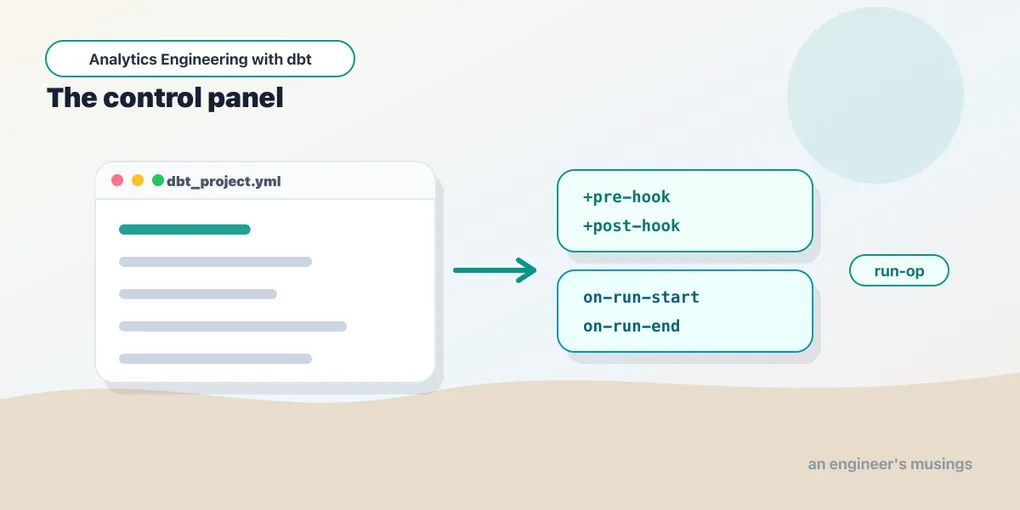
Every dbt project has a file that gets touched constantly and understood rarely. Someone needs marts to be tables, so they add three lines. Someone needs a folder tagged for the nightly job, so they add two more. Six months later dbt_project.yml is eighty lines long, nobody can say why +persist_docs is set at the top level, and a model is landing in a schema that appears nowhere in the file.
That is not a YAML problem. It is a precedence problem, plus a cascade problem, plus a handful of configs whose merge behavior is the opposite of what you assumed. This chapter goes through the file key by key — not as a reference dump, but with the reason each knob exists and the consequence of getting it wrong.
Then it goes further, into the part of dbt that is not about producing tables at all. Hooks attach SQL to the build lifecycle: before a model, after a model, before a run, after a run. dbt run-operation invokes a macro straight from the command line with no model involved — which is how a grants sweep, a warehouse resize, or a stale-table cleanup ends up in the same version-controlled project as your SQL instead of in a shared drive full of cleanup_final_v2.sql. Both lean on the Jinja and macros you already have — run_query, the execute guard, log(), adapter.dispatch — except now those macros stop returning SQL and start doing things.
The project structure chapter called dbt_project.yml the project’s control panel. This chapter opens the panel.
The whole file, top to bottom
Here is a fuller bookshop dbt_project.yml than the one in the companion repo — the repo’s is deliberately minimal, and this is what it grows into. Every key below gets explained; read it once now and use it as the map.
# dbt_project.yml
name: 'bookshop'
version: '1.0.0'
config-version: 2

profile: 'bookshop'

require-dbt-version: [">=1.11.0", "<2.0.0"]

model-paths:    ["models"]
seed-paths:     ["seeds"]
snapshot-paths: ["snapshots"]
macro-paths:    ["macros"]
test-paths:     ["tests"]
analysis-paths: ["analyses"]
packages-install-path: "dbt_packages"

target-path: "target"
clean-targets:
  - "target"
  - "dbt_packages"

flags:
  send_anonymous_usage_stats: false
  source_freshness_run_project_hooks: true

quoting:
  database: true
  schema: true
  identifier: true

dispatch:
  - macro_namespace: dbt_utils
    search_order: ['bookshop', 'dbt_utils']

vars:
  currency: 'USD'
  completed_statuses: ['shipped', 'completed']

on-run-start:
  - "{{ log('bookshop → target=' ~ target.name, info=true) }}"
  - "create schema if not exists audit"

on-run-end:
  - "{{ log('bookshop: ' ~ results | length ~ ' nodes finished', info=true) }}"

models:
  bookshop:
    +tags: ['bookshop']
    +meta:
      owner: 'data-team'
      contains_pii: false
    staging:
      +materialized: view
      +tags: ['staging']
    intermediate:
      +materialized: view
    marts:
      +materialized: table
      +tags: ['nightly']
      +meta:
        owner: 'finance'

seeds:
  bookshop:
    +quote_columns: false

snapshots:
  bookshop:
    +target_schema: snapshots
That is nine distinct kinds of thing in one file. Let’s take them in order.
Identity: name, version, config-version, profile
name is the project’s namespace, and it is load-bearing in ways the other identity keys are not. It is the top key inside every models: / seeds: / snapshots: block — that bookshop: line under models: is not decoration, it is this project, and it is how you scope config to your own models rather than to a package’s. Change name and forget to change the block key, and every config in the file silently stops applying. It also has to be a valid identifier: lowercase letters, digits, underscores. No hyphens. This is the single most common first-hour error in a new project, because dbt init my-project is exactly what your fingers want to type.
version is your project’s own version string. dbt does not use it for anything; it is a label for humans and for release tooling. config-version: 2 is a historical artifact — version 1 predated dbt 0.17 and is long dead, so this line is always 2 and you can stop thinking about it.
profile is the handshake with profiles.yml. The string here must match a top-level key over there, and that connection — targets, credentials, per-developer schemas — is the whole subject of environments and secrets. What matters here is the separation: the project says which profile it runs under; the profile says what that means. One project, many connections, one line of coupling.
require-dbt-version is a guardrail, and it actually fires
require-dbt-version: [">=1.11.0", "<2.0.0"]This is a range of constraints, ANDed together, against dbt-core’s version. Violate it and dbt does not warn — it refuses:
Runtime Error
  This version of dbt is not supported with the 'bookshop' package.
    Installed version of dbt: =1.11.12
    Required version of dbt for 'bookshop': ['>=2.0.0']
That is the actual error, produced by pinning the bookshop to >=2.0.0 and running it on 1.11.12. Nothing runs — not even dbt parse. That is the point. A project that quietly mostly works on the wrong dbt version is worse than one that stops, because “mostly” means a subtly different incremental implementation or a config key that is silently ignored.
Set it as a range rather than an exact pin, and treat the upper bound as real: a major dbt release is allowed to break you. dbt run --no-version-check exists for the one time you need to bypass it, and using it should feel like using it.
The *-paths family
Six keys tell dbt where each kind of file lives, and each takes a list, because you can have more than one:
| Key | What it holds |
|---|---|
model-paths | .sql / .py models and the .yml that describes them |
seed-paths | CSVs loaded by dbt seed |
snapshot-paths | snapshot definitions |
macro-paths | macros, and anything a hook calls |
test-paths | singular tests, and tests/generic/ custom generic tests |
analysis-paths | SQL that dbt compiles but never runs |
Plus packages-install-path (default dbt_packages), which is where dbt deps unpacks dependencies.
These rarely change, and that is exactly why they bite. The failure mode is not “I set the wrong path” — it is “I moved a folder and dbt stopped seeing it.” A macro in a directory not covered by macro-paths does not error; it simply does not exist, and every model calling it fails with a Jinja 'my_macro' is undefined. Same for a .yml that drifts outside model-paths: your tests and descriptions vanish without a word, because dbt only reads YAML under a configured resource path.
The lists are genuinely lists — model-paths: ["models", "../shared/models"] works — but every added path is another directory dbt walks on every parse.
clean-targets and target-path
target-path: "target"
clean-targets:
  - "target"
  - "dbt_packages"
target-path is where dbt writes artifacts: compiled SQL, manifest.json, run_results.json, the docs site. It is the one path key you can also override from outside the project — --target-path, or DBT_TARGET_PATH in the environment — which is how CI parks artifacts where the runner will upload them without editing the project file.
clean-targets lists the directories dbt clean deletes. Two things to internalize: dbt clean is not smart — it is rm -rf over these paths, so never add a source directory — and both default entries earn their place. dbt clean && dbt deps is the reliable way to prove a checkout builds from package-lock.yml alone, and without dbt_packages in the list, dbt clean leaves a stale package tree behind for you to debug as a phantom.
flags: project-level defaults for dbt itself
Everything above configures your project. The flags: block configures dbt, for anyone who runs this project:
flags:
  send_anonymous_usage_stats: false
  source_freshness_run_project_hooks: true
  require_explicit_package_overrides_for_builtin_materializations: true
Two categories live here. The first is plain defaults you would otherwise pass on every command — fail_fast, partial_parse, printer_width, warn_error_options, send_anonymous_usage_stats. Setting them in the project means every developer and every CI job behaves the same without a shared shell alias. Precedence is the obvious one: a CLI flag beats an environment variable beats the flags: block.
The second category is the interesting one: behavior-change flags. When dbt fixes a design mistake it does not flip the behavior under you — it ships the fix behind a flag that defaults to the old behavior, warns, and flips the default a release or two later. source_freshness_run_project_hooks (should dbt source freshness run your on-run-start hooks? historically no, going forward yes) and require_explicit_package_overrides_for_builtin_materializations (should a package be allowed to silently redefine table? historically yes, terrifyingly) are both of that shape. When an upgrade starts printing deprecation warnings, the flags: block is where you go to opt in early and get it over with.
quoting: whether dbt puts quotes around your identifiers
quoting:
  database: true
  schema: true
  identifier: true
This controls how ref() and source() render relation names. With quoting on — the default on most adapters — the bookshop’s stg_payments compiles to:
select * from "bookshop"."main"."raw_payments"Turn all three off and the same model compiles to:
select * from bookshop.main.raw_paymentsBoth work. Quoting exists because quoted identifiers are case-sensitive and special-character-safe: a table literally named Order Details is only addressable as "Order Details". People turn it off because of Snowflake, where unquoted identifiers fold to uppercase and quoted ones do not — so a project with quoting on can end up with a schema named "dbt_sathya" that is a different object from DBT_SATHYA, and every hand-written query in the BI tool has to remember the quotes.
Leave the adapter’s default alone unless you have a specific, articulable reason. This setting changes the identifier of every object you build, and flipping it mid-life repoints every downstream consumer’s saved query at a relation that may or may not be the same one.
dispatch: pointing a package’s macros at your implementations
You met adapter.dispatch in the macros chapter: a macro resolves to <adapter>__<name>, falling back to default__<name>. The dispatch: block controls where dbt looks:
dispatch:
  - macro_namespace: dbt_utils
    search_order: ['bookshop', 'dbt_utils']
Read that as: when resolving a macro in the dbt_utils namespace, search this project first, then the package. Define a duckdb__generate_surrogate_key in your own macros/ and it wins over the package’s — you have overridden one implementation without forking the package.
This is a genuinely powerful escape hatch and a genuinely good way to confuse the next person, because now dbt_utils.generate_surrogate_key does not do what the dbt_utils docs say it does. If you use it, leave a comment in the overriding macro saying which package you are shadowing and why. It belongs to the packages story as much as this one.
vars: knobs, not credentials
vars:
  currency: 'USD'
  completed_statuses: ['shipped', 'completed']
A var is a value defined inside the project’s config, readable anywhere Jinja renders — models, macros, tests, hooks, analyses. Read it with var(), which takes an optional default:
where order_date >= date '{{ var("start_date", "2020-01-01") }}'That default is not a nicety; it is the difference between a fresh clone building and a fresh clone erroring. var('start_date') with no default and no value defined raises a compilation error. Supply a default for anything the project can run without, and omit it for anything a run must be explicit about — a backfill window, say, where silently defaulting to “all of history” is a great way to melt a warehouse.
Override at the command line:
dbt build --vars '{"start_date": "2026-01-01"}'
dbt compile --select revenue_by_month --vars '{currency: EUR, completed_statuses: [completed]}'
The value is YAML, so lists and dicts work, and a CLI var beats the project file. That second command is real — running it against the bookshop swaps 'USD' for 'EUR' and rewrites an in ('shipped', 'completed') clause to in ('completed') in the compiled output, without touching a file.
Vars can be scoped to a package
Vars nested one level under a project or package name apply only inside it:
vars:
  # global — visible to every project and package
  currency: 'USD'

  # scoped — only visible inside dbt_utils' macros
  dbt_utils:
    surrogate_key_treat_nulls_as_empty_strings: true
Resolution goes narrow-to-wide: when a dbt_utils macro calls var('surrogate_key_treat_nulls_as_empty_strings'), dbt checks the dbt_utils: block, then the global block. This is how you tune a package’s behavior without touching its code, and it is also why a var you swear you defined is coming back none — you defined it inside a package block, and the model asking for it is not in that package.
When a var is the wrong tool
Three rules, each of them somebody’s real incident:
Do not put secrets in vars. They are not scrubbed, they render into compiled SQL, they land in run_results.json, and --vars "{token: $SECRET}" puts the value in your shell history and in the process list of every user on the box. Secrets go in DBT_ENV_SECRET_-prefixed environment variables, read with env_var(). That is what the prefix is for.
Do not use a var to mean “which environment am I in.” target.name already answers that, authoritatively, from the connection you actually opened. A vars: {env: prod} that someone forgets to pass is a var that says dev while dbt writes to production.
Do not use a var to change a business definition. A var that flips how revenue is calculated makes the number a function of a command-line flag, and “it reproduces on my machine” becomes literally true and completely useless. Vars are for volume, tuning, and feature flags — never for meaning.
Crisply: env_var reaches outside the project into the machine; var is a knob defined inside it. Environment on the left, behavior on the right, secrets in neither.
The + and how it cascades
Now the models: block, which is where most of the file’s mass ends up, and where the surprises live.
The rule is simple to state: config cascades down the folder tree, and the most specific setting wins. In this fragment, stg_orders is a view because it lives under staging/, orders is a table because it lives under marts/:
models:
  bookshop:
    staging:
      +materialized: view
    marts:
      +materialized: table
The keys under a project name mirror the directory structure under models/, not the model names. A model’s orders mart is configured by the marts: key because the file is at models/marts/orders.sql. Nest deeper and it keeps working: marts: finance: +schema: finance applies to models/marts/finance/*.
The + prefix disambiguates a config key from a directory name. Without it, tags: under marts: would be ambiguous — is it a config, or a subdirectory called tags? The prefix says “this is a config.” It is optional in some positions and required in others, so just always use it and stop thinking about it.
The precedence ladder
Four places can set a model’s config. From weakest to strongest:
dbt_project.yml, less specific — a config onbookshop:applies to every model.dbt_project.yml, more specific — a config onmarts:beats one onbookshop:.- A property YAML file —
config:under a model inmodels/marts/_marts.yml. - An in-file
config()block —{{ config(materialized='incremental') }}at the top of the SQL.
The bookshop’s order_events is the live example. Its folder default says table; its file says otherwise, and its file wins:
{{
    config(
        materialized='incremental',
        unique_key='order_id',
        incremental_strategy='delete+insert',
        on_schema_change='append_new_columns'
    )
}}
That is the ladder working exactly as designed: a boring default for the folder, an explicit exception in the one file that needs it, and the exception is visible in the file you are reading rather than three directories away.
Rule of thumb for where to put a config: if it is true of a whole layer, dbt_project.yml. If it is true of one model and a reader of that model needs to know it, the model. Incremental keys and contracts belong in the file; schema, tags, and ownership metadata belong in the project YAML. A project where every model overrides everything has no defaults — and a project where you must open three YAML files to learn how a model materializes has no locality.
Most configs replace. tags and meta merge.
This is the detail that catches everyone, and it is worth being precise, so here is the bookshop with config at three levels — project root, folder, and file:
models:
  bookshop:
    +tags: ['bookshop']
    +meta:
      owner: 'data-team'
      contains_pii: false
    staging:
      +materialized: view
      +tags: ['staging']
    marts:
      +materialized: table
      +tags: ['nightly']
      +meta:
        owner: 'finance'
-- models/marts/orders.sql
{{ config(tags=['revenue'], materialized='table') }}Parse that and read the resulting manifest.json, and you get:
stg_orders | tags: ['bookshop', 'staging']            | meta: {'owner': 'data-team', 'contains_pii': False}
customers  | tags: ['bookshop', 'nightly']            | meta: {'owner': 'finance',   'contains_pii': False}
orders     | tags: ['bookshop', 'nightly', 'revenue'] | meta: {'owner': 'finance',   'contains_pii': False}
Three behaviors in one table:
tagsaccumulate.orderscarries all three — the project tag, the folder tag, and its own. Nothing was overwritten. This is whydbt build --select tag:nightlycatches every mart even though no mart file mentionsnightly, and it is why you cannot “untag” a model from below.metamerges key by key.martssetowner: finance, which replaceddata-teamfor that key — butcontains_pii: falsesurvived from the project level, because the more specific block never mentioned it. It is a dictionary merge, not a dictionary replacement.materialized— and nearly everything else — replaces.tablebeatsviewbeats nothing. There is no merging of a scalar.
The consequence you care about: a tag is a one-way ratchet. Adding +tags: ['nightly'] to marts: in a hurry puts every current and future mart in the nightly job, forever, until someone notices the job got slow. +meta is the opposite trap — you set owner on a folder and assume the other keys were cleared, but they were inherited. Neither is wrong; both are surprising if you assumed one uniform rule. (+grants has its own merge semantics again, below.)
The config surface, key by key
Beyond +materialized, here is what you will actually reach for.
+schema sets a custom schema, and the default generate_schema_name macro concatenates rather than replaces: with a target schema of analytics, +schema: marts builds into analytics_marts, not marts. This surprises everyone exactly once. It is deliberate — it namespaces custom schemas per developer so two people’s marts do not collide — and it is overridable, and the full dev/prod story is in environments and secrets.
+database does the same thing one level up, via generate_database_name, and most teams never touch it. Reach for it when your warehouse draws its access or billing boundary at the database level.
+alias renames the built relation without renaming the file — orders.sql with +alias: fct_orders builds fct_orders, and ref('orders') still finds it. Useful when a BI tool has a name baked in; dangerous as a habit, because the file name and the warehouse name now disagree and grep stops working.
+enabled: false removes a node from the project entirely — not built, not tested, not in the DAG, not in the docs — without deleting the file. It is how you retire a subtree, and how you switch off models a package ships that you did not ask for.
+tags are free-form labels for selection, and they accumulate (above). dbt build --select tag:nightly is the payoff.
+meta is arbitrary key/value metadata that flows into manifest.json and the docs site. It does nothing on its own — its value is that governance tooling, a catalog, or your own run-operation can read it. +meta: {owner: 'finance', pii: true, sla_hours: 6} becomes a thing you can query.
+persist_docs pushes your YAML descriptions into the warehouse as native table and column comments:
models:
  bookshop:
    +persist_docs:
      relation: true
      columns: true
Now an analyst who never opens the docs site still sees your column descriptions in their SQL client. Support is adapter-dependent — Snowflake, BigQuery, Redshift, and Databricks all do it; check yours before promising it — and column comments cost an extra statement per model at build time, invisible on eight models and noticeable on eight hundred.
+docs controls how the node appears on the docs site:
models:
  bookshop:
    staging:
      +docs:
        node_color: '#94a3b8'
    marts:
      +docs:
        node_color: 'teal'
    intermediate:
      +docs:
        show: false
node_color (a hex value or a CSS color name) colors the node in the lineage graph, which turns a hairball into something readable when you color by layer. show: false hides the node from the docs site’s model list — the model still builds, still runs, still appears in lineage as a pass-through. It is for plumbing that would only distract a business reader, not a way to hide something from an engineer.
+group assigns models to a named group, which — with a model’s access — is how you say “nothing outside the finance group may ref this intermediate model.” That is contracts and governance territory.
+grants, +pre-hook, and +post-hook are the rest of this chapter.
The same cascade applies to the sibling resource types. seeds: takes +quote_columns, +column_types, +delimiter. snapshots: takes +target_schema, +strategy, +unique_key. sources: takes +freshness and +database. data_tests: takes +severity, +store_failures, +limit — and +store_failures: true set once at the project level, so every failing test leaves its offending rows in a table you can query, is one of the highest-value three lines in this whole file.
Hooks: SQL bolted to the lifecycle
A hook is SQL that dbt runs around something else. There are four, and they split into two families.
Model hooks run around a single model:
pre-hook— after dbt opens the transaction, before the model’s SQL.post-hook— after the model’s SQL, before dbt commits.
Project hooks run once per invocation:
on-run-start— before dbt builds anything.on-run-end— after dbt has finished everything.
Model hooks can be set in-file or, more usefully, by folder — where they inherit the same cascade as every other config:
models:
  bookshop:
    marts:
      +post-hook:
        - "insert into audit.model_runs values ('{{ invocation_id }}', '{{ this }}', current_timestamp)"
Run the bookshop with that in place and every mart — orders, customers, order_events, orders_by_customer — writes an audit row the moment it finishes building. Build twice and there are eight rows. No separate step to forget, no drift between “the table was rebuilt” and “the audit log says so.”
Hooks take a string or a list of strings, and a list runs in order, top to bottom. They are templated like everything else, which means they can call macros — and they should, because a hook string in YAML is the worst place in your project to keep logic:
-- macros/grant_select.sql
{% macro grant_select(relation, role) %}
    grant select on {{ relation }} to role {{ role }}
{% endmacro %}models:
bookshop:
marts:
+post-hook: "{{ grant_select(this, 'reporter') }}"Same SQL, one place to change it, and it is now testable and greppable. The rule: a hook should be one macro call, or one statement so trivial it needs no name.
What a hook can see
Model hooks get the full dbt Jinja context, and the one you will use constantly is this — the relation currently being built. In a bookshop post-hook it renders fully qualified and quoted:
"bookshop"."main"."orders"Exactly what you want to hand to a grant, an insert ... select, or an alter table. Also available: target (branch a hook so it only runs in prod), invocation_id (correlate every row one run wrote), var(), env_var(), and any macro you have defined.
this is available in model hooks only — on-run-start and on-run-end have no current model, so there is nothing for it to mean. They get run-level context instead: results (every node’s status, timing, rows affected), schemas and database_schemas (every schema dbt wrote to), and invocation_id. An on-run-end that logs a summary is a one-liner:
on-run-end:
- "{{ log('bookshop: ' ~ results | length ~ ' nodes finished', info=true) }}"and a serious one writes those results to an audit table — which is how you get “how long did orders take to build, every night, for ninety days” without buying anything.
The ordering guarantees
Run the bookshop with all four hook types wired up and the log tells you the order exactly:
bookshop → target=dev db=bookshop ← on-run-start (a log call)
1 of 3 OK hook: bookshop.on-run-start.0
2 of 3 OK hook: bookshop.on-run-start.1
3 of 3 OK hook: bookshop.on-run-start.2
1 of 1 START sql table model main.orders
PRE "bookshop"."main"."orders" ← pre-hook
POST "bookshop"."main"."orders" ← post-hook
1 of 1 OK created sql table model main.orders
bookshop: 1 nodes finished
1 of 1 OK hook: bookshop.on-run-end.0The guarantees worth writing down:
- All
on-run-starthooks run before anything else — before seeds, before models, before tests. In list order. pre-hook→ model SQL →post-hookis a single unit per node. dbt does not interleave another model’s hooks into that sequence.on-run-endruns after every node, in list order — and, importantly, it runs even when models failed. A model erroring does not skip your end-of-run audit row; that is what makes anon-run-enda usable place to record run status.- If an
on-run-starthook itself fails, the run stops there. That is a feature: it is how you make a hook a precondition.
Project hooks also show up in the run summary as their own nodes — a bookshop that normally reports PASS=38 reports PASS=42 with four project hooks configured, and the header says 4 project hooks. Do not panic when your test count changes after adding a hook.
One more thing worth knowing about when hooks fire: on dbt-core 1.11, project hooks run for dbt run, dbt build, dbt test, dbt seed, and dbt snapshot — but not for dbt compile and not for dbt run-operation. (dbt source freshness runs them only if you set the source_freshness_run_project_hooks flag.) If you were relying on on-run-start to create a schema that a run-operation needs, it did not.
Hooks and transactions
By default, a model’s hooks run inside the same transaction as the model, on adapters that have transactions. That is usually what you want: the table and its grants land together or not at all.
Sometimes it is exactly wrong. Postgres and Redshift will not let you vacuum inside a transaction. Some alters want to be their own unit. For those, the dict form of a hook takes a transaction key:
models:
bookshop:
marts:
+post-hook:
- "insert into audit.model_runs values ('{{ invocation_id }}', '{{ this }}', current_timestamp)"
- sql: "vacuum {{ this }}"
transaction: false(You may meet the older before_begin(...) / after_commit(...) helper macros in an existing project; the dict form is the modern spelling.)
Warehouses differ enormously here — Snowflake and BigQuery auto-commit DDL, so the question mostly evaporates; Postgres and Redshift are where it bites. If a hook works in dev and fails in prod with “cannot run inside a transaction block,” this key is the answer.
The footgun: the hook you meant to run once
Here is the classic. You want an audit table created before the run, so you write this:
models:
bookshop:
+pre-hook: "create table if not exists audit.model_runs (…)" # ← every model. all of them.That is not a pre-run hook. That is a pre-model hook attached to the project root, which means it cascades to all eight models and fires eight times per build. On the bookshop, with if not exists, that is eight harmless no-ops. On a real project with four hundred models, it is four hundred round-trips to the warehouse per run, and if the statement is not idempotent — a truncate, an insert, an alter — it is four hundred effects.
Two rules keep you out of it:
- If it should happen once per run, it is
on-run-start/on-run-end. If it should happen once per model, it ispre-hook/post-hook. The word “once” in your intention tells you which key to type. - Never put a hook at the project root — the
bookshop:level — unless you genuinely mean every model in the project, including ones that do not exist yet. Push it down to the narrowest folder that needs it. A hook onmarts:is a hook on four models; a hook onbookshop:is a hook on everything anyone adds forever.
There is a smaller, weirder version of the same trap. A {{ log(...) }} inside a hook fires when the hook is rendered, not when it is executed — and dbt renders hook config during parsing, for every node it parses. So a log() in a project-root pre-hook prints for models you did not even select, from a run that has not started. It is harmless noise, but it sends people hunting for a bug that is not there. If you want a hook’s Jinja to have effects only at run time, guard it with {% if execute %} — the same guard the macros chapter taught you for run_query.
dbt run-operation: a macro you can just… run
Hooks bolt SQL to a build. Sometimes there is no build. You want to grant permissions across the marts, drop the tables a deleted branch left behind, resize a warehouse before a backfill, or unload a table to S3. None of that produces a model.
dbt run-operation invokes a macro directly:
dbt run-operation grant_select_on_marts --args '{role: reporter}'The --args value is YAML — '{role: reporter}', '{dry_run: false}', '{schemas: [staging, marts]}' — and it maps onto the macro’s parameters by name. Defaults in the macro signature apply when you leave an arg out, which is how you get a safe default and an explicit override.
The critical difference from every macro so far: a run-operation macro must execute SQL, not return it. There is no model to paste the output into. The macro’s return value is discarded. So the work happens through run_query, statement, or the adapter — and every one of those needs the execute guard, because dbt still parses the macro before it runs it.
Here is a real, useful one: drop relations in the target schema that the project no longer knows about. Deleted a model six weeks ago? Its table is still sitting in your dev schema, still showing up in the BI tool’s table picker, still confusing people.
-- macros/drop_stale_relations.sql
{% macro drop_stale_relations(dry_run=true) %}
{% if not execute %}{% do return('') %}{% endif %}
{% set expected = [] %}
{% for node in graph.nodes.values()
if node.resource_type in ('model', 'seed', 'snapshot') %}
{% do expected.append(node.name) %}
{% endfor %}
{% set query %}
select table_name
from information_schema.tables
where table_schema = '{{ target.schema }}'
{% endset %}
{% set results = run_query(query) %}
{% for row in results.rows %}
{% if row['table_name'] not in expected %}
{% set stale = adapter.get_relation(
database=target.database,
schema=target.schema,
identifier=row['table_name']) %}
{% if dry_run %}
{{ log("would drop " ~ stale, info=true) }}
{% else %}
{{ log("dropping " ~ stale, info=true) }}
{% do adapter.drop_relation(stale) %}
{% endif %}
{% endif %}
{% endfor %}
{% do adapter.commit() %}
{% endmacro %}Four things in that macro are worth naming.
graph.nodes is the parsed manifest, available to any macro at run time — every node’s name, resource_type, fqn, tags, config, meta, and relation_name. It is the whole basis of “do something to every model matching X.”
run_query returns an Agate table; results.rows is what you iterate, results.columns gets you column-wise access. The lower-level {% call statement('name') %}…{% endcall %} + load_result('name') form is what run_query wraps — reach for it only when you need the raw cursor response.
{{ log(..., info=true) }} is the operation’s user interface. An operation with no output is an operation nobody trusts; info=true puts the message on the console, and without it the message only reaches logs/dbt.log. The dry_run=true default is not decoration either — an operation whose safe mode is the default is one you can run without adrenaline:
$ dbt run-operation drop_stale_relations --args '{dry_run: true}'
02:11:55 would drop "bookshop"."main"."orders_old"
02:11:55 would drop "bookshop"."main"."tmp_scratch"
$ dbt run-operation drop_stale_relations --args '{dry_run: false}'
02:12:35 dropping "bookshop"."main"."orders_old"
02:12:35 dropping "bookshop"."main"."tmp_scratch"And the one that will actually bite you: adapter.commit()
Look at the last line of the macro again. Without {% do adapter.commit() %}, that operation logs dropping …, issues a perfectly valid drop table if exists … cascade, reports success — and the tables are still there.
That is not a hypothetical. Running the macro without the commit against the bookshop’s DuckDB and then re-listing the schema, both stale tables survived. dbt --debug run-operation explains why:
On macro_drop_stale_relations: BEGIN
On macro_drop_stale_relations: drop table if exists "bookshop"."main"."orders_old" cascade
SQL status: OK in 0.000 seconds
On macro_drop_stale_relations: ROLLBACKdbt wraps the operation in a transaction and, having nothing to commit for you, rolls it back at the end. On an adapter with transactional DDL — DuckDB, Postgres — your drop is undone. On Snowflake or BigQuery, where DDL auto-commits, the same macro would have worked and you would never have learned this. Which is precisely why it is such a good bug: it works in prod and fails in dev, or the reverse, and it is invisible in the logs unless you pass --debug.
The rule: any run-operation that changes state should end with {% do adapter.commit() %}. It is a no-op on adapters that do not need it, and it is the difference between an operation and a very confident piece of theater.
Why an operation, and not a script
You could do all of this with a .sql file and a database client. The argument for putting it in the project is not purity:
- It is in version control, reviewed like everything else.
- It runs against the right target automatically —
dbt run-operation … -t produses the same profile, role, and credentials as the build. No second set of connection strings to drift. - It can read the graph, so it applies to whatever models exist now, not to a list someone maintained by hand and forgot.
- It is schedulable — the same one-liner your orchestrator already knows how to run.
- It composes with your macros,
adapter.dispatchincluded, so it survives a change of warehouse.
codegen’s generate_source and generate_model_yaml are this exact pattern shipped as a package: macros that emit YAML you paste into the project, invoked with run-operation, doing nothing at build time.
Grants: declarative or imperative, pick one
There are two ways to make sure the people who need to read your marts can read your marts, and dbt supports both.
The declarative way is the +grants config:
models:
bookshop:
marts:
+grants:
select: ['reporter', 'analyst']dbt now treats grants as part of the model’s desired state. On every build it applies them — and, crucially, it reconciles them: a privilege granted by hand in the warehouse UI that is not in your config gets revoked. That is the whole point. Access stops being “whatever accumulated” and becomes a reviewable line in a pull request.
Grants have their own inheritance spelling. By default a +grants block at a more specific level replaces the privilege lists it names; to add to an inherited list instead, prefix the privilege with a +:
models:
bookshop:
+grants:
select: ['analyst']
marts:
+grants:
+select: ['reporter'] # analyst AND reporter, not just reporterYes: that is a + inside a block whose key already starts with +. It reads badly and it is easy to miss in review, so if grants are getting complicated, keep them in one place rather than layering them.
On Snowflake, +copy_grants: true is the companion you will eventually need. create or replace table — how dbt rebuilds a table — drops the object and creates a new one, and the new one does not inherit the old one’s grants. copy_grants adds copy grants to the statement so privileges survive the rebuild. Without it, and without +grants, you get the worst outcome: a nightly job that silently revokes everyone’s access at 3am and a Slack channel full of permission errors at 9.
The imperative way is a post-hook:
models:
  bookshop:
    marts:
+post-hook: "{{ grant_select(this, 'reporter') }}"This adds a grant. It does not reconcile, it does not revoke, and it does not know what other grants exist. It is right when your warehouse’s grant semantics are stranger than +grants can express — future grants, role hierarchies, grants on a schema rather than a relation, a grant that must be issued by a different role than the one dbt builds with. It is wrong for the common case, because “grant on every run, revoke never” is how a warehouse accumulates access nobody can account for.
Pick one. A project with both is a project where nobody can tell you who can read orders.
A DuckDB reality check, since that is what the bookshop runs on: DuckDB has no grants. Configure +grants here and dbt prints exactly this and carries on:
DuckDB adapter: Grants for relations are not supported by DuckDB
1 of 1 OK created sql table model main.orders .... [OK in 0.09s]
A warning, not an error, and the build stays green. So you can write the config — it will be correct the day this project points at Snowflake — but you cannot test it here. Grants are one of the few things in this book that genuinely require the real warehouse to verify.
The warehouse-specific corner
Most of dbt_project.yml is portable. A slice of it deliberately is not: every adapter contributes its own configs, and this is where a project stops being warehouse-agnostic. You will not use these on DuckDB. You will use them within a week of moving to a real warehouse, so here is the map.
Snowflake:
models:
  bookshop:
    marts:
      +snowflake_warehouse: 'TRANSFORMING_XL'   # a bigger warehouse for the heavy layer
      +cluster_by: ['order_date']               # clustering keys on large tables
      +query_tag: 'dbt_bookshop'                # tag the queries so you can attribute cost
      +copy_grants: true                        # keep grants across create-or-replace
      +transient: true                          # skip fail-safe storage on rebuildable tables
+snowflake_warehouse is the one you will feel: a single heavy mart claims an XL warehouse while everything else runs small, so you stop paying for size you use twice a night. +query_tag is how finance finds out that dbt is 40% of the bill — a conversation you want to have with data.
BigQuery:
models:
  bookshop:
    marts:
      +partition_by:
        field: 'order_date'
        data_type: 'date'
        granularity: 'day'
      +cluster_by: ['customer_id']
      +require_partition_filter: true
      +partition_expiration_days: 365
On BigQuery this is not a tuning knob, it is the cost control — an unpartitioned table means every query scans everything, and require_partition_filter: true is the config that stops an analyst from doing it by accident.
Redshift has +dist and +sort/+sort_type; Databricks has +file_format, +partition_by, +liquid_clustering, +location_root.
The pattern is the same everywhere: same models: block, same cascade, set by folder because the layer usually determines the answer — staging is small and views need none of it, marts are large and get all of it.
analyses/: SQL that dbt compiles and never runs
analysis-paths has been sitting in the file this whole time, unexplained.
An analysis is a .sql file that dbt templates but never executes. It gets ref(), source(), var(), your macros — the whole Jinja context — and dbt compile renders it to target/compiled/<project>/analyses/. It never builds a relation. dbt build --select revenue_by_month on an analysis reports, correctly, Nothing to do.
Which sounds useless until you ask where ad-hoc queries currently live at your company. The answer is: a Slack thread, someone’s worksheet, and a file called query_final_FINAL.sql on a laptop. An analysis is a home for a query that is worth keeping and not worth materializing:
-- analyses/revenue_by_month.sql
-- Not a model: dbt compiles it, never builds it.
select
    date_trunc('month', order_date) as order_month,
    count(*)                        as orders,
    sum(amount)                     as revenue,
    '{{ var("currency") }}'         as currency
from {{ ref('orders') }}
where status in (
    {%- for s in var('completed_statuses') -%}
        '{{ s }}'{% if not loop.last %}, {% endif %}
    {%- endfor -%}
)
group by 1
order by 1
Run dbt compile --select revenue_by_month against the bookshop and target/compiled/bookshop/analyses/revenue_by_month.sql contains ready-to-paste SQL:
select
    date_trunc('month', order_date) as order_month,
    count(*)                        as orders,
    sum(amount)                     as revenue,
    'USD'         as currency
from "bookshop"."main"."orders"
where status in ('shipped', 'completed')
group by 1
order by 1
The ref resolved to a real relation and the vars to real values. Pass --vars '{currency: EUR, completed_statuses: [completed]}' and the same file comes out with 'EUR' and in ('completed'). That is the payoff: an analysis is a parameterized query that stays correct when a model is renamed, because it goes through ref() like everything else. The reconciliation query, the one-off the CFO asks for every quarter, the debugging query you will want again next incident — those belong in analyses/, in git, reviewed, rather than in a drawer.
Standards you can enforce instead of remember
Two last things live at this level of the project, and both exist to stop code review from being the only line of defense.
Lint the SQL. sqlfluff is a SQL linter and formatter that understands dbt — it runs your files through Jinja first, so it lints the compiled SQL instead of choking on {{ ref(...) }}. A .sqlfluff at the project root configures it:
[sqlfluff]
templater = dbt
dialect = duckdb
exclude_rules = LT05,RF01

[sqlfluff:rules:capitalisation.keywords]
capitalisation_policy = lower
sqlfluff lint models/ reports violations; sqlfluff fix models/ fixes the mechanical ones. The value is not that lowercase keywords are objectively correct — it is that the argument gets settled once, in a config file, and never again in a pull request comment.
Run it automatically. pre-commit wires linting into git commit so nobody has to remember:
# .pre-commit-config.yaml
repos:
  - repo: https://github.com/sqlfluff/sqlfluff
    rev: 3.2.5
    hooks:
      - id: sqlfluff-lint
      - id: sqlfluff-fix
pre-commit install once per clone and malformed SQL never reaches a branch. Run the same hooks in CI (pre-commit run --all-files) so the developer who skipped the install is not an exception.
Lint the project, not just the SQL. dbt_project_evaluator audits your project against the conventions this book has been teaching — and it does it as dbt tests, so it fails your build rather than filing a ticket. Models with no tests, models with no description, staging models that ref other staging models, a source referenced by two staging models, a model that refs a source directly instead of going through staging, “rejoining of upstream concepts” (the fan-out trap), root models with no parents, hard-coded references. It turns the project structure chapter into a build failure.
# packages.yml
packages:
  - package: dbt-labs/dbt-project-evaluator
    version: 0.14.0
dbt build --select package:dbt_project_evaluatorInstall it on a project that already has three hundred models and it finds hundreds of violations, which is demoralizing and useless. Install it early — or install it late and immediately disable every rule you are not ready to fix (its vars: block lets you switch rules off and exempt individual models), so the ones you leave on stay green. A permanently red check is a check nobody reads.
Final thoughts
dbt_project.yml is not configuration in the boring sense. It is where you decide what happens by default and what has to be argued for. A good one is short and boring — a materialization per layer, a couple of vars, one or two hooks, tags the orchestrator can select on. A bad one is a sediment of five-year-old exceptions nobody dares delete.
What to carry out of this chapter: the most specific config wins, and in-file is as specific as it gets — so put the surprising configs where a reader of the model will see them. Tags accumulate and can never be removed from below; meta merges key by key; everything else replaces. A hook at the project root is a hook on every model that will ever exist, so if you meant “once per run,” you meant on-run-start. A run-operation that changes state needs adapter.commit(), or your drop was a rehearsal. Grants belong in config — declarative if you can, imperative if your warehouse forces it, never both. And the ad-hoc SQL your team keeps rewriting has a home in analyses/, under version control, with a ref() that will not rot.
Configure once, cascade downward, and let the file do the remembering.
Comments