Data Quality Is More Than not_null
How to use thresholds, failure storage, packages, custom generic tests, and project health checks without turning tests into noise.
The first dbt tests are satisfying because they are so small. One line says not_null, another says unique, and suddenly bad data can fail the build. That is the right place to start. It is not the right place to stop.
Real data quality is messier. Some checks should fail immediately. Some should warn until a source team fixes historical dirt. Some need a date filter because old rows predate the rule. Some need to store failing records so the analyst can triage them. Some are too specific for built-ins and too common to hand-write every time.
This chapter is about turning dbt tests into an operating system for data quality instead of a handful of column assertions. The previous chapter covered the four built-ins, singular tests, the generic-test mechanism, and severity. This one is about everything above that line: package catalogs, distributional checks, custom generic tests that cross warehouses, project-shape linting, and reading failures at scale.
A test is a query that should return zero rows
Every dbt data test follows one mental model: it runs a query, and the test passes when that query returns no failing rows.
That explains both built-in tests and custom tests. A not_null test is just a query that selects rows where the column is null. A relationships test selects foreign keys that do not exist in the parent table. A custom business test selects rows where your business rule is violated.
When a test fails, dbt is telling you the query found records. The next question is always: where are those records, and what do we do with them?
Configure the failure, not just the rule
Test config is the difference between a useful signal and a noisy build.
models:
  - name: orders
    columns:
      - name: amount
        data_tests:
          - not_null:
              config:
                where: "order_date >= date '2026-01-01'"
                severity: error
where limits the test to rows where the rule applies. This is not cheating. If the business only started requiring a field in January, failing the build for pre-January records teaches nobody anything.
Thresholds let you express tolerance explicitly:
  - name: customers
    columns:
      - name: most_recent_order_date
        data_tests:
          - not_null:
              config:
                severity: warn
                error_if: "> 100"
                warn_if: "> 0"
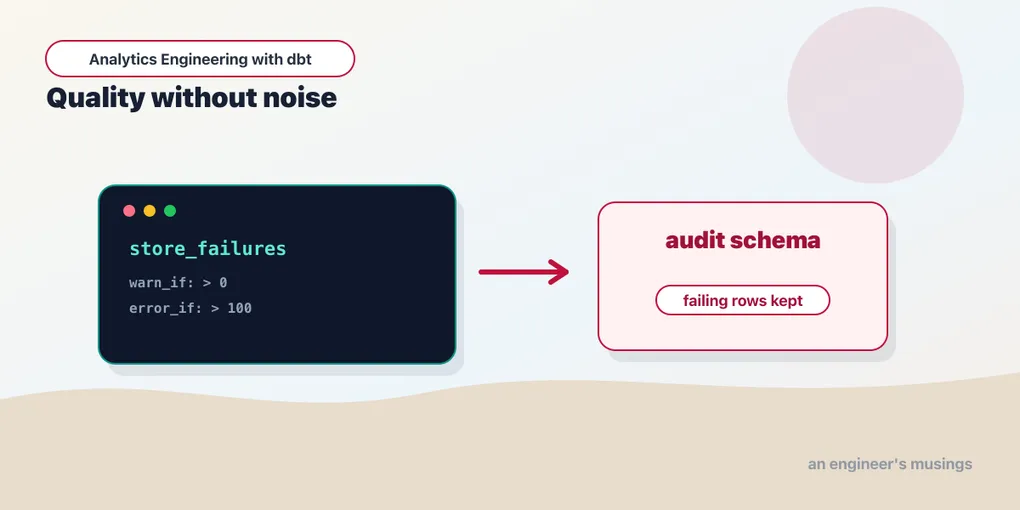
A customer who just signed up and has not ordered yet legitimately has no most_recent_order_date, so a few nulls are fine. This says one bad row is worth seeing, but more than one hundred is worth breaking the build — either signups have stalled or the orders join has silently dropped rows. Use thresholds carefully. They are not a way to bless bad data forever; they are a way to migrate toward a stricter contract without pretending the past is clean.
Store failures when humans need to inspect them
A failing test message tells you the count. It does not tell you which rows failed unless you inspect compiled SQL and rerun it. For recurring data-quality work, enable failure storage:
data_tests:
  +store_failures: true
  +schema: audit
or on one test:
      - name: customer_id
        data_tests:
          - relationships:
              arguments:
                to: ref('customers')
                field: customer_id
              config:
                store_failures: true
                store_failures_as: table
Now dbt materializes the failing rows into an audit relation. store_failures_as accepts table or view (ephemeral is not an option — there is nothing to inspect in an unmaterialized relation). A view re-evaluates every time you query it, which is what you want when the underlying data is still moving; a table freezes the failing rows from the run that produced them, which is what you want for a triage queue.
By default the audit relations land in a schema suffixed _dbt_test__audit next to your target schema; the +schema: audit override above sends them to a <target>_audit schema instead, which is easier to grant read access to a data-quality analyst without exposing the whole warehouse. The relation name is a truncated, hashed version of the test name, so you rarely type it by hand. Instead, run the test and let dbt print the path:
$ dbt test -s orders --store-failures
FAIL 3 relationships_orders_customer_id__customers ... [FAIL 3]
  See the failing rows via:
    select * from bookshop.main_audit.relationships_orders_cus_a1b2c3
Then triage it like any other table:
select customer_id, count(*) as orphaned_orders
from bookshop.main_audit.relationships_orders_cus_a1b2c3
group by 1
order by 2 desc;
That relation becomes a triage queue: source owners can inspect the exact keys, analysts can see whether a dashboard is affected, and the team can track whether failures are shrinking week over week. Failure tables are especially useful for source-quality checks and relationship failures. They are less useful for “this primary key is not unique” unless the failing query carries enough context to debug the duplicate — a bare list of colliding IDs tells you that it broke, not why. When you want the why, prefer a custom test whose select * drags along the columns an analyst needs.
There is a catch worth knowing: store_failures with store_failures_as: table overwrites the audit relation on every run, so it holds only the latest failing rows, not a history. If you want a trend — “are relationship failures growing?” — build a small model that snapshots the count after each run rather than reading the audit table directly. A model that unions count(*) from each audit relation, stamped with {{ run_started_at }}, gives you a persistent quality log you can chart. That turns “the build is red again” into “orphaned orders have climbed from 3 to 40 over two weeks,” which is the sentence that actually gets a source bug prioritized.
Reach for packages before writing custom SQL
The built-ins cover the fundamentals. Packages cover the tests everyone eventually rewrites. Install them once (chapter 14 covers packages.yml and dbt deps in full) and you inherit dozens of maintained generic tests.
The dbt_utils catalog
dbt_utils is the one nearly every project installs. Its test macros are the ones you would otherwise write badly by hand.
unique_combination_of_columns is the workhorse. Some tables have a composite grain, and testing each column alone proves nothing. In the bookshop, stg_payments carries several rows per order — an order can be settled by more than one payment. Its grain is the pair (order_id, payment_method): an order might be split across a card and a gift card, but it is never charged twice to the same method, so the pair is unique even though order_id alone repeats and payment_method alone repeats:
models:
  - name: stg_payments
    data_tests:
      - dbt_utils.unique_combination_of_columns:
          arguments:
            combination_of_columns:
              - order_id
              - payment_method
Do not concatenate keys into a synthetic column just so unique can see them. Test the grain directly.
accepted_range bounds a comparable column. A payment amount is never negative; a customer’s first order can never fall after their most recent one. The max_value can be a literal or a column expression, which turns it into a cross-column invariant:
  - name: stg_payments
    columns:
      - name: amount
        data_tests:
          - dbt_utils.accepted_range:
              arguments:
                min_value: 0
                inclusive: true
  - name: customers
    columns:
      - name: first_order_date
        data_tests:
          - dbt_utils.accepted_range:
              arguments:
                max_value: "most_recent_order_date"
expression_is_true is the escape hatch for any row-level invariant you can write in SQL. This is where the bookshop’s business rule lives — an order that has shipped or completed must carry a payment, even though a freshly placed order or a returned one might not:
  - name: orders
    data_tests:
      - dbt_utils.expression_is_true:
          arguments:
            expression: "amount > 0"
          config:
            where: "status not in ('placed', 'returned')"
not_null_proportion is for columns that are mostly populated but legitimately sparse. most_recent_order_date is null for a customer who has never ordered and populated once they do. A hard not_null would be wrong; “at least 90% of customers have placed an order” is the real rule:
      - name: most_recent_order_date
        data_tests:
          - dbt_utils.not_null_proportion:
              arguments:
                at_least: 0.90
equal_rowcount and fewer_rows_than compare two models. One orders row per staged order is a rowcount identity; every order having at least one payment is an inequality:
  - name: orders
    data_tests:
      - dbt_utils.equal_rowcount:
          arguments:
            compare_model: ref('stg_orders')
      - dbt_utils.fewer_rows_than:
          arguments:
            compare_model: ref('stg_payments')
These catch the classic fan-out bug: a left join to stg_payments instead of the pre-aggregated int_order_payments accidentally multiplies order rows, and equal_rowcount against stg_orders fails the instant the counts diverge.
recency guards freshness from the mart side. Source freshness (chapter 05) watches the raw tables; recency watches your output. If the newest order_date in orders is more than two days old, the pipeline is stalled even though every row that is there is valid:
  - name: orders
    data_tests:
      - dbt_utils.recency:
          arguments:
            datepart: day
            field: order_date
            interval: 2
mutually_exclusive_ranges is the one people forget they need until they build a slowly-changing dimension. Once the bookshop snapshots customer plans (chapter 16), each customer_id gets a series of validity windows — one per plan change — and those windows must not overlap: a customer cannot be on free and plus on the same day:
  - name: customers_snapshot
    data_tests:
      - dbt_utils.mutually_exclusive_ranges:
          arguments:
            lower_bound_column: dbt_valid_from
            upper_bound_column: "coalesce(dbt_valid_to, timestamp '2999-01-01')"
            partition_by: customer_id
            gaps: not_allowed
gaps also takes allowed or required; not_allowed additionally asserts the windows are contiguous, which is exactly the guarantee an SCD Type 2 table is supposed to make.
cardinality_equality asserts that the set of distinct values in one column matches another model’s column. The customers mart is built from stg_customers by a left join, so it should cover exactly the same customers — not a subset (a dropped join), not a superset (a duplicated key):
  - name: customers
    columns:
      - name: customer_id
        data_tests:
          - dbt_utils.cardinality_equality:
              arguments:
                field: customer_id
                to: ref('stg_customers')
dbt_expectations, for shape and distribution
dbt_utils is structural — keys, rowcounts, ranges, referential integrity. dbt_expectations (a port of Python’s Great Expectations) is distributional: it asserts things about the shape of the data, not just individual rows. Reach for it when the question is statistical rather than relational.
expect_column_values_to_be_between looks like accepted_range but adds row_condition and strictly, so you can scope the bound to a subset:
      - name: amount
        data_tests:
          - dbt_expectations.expect_column_values_to_be_between:
              arguments:
                min_value: 1
                max_value: 10000
                row_condition: "status != 'returned'"
                strictly: false
expect_column_values_to_match_regex enforces format. Bookshop customer emails must look like an address; a regex catches the truncated or mistyped ones that a not_null never would:
      - name: email
        data_tests:
          - dbt_expectations.expect_column_values_to_match_regex:
              arguments:
                regex: "^[^@]+@[^@]+\\.[^@]+$"
expect_row_values_to_have_recent_data is a freshness assertion phrased as an expectation — the model-level twin of dbt_utils.recency:
  - name: orders
    data_tests:
      - dbt_expectations.expect_row_values_to_have_recent_data:
          arguments:
            column_name: order_date
            datepart: day
            interval: 1
The genuinely different tools are the distributional ones. expect_column_mean_to_be_between is a cheap, powerful regression guard. If a refactor accidentally drops the cents_to_dollars conversion somewhere, no row-level test fails — every value is still individually plausible — but the average order value jumps a hundredfold. A bound on the mean catches the class of bug that unit tests and range checks both miss:
  - name: orders
    data_tests:
      - dbt_expectations.expect_column_mean_to_be_between:
          arguments:
            column_name: amount
            min_value: 5
            max_value: 500
Its siblings — expect_column_stdev_to_be_between, expect_column_quantile_values_to_be_between, expect_table_row_count_to_be_between — cover the same idea for spread, tails, and volume. The rule of thumb: if you can phrase the check as “this key is unique / this FK resolves / these counts match,” it is a dbt_utils job. If it is “this column usually looks like this shape,” it is a dbt_expectations job.
Two more dbt_utils tests earn their keep in a bookshop-sized project. relationships_where is relationships with a filter on either side — “every completed order points at a real customer” without failing on abandoned carts that were never assigned one. And sequential_values asserts a column has no gaps in an ordered series, which catches a missing order_id in a supposedly contiguous invoice sequence. Both take the same arguments: shape as everything above; skim the package’s own README before hand-rolling anything, because the test you are about to write probably already exists and is already cross-warehouse.
Pin package versions. A test package is part of your production build. A minor bump can change a macro’s default severity or its argument names, and you want that to be a deliberate pull request, not a surprise on a Tuesday. Treat it like code, not a gist.
Write custom generic tests for your domain
Some rules belong to your business and no package will ever ship them. Chapter 09 closed by previewing the {% test %} block; here we build it properly. Every generic test receives two arguments for free — model and column_name. Here we push on three things that come up in real projects: returning enough context to debug, overriding a built-in, and writing a test that survives a warehouse migration.
The first is a habit, not a feature. A test that returns only the offending key makes a thin failures table. A test that returns the row makes a useful one:
-- tests/generic/not_negative.sql
{% test not_negative(model, column_name) %}

select *
from {{ model }}
where {{ column_name }} < 0

{% endtest %}
select * — not select {{ column_name }} — so that when store_failures is on, the audit table carries order_id, customer_id, and order_date alongside the bad amount, and the analyst can debug without re-joining anything.
Overriding a built-in. dbt resolves generic tests by name, and your project wins over dbt-core. So if you define a macro named test_accepted_values, it shadows dbt’s everywhere in the project. That is occasionally the right move — for example, to make accepted_values case-insensitive so 'Placed' and 'placed' both pass — but it is a loaded gun: every model silently inherits your version, and the next engineer will not expect the built-in to behave differently. Prefer a new name (accepted_values_ci) unless you truly want project-wide replacement.
Crossing warehouses with adapter.dispatch. The bookshop runs on DuckDB, but timestamp and interval SQL is one of the least portable things there is. If you write a staleness test with a hardcoded now() - interval '24 hours', it works on DuckDB and breaks the day someone points the project at Snowflake or BigQuery. adapter.dispatch lets one test name resolve to per-adapter implementations:
-- tests/generic/fresh_within_hours.sql
{% test fresh_within_hours(model, column_name, max_hours=24) %}
  {{ return(adapter.dispatch('test_fresh_within_hours', 'bookshop')(model, column_name, max_hours)) }}
{% endtest %}

{% macro default__test_fresh_within_hours(model, column_name, max_hours) %}
select *
from {{ model }}
where {{ column_name }} < {{ dbt.dateadd('hour', -max_hours, dbt.current_timestamp()) }}
{% endmacro %}

{% macro duckdb__test_fresh_within_hours(model, column_name, max_hours) %}
select *
from {{ model }}
where {{ column_name }} < now() - to_hours({{ max_hours }})
{% endmacro %}
The dispatch line says: look for duckdb__test_fresh_within_hours first, in the bookshop namespace, and fall back to default__ if the adapter has no bespoke version. Attach it like anything else:
  - name: orders
    columns:
      - name: order_date
        data_tests:
          - fresh_within_hours:
              arguments:
                max_hours: 6
The default__ implementation leans on dbt.dateadd and dbt.current_timestamp — cross-database macros dbt itself ships — so it already works on most warehouses; the duckdb__ override exists only to show the pattern. This is the same machinery dbt_utils uses internally, which is why its tests run unchanged on Postgres, Snowflake, and DuckDB alike.
Keep custom tests boring. A test that takes nine arguments and generates a page of SQL may be impressive, but nobody will use it correctly, and the failures table it produces will be as hard to read as the rule was to write.
Test the project itself
Data tests protect data. A mature dbt project also needs rules about the project: every mart is documented, every model has an owner, staging is the only layer that touches sources, marts do not materialize as chained views. These are not row-level facts — they are governance facts, and you can test them too.
The dbt_project_evaluator package exists for exactly this. It reads your manifest.json and catalog.json, models the graph as data, and ships tests that fail when the project violates a documented best practice. Run it as part of the build:
dbt build --select package:dbt_project_evaluatorWhat it audits, in categories:
- Modeling — models that join directly to a source instead of a staging model; “root” models with no dependencies; source and model fan-out; a downstream concept re-joined multiple times; staging models that depend on other staging models.
- Testing — models with no primary-key test; test coverage below a configurable threshold.
- Documentation — undocumented models and sources; documentation coverage below threshold.
- Structure — models whose folder does not match their layer; sources or tests filed in the wrong directory; naming that violates the
stg_/fct_/dim_conventions. - Performance — chains of view-on-view materializations that will be slow to query; exposures built on views.
- Governance — public models without contracts; undocumented public models; exposures that depend on private models.
When it flags something you genuinely intend, you do not silence the whole check — you register the exception in the dbt_project_evaluator_exceptions seed, which keeps the waiver visible and reviewable in version control rather than buried in a config flag. That is the difference between “we decided this model is allowed to skip a PK test” and “someone turned the rule off.”
This is where “analytics engineering” starts to look like software engineering. You are not only testing rows. You are testing the maintainability of the system that produces them.
Select tests deliberately
Tests are nodes in the dbt graph, so the whole selection language from chapter 15 applies to them — including the selectors that only make sense after a run has failed.
dbt test --select test_type:generic
dbt test --select test_name:unique
dbt test --select test_type:singular
test_type: splits generic from singular from unit tests; test_name: filters to one generic test by name (unique, not_null, accepted_range), which is how you run just the freshness checks before a daily load or just the expensive distributional checks nightly.
The result: selectors are the ones that turn a failed build into a fast recovery loop. They read the previous run’s run_results.json from a --state directory, so after a build blows up you can rerun only what broke instead of the whole graph:
dbt build --select result:fail --state ./target-prev
dbt build --select result:error+ --state ./target-prev
dbt test  --select result:warn --state ./target-prev
result:fail reruns tests that failed, result:error those that errored (a compilation or warehouse error, not a data failure), and result:warn the soft ones. The trailing + on result:error+ also rebuilds everything downstream of the errored node, which is what you want once you have fixed the cause. These compose with state selection — result:fail state:modified+ is “the tests that failed, but only where the code also changed” — and that intersection is the backbone of a fast CI retry.
Indirect selection still governs which tests ride along when you select a model rather than a test. A relationship test between orders and customers depends on both; selecting only one side forces a policy, and --indirect-selection cautious keeps CI from running a test whose other parent lives outside the selected set. Chapter 14 has the full treatment; the point here is that failure triage, freshness-only runs, and nightly-heavy schedules are all just selectors over the test nodes you already wrote.
Warnings are still debt
severity: warn is useful, but it is dangerous because it keeps the build green. A warning nobody owns becomes background radiation.
If you introduce a warning test, decide three things:
- Who owns the warning?
- What threshold turns it into an error?
- When will the threshold tighten?
Without that discipline, warning tests become a way to say “we know this is bad” forever. That is not data quality. That is documentation of resignation. The error_if / warn_if thresholds from the top of this chapter are how you write the answer to question two directly into the test, so the migration to error is a one-line change instead of an argument.
Final thoughts
The best dbt tests are not a wall of YAML. They are a small, intentional set of contracts: keys are unique, foreign keys resolve, critical measures are present, source freshness is watched, and domain rules fail loudly when they break. Add thresholds where reality demands them, store failures when people need to debug, lean on dbt_utils for structure and dbt_expectations for shape, write custom generic tests for the rules only your business has, and let dbt_project_evaluator grade the project itself. The goal is not to test everything. The goal is to make wrong data expensive to ignore.
Comments