Unit Tests for SQL, Finally
Data tests check the rows flowing through your models. Unit tests check the logic itself — feed a model fixed inputs, assert the exact output, and catch a broken CASE statement before it ever touches real data.
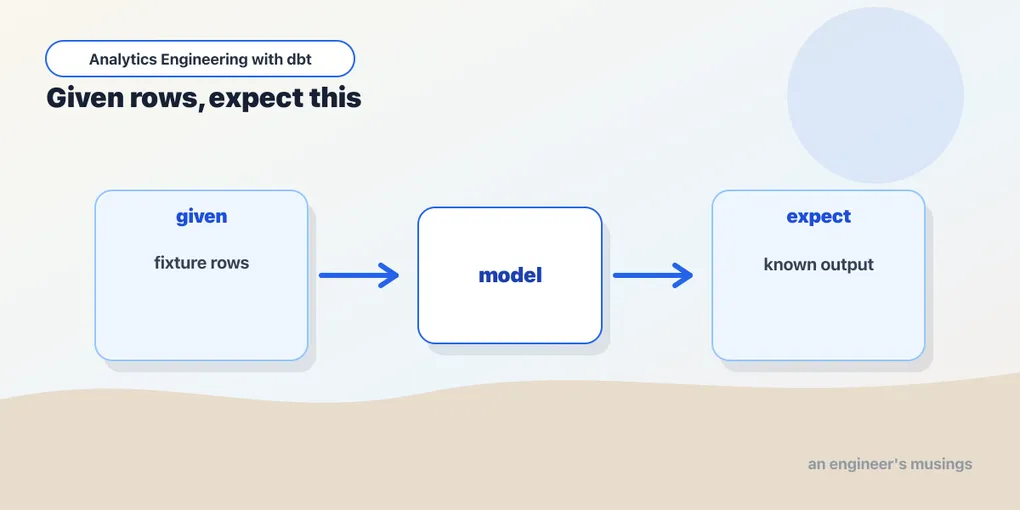
The tests in the last post all check data — is this column unique, are these values valid. They can only tell you something’s wrong once bad data actually flows through. But some bugs live in the SQL itself: a sum that should be a count, a left join that should be inner, an off-by-one in a date filter. That logic can be wrong on data that passes every data test. Unit tests catch those: you hand a model fixed inputs and assert the exact output, the way you’d unit test any function.
The difference, sharply
- A data test asks: is the data in this model valid right now? It runs against whatever rows are really there.
- A unit test asks: does this model’s logic produce the right answer? It runs against tiny, made-up inputs you define, so the answer is knowable in advance.
Data tests guard your inputs. Unit tests guard your transformations. You want both, and unit tests are the newer, more overlooked half — they landed in dbt 1.8 and a lot of projects still don’t use them.
Testing the lifetime-value calculation
Our customers mart computes each customer’s lifetime value by summing their order amounts. That’s exactly the kind of aggregation logic worth pinning down — easy to get subtly wrong, and expensive if you do. A unit test lives in a YAML file alongside the model:
# models/marts/_marts.yml
unit_tests:
  - name: lifetime_value_sums_orders
    description: "A customer's lifetime value is the sum of their order amounts."
    model: customers
    given:
      - input: ref('stg_customers')
        rows:
          - {customer_id: 1, first_name: Ada, last_name: L, plan: plus}
      - input: ref('orders')
        rows:
          - {customer_id: 1, order_id: 101, order_date: '2025-04-01', amount: 42.00}
          - {customer_id: 1, order_id: 102, order_date: '2025-05-06', amount: 18.00}
    expect:
      rows:
        - {customer_id: 1, number_of_orders: 2, lifetime_value: 60.00}
Three parts tell the whole story:
model— which model is under test (customers).given— the inputs, one block perref()the model reads. You supply only the columns that matter: one customer, two orders. dbt swaps these fixtures in for the real upstream models when it runs the test.expect— the exact output rows. One customer, two orders, $42 + $18 = $60,number_of_orders= 2.
The test passes only if the model, fed those two orders, produces exactly that row.
Running it
Unit tests run as part of dbt build, right before the model they cover — so a logic bug stops the model from building at all, on made-up data, before it ever runs against your warehouse:
$ dbt build
START unit_test customers::lifetime_value_sums_orders ... [RUN]
PASS  customers::lifetime_value_sums_orders ............. [PASS]
START sql table model main.customers ................... [RUN]
OK created sql table model main.customers ............. [OK]
The unit test runs first. Now imagine someone “optimizes” the mart and fat-fingers the aggregation, count where sum belongs. The expected lifetime_value of 60 would come back as 2, the test fails, and the build stops before a single wrong dollar figure reaches a dashboard. That’s the entire point: you find out from a failing test on fake data, not from Finance three weeks later.
Why fixed inputs are the whole idea
The power here is that you control the inputs, so you can construct exactly the case you’re worried about. Real data is a bad test bed: it’s whatever happens to be there, rarely the edge case you need. With given, you can write a fixture for the customer with zero orders (does lifetime value come out 0, or null?), the order with no payment, the returned order. Each becomes a named, permanent test that documents how the logic is supposed to behave and screams the moment someone changes it.
And because you only specify the columns the test cares about, the fixtures stay tiny. Our stg_customers has more columns than the four we listed; the test ignores the rest. That keeps unit tests readable — each one is a small, legible statement of “these inputs, therefore this output.”
The edge case, actually shown
The section above promised the zero-orders customer; here it is. This is the case where a naive sum over no rows returns null, and a customer who never bought anything shows up with a blank lifetime value instead of a clean 0. Our mart guards against that with coalesce(sum(amount), 0). A unit test is how you prove the guard works and keep it working:
  - name: lifetime_value_of_customer_with_no_orders
    description: "A customer with no orders gets lifetime value 0, not null."
    model: customers
    given:
      - input: ref('stg_customers')
        rows:
          - {customer_id: 9, first_name: Zoe, last_name: Q, email: [email protected], plan: free}
      - input: ref('orders')
        rows: []
    expect:
      rows:
        - {customer_id: 9, first_name: Zoe, plan: free, number_of_orders: 0, lifetime_value: 0}
The empty rows: [] is the whole trick: it mocks “this customer has no orders.” With no order rows to aggregate, the sum is null, and the test pins that the coalesce(..., 0) in the mart turns that missing aggregate into 0, not null — exactly the edge case the previous section only gestured at. That’s the payoff of controlling the inputs: you write the case you’re worried about and lock in the answer, so nobody can later strip the coalesce and quietly ship nulls into a revenue dashboard. The no-orders test above passes against the companion project exactly as written — its omitted columns really are null. The sum test earlier is a teaching simplification, and it’s worth being upfront about why: its expect lists three of the mart’s seven output columns, and expect is not a partial match. Run it as shown and it fails. The companion project spells out all seven. We come back to this below, because that strictness is a feature and not an annoyance.
Fixture formats, and mocking every input
The inline dict form — one row per line, {customer_id: 1, ...} — is the default, and it’s the readable choice for a handful of rows. When a fixture needs many rows, that one-per-line style gets noisy; switch the input to format: csv and paste a block:
      - input: ref('orders')
        format: csv
        rows: |
          customer_id,order_id,order_date,status,amount
          1,101,2025-04-01,completed,42.00
          1,102,2025-05-06,completed,18.00
Same fixture, denser shape — the header row names the columns, each line is a row. There’s also format: sql, where you supply the rows from a literal select. That third form earns its keep exactly when a value’s type matters and the inline forms would guess wrong — you write the cast yourself:
      - input: ref('int_order_payments')
        format: sql
        rows: |
          select 101 as order_id, cast(42.00 as decimal(10,2)) as amount
          union all
          select 102, cast(18.00 as decimal(10,2))
All three formats are interchangeable per input, so you can mix a tidy dict for the one customer with a csv block for their fifty orders and a hand-cast sql block for the one decimal you’re fussy about — in the same test.
One rule ties the fixtures together: you provide a given block for every ref() or source() the model reads — not just the interesting one. dbt swaps a fixture in for each real upstream, so if customers reads both stg_customers and orders, both need a given entry, even if one is the empty rows: [] from the edge case above. What you don’t have to provide is every column — list only the ones the test cares about, and the rest default to null. That’s what keeps fixtures tiny even as the real tables grow wide. It also has teeth: if a column you left out of a given fixture is one the model actually uses, it arrives as null, and your “expected” answer quietly shifts. When a test fails for a reason you can’t explain, the first thing to check is whether a column you assumed was populated was never in the fixture. (These formats are all verified against the companion project too.)
Inputs from sources, not just refs
Every fixture so far keyed on ref(), because the bookshop’s staging models read from seeds. But staging usually reads from a source — a raw table landed by a loader — and the given block keys on source() in exactly the same way. Say stg_orders read a source instead of a seed; it renames id to order_id and casts the raw string date to a real date. That rename-and-cast is thin logic, but it’s the clearest place to see a source-backed input:
  - name: stg_orders_renames_and_casts
    model: stg_orders
    given:
      - input: source('bookshop', 'orders')
        rows:
          - {id: 101, customer_id: 1, order_date: '2025-04-01', status: completed}
          - {id: 102, customer_id: 1, order_date: '2025-05-06', status: completed}
    expect:
      rows:
        - {order_id: 101, customer_id: 1, order_date: '2025-04-01', status: completed}
        - {order_id: 102, customer_id: 1, order_date: '2025-05-06', status: completed}
The input names the source by its (source_name, table_name) pair — the same two-argument shape you’d write in the model’s from source('bookshop', 'orders'). dbt mocks the source relation with your rows and never touches the real landed table. The expected side uses the model’s output names (order_id, not id), because expect is compared against what the model returns, not what it read.
What expect actually checks
Two facts about expect decide whether your test is asserting what you think it is.
Row order doesn’t matter. dbt compares the expected and actual rows as sets, not sequences. You don’t need an order by in the model or a particular ordering in the fixture — a test with three expected rows passes as long as those three rows come back, in any order. That’s a relief, because most marts don’t have a deterministic order anyway.
Every output column is compared. This is the one that surprises people. dbt compares the full output row against your expected row, and any column you omit from an expected row is treated as null. So if customers returns seven columns and you list three, dbt fills the other four with null on the expected side — and unless the model genuinely returns null for all four, the test fails on a mismatch you didn’t intend. That’s why the real, passing fixtures in the companion project spell out every column the mart emits:
    expect:
      rows:
        - {customer_id: 1, first_name: Ada, plan: plus,
           number_of_orders: 2, lifetime_value: 60.00,
           first_order_date: '2025-04-01', most_recent_order_date: '2025-05-06'}
The compact three-column expect shown earlier is a teaching simplification; a green run needs the whole row. The practical consequence: adding a column to a model can break its unit tests, and that’s working as intended — it’s dbt telling you a fixture no longer describes the model’s shape. Update the expected rows and move on.
There’s one thing expect can’t do: assert that a model raises. Unit tests compare output rows, so there’s no “expect this to error.” You test an error case by asserting the guarded, safe output instead. If a revenue model divides by an order count, the case you care about is the zero-count customer, and the assertion is that a nullif(order_count, 0) guard yields null (or a coalesced 0) rather than blowing up — the same pattern as the no-orders test above. You prove the guard holds; you don’t prove the un-guarded version throws.
Overrides: unit-testing an incremental model
Some model logic depends on things that aren’t upstream tables — the value of a var, an environment variable, whether this is an incremental run. The overrides: block mocks all of those. It takes three keys — macros, vars, and env_vars — and the macros key is the interesting one, because is_incremental() and invocation_id are exposed as macros and so are mocked there too:
    overrides:
      macros:
        is_incremental: true
        invocation_id: test-run-01
      vars:
        payment_cutoff_date: '2025-01-01'
      env_vars:
        DBT_REGION: eu
The other two keys mock configuration the same way. vars overrides anything the model reads through var() — if int_order_payments filtered on where payment_date >= '{{ var("payment_cutoff_date") }}', a test could pin payment_cutoff_date to a known value so the fixture’s rows land predictably on either side of the boundary, instead of depending on whatever the project’s default var happens to be that week. env_vars does the identical trick for env_var('DBT_REGION') and friends — a model that branches on region reads a value from the mock, not from your shell — and invocation_id lets you freeze the run id when a model stamps it into an audit column, so the expected row is a fixed string rather than a random UUID you could never assert on. In every case the point is the same: overrides pull the last non-deterministic inputs into the test, so the answer is fully knowable in advance.
The payoff is that you can unit-test an incremental model’s both branches. Recall order_events, our append-only log:
select order_id, customer_id, order_date, status
from {{ ref('stg_orders') }}
{% if is_incremental() %}
where order_date > (select max(order_date) from {{ this }})
{% endif %}
On a first run the where clause is compiled out and the model selects everything; on a later run it keeps only rows newer than what’s already there. Those are two genuinely different SQL statements, and each deserves a test.
The full-refresh branch is the easy one — override is_incremental to false, and the {% if %} block disappears:
  - name: order_events_full_refresh_takes_all_rows
    model: order_events
    overrides:
      macros:
        is_incremental: false
    given:
      - input: ref('stg_orders')
        rows:
          - {order_id: 101, customer_id: 1, order_date: '2025-05-01', status: completed}
          - {order_id: 102, customer_id: 1, order_date: '2025-05-02', status: completed}
    expect:
      rows:
        - {order_id: 101, customer_id: 1, order_date: '2025-05-01', status: completed}
        - {order_id: 102, customer_id: 1, order_date: '2025-05-02', status: completed}
The incremental branch is where overrides really pay off. Set is_incremental: true, and now the where order_date > (select max(order_date) from {{ this }}) is live — which means you need to mock this, the model’s own existing table. You do that with a given input keyed on the literal this:
  - name: order_events_incremental_keeps_only_new_rows
    model: order_events
    overrides:
      macros:
        is_incremental: true
    given:
      - input: ref('stg_orders')
        rows:
          - {order_id: 101, customer_id: 1, order_date: '2025-05-01', status: completed}
          - {order_id: 102, customer_id: 1, order_date: '2025-05-02', status: completed}
          - {order_id: 103, customer_id: 1, order_date: '2025-05-03', status: completed}
      - input: this
        rows:
          - {order_id: 101, customer_id: 1, order_date: '2025-05-01', status: completed}
    expect:
      rows:
        - {order_id: 102, customer_id: 1, order_date: '2025-05-02', status: completed}
        - {order_id: 103, customer_id: 1, order_date: '2025-05-03', status: completed}
The this fixture says “the table already holds order 101, dated 2025-05-01.” The stg_orders fixture offers three orders. The filter’s max(order_date) over this is 2025-05-01, so only 102 and 103 survive — and that’s the expected output. Flip a > to >= in the model and this test catches it instantly, because 101 would sneak back in. Without overrides you could never reach this branch from fake data; with them, each half of the {% if is_incremental() %} is a separate, provable claim.
One subtlety worth internalizing: the expected rows are the result of the model’s select — what would be inserted or merged — not the final table state after the merge. The incremental test above expects {102, 103}, the newly-selected rows, not {101, 102, 103}, the table you’d have afterward. dbt is testing your SQL, not its own merge machinery.
Running and selecting unit tests
dbt build runs unit tests inline, before each model. To run just the unit tests — the fast inner loop while you’re iterating on a mart — select by test type:
dbt test --select test_type:unit                    # every unit test
dbt test --select "customers,test_type:unit"         # just customers' unit tests
dbt test --select order_events_incremental_keeps_only_new_rows   # one by name
There’s a parse-time gotcha that trips everyone once. A model’s direct parents must already exist in the warehouse before its unit test can run, because dbt introspects those relations to resolve column types for your fixtures. If you’ve never built stg_customers and orders, the customers unit test can’t run against them. You don’t have to load real data, though — build the parents empty to keep the warehouse spend near zero:
dbt run --select "stg_customers orders" --emptyThe same applies to incremental models: order_events itself must exist in the database (so this resolves) before a dbt build or dbt test can unit-test it — again, --empty is enough. And because unit-test inputs are static, there’s nothing to gain from running them in production; dbt Labs recommends running them only in dev and CI, and excluding them from prod builds with --exclude-resource-type unit_test.
If a model is versioned — say you keep customers.v1 and customers.v2 side by side — a unit test runs against all versions by default. When a test only makes sense for one version (v2 added a column your fixture asserts on), scope it with versions::
  - name: lifetime_value_sums_orders
    model: customers
    versions:
      include: [2]        # or: exclude: [1]
    given: ...
include runs the test only on the listed versions; exclude runs it on everything but those. That lets a fixture that describes v2’s shape stop failing against v1’s older columns.
Where unit tests can’t help
They’re powerful, but know the edges.
You can’t test the physical incremental merge. The incremental test above proves your select returns the right rows to merge. It does not prove that dbt then correctly delete+insert-ed them into the existing table on the real warehouse — that’s dbt’s materialization code, not your SQL, and there’s no unit-test hook for it (dbt is tracking support). The physical merge stays the job of a data test on the built table plus an actual dbt build.
Type coercion in fixtures will bite you. Inline dict and csv fixtures are strings until dbt casts them to the input model’s column types, and the guesses aren’t always what you want. Money is the classic trap: write amount: 42.00 and the value may come back as a float, so an exact-equality expect of 60.00 can fail on a floating-point crumb even when the arithmetic is right. Dates and booleans have the same hazard — '2025-05-01' needs the upstream column to actually be typed date, and true versus 1 depends on the adapter. When a value’s type is load-bearing, stop guessing and use format: sql with explicit cast(... as decimal(10,2)) / cast(... as date), the way the payments fixture above does. And remember nulls are implicit — an omitted column is null, so if you mean “this field is genuinely null,” leaving it out and writing it explicitly look the same to dbt but read very differently to the next human.
Reusable fixtures for the big mocks. When several tests need the same chunky input — twenty representative orders you keep reaching for — inlining it into each test is a copy-paste liability. Move it to a CSV under tests/fixtures/ and reference it by name:
      - input: ref('stg_orders')
        format: csv
        fixture: seed_stg_orders     # -> tests/fixtures/seed_stg_orders.csv
The file tests/fixtures/seed_stg_orders.csv holds a header row and the data; fixture: swaps rows: entirely. Now one canonical mock feeds every test that needs it, and fixing a column means editing one CSV instead of ten YAML blocks. Save this for the genuinely large, shared fixtures — for two orders, inline dict is still clearer.
When to write them
Unit tests cost more to write than a one-line unique, so spend them where logic is both tricky and important:
- Non-trivial aggregations — the lifetime-value sum, revenue rollups, running totals.
- Gnarly conditionals — a
casewith five branches, a bucketing rule, acoalescechain. - Date and window logic — fiscal-period boundaries, first/last-touch attribution, anything with
over (...). - Incremental filters — the
is_incremental()branch, where the wrong comparator silently drops or duplicates rows. - The regression you just fixed — write the unit test that reproduces the bug, then fix it. Now it can’t come back.
Not every model needs one. A staging model that only renames columns has no logic to test — its data tests are enough. Save unit tests for the models where being wrong is quiet and expensive.
Final thoughts
Unit tests close the last gap in a dbt project’s safety net. Data tests catch bad data; source freshness catches stale data; unit tests catch bad logic — the broken calculation that produces perfectly valid-looking, completely wrong numbers. They’re the newest piece and the most underused, which is a shame, because they’re the ones that let you refactor a hairy mart on a Friday and actually trust the green check. Pin down your money math with a unit test and you can change everything around it without holding your breath.
Comments