Tests That Read Like Assertions
dbt's data tests turn a line of YAML into a query that fails the build when your data is wrong — unique keys, non-null columns, referential integrity — plus the config knobs that decide how loudly each one fails.
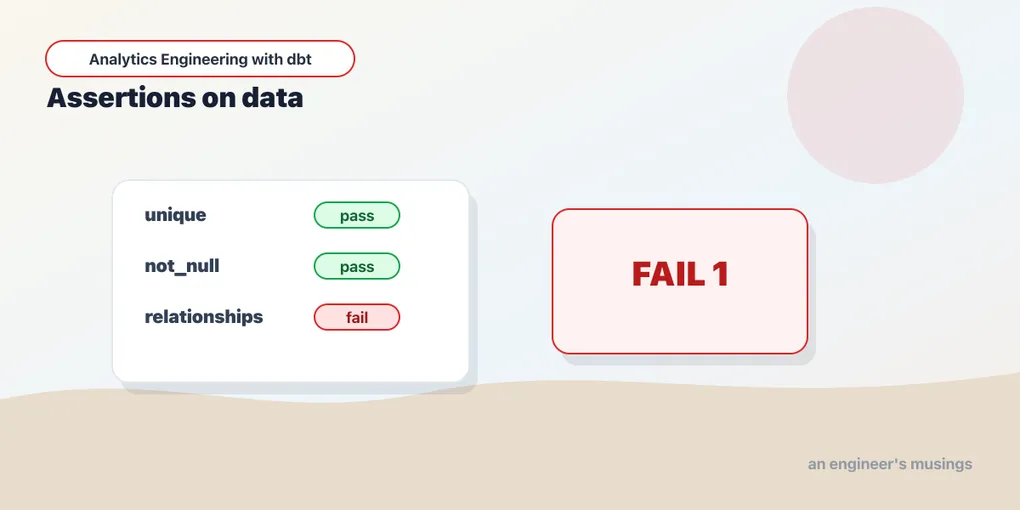
Your models are only as trustworthy as the data flowing through them, and data breaks in ways code doesn’t: a supposedly-unique ID shows up twice, a join silently drops rows, a status column grows a value nobody expected. dbt’s answer is data tests — assertions about your data that run as part of the build and fail loudly when reality disagrees.
The four you’ll use constantly
dbt ships four generic tests that cover a startling fraction of what actually goes wrong. You attach them to columns in a YAML file — no SQL:
# models/staging/_staging.yml
version: 2

models:
  - name: stg_customers
    columns:
      - name: customer_id
        data_tests:
          - unique
          - not_null
      - name: plan
        data_tests:
          - accepted_values:
              arguments:
                values: ['free', 'plus']

  - name: stg_orders
    columns:
      - name: customer_id
        data_tests:
          - relationships:
              arguments:
                to: ref('stg_customers')
                field: customer_id
Read top to bottom, that says: customer_id is unique and never null; plan is only ever free or plus; and every customer_id in orders points at a real customer. The four built-ins:
unique— no duplicate values in the column.not_null— no missing values.accepted_values— every value is in a known set. Catches the typo’d status, the rogue new category.relationships— every value exists in another model’s column. This is referential integrity — your defense against joins that quietly lose rows.
Syntax note: in current dbt (1.11+), a generic test’s parameters go under an
arguments:key, as above. Older tutorials nestvalues:orto:directly under the test name — that still parses but is deprecated, so write thearguments:form.
What a test actually is
There’s no magic here, and seeing through it helps. A dbt test is just a SELECT that’s expected to return zero rows. A passing test finds nothing wrong, so it returns nothing; any rows it returns are the failures. Every one of the four built-ins compiles to a query in that shape, and it’s worth reading each one — the compiled SQL is exactly what you’d have written by hand.
unique on customer_id groups and counts, keeping only the collisions:
select
    customer_id as unique_field,
    count(*) as n_records
from stg_customers
where customer_id is not null
group by customer_id
having count(*) > 1
Note that nulls are excluded before the count — unique and not_null deliberately don’t overlap, which is why you attach both to a primary key.
not_null on order_id is the plainest of the four:
select order_id
from stg_orders
where order_id is null
accepted_values on plan rolls the column up to its distinct values and flags any that fall outside the allowed set:
with all_values as (
    select
        plan as value_field,
        count(*) as n_records
    from stg_customers
    group by plan
)
select *
from all_values
where value_field not in ('free', 'plus')
That grouping is the reason accepted_values is cheap even on a big table and the reason a failure tells you which rogue value showed up, not just that one did. One gotcha lives in that not in (...) list: dbt quotes the values as string literals by default. If the column is numeric or boolean — a rating that’s 1–5, an is_active flag — pass quote: false so the comparison isn’t string-vs-number:
- name: rating
  data_tests:
    - accepted_values:
        arguments:
          values: [1, 2, 3, 4, 5]
          quote: false
Without quote: false the compiled SQL would test where value_field not in ('1','2',...), and depending on the warehouse’s type coercion that’s either a subtle bug or an outright error. On a string column, the default quoting is exactly right — leave it alone.
relationships on stg_orders.customer_id is an anti-join — child rows whose parent is missing:
with child as (
    select customer_id as from_field
    from stg_orders
    where customer_id is not null
),
parent as (
    select customer_id as to_field
    from stg_customers
)
select from_field
from child
left join parent
    on child.from_field = parent.to_field
where parent.to_field is null
If your stg_orders → stg_customers join is dropping rows, this returns the orphaned customer_ids that are causing it. That’s the test earning its keep: the failure otherwise surfaces as a revenue total that’s mysteriously low.
Running tests, and reading a failure
dbt test runs every test; dbt build runs models and their tests interleaved in the DAG, which is what you usually want. On healthy data:
$ dbt build
PASS unique_stg_customers_customer_id ......... [PASS]
PASS not_null_stg_orders_order_id ............. [PASS]
PASS relationships_stg_orders_customer_id ..... [PASS]
Done. PASS=38 WARN=0 ERROR=0 SKIP=0 NO-OP=0 TOTAL=38
Now suppose a duplicate order_id sneaks into the source. The unique test catches it:
$ dbt test -s stg_orders
FAIL 1 unique_stg_orders_order_id ............. [FAIL 1]
  Failure in test unique_stg_orders_order_id (models/staging/_staging.yml)
    Got 1 result, configured to fail if != 0
Done. PASS=3 WARN=0 ERROR=1 SKIP=0 NO-OP=0 TOTAL=4
Got 1 result, configured to fail if != 0 — one order ID appears more than once. The build exits non-zero, which is exactly what you want in CI: a bad load stops the pipeline instead of publishing corrupt tables.
Where tests run in dbt build
That “interleaved in the DAG” detail matters more than it sounds. In dbt build, a model’s tests run immediately after that model builds and before anything downstream of it. So if stg_orders builds and its unique test fails, dbt doesn’t just record the error — it skips every model that depends on stg_orders, because feeding known-bad data into the orders mart would only launder the corruption downstream:
$ dbt build
PASS  stg_customers ......................... [PASS]
PASS  stg_orders ............................ [PASS]
ERROR unique_stg_orders_order_id ............ [ERROR]
SKIP  orders ............................... [SKIP]
SKIP  unique_orders_order_id ............... [SKIP]
Done. PASS=2 WARN=0 ERROR=1 SKIP=2 NO-OP=0 TOTAL=5
orders and its own tests are SKIP, not PASS — dbt refused to build on top of a failed assertion. This is the single biggest reason to run dbt build rather than dbt run followed by dbt test: the split version builds every downstream table first and only tells you afterward that the foundation was cracked. build stops at the crack. (A warn-severity failure, which we’ll get to, does not skip downstream models — that’s part of what “warn” means.)
The config block: how loudly should a test fail?
The four built-ins are the what. The config: block is the how — and it’s where a project’s tests go from “on or off” to “tuned to how much each failure actually matters.” Test parameters (the values set, the to/field of a relationship) live under arguments:; everything about the test’s behavior lives under config:. Keep the two straight and the YAML stops being confusing:
- name: plan
  data_tests:
    - accepted_values:
        arguments:                 # what the test checks
          values: ['free', 'plus']
        config:                    # how the test behaves
          severity: warn
          tags: ['staging']
Here are the knobs worth knowing, each with a bookshop example.
severity, error_if, warn_if
By default every test is severity: error with the thresholds error_if: "!= 0" and warn_if: "!= 0" — one failing row and the build goes red. But failures aren’t binary. Late-arriving data might leave a handful of shipped_at timestamps null for an hour; a hard unique violation on a key never should. severity, together with the two _if thresholds, lets you say “warn under a budget, error over it”:
- name: shipped_at
  data_tests:
    - not_null:
        config:
          severity: error
          warn_if: ">0"
          error_if: ">25"
The thresholds are compared against the test’s failure count. Read that config as a three-state signal: 0 nulls → PASS, 1–25 nulls → WARN (build stays green), more than 25 → ERROR (build fails, downstream skips). The comparison operators (>, >=, !=, =) take a number on the right, and severity is the ceiling — set severity: warn and the test can never escalate past a warning no matter what error_if says, which is how you pin a known-noisy check to “informational, always.”
where and limit
where filters the model before the test runs — dbt wraps the relation in a subquery, so {{ model }} becomes (select * from stg_orders where status = 'shipped'). That lets you scope an assertion to the rows it actually applies to:
- name: shipped_at
  data_tests:
    - not_null:
        config:
          where: "status = 'shipped'"
Now shipped_at is only required to be non-null for orders that have actually shipped — a placed order with a null ship date won’t (correctly) fail. limit caps how many failing rows the test query returns; it’s mostly a companion to store_failures (next) on a huge table, where you want a sample of offenders in the audit table without materializing millions of rows:
config:
  where: "status = 'shipped'"
  limit: 500
store_failures and store_failures_as
By default a failing test tells you how many rows are wrong, not which. Turn on store_failures and dbt writes the failing rows to a table you can query:
- name: customer_id
  data_tests:
    - relationships:
        arguments:
          to: ref('stg_customers')
          field: customer_id
        config:
          store_failures: true
The rows land in an audit schema alongside your models — on DuckDB with target schema main, that’s main_dbt_test__audit, in a table named after the test:
$ dbt build --store-failures     # or set it in config, as above
...
$ duckdb bookshop.duckdb
D select * from main_dbt_test__audit.relationships_stg_orders_customer_id;
┌────────────┐
│ from_field │
├────────────┤
│       9182 │
│       9257 │
└────────────┘
Those are the two orphaned customer_ids breaking your join — the exact rows to chase in the source, handed to you instead of reverse-engineered from a row count. store_failures_as (dbt 1.9+) picks the materialization per test, table or view, and setting it implies store_failures: true:
config:
  store_failures_as: view
A --store-failures flag on the command line turns it on for a whole run without touching YAML — handy in CI, where you want the audit tables available to a follow-up “what failed?” step.
fail_calc
The number a test reports — and compares against error_if/warn_if — defaults to count(*), the failing-row count. fail_calc lets you change what that number means. Sometimes rows aren’t the unit you care about; customers are:
- name: email
  data_tests:
    - not_null:
        config:
          fail_calc: "count(distinct customer_id)"
          warn_if: ">0"
          error_if: ">50"
Now the test errors when more than 50 distinct customers are missing an email, not when more than 50 rows are — a real distinction if one customer can appear on many rows. fail_calc accepts any aggregate expression over the failing set: sum(amount) to threshold on dollars at risk, count(distinct order_date) to threshold on how many days are affected.
tags and enabled
tags let you run a slice of your tests by name — group the ones finance cares about, or the fast ones you want in a pre-commit hook:
- name: amount
  data_tests:
    - not_null:
        config:
          tags: ['finance', 'nightly']
$ dbt test --select tag:financeenabled switches a test off without deleting it — useful when a source is temporarily broken and you don’t want a known failure drowning out real ones:
config:
  enabled: false
Setting config in bulk from dbt_project.yml
Everything above can be set per-test in YAML, but you rarely want to repeat store_failures: true on two hundred tests. The data_tests: key in dbt_project.yml sets defaults by path, using the + prefix like any other project-level config:
# dbt_project.yml
data_tests:
  +store_failures: true          # every test stores failures by default
  bookshop:
    staging:
      +severity: warn            # staging tests warn...
    marts:
      +severity: error           # ...mart tests are hard errors
A per-test config: block overrides the project default, so this reads as a policy — “staging is a warning zone, the marts that feed dashboards are not” — with individual tests promoted or demoted as needed. This is the cleanest way to run a severity strategy across a growing project.
Selecting which tests to run
Once a project has a few hundred tests, “run everything” stops being the only thing you want. dbt’s selection syntax reaches tests by several handles beyond the tag: selector we already used:
$ dbt test --select test_type:generic        # only the YAML-attached generics
$ dbt test --select test_type:singular       # only the .sql files in tests/
$ dbt test --select test_name:relationships  # every relationships test, project-wide
$ dbt test --select stg_orders               # every test on stg_orders and its columns
test_name: is the underrated one: after a source change you can run just the referential-integrity checks (--select test_name:relationships) across the whole project to confirm nothing lost its parent, without rebuilding a thing.
There’s a subtlety when you select a model rather than a test. dbt build --select stg_orders has to decide what to do about tests that touch stg_orders and another model — a relationships test spans two tables by definition. dbt’s default is eager indirect selection: it runs that test even though stg_customers wasn’t in your selection. Usually that’s what you want. When it isn’t — say you’re iterating on stg_orders alone and don’t want a cross-model test firing on a half-updated neighbor — switch to cautious, which runs a test only if every model it references is in the selection:
$ dbt build --select stg_orders --indirect-selection cautiousA third mode, buildable, sits between them: it includes cross-model tests as long as the other referenced models are being built elsewhere in the same run. For everyday work eager is fine; reach for cautious when you’re deliberately testing one model in isolation.
Singular tests: rules the built-ins don’t cover
The four generics cover the shape of your data — keys, nulls, categories, references. They don’t cover business rules. For those, a singular test is just a .sql file in tests/ — a query that returns the rows that violate your rule:
-- tests/assert_no_negative_payments.sql
select payment_id, amount
from {{ ref('stg_payments') }}
where amount < 0
Same contract as every dbt test: zero rows means it passes. “No payment is negative” is now enforced on every build, and if one ever is, this test hands you its payment_id. Singular tests take the same config() knobs — call the config macro at the top of the file:
-- tests/assert_orders_reconcile_to_payments.sql
{{ config(severity='warn', tags=['finance']) }}

select
    o.order_id,
    o.amount,
    sum(p.amount) as paid
from {{ ref('orders') }} o
join {{ ref('stg_payments') }} p using (order_id)
group by 1, 2
having o.amount <> sum(p.amount)
That’s a genuinely useful bookshop check — every order’s amount should equal the sum of its payments — and it’s the kind of thing no built-in can express: it spans two models and does arithmetic. That’s the dividing line. Reach for a singular test when the rule is specific to a model or a relationship between a couple of models — one query, one file, done. Reach for a generic test when the rule is reusable — “no dollar column is ever negative” applies to stg_payments.amount, orders.amount, and a dozen others, so you’d rather attach it by name than copy the query around.
Promoting a singular rule to a reusable generic test — the {% test %} block, the model/column_name arguments, extra parameters — is its own small craft, and the next chapter builds on it (along with the pre-built libraries like dbt_utils and dbt_expectations that ship dozens of generics so you write fewer yourself). The mechanism is worth previewing here only because it demystifies the four built-ins: unique is a generic test, its body the group by … having count(*) > 1 you saw compiled above. There’s no privileged core — the built-ins are made of the same parts you’ll use.
data_tests: vs the old tests: key
You’ll still see tests: in older projects and blog posts. In dbt 1.11 the canonical key is data_tests:; tests: is a legacy alias that still parses but is deprecated. The rename happened for a concrete reason: dbt added unit tests (which test your model’s logic against mocked input rows, a different thing entirely), and a bare tests: was ambiguous about which kind you meant. data_tests: names the assertions-about-real-data kind we’ve covered in this chapter; unit_tests: names the other. Write data_tests: in new code and migrate tests: when you touch a file — the two behave identically today, but the alias won’t live forever.
A severity strategy, not a wall of red
The temptation with a fresh testing setup is to make everything an error, so the build is either perfect or broken. That doesn’t survive contact with real data, and it produces the worst outcome of all: a team that has learned to ignore a red build because “those two always fail.” A test everyone routinely overrides is worse than no test.
A strategy that holds up:
- Errors are for invariants that must never break — primary keys (
unique+not_null), the referential integrity of your core joins, and anything a downstream table would silently corrupt if it were wrong. If a violation means “stop shipping and page someone,” it’s an error. - Warnings are for known-noisy or best-effort checks — a category that occasionally grows a legitimate new value, a timestamp that’s null for an hour after each load. Warn, and revisit if the noise grows.
- New tests land as warnings. When you add an assertion to an established table, you don’t yet know whether the data actually satisfies it. Ship it
severity: warn, watch a few days of builds, and promote warn → error once it’s been clean — flipping one config line — or fix the data you discover it was quietly catching. This is exactly the two-line change thedbt_project.ymlseverity-by-path setup above is designed for. - Give warnings a budget with
error_if/warn_if. “Up to 25 late nulls is fine; 200 means the loader is broken” is a real, defensible policy, and it’s more honest than a threshold of zero you don’t actually believe. Pair a budgeted warn withstore_failuresso that when it does trip, you already have the offending rows to triage.
One more lever makes this strategy robust: a warning in development doesn’t have to stay a warning in CI. dbt’s --warn-error flag promotes every warning to an error for a single invocation, so your production deploy job can be stricter than your laptop:
# local: warnings are informational, build stays green
$ dbt build

# CI deploy gate: any warning fails the job
$ dbt build --warn-error
Or promote selectively with --warn-error-options, so only test warnings become hard failures while other warnings (say, deprecation notices) stay soft. The effect is a graduated pipeline: warnings you can develop through, that the gate to production won’t let slide. That’s a cleaner arrangement than flipping every test’s severity to error — it keeps the signal graduated while making the gate absolute.
The goal is a build whose color you trust. Green means “every invariant holds”; a warning means “look, but keep moving”; red means “stop.” Blur those and the signal is gone.
Final thoughts
Testing is where a dbt project stops being a pile of queries and becomes something you can trust. A line of YAML per column buys you unique keys, non-null guarantees, valid categories, and referential integrity — the failures that otherwise surface as a wrong number on a dashboard weeks later. The config: block then tunes each assertion to how much it actually matters, so the build’s color stays meaningful instead of decaying into noise. Wire dbt build into CI and those tuned assertions run on every change, halting the moment a foundation cracks so bad data fails the pull request instead of the executive meeting. Test your keys and your joins first, as errors; everything else earns its severity.
Comments