View, Table, or Something Cleverer
The same SELECT can become a view, a table, or an inlined CTE. Choosing the materialization is choosing your trade between build cost and query cost — here's how to pick.
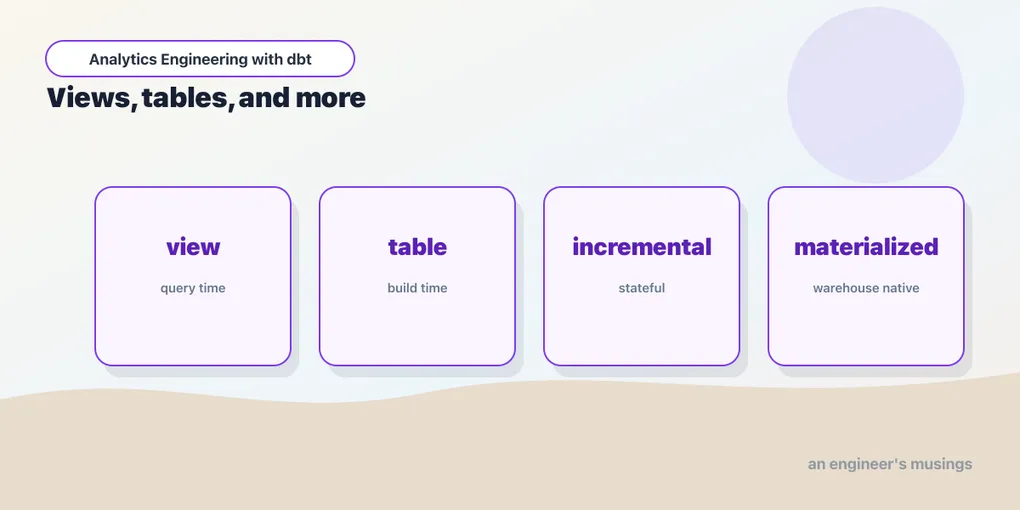
Every model you’ve written is one SELECT, but dbt can turn that SELECT into the database in several different ways. That choice is called a materialization — and it’s the main performance lever you have. Same SQL, very different behavior at run time.
The core three
view — dbt runs create view. Nothing is stored but the query definition; the work happens every time someone reads it. Fast to build (there’s nothing to compute), potentially slow to query (the logic re-runs on every select). This is the default, and the right call for lightweight transformations like staging models.
table — dbt runs create table as select and stores the results. Slower to build (it computes and writes every row), fast to query (the answer is sitting there). The right call for models that are expensive to compute or read often — your marts.
ephemeral — dbt builds nothing at all. The model’s SQL gets inlined as a CTE into whatever ref()s it. Good for a bit of logic you want to name and reuse — but don’t need to exist as its own object in the database.
You set it with a config() call at the top of the model, or as a default in dbt_project.yml.
{{ config(materialized='table') }}

select ...
Config cascades
You rarely set materialization per model. The common pattern is a default by folder in dbt_project.yml, which cascades down the tree:
models:
  bookshop:
    staging:
      +materialized: view      # staging/* → views
    marts:
      +materialized: table     # marts/*   → tables
That single block says “staging models are views, marts are tables” — exactly the layering from the models post. Views are cheap and staging is simple, so views. Marts are queried by dashboards and joined repeatedly, so tables. A per-model config() still wins over the folder default when you need an exception, and a more specific folder beats a less specific one. Config in dbt resolves most-specific-first, like CSS.
Config resolution, in full
That “like CSS” line is doing a lot of work, so let’s make it precise, because sooner or later a model won’t materialize the way you expected and you’ll need to know who wins.
dbt gathers configs for a model from three places and merges them in a fixed order of precedence. From weakest to strongest:
dbt_project.yml— the folder tree above. Broadest reach, lowest priority.- A properties YAML — a
config:block on the model in a_marts.yml/schema.ymlfile. More specific than the project file, because it names the model. - An in-file
config()— the block at the top of the.sqlmodel. Most specific, highest priority. It always wins.
So the same key can be set in all three, and the one closest to the model itself takes effect. Here’s the full cascade for the bookshop with all three in play. The project file sets a folder-wide default:
# dbt_project.yml
models:
  bookshop:
    marts:
      +materialized: table
      +schema: marts
      +tags: ['nightly']
A properties file narrows one model down:
# models/marts/_marts.yml
models:
  - name: order_events
    config:
      tags: ['critical']      # adds to the inherited 'nightly'
And an in-file block on that same order_events model overrides again:
-- models/marts/order_events.sql
{{ config(materialized='incremental', unique_key='order_id') }}

select ...
Resolve order_events top to bottom and you get: materialized='incremental' (the in-file config() beats the folder’s table), schema='marts' (inherited untouched from the project file), and tags=['nightly', 'critical']. That last one is the subtlety worth memorizing: tags are additive, not overriding. Every level’s tags accumulate into a union, so dbt build --select tag:nightly and --select tag:critical both catch order_events. Most configs replace; tags and meta merge.
Two more mechanics fall out of the same tree. The + prefix in dbt_project.yml is how dbt tells a config from a folder name — +materialized is the config, a bare marts is a path segment to descend into. Forget the + and dbt looks for a subfolder literally called materialized and silently applies nothing. And enabled cascades like everything else, which makes it a clean off-switch: +enabled: false on a folder drops every model under it from the run, and a single model can opt back in with {{ config(enabled=true) }}. schema, meta, database, and grants all ride the same escalator — set the sensible default high in the tree, override the exception low.
When the cascade gets deep enough that you’re unsure who won, don’t reason it out by eye — ask dbt. It writes the fully-resolved config for every model into target/manifest.json when it parses, so dbt parse followed by a peek at that file settles any argument. Quicker still is dbt ls, which prints the merged result per node:
dbt ls --select order_events \
  --output json --output-keys "name materialized tags schema"
# {"name": "order_events", "materialized": "incremental",
#  "tags": ["nightly", "critical"], "schema": "marts"}
That’s the answer after all three levels merge — the same value dbt will build against. When a model materializes the “wrong” way, this is the first thing to run.
Ephemeral, concretely
Ephemeral is the one that surprises people, so it’s worth seeing. Our int_order_payments rolls payments up per order. Mark it ephemeral:
-- models/intermediate/int_order_payments.sql
{{ config(materialized='ephemeral') }}

select order_id, sum(amount) as amount
from {{ ref('stg_payments') }}
group by 1
Now dbt run builds no int_order_payments object anywhere. When you compile orders, which refs it, dbt splices the logic straight in as a CTE:
with __dbt__cte__int_order_payments as (
    select order_id, sum(amount) as amount
    from "bookshop"."main"."stg_payments"
    group by 1
),
order_payments as (
    select * from __dbt__cte__int_order_payments
)
select ...
The intermediate never exists as a view or table — it’s just a named step in the queries that use it. That keeps your database uncluttered with objects nobody queries directly. The tradeoff: because it’s inlined everywhere it’s referenced, expensive ephemeral logic gets recomputed in every consumer, and it can’t be queried on its own for debugging. Reach for it for thin glue, not heavy lifting.
Ephemeral’s sharp edges
That “recomputed in every consumer” line hides the failure mode that actually bites, so here it is spelled out — along with the three things ephemeral can’t do.
It has no relation, so you can’t test it directly. A generic test like not_null or unique compiles to select ... from <the model> — but an ephemeral model isn’t a <the model>; there’s no view or table for the test to point at. Attach a test to an ephemeral node and dbt has nothing to run it against. This is a long-standing, deliberate limitation. If you want not_null(order_id) guarded on the payment rollup, the rollup has to be a real view or table. (Unit tests reach a bit further — they can take an ephemeral model as an input — but only via SQL fixtures, not the CSV or dict fixtures you’d use for a normal model.)
{{ this }} is meaningless. this resolves to the model’s own relation in the database, and an ephemeral model has none. Anything that leans on this — an incremental filter, a post-hook that grants on the object, a self-reference — is off the table. That’s part of why ephemeral and incremental are mutually exclusive: incremental’s whole trick is reading {{ this }} to find what’s already loaded.
And the CTE explosion. Because the SQL is inlined per consumer, an ephemeral model that’s referenced widely gets copied into every compiled query, and chains of ephemerals nest. Say we made both intermediates ephemeral, and int_customer_orders refs int_order_payments:
-- compiled customers.sql
with __dbt__cte__int_order_payments as (
    select order_id, sum(amount) as amount
    from "bookshop"."main"."stg_payments"
    group by 1
),
__dbt__cte__int_customer_orders as (
    select o.customer_id, count(*) as orders, sum(p.amount) as spend
    from "bookshop"."main"."stg_orders" o
    left join __dbt__cte__int_order_payments p using (order_id)  -- nested
    group by 1
)
select ...
Now every mart that touches payments carries its own copy of that group by over stg_payments, and the planner re-derives the aggregation in each one. Make five marts ref the same heavy ephemeral and you’ve written the sum five times into five queries the warehouse plans independently — no shared work, no cache. A table computes it once and everyone reads the result. So the rule is narrow: ephemeral is for logic that is genuinely cheap and referenced in few places. The moment it’s expensive or popular, materialize it as a real object and let one build serve every consumer.
You don’t have to guess how bad the inlining gets, either. dbt compile --select customers writes the final, CTE-stuffed SQL to target/compiled/bookshop/models/marts/customers.sql — open it and you’ll see every inherited __dbt__cte__ block spelled out in full. If that file is alarmingly long, or the same heavy CTE appears verbatim across several compiled marts, that’s your signal to promote the ephemeral to a view or table and let the consumers ref a single shared object instead.
The fourth one: materialized views
There’s a fourth built-in materialization that gets taught less often, because it only exists on warehouses that support it — materialized_view. A materialized view is the warehouse’s own middle ground between a view and a table: you define the query once, and the warehouse keeps a stored result and refreshes it for you as the underlying data changes. A plain view recomputes on every read; a table is a frozen snapshot you rebuild yourself; a materialized view is a stored result the engine maintains on your behalf.
{{
    config(
        materialized='materialized_view',
        on_configuration_change='apply'
    )
}}

select
    customer_id,
    count(*)     as lifetime_orders,
    sum(amount)  as lifetime_value
from {{ ref('orders') }}
group by 1
dbt issues the create materialized view on the first build, and on later runs it doesn’t recompute the query — it hands the refresh to the warehouse. The new knob is on_configuration_change, which decides what dbt does when the view’s configuration drifts from your code — a changed refresh schedule, an added index, a clustering key. apply tries to alter it in place, continue leaves the existing object alone and warns, and fail stops the run so a human looks. (A change to the query itself is a bigger deal — most adapters drop and recreate the view, losing whatever it had cached.)
The catch is support. Materialized views are adapter-specific: Postgres, Redshift, BigQuery, and Databricks expose real materialized views, and on Snowflake dbt maps this materialization onto the equivalent maintained object. Our bookshop runs on DuckDB, which has no materialized views at all — so this is the one materialization you can’t try locally in this series. Where it does exist, reach for it when you have a rollup that’s queried constantly and you’d rather the warehouse keep it fresh than write incremental logic yourself — but read your warehouse’s restrictions first, because most only allow materialized views over a limited shape of SQL, and the automatic refresh is not free.
Beyond the four: the escape hatch
Four materializations cover almost everything, but they’re not a closed set. Two doors lead further out.
Adapters add their own. A materialization is just a name dbt maps to a build strategy, and each adapter is free to register extras that fit its engine. The one worth knowing is Snowflake’s dynamic_table — a table Snowflake refreshes automatically toward a target lag you declare, so you get incremental-style freshness without writing incremental SQL:
{{ config(
    materialized='dynamic_table',
    snowflake_warehouse='transforming',
    target_lag='1 hour',
    on_configuration_change='apply'
) }}
That config is meaningless on DuckDB and Postgres — it only exists because dbt-snowflake ships it. The lesson is to check your adapter’s docs before assuming the four built-ins are all you have.
You can write your own. A materialization is authored in Jinja with {% materialization my_strategy, adapter='duckdb' %} ... {% endmaterialization %}, wrapping the DDL and the relation-swap logic dbt normally handles for you. That’s how the built-ins themselves are implemented, and it’s genuinely useful for a house pattern — say, a blue/green swap or an insert-overwrite your warehouse does specially. It’s also a deep enough topic to earn its own post, so treat this as a signpost: if table, view, ephemeral, and materialized_view truly can’t express your build, the machinery is open, not sealed. Reach for it last, not first.
The model that isn’t SQL
There’s one more door, and it’s easy to miss because it doesn’t change the materialization at all — it changes the language. A dbt model can be a Python file. Same models/ directory, same ref() graph, same table or incremental materialization; the only difference is that instead of a select, the file defines a function:
# models/marts/orders_flagged.py
def model(dbt, session):
    dbt.config(materialized="table")

    orders = dbt.ref("orders").df()          # a pandas DataFrame
    orders["is_large"] = orders["amount"] > 25

    return orders[["order_id", "customer_id", "amount", "is_large"]]
The contract is small and worth memorizing. The file must define model(dbt, session). dbt.ref() and dbt.source() are the same graph edges you already know — dbt parses them and your Python model lands in the DAG exactly like a SQL one, with the same lineage and the same build order. dbt.config() sets the config from inside the function. Whatever you return — a DataFrame, or the engine’s native relation type — becomes the model’s table. The session argument is the adapter’s connection, which is how you drop back to the engine when the DataFrame API isn’t what you want.
The honest question is when this is worth it, and the answer is narrower than the excitement around it suggests. Python earns its place when the transformation genuinely isn’t set-based: a scikit-learn scoring pass, a fuzzy string match, a statistical fit, a call to a library with no SQL equivalent. It does not earn its place for a join, a filter, or an aggregate. SQL is better at those, the warehouse optimizer understands them, and a Python model that reimplements a group by in pandas is a slower, less legible version of a model you could have written in six lines. The rule of thumb: reach for Python when you’d otherwise be exporting data out of the warehouse to do the work — because a Python model is precisely how you avoid that round trip.
Two practical notes, both learned the hard way. First, support is adapter-specific: Snowflake (Snowpark), Databricks, and BigQuery (Dataproc) run Python models on their own compute, and each has its own rules about which packages are available. DuckDB runs them in the local Python process. Second — and this is the one that will cost you twenty minutes — dbt-duckdb does not install pandas. Write the model above against a fresh bookshop and you get a Runtime Error whose traceback points at a line inside a temp file in /var/folders/..., which tells you nothing. Install pandas and it builds clean. The dependency is on you, not the adapter.
The config knobs worth knowing
Materialization picks how the result is stored; a handful of sibling configs shape the object once it’s built. They ride the same folder cascade, so most belong in dbt_project.yml, set once per layer:
models:
  bookshop:
    marts:
      +materialized: table
      +schema: marts
      +persist_docs:
        relation: true
        columns: true
      +grants:
select: ['reporter']+schema— routes the built objects into their own schema. By default dbt concatenates: target schemamainplus+schema: martsgivesmain_marts, so marts land apart from staging without clobbering your target. (That concatenation is itself overridable via thegenerate_schema_namemacro, but the default keeps environments tidy.)persist_docs— pushes the descriptions you wrote in YAML down into the database asCOMMENTstatements, so the column note onorders.order_statusshows up in the warehouse catalog and BI tools, not just in dbt’s docs site. With it on, a build ofordersemits an extracomment on column "bookshop"."main_marts"."orders"."order_status" is 'lifecycle state: placed, shipped, or returned'right after thecreate table— the same text your_marts.ymlcarries, now readable by anyone poking at the warehouse without dbt open.grants— dbt runs theGRANTfor you after each build and, on most adapters, revokes anything not listed, so the model’s permissions are declared in code rather than clicked in a console. (DuckDB’s single-file local model has no real grants, so this is a no-op there — but it’s exactly the kind of default you set high in the tree for the real warehouse.)full_refresh: false— a guard, mostly for incremental models: it makes a model refuse to be dropped and rebuilt even when someone runsdbt build --full-refresh. Put it on a model whose table is enormous or whose history you can’t reconstruct, and the fleet-wide--full-refreshskips it instead of nuking it.
One more forward pointer: these configs describe the object, but they don’t enforce its shape. If you want the build to fail when a column’s type drifts or a not_null promise breaks — a hard guarantee downstream consumers can rely on — that’s contracts, a config layer we’ll cover later. For now, know that materialization and these knobs are about how it’s stored, not what it’s allowed to contain.
View vs table, costed
The whole game is one trade — build cost versus query cost — so let’s put numbers on it with the bookshop, because the right answer flips as data grows.
Say stg_payments holds 2 million payment rows and orders holds 400 thousand. As a view, orders stores only its SELECT; the group by order_id over 2M payments (via int_order_payments) re-runs on every read. A dashboard with a dozen tiles, refreshed by twenty analysts an hour, reads orders maybe 240 times an hour — so the warehouse re-aggregates 2M rows 240 times, ~480M rows of work per hour to answer questions that never changed between the nightly loads.
As a table, that aggregation runs once, at dbt run time. It writes 400K result rows, and every one of those 240 reads is a scan of the precomputed 400K — no re-aggregation at all. You’ve moved the cost from 240×/hour to 1×/night. On a warehouse billed by compute-seconds (Snowflake, BigQuery), that’s not just latency, it’s the bill: a heavy view multiplies its cost by its read count, a table pays once. And a view can’t be clustered or partitioned to prune scans — a table can carry a sort or partition key so reads touch a fraction of the data. Views hit a harder wall too: a deep chain of views stacked on views compiles into one enormous query, and a warehouse statement timeout (BigQuery caps at six hours; Snowflake’s STATEMENT_TIMEOUT_IN_SECONDS is often dialed down to minutes) will simply kill it — at which point the fix is to materialize a link in the chain as a table and break the query up.
There’s a quieter safety property on the table side too. dbt doesn’t drop the old orders and then slowly create the new one — it builds the fresh result into a temporary relation and swaps it in with a rename at the end. So while the nightly build churns through 2M payments, every dashboard reading orders still sees yesterday’s complete table, not a half-populated one, and the switch is atomic. A view has nothing to swap — it’s always just the latest query definition — but for a table this is why a long rebuild doesn’t hand anyone a partial answer.
The mirror image is why staging stays a view. stg_payments is a thin rename-and-cast over the raw source, read almost only by dbt itself during a build. Materializing it as a table would write 2M rows every night to save a near-free projection nobody queries directly — build cost for no query-cost payoff. That’s the balance in one sentence: a view pays per read, a table pays per build. Cheap-and-rarely-read wants a view; expensive-and-often-read wants a table; and the crossover moves as your row counts and read patterns grow, which is exactly why dbt makes flipping between them a one-line edit.
You can watch the distinction on the bookshop’s own DuckDB. After a dbt run, ask the catalog what dbt actually created:
select table_name, table_type
from information_schema.tables
where table_name in ('stg_payments', 'orders');
-- stg_payments | VIEW
-- orders       | BASE TABLE
stg_payments is a VIEW — its rows don’t exist until you query it, at which point DuckDB runs the underlying select against the seed. orders is a BASE TABLE — the rows are sitting on disk from build time. Flip orders to materialized='view', dbt run again, and that second line changes to VIEW; the numbers a dashboard reads are identical, but where and when the work happens is not. That one column is the entire chapter, made visible.
How to actually choose
A rule of thumb that holds up:
- Staging → view. Simple, cheap, always reflects the latest source.
- Marts → table. Queried often, joined hard; pay the build cost once.
- Thin shared logic → ephemeral. A rename or a small rollup that two marts need, not worth its own object.
- A view got slow → table. When a view’s query re-runs too much work on every read, materialize it.
- A table got too slow to build → incremental. When even
create table as selectover the full history is too much, you stop rebuilding from scratch. That’s the next post. - A kept-fresh rollup on a real warehouse → materialized view. Queried constantly, and you’d rather the engine maintain it than own incremental logic — where your adapter supports it.
Notice there’s no universally right answer — it’s a trade between build time and query time, and it can change as your data grows. The nice part is that changing it is a one-line edit — flip view to table, run dbt run, done. The SQL never moves.
Final thoughts
Materialization is where dbt’s separation of what from how pays off most cleanly. Your model describes the result you want; the materialization decides how it’s stored, and you can change your mind any time by editing one config line. Start everything as a view, promote to table what gets slow, and reach for the fancier options only when a real cost shows up. Don’t optimize a pipeline that runs in a second.
Comments