Don't Rebuild What Didn't Change
When a table gets too big to recompute from scratch every run, incremental models process only the new rows. The materialization, the is_incremental() guard, and the escape hatch when logic changes.
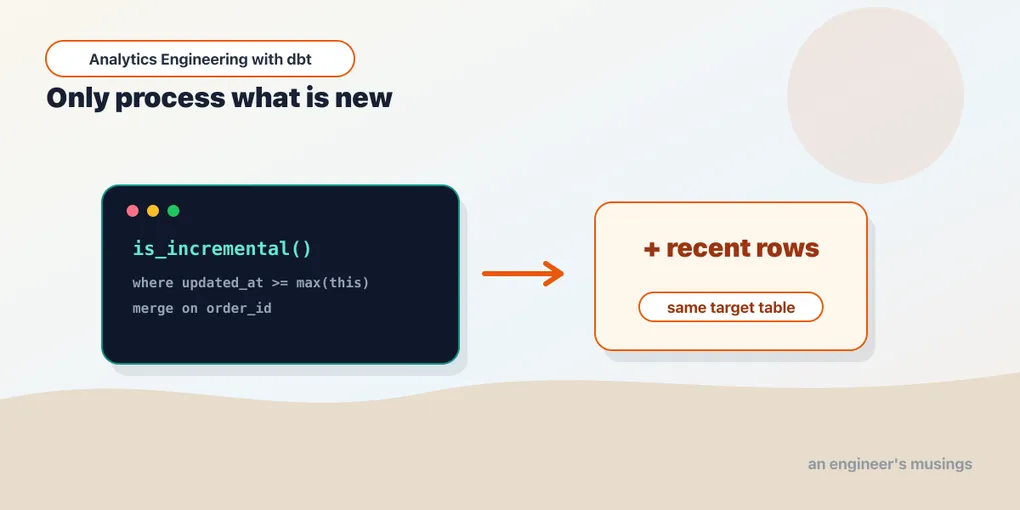
A table model recomputes everything, every run. For most models that’s fine — recomputing a customer summary over a few thousand orders is instant. But when a table holds hundreds of millions of event rows and grows by the minute, rebuilding the whole thing nightly goes from wasteful to impossible. Incremental models are the answer: build the table once, then on each run only process the rows that are new.
The shape of an incremental model
An incremental model is a normal SELECT with two additions — a config that sets the materialization and a unique key, and a filter that only kicks in on later runs:
-- models/marts/order_events.sql
{{
    config(
        materialized='incremental',
        unique_key='order_id'
    )
}}

select
    order_id,
    customer_id,
    order_date,
    status
from {{ ref('stg_orders') }}

{% if is_incremental() %}
where order_date > (select max(order_date) from {{ this }})
{% endif %}
Two pieces of dbt vocabulary are doing the work here:
is_incremental()is true only when the model already exists and you’re not doing a full refresh. On the very first run the table doesn’t exist yet, so thewhereclause is skipped and dbt builds the whole thing. On every run after, the clause is included.{{ this }}refers to the model itself — the table as it currently stands in the database. Soselect max(order_date) from {{ this }}asks “what’s the newest row I already have?” and the filter keeps only rows newer than that.
The {% ... %} (as opposed to {{ ... }}) is a Jinja statement — control flow, not a value. Here it conditionally includes a block of SQL. We’ll go deeper on Jinja in a couple of posts; for now, read it as an if.
Watching it work
First run — the table doesn’t exist, so dbt builds all 15 orders from the seed:
$ dbt run -s order_events
OK created sql incremental model main.order_events ... [OK]
# order_events now has 15 rows
Now a new order arrives upstream, dated later than anything we have. Run again:
$ dbt run -s order_events
OK created sql incremental model main.order_events ... [OK]
# order_events now has 16 rows
One row in, one row processed. dbt didn’t rebuild the other fifteen — it ran the SELECT with the where order_date > (select max(order_date) ...) filter, got just the new order, and merged it in. On a real table that’s the difference between scanning a row and scanning a billion.
The high-water mark is a trap waiting to spring
That select max(order_date) from {{ this }} pattern is the first thing every incremental tutorial reaches for, and it hides two problems that only show up in production.
The smaller problem is cost. max(order_date) has to look at the whole target table. Columnar engines keep per-column min/max statistics, so on DuckDB this is usually cheap — it reads the stats, not the rows — but it’s still a query dbt fires on every single run, and on engines without those stats, or on a table without a useful sort order, it degrades into a genuine full scan. It’s rarely the thing that hurts, but it’s worth knowing it isn’t free.
The bigger problem is correctness, and it’s the one that actually bites. The filter keys off order_date, which is a business date — when the order was placed — not a load date. But max() only ever moves forward. So picture this sequence in the bookshop:
- Tonight’s run sets the high-water mark to
2026-04-28— the newest order we’ve seen. - Tomorrow, a warehouse in a different timezone finally syncs an order that was actually placed on
2026-04-27but never made it into our source until now. - The next run computes
where order_date > '2026-04-28'. The late order is dated before the mark. It gets filtered out — and because the mark never comes back down, it will be filtered out forever. The row is silently, permanently missing.
This is the late-arriving-data hole, and a strict > on the max is how you dig it. The fix is a lookback window: instead of trusting the exact high-water mark, reprocess a safety margin below it.
{% if is_incremental() %}
where order_date >= (select max(order_date) from {{ this }})
                    - interval '3 days'
{% endif %}
Now every run re-pulls the last three days of orders, so a row that shows up two days late still lands inside the window and gets picked up. Choose the window from how late your data realistically arrives — a day or two for a well-behaved feed, a week if a flaky upstream is prone to backfills.
The lookback buys correctness but creates a new obligation: you are now deliberately re-selecting rows you already have. Those overlapping rows must be upserted, not appended, or the lookback just manufactures duplicates. That’s exactly what the unique_key in the next section is for — with it, the three days of re-pulled rows delete their old copies and reinsert, landing back at one row per order. And if the source itself can hold more than one version of an order inside that window (the status flipped twice since last night), deduplicate before the merge so only the latest survives:
select order_id, customer_id, order_date, status
from {{ ref('stg_orders') }}
{% if is_incremental() %}
where order_date >= (select max(order_date) from {{ this }})
                    - interval '3 days'
{% endif %}
qualify row_number() over (
    partition by order_id order by updated_at desc
) = 1
The lookback-plus-dedup pairing is the honest minimum for a real incremental model. The bare > max() is fine for a demo and quietly wrong for anything that has to be right.
Why unique_key matters
The unique_key='order_id' config is what makes the merge safe. Without it, incremental runs would blindly append new rows — and if a row you already have shows up again (a late-arriving update, an order whose status changed from shipped to completed), you’d get a duplicate. With a unique_key, dbt does an upsert: rows whose key already exists are replaced, new keys are inserted. So set a unique_key whenever a row can be updated after you first see it, which is almost always.
The key doesn’t have to be a single column. When a row’s identity is more than one field — one row per order per line number, say — pass a list, and dbt matches on the combination:
{{ config(
    materialized='incremental',
    unique_key=['order_id', 'line_number']
) }}
Two cautions ride along with the key. First, if it’s null for some rows, those rows can’t be matched — depending on the strategy they slip through as duplicates or get dropped, so a not_null test on the key columns is the cheap guard. Second, if the incoming batch itself holds the same key twice — the same order updated twice since the last run — the merge is free to keep either copy, and which one it keeps is not something to rely on. When that’s possible, deduplicate inside the model (a qualify row_number() over (partition by order_id order by updated_at desc) = 1) before the rows ever reach the merge.
What the upsert can and can’t recover
It’s worth being precise about which late-arriving cases the unique_key actually saves you from, because it’s easy to assume it saves you from all of them.
Late updates to a row you already have — handled, as long as the row is in the window. An order placed 2026-04-27 shipped that night and completed two days later. If your lookback window still covers 2026-04-27 when the completion arrives, the re-pulled row matches on order_id, the old shipped copy is deleted, and the completed copy takes its place. This is the case the upsert was built for.
Late inserts of a brand-new row dated in the past — handled only if the window reaches it. A wholly new order for 2026-04-27 that we’d simply never seen has no existing copy to replace; it’s a plain insert. The upsert doesn’t care that it’s new versus updated — but the filter still has to let it through, which again is the lookback window’s job, not the key’s. The key deduplicates; it does nothing to widen what the where clause selects.
Late data older than the window — missed by both. If an order surfaces a month late and your window is three days, neither the filter nor the key will ever see it. Nothing about unique_key closes this gap. The only things that do are a wider window (expensive if you widen it for everyone) or the periodic full refresh we’ll get to below.
And the case people most often get wrong: an append-only fact table, configured with incremental_strategy='append' and no unique_key. Here a late update isn’t an update at all — the same order re-entering the window is appended as a second physical row, and now order_events has both the shipped and the completed version of the same order. That’s correct if the table is meant to be an event log (two events did happen), and a data-quality bug if it’s meant to be one-row-per-order. Appends never overwrite; if a row’s grain must stay unique, you need a unique_key and one of the upsert strategies, not append.
Choosing a strategy
“Upsert” isn’t one fixed behavior — it’s a knob. The incremental_strategy config decides how dbt combines the new rows with the table that’s already there, and the right choice depends on your adapter and on whether a row can change after you first see it. Here’s the same model with both knobs set explicitly:
{{ config(
    materialized='incremental',
    unique_key='order_id',
    incremental_strategy='delete+insert',
    on_schema_change='append_new_columns'
) }}
There are three strategies you’ll actually meet:
append— just insert the new rows, no matching. It’s the fastest, needs nounique_key, but a row you’ve seen before comes in as a duplicate. Right for immutable event logs, where a row is written once and never revised.delete+insert— delete the existing rows whoseunique_keymatches the incoming batch, then insert the batch. This is the portable upsert, and it’s exactly what setting aunique_keygives you by default on adapters that lack a nativeMERGE— DuckDB among them. Works everywhere.merge— oneMERGEstatement that matches and upserts in a single atomic step. It’s the default on warehouses that support it (Snowflake, BigQuery, Databricks). Same result asdelete+insert, done in one statement instead of two.
You rarely need to set this by hand — dbt picks a sensible default per adapter (merge where available, delete+insert otherwise). Set it explicitly when you want append for a pure event stream, or when you’re being deliberate about portability. There are more specialized strategies — microbatch, insert_overwrite — that the next chapter covers; the three here are the ones you reach for first.
What delete+insert actually emits
The strategy names are abstractions, and abstractions are exactly the thing you should insist on seeing through. So look at the SQL dbt actually ran. After an incremental run, target/run/bookshop/models/marts/order_events.sql holds the real statements — not the model you wrote, but the DDL dbt built from it:
-- 1. materialise the new rows into a temp relation
create temporary table "order_events__dbt_tmp20260712213503840215" as (
    select order_id, customer_id, order_date, status
    from "bookshop"."main"."stg_orders"
    where order_date > (select max(order_date) from "bookshop"."main"."order_events")
);

-- 2. delete the target rows whose key appears in the batch
delete from "bookshop"."main"."order_events"
where (order_id) in (
    select (order_id)
    from "order_events__dbt_tmp20260712213503840215"
);

-- 3. insert the batch
insert into "bookshop"."main"."order_events" ("order_id", "customer_id", "order_date", "status")
(select "order_id", "customer_id", "order_date", "status"
 from "order_events__dbt_tmp20260712213503840215");
Three statements, and the whole mental model of an upsert falls out of them. Step 1 is where your is_incremental() filter lives — the where clause you wrote is what bounds the temp table, and it’s why a bad filter is expensive: everything downstream operates on whatever step 1 selected. Step 2 is what unique_key buys you. Without it there is no delete, and step 3 appends blindly — which is the duplicate-rows failure from earlier in this chapter, visible here as a missing statement. Step 3 names its columns explicitly, which is why on_schema_change exists: add a column to the model and the insert list no longer matches the target’s shape, so dbt has to be told whether to alter the table or ignore the new column.
Notice also that steps 2 and 3 are separate statements. On DuckDB they run inside one transaction, so nobody sees the gap — but the gap is real, and on an adapter that doesn’t wrap them, a reader querying order_events between the delete and the insert would find those rows missing. That is precisely the atomicity a native MERGE buys you, and it is the entire practical difference between the two strategies.
The second knob, on_schema_change, handles the other thing that drifts over time: your model’s columns. Say you add a discount_code column to the SELECT. What happens to the existing table? By default — ignore — nothing: the new column silently won’t appear until you --full-refresh, and you can lose data without an error to tell you. The options:
ignore(default) — new columns are dropped from the incremental run; the table’s shape is frozen until a full refresh.append_new_columns— add columns that appeared, leave existing ones alone. The safe, common choice.sync_all_columns— add new columns and drop ones you removed. Use when the model’s schema is the source of truth.fail— stop the run when the schema changes, so a human decides.
Setting on_schema_change to anything but ignore means a column change surfaces instead of quietly going missing — cheap insurance worth adding the day you first ship an incremental model.
What is_incremental() actually checks
is_incremental() looks like a boolean, but it’s really the AND of three separate conditions, and knowing all three is what lets you predict what a run will do:
- The model is materialized as
incremental(obviously — the macro is meaningless otherwise). - The target relation already exists in the database.
- You are not running with
--full-refresh.
Walk those through the two runs we saw. On the first run the table doesn’t exist, so condition 2 fails, is_incremental() returns false, the where block is skipped, and dbt does a create table ... as (select ...) over the whole of stg_orders. On every run after, all three hold, the filter is included, and dbt builds a temporary set of new rows and merges them in — no full rebuild.
The third condition is the one you steer by hand. Running dbt run -s order_events --full-refresh forces is_incremental() to false even though the table exists, so the filter drops out and dbt drops and rebuilds from scratch. That’s the reset button — and it’s the entire section below.
There’s one more config that quietly changes this arithmetic: full_refresh: false. Set it and the model refuses to be full-refreshed, even when you pass --full-refresh:
{{ config(
    materialized='incremental',
    unique_key='order_id',
    full_refresh=false
) }}
Now condition 3 is effectively pinned true — dbt ignores the flag for this one model, and is_incremental() stays true on every run past the first. Why would you ever want that? Because sometimes the table is the only copy of the history. If upstream stg_orders only ever holds the last 30 days — the raw feed is trimmed to keep it small — then a full refresh wouldn’t rebuild your table, it would truncate it to a month and throw away years you can never recompute. full_refresh=false is the guardrail that stops a careless --full-refresh (or a teammate who doesn’t know the history is irreplaceable) from destroying it. The trade-off is that you lose the easy escape hatch: a logic change can no longer be applied by full-refreshing, so you fix it by hand — a one-off backfill script, or temporarily lifting the config.
The escape hatch: full refresh
Incremental models carry a hazard the others don’t. Because old rows are never reprocessed, a change to the model’s logic only applies to new rows. Add a column or fix a case statement and the history keeps whatever it had before — your table is now half old logic, half new. That’s a genuinely confusing bug to chase.
The fix is --full-refresh, which tells dbt to ignore the incremental logic, drop the table, and rebuild it from scratch:
$ dbt run -s order_events --full-refreshThe discipline: any time you change an incremental model’s SQL, full-refresh it so the whole table reflects the new logic. Teams usually schedule a periodic full refresh anyway — nightly or weekly — as a backstop against drift and late data the incremental filter might have missed.
Noticing drift before your users do
The uncomfortable truth about incremental models is that the “half old logic, half new” state produces no error. The run is green, the row count looks right, and the numbers are quietly wrong for exactly the slice of history that predates your last logic change. So you have to go looking for drift on purpose.
A few habits catch it cheaply:
- A recency check as a test. If new orders should appear every day, a singular test or a
dbt_utils.recency-style assertion thatmax(order_date)is within, say, two days of today will fail loudly the day the incremental filter starts silently dropping everything (a botched lookback, a source that changed its date column). A stale high-water mark is the single most common incremental failure, and it’s the easiest to alarm on. - Reconciliation against a full rebuild. Periodically build the model both ways — the incremental table, and the same
SELECTrun fresh over all of history — and compare row counts and a few aggregate sums (count(*),sum(order_total)grouped by month). A gap that grows over time is drift; a gap that appears only in old months is a logic change that never got backfilled. dbt’saudit_helperpackage exists precisely to diff two relations like this. - The periodic full refresh as a backstop. The scheduled nightly-or-weekly
--full-refreshfrom the last section isn’t only about applying logic changes — it’s also the thing that heals late data older than your lookback window and quietly re-applies any logic that drifted. Treat it as routine hygiene, sized to what you can afford: a table that full-refreshes in ten minutes can do it nightly; one that takes six hours does it on the weekend and leans harder on the reconciliation check in between.
The point isn’t to run all three forever. It’s to have at least one signal that would tell you the table has gone half-and-half, because nothing in a normal incremental run ever will.
Unit-testing both branches
The is_incremental() fork means an incremental model has two code paths, and the annoying thing is that day-to-day you only ever exercise one of them — the incremental branch, because after the first run the table always exists. The first-run branch, and the boundary of the filter, go untested unless you make an effort. dbt’s unit tests (full mechanics in the unit-testing chapter) let you drive both by overriding is_incremental() with a fixed value.
To test the first run — the full-build branch — force the macro false and feed the model a small stg_orders:
# models/marts/_marts.yml
unit_tests:
  - name: order_events_first_run
    model: order_events
    overrides:
      macros:
        is_incremental: false
    given:
      - input: ref('stg_orders')
        rows:
          - {order_id: 1, customer_id: 10, order_date: "2026-04-27", status: "shipped"}
          - {order_id: 2, customer_id: 11, order_date: "2026-04-28", status: "placed"}
    expect:
      rows:
        - {order_id: 1, customer_id: 10, order_date: "2026-04-27", status: "shipped"}
        - {order_id: 2, customer_id: 11, order_date: "2026-04-28", status: "placed"}
With is_incremental overridden to false, the where block is skipped, so this asserts the plain SELECT — both input rows come straight through.
To test the incremental branch, flip the override to true and also provide the current contents of the table via an input on this. That’s what the filter reads its high-water mark from:
  - name: order_events_incremental_filters_old
    model: order_events
    overrides:
      macros:
        is_incremental: true
    given:
      - input: ref('stg_orders')
        rows:
          - {order_id: 2, customer_id: 11, order_date: "2026-04-28", status: "placed"}
          - {order_id: 3, customer_id: 12, order_date: "2026-04-30", status: "placed"}
      - input: this
        rows:
          - {order_id: 1, customer_id: 10, order_date: "2026-04-29", status: "shipped"}
    expect:
      rows:
        - {order_id: 3, customer_id: 12, order_date: "2026-04-30", status: "placed"}
Here this already holds an order dated 2026-04-29, so the bare > max(order_date) filter keeps only order 3 (2026-04-30) and drops order 2 (2026-04-28). That expectation is the whole value of the test: it pins the boundary behavior, so the day someone widens the > to a >= max - interval lookback, this test’s expectation changes on purpose — and if the filter breaks by accident, it changes without you meaning it to. Overriding is_incremental() is the only way to reach that branch in a test, since a unit test never actually materializes the table across two runs.
When to reach for it
Incremental is an optimization, and like all optimizations it adds complexity — the guard, the unique key, the full-refresh discipline. So don’t start here. The honest rule:
- Model builds fast enough? Leave it a
table. Simplicity wins. - Build time hurts, and the model is mostly append-only (events, logs, orders, page views)? Go incremental.
- Data mutates unpredictably across all of history? Incremental gets hard — sometimes a plain table, rebuilt fully, is genuinely the better call.
The trap is reaching for incremental early because it feels sophisticated. A table that rebuilds in two seconds does not need incremental logic; you’d be adding a footgun to save nothing.
Final thoughts
Incremental models are dbt’s answer to scale: keep the append-only history you’ve already computed, and only touch what’s new. The mental model is small — is_incremental() decides whether to filter, {{ this }} tells you where you left off, unique_key keeps the merge clean, and --full-refresh is the reset button when logic changes. Get those four straight and you can build tables that would be hopeless to recompute from scratch.
Comments