A dbt Project Is a Product, Not a Junk Drawer
How to organize staging, intermediate, and mart models so the project stays readable after the first dozen files.
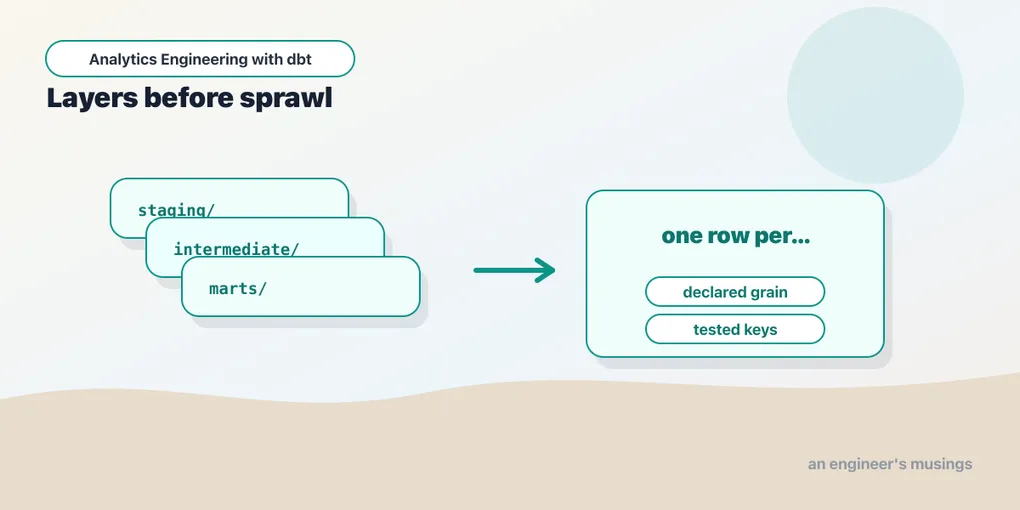
The easiest dbt project to understand is the one with three models. There is a raw orders table, a cleaned orders model, and a final report. Every dependency fits in your head, every file name is obvious, and every shortcut feels harmless.
That project does not last. A real analytics project grows sideways: customers, products, payments, inventory, support tickets, marketing spend, returns, subscriptions, currencies, tax rules, and the embarrassing CSV someone swears will be replaced next quarter. If you do not decide how the project is shaped, it decides for you. It becomes a folder of models with names that sound reasonable in isolation and impossible in aggregate.
This chapter is about the discipline that keeps the graph usable: layers, naming, grain, YAML placement, and the dbt_project.yml config that ties it all together. dbt Labs published this as an opinion — “How we structure our dbt projects” — and the reason it caught on is not that it is clever. It is that it is the same everywhere. A new contributor who has seen one well-structured dbt project can read yours without a tour. That predictability is the whole prize.
A note on the running example: the companion dbt-bookshop repo keeps deliberately flat names — stg_orders, int_order_payments, orders, customers — because it is eight models and every one fits on a screen. This chapter teaches the fuller convention you will want the moment a second source system shows up, and flags where the two diverge. The rules scale down cleanly; they do not scale up.
The three-layer habit
Most dbt projects settle into three layers:
models/
  staging/
  intermediate/
  marts/
That folder structure is not magic. dbt does not treat those directories specially unless you configure them. The value is social: everyone knows what kind of model they are looking at before they read the SQL.
Staging models are the boundary between raw source tables and the project. They rename, cast, lightly clean, and standardize. They do not join across entities. They do not express business logic. Their job is to turn a loader-shaped table into a project-shaped table.
Intermediate models hold reusable business logic that is too complex or too shared to live inside one final mart. They are the workbench. They can join, aggregate, deduplicate, and sequence events, but they are not usually the public contract for BI users.
Marts are the tables people are meant to query: facts, dimensions, reporting tables, semantic-layer inputs, and other named outputs. They should have a declared grain, tested keys, descriptions, and a stable enough shape that another team can build on them.
The mistake is treating these as size categories. A staging model can be 120 lines if the raw source is ugly. A mart can be 25 lines if the intermediate layer did the work. The layer is about responsibility, and the responsibility flows one direction: staging reads sources, intermediate reads staging (and other intermediate), marts read intermediate and staging. A mart that refs a source directly, or a staging model that refs a mart, is a smell — it means data is skipping a layer or looping back, and the DAG stops being a clean left-to-right story.
A worked bookshop tree
Here is the abstract shape made concrete. The bookshop is small — it loads customers, orders, and payments, cleans each in staging, rolls payments up to the order grain in one intermediate model, and exposes a handful of marts. Laid out in the three layers, its models/ directory looks like this:
models/
  staging/
    _staging.yml
    stg_customers.sql
    stg_orders.sql
    stg_payments.sql
  intermediate/
    int_order_payments.sql
  marts/
    _marts.yml
    orders.sql
    customers.sql
    order_events.sql
    orders_by_customer.sql
That is the whole project: three staging models that speak for the three raw tables, one intermediate model that pivots payments onto orders, and four marts. Each layer is a single flat folder because the project is small enough that a flat folder is the most readable thing it could be.
Two organizing principles take over the moment a project like this grows, and they are worth seeing now. Staging gets grouped by source system — one subfolder per loader, because staging’s whole job is to speak for one source. Add a second source and stg_payments.sql would move into a stripe/ subfolder and become stg_stripe__payments.sql. Marts get grouped by business domain — finance, marketing — because that is how the people who own those tables think about them, and because it gives you a natural unit to assign ownership, apply a default schema, or select in a build (dbt build --select marts.finance, covered in dbt build Is a Graph Command). Intermediate sits in between, grouped by the business concept it is untangling.
You do not need those folders on day one, and the bookshop does not have them. But the shape is worth internalizing early, because the cost of introducing it later — renaming files, rewriting refs, re-pointing YAML — is real, and it always lands at the worst time.
Staging is a contract with the outside world
The most useful staging naming pattern is:
stg_<source>__<entity>The double underscore is not decorative. It separates the system that produced the data from the entity you are modeling:
stg_shop__orders
stg_shop__customers
stg_stripe__payments
That pays off when two systems have an orders table. stg_orders is ambiguous. stg_shop__orders is not. The same __ convention shows up again in YAML file names (_shop__models.yml) for the same reason: the token before the underscores is the source or domain, the token after is the role of the file. A single-source project like the bookshop skips the prefix — its staging models are just stg_orders, stg_customers, stg_payments — and reaches for the fuller form only when a second loader arrives.
A staging model should usually do the same handful of things — here is the bookshop’s stg_orders:
with source as (
    select * from {{ source('shop', 'orders') }}
),

renamed as (
    select
        id as order_id,
        customer_id,
        cast(order_date as date) as order_date,
        status
    from source
)

select * from renamed
That model is not impressive. Good. Staging should be boring. Rename columns once. Normalize types once. Decode small source-system weirdness once. Then every downstream model gets to speak the project’s language.
This is also the one hard rule about renaming: staging is the only place raw column names get renamed. Once id becomes order_id in stg_orders, no downstream model should ever alias it back to id or forward some other spelling. The point of paying the renaming cost once, at the boundary, is that a name means the same thing in every model that follows. Renaming again downstream reintroduces exactly the ambiguity staging exists to kill — now order_id, id, and oid all describe the same column, and a reviewer has to trace the lineage to know that. Do the rename at the door, then leave it alone.
The things staging should usually avoid are more important:
- Do not join staging models to each other.
- Do not aggregate.
- Do not filter out valid business records just because a downstream report does not need them.
- Do not apply policy-heavy business definitions.
- Do not hide source-system grain changes.
If raw orders has one row per order, stg_shop__orders should still have one row per order. If a source table is really one row per order status change, do not name it stg_shop__orders; name it stg_shop__order_status_events and make the grain visible.
Every model has a grain
Grain is the answer to one question: what does one row mean?
If you cannot answer that for a model, the model is not ready to be trusted. A model named orders might mean one row per order, one row per payment against an order, one row per order per day, or one row per order status transition. All four can contain an order_id. Only one has order_id as a unique key.
Put the grain in the description:
models:
  - name: orders
    description: "One row per order placed at the bookshop."
    columns:
      - name: order_id
        data_tests:
          - unique
          - not_null
For marts, also make the grain visible in the name when the domain has multiple plausible grains:
fct_orders            -- one row per order
fct_order_events      -- one row per order status change
fct_orders_daily      -- one row per order per day
The suffix is not pedantry. It is a contract. fct_orders promises one row per order forever; if a future change makes it one row per order status change, that is a breaking change and the name should change with it. The suffix prevents silent fan-out bugs: joining a one-row-per-order model to a several-rows-per-order table like stg_payments on order_id is a classic way to double-count revenue while every column name looks reasonable. That is exactly the trap the bookshop’s int_order_payments model exists to defuse — it rolls payments up to one row per order before anything joins them. One model, one grain — if you find yourself wanting two grains in one model, that is two models. (The bookshop keeps its marts flat — orders, not fct_orders — so treat the prefixes here as the convention to grow into, not one this small project uses.)
Intermediate models name the work, not the destination
Intermediate models are where naming gets sloppy. A file called int_orders_joined.sql tells you almost nothing. Joined to what? At what grain? For whose benefit?
Prefer int_<verb> names that describe the transformation:
int_order_payments
int_payments_pivoted_to_orders
int_orders_with_fulfillment_milestones
int_customer_lifetime_rolled_up
Intermediate models are allowed to be ugly in a way marts are not. They can carry helper columns, window-function scaffolding, and event sequencing. The point is to isolate that complexity so final models read as business objects.
The bookshop has exactly one intermediate model, and it earns its place. Payments arrive several rows per order — a single order can be split across a credit card, a gift card, and a coupon — so before any mart can talk about an order’s total, someone has to roll those rows up. Rather than rebuild that CTE in every mart that needs it, the project gives it a name:
-- models/intermediate/int_order_payments.sql
with payments as (
    select * from {{ ref('stg_payments') }}
)

select
    order_id,
    sum(amount) as amount
from payments
group by 1
That model is not public, but it is a named piece of business logic, and it drops the payment grain from several-per-order to one-per-order. When the payment rules change, there is one place to look — and the orders mart gets to left join it and stay a simple, readable business object.
Marts are the public API
Marts deserve the most care because they are what other people build on. A good mart has:
- a stable name;
- a clear grain;
- primary-key tests;
- relationship tests to dimensions or source entities;
- column descriptions for fields people will use directly;
- units in the column names when money or measures are involved;
- a shape that reflects how the business asks questions.
Common prefixes are:
dim_    -- one row per descriptive business entity
fct_    -- one row per event, transaction, snapshot, or accumulating process
rpt_    -- reporting-specific table, usually less reusable
Use rpt_ sparingly. It is useful for a dashboard-specific table that intentionally bakes in presentation logic, but if every mart is rpt_, the project has no reusable semantic core. Most business-facing data should be dim_ and fct_.
The small bookshop repo drops these prefixes on purpose — its marts are just orders, customers, order_events, and orders_by_customer — because it will never have a naming collision and every model fits on a screen. That is a defensible choice for a project this size, and the honest trade is that fct_/dim_ is the convention you will reach for on anything larger, where a folder of two dozen marts needs an at-a-glance signal of what each row means. The moment you have both a dim_customers (one row per customer, descriptive) and an fct_customer_orders_daily (one row per customer per day, measured), the prefixes stop being decoration and become the fastest way to know which one to join.
YAML should be findable
dbt lets you put model properties in any .yml file under a configured model path. That flexibility is useful, and also how projects become scavenger hunts. Descriptions, column-level tests, and (optionally) config all live in these property files; the question is only which file.
Pick a convention. Two common ones work well. The first is one YAML per folder, named for the layer or domain it covers:
models/
  marts/
    orders.sql
    customers.sql
    order_events.sql
    orders_by_customer.sql
    _marts.yml
The second is one YAML per model:
models/
  marts/
    orders.sql
    orders.yml
    customers.sql
    customers.yml
The first keeps related models together in one file, which is pleasant when you are reasoning about a whole domain at once. The second makes ownership obvious and keeps diffs small when descriptions get long. Either is fine; the bookshop uses the first (_marts.yml, _staging.yml). The rule is that a reviewer should know where to find the tests and descriptions without searching the whole repo, and that the project does not mix both styles at random.
Sources get their own property file, grouped by source system and named with the _<source>__sources.yml convention:
# models/staging/_sources.yml
version: 2

sources:
  - name: shop
    schema: raw
    tables:
      - name: customers
      - name: orders
      - name: payments
Keeping _sources.yml next to the staging models that read from it means the freshness config, the source tables, and the staging models that consume them are all in one folder. Sources — and the bookshop’s own choice to load its raw tables as seeds rather than declare them as sources — are covered in full in Where Data Comes From: Sources and Seeds; the point here is only placement. The leading underscore on all these files is a local convention to sort them to the top of the folder, visually separate from model SQL. dbt does not care what they are named.
dbt_project.yml is the project’s control panel
The folder structure becomes operational once dbt_project.yml gives it defaults. This file is worth understanding key by key, because almost every project-wide decision lives here. Here is a fuller bookshop version than the short stub in the companion repo:
name: 'bookshop'
version: '1.0.0'
config-version: 2
profile: 'bookshop'

require-dbt-version: [">=1.11.0", "<2.0.0"]

model-paths: ["models"]
seed-paths: ["seeds"]
macro-paths: ["macros"]
test-paths: ["tests"]
snapshot-paths: ["snapshots"]
analysis-paths: ["analyses"]

target-path: "target"
clean-targets:
  - "target"
  - "dbt_packages"

vars:
  currency: "USD"
  order_completed_statuses: ['shipped', 'completed']

models:
  bookshop:
    +persist_docs:
      relation: true
      columns: true
    staging:
      +materialized: view
      +schema: staging
    intermediate:
      +materialized: ephemeral
    marts:
      +materialized: table
      +schema: marts
Read that top to bottom. The *-paths keys tell dbt where each kind of file lives — models, seeds, macros, tests, snapshots, and analyses (the last are .sql files dbt compiles but never runs, handy for ad-hoc queries). They rarely change, but they are why moving a folder can quietly break a project: if macro-paths does not include a directory, dbt never loads the macros in it. clean-targets lists the directories dbt clean deletes — the compiled target/ and installed dbt_packages/, never your source.
require-dbt-version is a guardrail: run this project on a dbt outside the range and it refuses to start rather than silently misbehaving. Pinning >=1.11.0, <2.0.0 documents the version this bookshop was built and verified against and stops a colleague’s dbt 1.9 from producing confusing errors.
vars defines project-wide values you can read in any model or macro with {{ var('currency') }}. They are the seam for values that differ by environment or that you would otherwise hard-code in ten places — the order_completed_statuses list, for instance, can drive a where clause in orders and a test threshold at the same time, defined once.
The models: block is where folders acquire behavior, and it works by a simple rule: config cascades down the folder tree, and the most specific setting wins. Everything under bookshop inherits +persist_docs. Everything under staging is a view; everything under marts is a table; intermediate is ephemeral, meaning it never lands as its own object but inlines as a CTE into whatever refs it. A model can then override its folder default from inside its own file, and that in-file config wins: the bookshop’s order_events mart declares {{ config(materialized='incremental') }} in its SQL, which beats the marts folder’s table default. Most-specific always wins, and a config on the model itself is as specific as it gets. On a larger project you would also narrow by subfolder — a marts.finance block adding tags or a group without disturbing marketing — but it is the same cascade.
The config keys worth knowing by name:
+materialized— how the model lands:view,table,ephemeral,incremental. The default-by-folder is the single highest-value config in the file.+schema— a custom schema suffix. By default,+schema: martsdoes not put models in a schema literally namedmarts; dbt appends it to your target schema, so targetanalyticsbecomesanalytics_marts. This concatenation is controlled by thegenerate_schema_namemacro, and teams frequently override it to get bare schema names — that override, and how schemas differ between dev and prod, belong to One dbt Project, Many Places to Run It.+tags— free-form labels for selection.+tags: ["nightly"]on a folder lets an orchestrator rundbt build --select tag:nightly. Tags accumulate down the tree, so a model inherits every tag set above it.+meta— arbitrary key/value metadata (+meta: {owner: "finance-team", pii: false}) that shows up in the docs site and themanifest.json, useful for ownership and governance tooling.+group— assigns models to a named group for access control; combined with modelaccessit lets you mark marts aspublicand intermediate models asprivateso nothing outside the group canrefthem. Groups and access are the governance chapter’s territory.+enabled— setfalseto exclude models from the project entirely without deleting the files, handy for retiring a subtree or gating a source that is not live yet.+persist_docs— pushes your YAMLdescriptions down into the warehouse as native table and column comments, so someone querying in a SQL client sees the same documentation as the dbt docs site.
You can also set +pre-hook/+post-hook here to run SQL around a model’s build — grants, vacuum, audit inserts — but hooks and the macros that populate them get their own treatment in SQL That Writes SQL: Jinja and Macros; mentioning them here is just to note that they, too, cascade by folder.
Do not overdo folder-driven config. A project where behavior is scattered across five levels of YAML is harder to debug than one with a few boring defaults and occasional in-file config() blocks. The goal is to make the common path obvious and the exceptions explicit.
The sibling directories
models/ gets the attention, but a mature project is a handful of top-level directories, each owned by one of the *-paths keys above. In the bookshop they earn their place:
bookshop/
  models/
  seeds/
  snapshots/
  macros/
  tests/
  analyses/
  dbt_project.yml
  packages.yml
seeds/ holds small, version-controlled CSVs that dbt loads as tables — the bookshop’s raw_customers.csv, raw_orders.csv, and raw_payments.csv live here and are the actual raw tables the staging models read. Seeds are for reference data you are comfortable editing in git (a currency table, a status-code lookup) as much as for the small demo tables here, not for loading real production fact tables. snapshots/ holds the SQL that captures slowly-changing history — the bookshop’s customers_snapshot tracks how a customer’s plan changes over time, and it gets its own build command. macros/ is your Jinja SQL functions and any hooks they back — the bookshop’s cents_to_dollars lives here. tests/ holds singular tests — one-off .sql assertions specific to this project, like the bookshop’s assert_no_negative_payments, that do not fit the generic column tests declared in YAML. analyses/ holds .sql that dbt will compile (so refs and macros resolve) but never execute against the warehouse — a good home for an ad-hoc revenue query you want under version control without turning it into a model.
The naming conventions inside these follow the same instincts as models/: a snapshot named customers_snapshot announces its subject, a macro named cents_to_dollars announces its job. Seeds, snapshots, and singular tests each get a full chapter later; the point here is that they are first-class parts of the project’s shape, configured by the same cascade — seeds: and snapshots: take their own blocks in dbt_project.yml right alongside models:.
Import CTEs at the top
A simple CTE convention keeps model SQL readable — here is the shape of the bookshop’s orders mart:
with orders as (
    select * from {{ ref('stg_orders') }}
),

order_payments as (
    select * from {{ ref('int_order_payments') }}
),

joined as (
    select
        orders.order_id,
        orders.customer_id,
        orders.order_date,
        orders.status,
        coalesce(order_payments.amount, 0) as amount
    from orders
    left join order_payments
        on orders.order_id = order_payments.order_id
)

select * from joined
The first CTEs import dependencies. Later CTEs transform. The final select exposes the result. This style is not required, but it makes reviews dramatically easier: dependencies are visible at the top, logic flows downward, and every CTE has a name.
Avoid CTE names like final2, x, or data. A CTE is a paragraph heading. Give it a job.
Final thoughts
Project structure is not bureaucracy. It is how you keep a transformation graph navigable after the honeymoon phase. Staging models make source data speak the project’s language and are the only place raw columns get renamed. Intermediate models give reusable logic a name. Marts become the public API, with grain and units baked into the name as a contract. YAML conventions keep tests findable. And dbt_project.yml turns all of it from a filing habit into enforced behavior, cascading a handful of boring defaults down the folder tree so contributors fall into the right pattern without being told. None of that makes the SQL more clever; it makes the project safer to change.
Comments