Taming XML Without Losing Your Weekend
Attributes, namespaces, repeated elements, mixed content, CDATA — and the single-versus-many array gotcha that eats an afternoon if you don't know it.
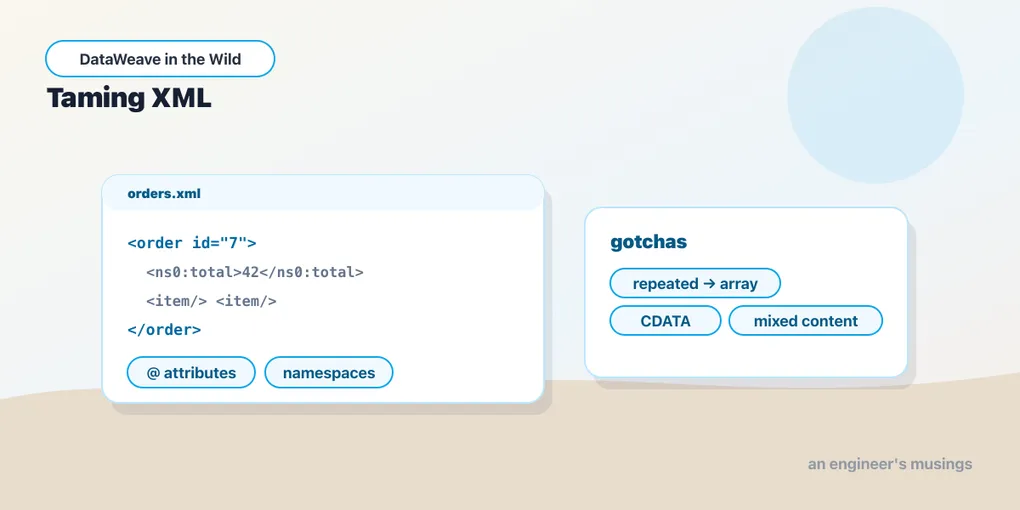
JSON maps onto DataWeave’s data model almost perfectly — objects, arrays, values, done. XML doesn’t, and that mismatch is where most people’s DataWeave grief actually lives. XML has attributes, which the model has no direct slot for. It has namespaces. It has elements that repeat, or don’t, depending on the day’s data. It has text mixed in among child elements. None of that survives a naive round-trip unless you know how the XML reader represents it.
So this post is the translation table. Learn it once and XML stops being the format you dread.
Attributes versus elements
Take a scrap of an order feed:
<order id="4021" channel="web">
  <total currency="USD">129.50</total>
</order>
id and channel are attributes; total is an element that happens to also carry a currency attribute and text content. The reader keeps attributes and child elements in separate namespaces of a sort — attributes hang off a special @ key on the object, and you reach them with the attribute selector:
%dw 2.0
output application/json
---
{
  orderId: payload.order.@id,
  channel: payload.order.@channel,
  amount: payload.order.total,
  currency: payload.order.total.@currency
}
{
"orderId": "4021",
"channel": "web",
"amount": "129.50",
"currency": "USD"
}.@id selects one attribute by name; a bare .@ gives you the whole attribute object if you want to iterate it. Note that payload.order.total returns the element’s text, "129.50" — and it’s a String, because XML has no notion of a number. Everything that comes out of the XML reader is a string until you coerce it. That as Number you keep forgetting is not optional here.
Going the other way, you produce attributes by writing that same @ key:
%dw 2.0
output application/xml
---
{
  order @(id: 4021, status: "shipped"): {
    total @(currency: "USD"): 129.50
  }
}<?xml version="1.0" encoding="UTF-8"?>
<order id="4021" status="shipped">
<total currency="USD">129.50</total>
</order>The @( ... ) after a key is how you attach attributes to the element that key becomes. Everything else is the object-construction syntax you already know.
The single-versus-many gotcha
Here is the trap that eats afternoons. XML has no array type. When an element repeats, the reader represents it by putting the key in the object multiple times — the duplicate-key situation from the last post, now load-bearing:
<order>
  <item sku="SKU-1">Keyboard</item>
  <item sku="SKU-2">Mouse</item>
</order>
The reader gives you an object whose item key appears twice. If you write payload.order.item, the single-value selector returns just the first match — one item, silently — because .item means “the item key,” and it resolves to the first one it finds. Your transform runs, produces output, and quietly drops every line except the first. No error. That’s the worst kind of bug.
The fix is the multi-value selector .*, which collects all matching children into an array:
%dw 2.0
output application/json
---
{
  items: payload.order.*item map {
    sku: $.@sku,
    name: $
  }
}
{
"items": [
{ "sku": "SKU-1", "name": "Keyboard" },
{ "sku": "SKU-2", "name": "Mouse" }
]
}.*item always returns an array — of two items here, of one item if the feed happened to carry a single <item>, of zero if none. That last part is why .* isn’t just “the fix for repeated elements,” it’s the safe default whenever an element can repeat. A feed that usually has many items but occasionally has one will pass your tests with .item and break in production the day a single-item order arrives. Reach for .* whenever the schema permits repetition, and reach for map right after it, and this class of bug never visits you.
Namespaces
Real XML — SOAP, industry schemas, anything from an enterprise — comes wrapped in namespaces. They look like prefixes on element names and they are not decoration; a namespaced element and an un-namespaced one with the same local name are different elements, and a selector that ignores the namespace won’t match.
<ord:order xmlns:ord="http://acme.com/orders">
  <ord:total>129.50</ord:total>
</ord:order>
You declare a namespace in the DataWeave header with ns, binding a prefix of your choosing to the URI, then select through it:
%dw 2.0
ns ord http://acme.com/orders
output application/json
---
{
  total: payload.ord#order.ord#total
}
The prefix in your script (ord) is yours — what matters is that its URI matches the document’s. The document could use ns0 or x or nothing but a default namespace; as long as your declared URI is the same, ord#total matches. That decoupling trips people up: you’re binding to the URI, not to the letters the source file chose.
Producing namespaced XML is the mirror. Declare the namespaces, and either let the writer emit the declarations or steer them with the namespaces writer property:
%dw 2.0
ns ord http://acme.com/orders
output application/xml
---
{
  ord#order: {
    ord#total: 129.50
  }
}<?xml version="1.0" encoding="UTF-8"?>
<ord:order xmlns:ord="http://acme.com/orders">
<ord:total>129.50</ord:total>
</ord:order>Mixed content and CDATA
Sometimes an element holds both text and child elements at once — mixed content, the thing HTML-in-XML loves:
<note>Ship to <name>Dana</name> before Friday.</note>The reader represents this by keeping the text runs and the child elements together in order under the element, with the loose text on special keys. It’s rarely what you want to reshape field-by-field; if you only need the child, select it directly (payload.note.name). Mixed content is worth recognizing mostly so it doesn’t surprise you — if a transform over “just text” elements suddenly grows extra keys, mixed content is why.
CDATA is text the source wrapped to protect markup or special characters:
<description><![CDATA[ 10" laptop stand & cable <clip> ]]></description>On the read side CDATA is transparent — payload.description gives you the inner string, angle brackets and ampersands intact, no unescaping to do. On the write side, if you need to emit CDATA (say the receiving system demands it around a blob of markup), the XML writer offers a cdata type coercion so you can mark a value for CDATA wrapping rather than normal escaping. Most of the time you want the writer’s default escaping and can forget CDATA exists.
Writer properties worth knowing
The XML writer has a few dials you’ll actually reach for:
writeDeclaration— setfalseto suppress the<?xml ... ?>prolog, for when you’re embedding a fragment inside a larger document.encoding— the declared and actual character encoding,"UTF-8"unless a legacy consumer forces otherwise.indent— pretty-print on by default;indent=falsefor compact wire output, same as JSON.
%dw 2.0
output application/xml writeDeclaration=false, indent=false
---
payload
A worked feed
Pulling it together — a namespaced feed with repeated line items and attributes, normalized to clean JSON:
<ord:order xmlns:ord="http://acme.com/orders" id="4021">
  <ord:customer>Dana Lopez</ord:customer>
  <ord:item sku="SKU-1" qty="2">Keyboard</ord:item>
  <ord:item sku="SKU-2" qty="1">Mouse</ord:item>
</ord:order>
%dw 2.0
ns ord http://acme.com/orders
output application/json
---
{
orderId: payload.ord#order.@id,
customer: payload.ord#order.ord#customer,
lines: payload.ord#order.*ord#item map {
sku: $.@sku,
qty: $.@qty as Number,
name: $
}
}{
"orderId": "4021",
"customer": "Dana Lopez",
"lines": [
{ "sku": "SKU-1", "qty": 2, "name": "Keyboard" },
{ "sku": "SKU-2", "qty": 1, "name": "Mouse" }
]
}Every XML wrinkle is in there: an attribute on the root (.@id), namespace prefixes bound to a URI (ord#), the multi-value selector that survives a single-item feed (.*ord#item), and the explicit as Number that undoes XML’s string-everything default.
Final thoughts
XML feels hostile in DataWeave right up until you internalize four facts: attributes live on @, text comes out as strings you must coerce, repeated elements need .* or they collapse to the first, and namespaces bind to a URI rather than a prefix. None of that is hard — it’s just non-obvious, and every one of them fails silently when you get it wrong, which is why XML has DataWeave’s worst reputation and doesn’t deserve it.
Next up is the format everyone underestimates: delimited and positional files, where the data has no self-describing structure at all and the reader properties do all the work.
Comments