CSV, Fixed-Width, and the Files That Refuse to Die
Delimited and positional data in DataWeave — CSV reader/writer properties, schema-driven fixed-width parsing, and a nod to Excel and multipart.
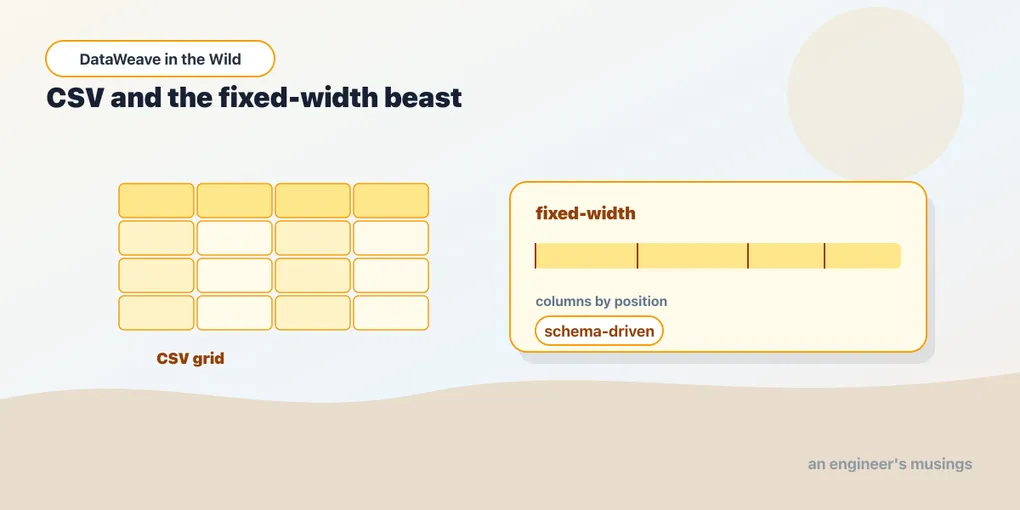
JSON and XML at least announce their own structure. The formats in this post don’t. A CSV file is a wall of commas that only becomes rows-and-columns because you told the reader it was. A fixed-width file is worse — no delimiters at all, just characters at agreed positions, meaningful only against a schema someone wrote down in a document you’ll have to go find. These are the formats that come off SFTP servers and out of banks and payroll systems, and they are not going anywhere. DataWeave handles them with the same data model as everything else; the whole game is feeding the reader the right properties.
CSV reads as an array of objects
Point the CSV reader at a file with a header row and you get the shape you’d hope for — an array of objects, each object keyed by the column names:
sku,name,qty,price
SKU-1,Keyboard,2,49.99
SKU-2,Mouse,1,19.50
%dw 2.0
output application/json
---
payload map {
sku: $.sku,
name: $.name,
qty: $.qty as Number,
lineTotal: ($.qty as Number) * ($.price as Number)
}[
{ "sku": "SKU-1", "name": "Keyboard", "qty": 2, "lineTotal": 99.98 },
{ "sku": "SKU-2", "name": "Mouse", "qty": 1, "lineTotal": 19.5 }
]payload is already an array — no reader ceremony in the body — so you map straight over the rows. And once again every field arrives as a String, because CSV, like XML, has no types. The as Number coercions are load-bearing; skip them and $.qty * $.price does string arithmetic or fails outright.
CSV reader and writer properties
The defaults assume a comma-separated file with a header row and double-quote quoting. Real CSV is rarely that polite, and the reader/writer properties from the first post are how you cope. The important ones:
header—trueby default. Setheader=falsewhen the file has no header row, and the reader keys each object positionally by column index (column_0,column_1, …) instead of by name.separator— the field delimiter,","by default. Setseparator=";"for the European-style semicolon files, orseparator="\t"for tab-separated data masquerading under a.csvextension.quoteValues— on the writer, force every field to be quoted rather than only the ones that need it.escapeandquote— the escape character and the quote character, for when a supplier’s export uses backslashes or single quotes instead of the doubled-double-quote convention.
They ride on the format the same way JSON’s did — reader properties on the input, writer properties on the output:
%dw 2.0
output application/csv separator=";", quoteValues=true, header=true
---
payload map {
  SKU: $.sku,
  Quantity: $.qty
}
"SKU";"Quantity"
"SKU-1";"2"
"SKU-2";"1"The header row on the way out is simply the keys of your output objects — so you name your columns by naming your keys. Writing CSV is really writing an array of objects with identical, deliberately-named keys and letting the writer flatten them into rows. If your objects have mismatched keys, the output columns get ragged fast; keep the shape uniform.
Fixed-width: the schema does the parsing
Fixed-width files — application/flatfile — have no delimiter to lean on. Every field is defined by its position and length: customer ID is characters 1–10, name is 11–40, amount is 41–52, padded with spaces. You cannot parse that by guessing. You parse it against a schema that spells out each field’s position, and the reader uses the schema to slice each line into named values.
4021      Dana Lopez                    000000012950
4022      Sam Okafor                   000000004999
The schema lives in a separate flat-file schema file (a .ffd or equivalent, in the fixed-width schema format) and describes the record: field names, their offsets, their widths, padding, and record type. You reference that schema as a reader property so the reader knows how to cut the line:
%dw 2.0
output application/json
---
payload map {
  orderId: $.customerId,
  name: trim($.name),
  amountCents: $.amount as Number
}
Once the schema-driven reader has run, the body is unremarkable — payload is an array of objects keyed by the field names from the schema, and you reshape them like any other records. The magic is entirely in the schema; the transform never mentions a position. That separation is the point of the flat-file format: the positional layout is data, described declaratively, not logic you hand-slice with substring. (You can brute-force a fixed-width line by reading it as plain text and cutting it with the substring/Strings helpers, but you lose the schema’s self-documentation and the reader’s multi-record-type handling — reach for it only for a one-off.)
Two things bite people here. First, padding: numeric fields are usually zero-padded and text fields space-padded, so trim and a deliberate as Number are routine on the way out. Second, multiple record types in one file — a header record, detail records, a trailer — which the schema distinguishes by a tag in a fixed position. That’s exactly what the flat-file schema format exists to express, and it’s why you define the schema rather than parsing by hand.
Excel and multipart, briefly
Two more formats you’ll bump into, worth a paragraph each rather than a section.
Excel — application/xlsx — reads a spreadsheet much the way CSV reads a delimited file: a sheet becomes an array of objects keyed by the header row, and you can select the sheet by name with a reader property. It’s the friendliest of the “someone in finance sent this” formats, because the shape lands as tidy records with almost no fuss. Coercion still applies — a cell that looks like a number may still arrive as text depending on how the sheet was authored, so don’t assume types.
Multipart — multipart/form-data — is how file uploads and multi-part HTTP bodies arrive. DataWeave models it as a collection of parts, each with its own headers and its own body, and each part’s body is itself in some format you then read. So a CSV file uploaded through a multipart form is a two-step peel: reach into the part, then read its content as application/csv. You’re composing readers — the outer multipart reader hands you parts, and you apply the right inner reader to the part you want.
A worked upload
The everyday version of all this: a supplier uploads a semicolon-separated product file with a header, and you normalize it into clean records with real numbers and trimmed strings.
sku ;name         ;qty;unit_price
SKU-1 ;Keyboard    ;2  ;49.99
SKU-2 ;Mouse       ;1  ;19.50
%dw 2.0
output application/json
---
payload map (row) -> {
sku: trim(row.sku),
name: trim(row.name),
qty: trim(row.qty) as Number,
unitPrice: trim(row."unit_price") as Number
}[
{ "sku": "SKU-1", "name": "Keyboard", "qty": 2, "unitPrice": 49.99 },
{ "sku": "SKU-2", "name": "Mouse", "qty": 1, "unitPrice": 19.5 }
]Read with separator=";", and everything downstream is ordinary DataWeave. The trim handles the ragged padding a hand-typed export always carries, and the quoted key row."unit_price" handles a column name that isn’t a valid bare identifier — a small thing that trips people the first time a header has an underscore or a space.
Final thoughts
Delimited and positional files feel primitive next to JSON, and they are — but that primitiveness is exactly why DataWeave’s model shines on them. You don’t write a parser. You describe the file’s shape with reader properties (or, for fixed-width, a schema), and from there it’s the same array-of-objects you’d reshape from any source. The unglamorous formats get the same map/filter/reduce you’d use on a REST payload, which is the quiet promise the reader/writer model has been making since the first post.
Everything so far has been about structure. Next we tackle the other perennial source of integration pain — time. Dates that won’t parse, offsets confused with zones, periods and arithmetic — the stuff that’s wrong in every feed you’ll ever receive.
Comments