Reaching Into Your Data Without Getting Burned
Selectors are how DataWeave navigates the data model — keys, indexes, ranges, multi-value and descendant selectors, and the null-safe rules that trip up newcomers coming from other languages.
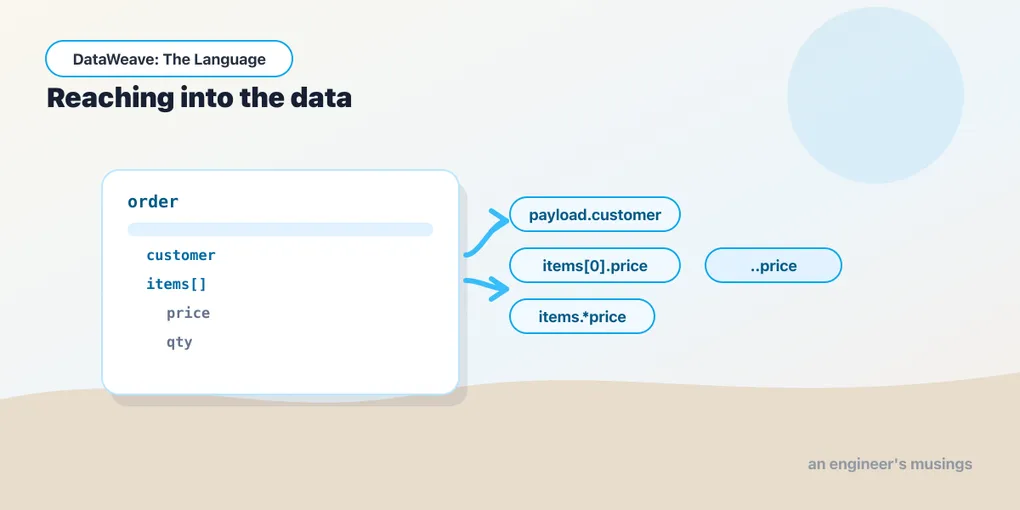
Once you accept that DataWeave is expressions over a data model, the very next question is practical: how do you pull a value out of that model? The answer is selectors — the little .key and [0] bits of syntax that reach into objects and arrays. They look like property access from any other language, and that surface familiarity is exactly what gets people burned, because a few of the rules are pointedly different.
We’ll work off one order shape for the whole post:
{
  "orderId": "SO-4471",
  "customer": { "email": "[email protected]", "tier": "gold" },
  "items": [
    { "sku": "KB-01", "price": 79.0, "qty": 1 },
    { "sku": "MS-02", "price": 29.5, "qty": 2 },
    { "sku": "CB-09", "price": 12.0, "qty": 4 }
  ]
}
Single-value selectors
The workhorse is the dot. payload.orderId returns "SO-4471". Dots chain, so payload.customer.email walks two levels down to "[email protected]". Nothing surprising yet.
When a key isn’t a bare identifier — it has a space, a hyphen, or you’re computing it — reach for the bracket form instead: payload["order-id"]. The two are interchangeable for plain keys; payload.customer and payload["customer"] do the same thing. Brackets also take an expression, so payload[keyName] selects whatever key keyName currently holds.
Arrays are indexed with brackets and a number, zero-based:
%dw 2.0
output application/json
---
{
  first: payload.items[0].sku,
  last:  payload.items[-1].sku
}
Negative indexes count from the end, so [-1] is the last element without your having to know the length:
{ "first": "KB-01", "last": "CB-09" }A range selector pulls a slice as a new array. payload.items[0 to 1] returns the first two item objects; payload.items[-2 to -1] returns the last two. The bounds are inclusive on both ends, which is worth committing to memory — 0 to 1 is two elements, not one.
The missing-key rule
Here’s the difference that matters most. In many languages, reaching for a key that doesn’t exist throws, or hands you undefined and then blows up when you keep chaining. DataWeave does neither. Selecting a missing key returns null — quietly, no error:
%dw 2.0
output application/json
---
payload.shippingAddress
There’s no shippingAddress in our order, so this is simply null. And because a missing selection is null rather than an exception, chaining off a missing key stays safe too — payload.shippingAddress.city is null, not a crash. That’s forgiving, and it’s usually what you want in an integration, where inputs are ragged. But it also means a typo’d key won’t announce itself — you’ll get null and a silently empty output field, so a surprise null is the first thing to suspect when a value goes missing.
Multi-value and descendant selectors
Single selectors return one value. Sometimes you want all the values under a repeated key, gathered into an array. That’s the multi-value selector, a .* before the key. It shines on objects that carry the same key more than once — which DataWeave objects are allowed to do, even though JSON’s syntax isn’t:
%dw 2.0
output application/json
---
{ discount: 5, discount: 10, discount: 15 }.*discount
.*discount gathers every value keyed discount into an array:
[5, 10, 15]That looks like a curiosity in hand-written JSON, but it’s the everyday case for XML, where repeated child elements are normal — a <discount> that appears three times becomes an object with three discount keys, and .*discount is how you collect them. We’ll lean on this hard in the Wild series.
The descendant selector .. goes deeper — it reaches through the entire subtree and grabs every price, no matter how nested:
%dw 2.0
output application/json
---
payload..price[79.0, 29.5, 12.0].. is a blunt, useful instrument when values you care about are scattered across an irregular structure. It ignores nesting depth entirely, which is exactly why you reach for it — and exactly why you should be sure you want everything it finds.
Attributes: a teaser for XML
JSON has no attributes, but DataWeave’s model does, because XML does. The attribute selector is .@. Given an XML order where the element carries currency="USD", payload.order.@currency reads that attribute, and a bare .@ returns all attributes as an object. We’ll live in XML properly in the Wild series; for now just note that attributes are a distinct axis from child elements, and @ is how you cross onto it.
Null-safe and assertion selectors
Because missing keys yield null, you often want to be explicit about what you expect. Two postfix operators help.
The null-safe selector ? turns a selection into a plain existence check, returning a Boolean:
%dw 2.0
output application/json
---
{
  hasEmail:   payload.customer.email?,
  hasPhone:   payload.customer.phone?
}
{ "hasEmail": true, "hasPhone": false }The assertion selector ! is the opposite stance. Where ? tolerates absence, ! demands presence — payload.customer.email! returns the value if the key is there and raises an error if it isn’t. Use it when a missing key is genuinely a broken input you’d rather fail loudly on than let slip through as null.
Chaining, and selecting after filtering
Selectors compose left to right, and they compose with the rest of the language. A selector can follow a function call, so you can filter an array and then index into the result:
%dw 2.0
output application/json
---
(payload.items filter ($.qty > 1))[0].sku
filter keeps only items with qty > 1 (we give it a full post later), the parentheses close off that array, and [0].sku selects into it — "MS-02". The takeaway is that selectors aren’t a special up-front syntax; they’re expressions like everything else, and they slot in wherever a value appears.
Final thoughts
Selectors are ninety percent intuitive and ten percent quietly different, and the ten percent is where the hours go. Internalize three rules and you’re past it: a missing key is null, never an error; .* and .. return arrays, not single values; and ?/! let you say out loud whether absence is fine or fatal. With navigation handled, the next question is what these values actually are — which means the type system.
Next: The Type System — one number type, coercion with as, and types you define yourself.
Comments