One Number to Rule Them, and Other Type-System Truths
DataWeave has a real type system — a clean hierarchy, coercion with `as`, format schemas that parse and print dates and numbers, and custom, union, and literal types you define yourself.
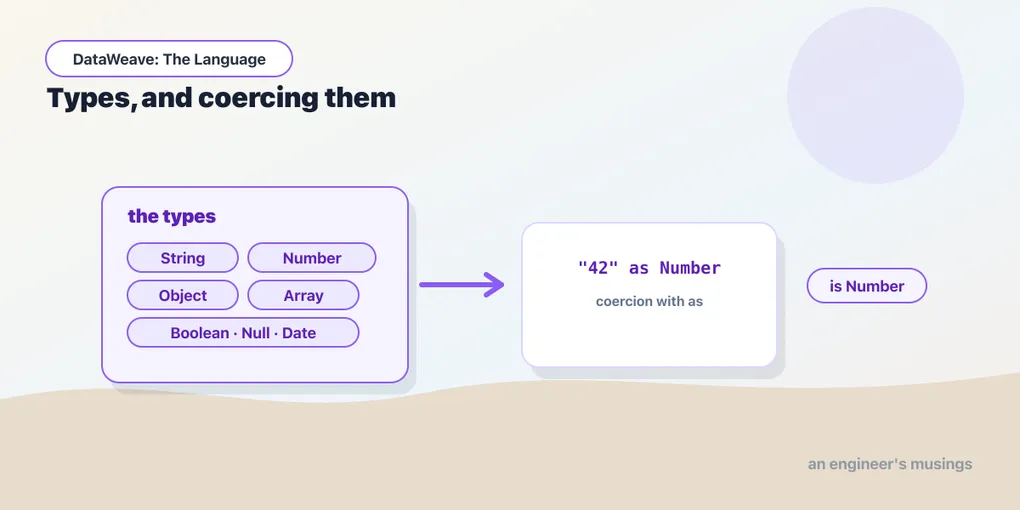
It’s easy to treat DataWeave as untyped. You paste JSON in, you get JSON out, and types feel like something the input format worried about. But there’s a real type system underneath, and the moment you need to turn a string into a number, print a date a particular way, or guarantee a function gets what it expects, that system is the thing doing the work. Understanding it turns a category of runtime surprises into things you can state up front.
The type hierarchy
Every value in the data model has a type, and the types form a tree rooted at Any — the supertype of everything. Below it sit the ones you’ll name daily:
String— text.Number— all numbers. Just the one; more on this shortly.Boolean—true/false.Object— key–value collections.Array— ordered sequences.Null— the type ofnull.- The temporal family —
Date,DateTime,LocalDateTime,Time,LocalTime,TimeZone, andPeriod. Key— the type of an object key, which is why keys can carry attributes.
Because Any sits at the top, a value typed as Any can hold anything, and a function that accepts Any accepts everything. Most of the time you’ll want to be more specific than that — specificity is what lets the runtime catch a mismatch instead of quietly carrying a wrong value forward.
One Number, and why that’s a relief
There is no Int versus Float versus Double in DataWeave. There is Number, and it covers integers and decimals alike, at arbitrary precision. 79 and 79.0 and 29.5 are all the same type, and arithmetic across them doesn’t silently truncate the way integer division does in a lot of languages.
If you’ve ever watched price * qty / 3 come back as an integer because two of the operands happened to be whole numbers, you know why this is worth calling out. In DataWeave, 100 / 3 is 33.333333..., full stop, with no coercion dance and no casting to keep the fraction. One numeric type means one fewer class of bug; the only tax is occasionally formatting the output to a fixed number of decimals.
Coercion with as
You convert a value from one type to another with the as operator. It reads left to right: value as target type.
%dw 2.0
output application/json
---
{
  fromString: "42" as Number,
  toString:   42 as String,
  flag:       "true" as Boolean
}
{ "fromString": 42, "toString": "42", "flag": true }This is everyday work in integrations, where a CSV or an XML feed hands you numbers and dates as strings and you need them as their real types before you can compute. "79.0" as Number gives you something you can multiply; the raw string doesn’t.
Format schemas: parsing and printing
Coercion between text and the structured types often needs to know the format — how to read the string, or how to render the value. You attach that as a format schema in braces after the type.
Parsing a string into a Date means telling as the layout to expect:
%dw 2.0
output application/json
---
"2026-05-11" as Date {format: "yyyy-MM-dd"}
Printing goes the other way — coerce a temporal value as String with the layout you want out:
%dw 2.0
output application/json
---
{
  iso:      |2026-05-11| as String {format: "yyyy-MM-dd"},
  friendly: |2026-05-11| as String {format: "dd MMM yyyy"}
}
{ "iso": "2026-05-11", "friendly": "11 May 2026" }The |...| literal is DataWeave’s way of writing a date value directly. Number formatting works the same way — 1234.5 as String {format: "#,###.00"} yields "1,234.50" — so the one {format: ...} idea covers both parsing input and shaping output. We’ll go deep on the temporal patterns in the Wild series; the mechanism is this.
is, and when as fails
To check a type rather than convert it, use the is operator, which returns a Boolean:
%dw 2.0
output application/json
---
{
  a: payload.qty is Number,
  b: payload.sku is String
}
as is stricter than it looks — coercion that doesn’t make sense raises an error rather than guessing. "hello" as Number has no sensible answer, so it fails loudly. That’s the right behaviour: a failed coercion is almost always a signal that your assumption about the input was wrong, and you want to hear about it at the transform, not three steps downstream. When input is genuinely uncertain, guard with is first, or fall back with the default operator, which we cover alongside conditional logic.
Types you define
The system isn’t just the built-ins. You declare your own types in the header with the type keyword, and the simplest kind is an alias that gives a domain name to an existing type:
%dw 2.0
type Currency = String
type Sku      = String
---
That reads as documentation the compiler understands. Two more forms earn their keep. A union type, written with |, says a value may be one of several types — handy when a feed sends a field as either a string or a number:
type Price = String | NumberAnd a literal type narrows to specific values, so a status field can be constrained to exactly the strings you allow:
type Tier = "gold" | "silver" | "bronze"Tier is a union of three string literals, and anything else isn’t a Tier. This is how you encode a domain rule directly in the type instead of scattering if checks.
Types in function signatures
Where custom types pay off most is on functions, which get a full post next. You annotate parameters and return type, and the annotations both document intent and let the runtime enforce it:
%dw 2.0
type Sku = String

fun lineTotal(price: Number, qty: Number): Number =
  price * qty
---
{ total: lineTotal(29.5, 2) }
{ "total": 59 }Call lineTotal with a string where a Number is declared and you get a clear type error at the call, not a strange value later. On a transform with a dozen helpers, that up-front clarity is the difference between a script you can hand off and one only its author dares touch.
Final thoughts
DataWeave’s types are quiet until you need them, and then they’re exactly the tool for the job — one honest Number, an as operator that converts on request and fails when it can’t, format schemas that make dates and numbers behave, and custom types that let your domain vocabulary live in the code. Lean on them and a whole family of “why is this the wrong type” mysteries simply stops happening. Next we make functions first-class citizens — because in a functional language, that’s where the real leverage is.
Next: Functions and Lambdas — named functions, lambdas, and why functions are just values you can pass around.
Comments