DataWeave Is a Language, Not a Field-Dragging Widget
The mindset shift that makes DataWeave click — it's a functional expression language with a data model, not a drag-the-fields mapper. Meet the script anatomy and your first transform.
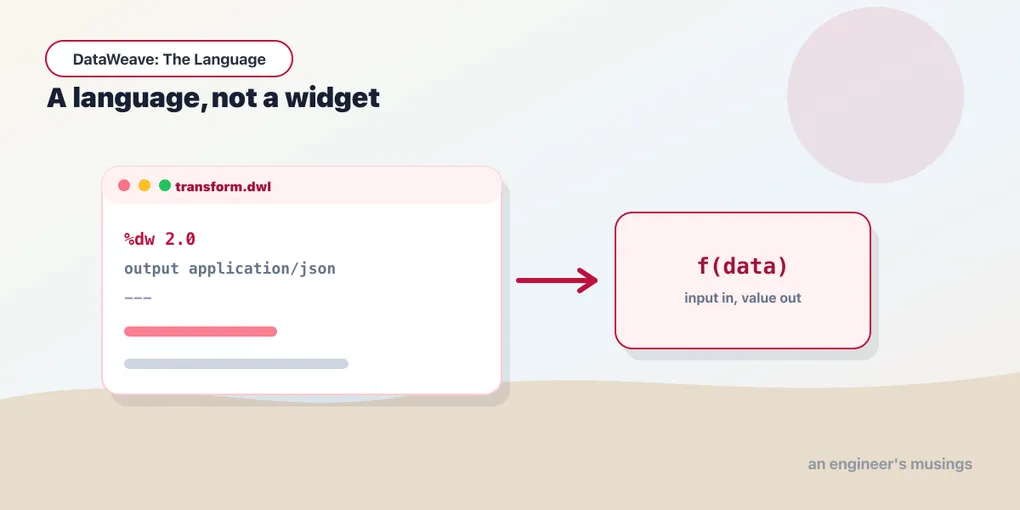
Most engineers meet DataWeave sideways. It shows up as a Transform Message box inside a MuleSoft flow, the canvas invites you to drag a field on the left onto one on the right, and the language underneath feels like an accident you keep tripping over. Selectors return null when you expected an error. A stray map swallows your object. You paste something from a forum, it works, and you have no idea why.
The fix isn’t more snippets. It’s a reframe: DataWeave is a functional programming language, and once you learn it as one, it stops fighting you. That’s what this series is about — the language on its own terms, not the mapping GUI wrapped around it.
Everything is an expression
Here is the single idea that unlocks the rest. In DataWeave there are no statements. There is no x = 5 line that mutates something and moves on. A DataWeave script is one expression that evaluates to one value — and every piece inside it is also an expression that evaluates to a value.
{ total: 42 } is an expression. payload.items is an expression. if (x > 0) "positive" else "non-positive" is an expression — the whole if/else, not just its branches. You compose these into bigger expressions the way you’d compose functions, and the outermost one is your output. Nothing is assigned, nothing is mutated, nothing happens “in order.”
That property has a name — referential transparency. An expression’s value depends only on its inputs, so the same inputs always produce the same output. There’s no hidden state to reason about and no execution order to trace. When a transform misbehaves, you can read it top to bottom and know exactly what it produces, because that’s all it can produce.
The data model: three worlds
DataWeave doesn’t really speak JSON, or XML, or CSV. It reads any of those into one internal data model, transforms that, then writes the model back out to whatever format you asked for. Learn the model and every format is the same shape underneath.
The model has three kinds of thing:
- Arrays — ordered sequences:
[1, 2, 3]. - Objects — collections of key–value pairs:
{ sku: "A-100", qty: 2 }. Keys can even repeat, which matters once XML shows up. - Simple values — the leaves:
String,Number,Boolean,Null, and the temporal types likeDateandDateTime.
An order coming in as JSON is an object with an array of item objects. The same order as XML is the same object with the same array. Your transform works against that structure and doesn’t care which door the data walked in through.
Script anatomy
Every DataWeave script has two parts split by a --- line. Above it is the header; below it is the body.
%dw 2.0
output application/json
---
{
  message: "Hello from DataWeave"
}
The header is directives. %dw 2.0 declares the language version — always the first line. output application/json tells the writer what format to produce. The header is also where named functions, variables, and imports live, which we’ll get to across the series.
The --- separates configuration from computation. Below it is the body: a single expression whose value becomes the output. Here that’s an object with one key, so the writer emits one line of JSON. The body is the whole point of the script; the header just sets the stage.
A first real transform
Enough hello-world. Here’s an order the way an upstream service might hand it to you:
{
  "orderId": "SO-4471",
  "customer": "[email protected]",
  "items": [
    { "sku": "KB-01", "price": 79.0, "qty": 1 },
    { "sku": "MS-02", "price": 29.5, "qty": 2 }
  ]
}
Say you want a slimmer summary — the id, the customer, and how many distinct line items there are:
%dw 2.0
output application/json
---
{
  id: payload.orderId,
  buyer: payload.customer,
  lineCount: sizeOf(payload.items)
}
payload is the input. payload.orderId is a selector reaching into it — the subject of the next post. sizeOf is a core function returning the array’s length. The body is one object expression, and its value is the output:
{
  "id": "SO-4471",
  "buyer": "[email protected]",
  "lineCount": 2
}
No fields dragged, no arrows on a canvas. You wrote the shape you wanted, and the values you wanted flow into it. That’s the whole model — describe the output as an expression over the input.
Where you run it
You don’t need a Mule flow to practise any of this, and for learning the language you shouldn’t use one — the runtime plumbing just gets in the way. Two places are better. The DataWeave Playground (developer.mulesoft.com/learn/dataweave) is a browser editor: paste input, write a script, see output live. The dw command-line tool runs scripts locally and is handy for quick checks:
dw 'output application/json --- { hi: "there" }'Both feed a payload in and print the body’s value out — exactly the loop you want while the language is still new.
What this series covers
Eight posts, each building on the last. Selectors and navigation next, then the type system, functions and lambdas, the map/filter/reduce core, reshaping data between arrays and objects, conditional logic and pattern matching, and finally composing it all into reusable modules. A second series, DataWeave in the Wild, then takes the language out to the messy real world — XML, CSV, dates, big payloads.
Throughout, we’ll stay in one domain: e-commerce orders, with customers and line items. Same shapes, growing transforms, so the ideas accumulate instead of resetting each post.
Final thoughts
The reason DataWeave feels slippery from inside the GUI is that the GUI hides the one thing worth understanding — that you’re writing expressions in a small, consistent functional language. Take the widget away and the language is genuinely pleasant: predictable, composable, and short. The rest of this series is just that language, one idea at a time.
Next: Selectors and Navigation — reaching into your data without getting burned by a missing key.
Comments