Work with Nested Collections
A report can preserve each order with its own lines, or flatten all the lines into one list.
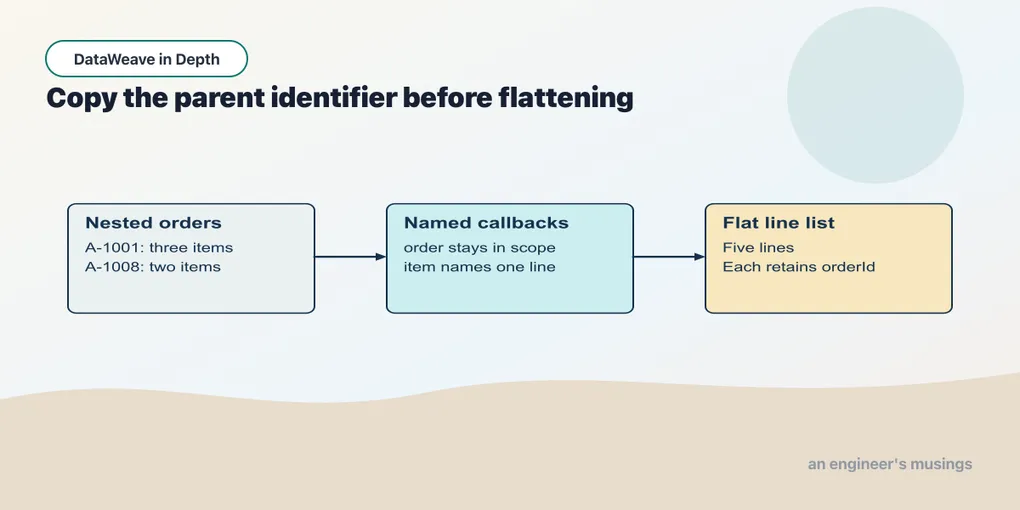
A report can preserve each order with its own lines, or flatten all the lines into one list. Start with the nested shape so that the parent-child relationship is visible before removing a level.
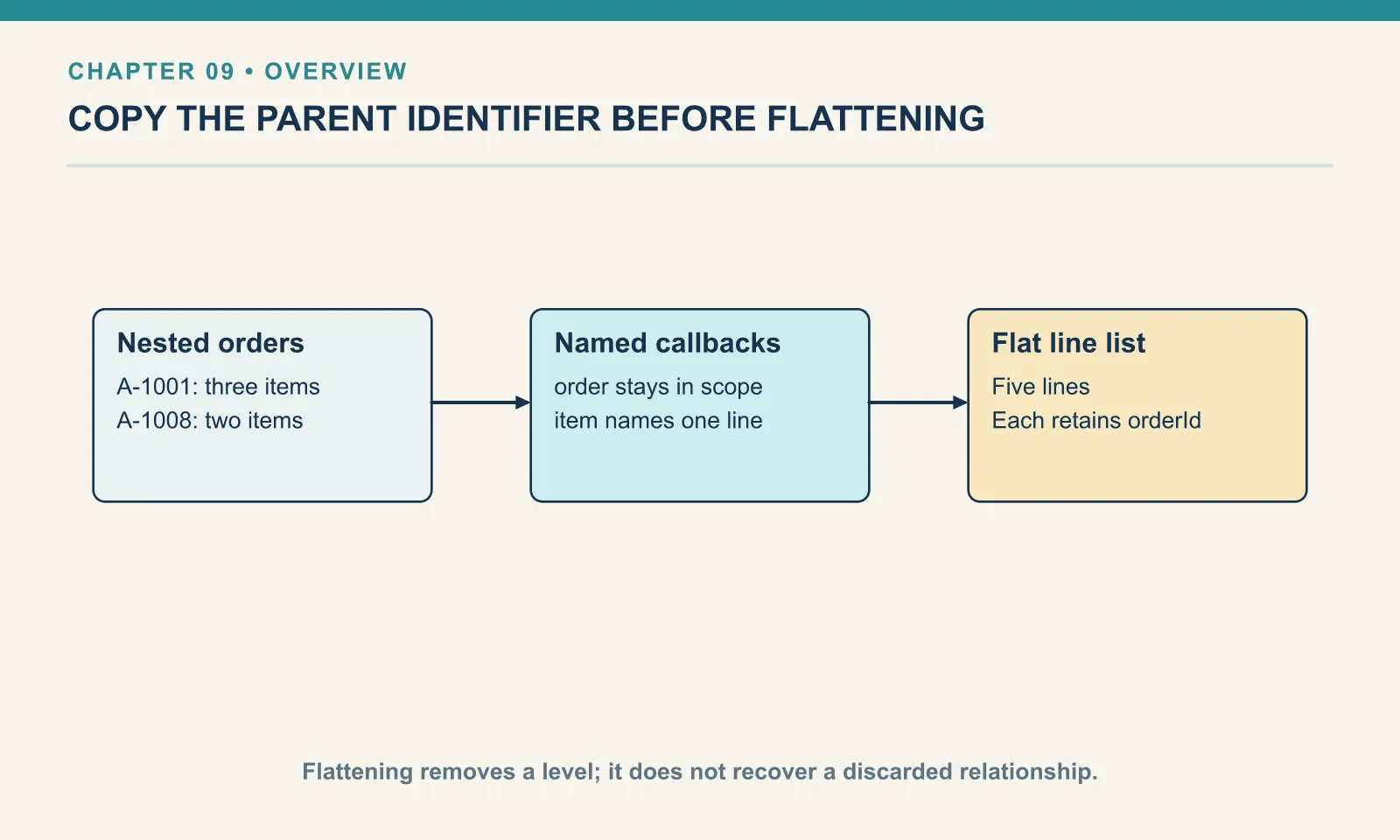
Example 57 — Keep orders and their lines nested.
Input payload — keep-orders-and-their-lines-nested-input.json:
[
  {
    "orderId": "A-1001",
    "customer": "Dana",
    "items": [
      {
        "sku": "PEN-01",
        "price": 2.5,
        "qty": 4
      },
      {
        "sku": "PAD-22",
        "price": 6.0,
        "qty": 2
      },
      {
        "sku": "CLP-08",
        "price": 1.0,
        "qty": 10
      }
    ]
  },
  {
    "orderId": "A-1008",
    "customer": "Femi",
    "items": [
      {
        "sku": "PEN-01",
        "price": 2.5,
        "qty": 1
      },
      {
        "sku": "INK-03",
        "price": 3.0,
        "qty": 3
      }
    ]
  }
]
%dw 2.0
output application/json
---
payload map (order) -> { orderId: order.orderId, lines: order.items map (item) -> { sku: item.sku, amount: item.price * item.qty } }Result:
[
  {
    "orderId": "A-1001",
    "lines": [
      {
        "sku": "PEN-01",
        "amount": 10
      },
      {
        "sku": "PAD-22",
        "amount": 12
      },
      {
        "sku": "CLP-08",
        "amount": 10
      }
    ]
  },
  {
    "orderId": "A-1008",
    "lines": [
      {
        "sku": "PEN-01",
        "amount": 2.5
      },
      {
        "sku": "INK-03",
        "amount": 9
      }
    ]
  }
]
The outer callback names one order; the inner callback names one item. Both names remain available inside the inner expression, so a line can carry its parent order identifier if needed. The result preserves two levels: an array of orders, each with an array of lines.
Nesting rebinds $, silently
Suppose you want each item’s quantity times one and two, computed by a second call nested inside the outer one. Inside the nested infix call, $ and $$ refer to that call’s arguments, and the outer element is no longer reachable by that name:
Example 58 — Inspect shorthand inside nested callbacks.
Input payload — order.json:
{
  "orderId": "A-1001",
  "customer": "Dana",
  "items": [
    { "sku": "PEN-01", "price": 2.5, "qty": 4 },
    { "sku": "PAD-22", "price": 6.0, "qty": 2 },
    { "sku": "CLP-08", "price": 1.0, "qty": 10 }
  ]
}
%dw 2.0
output application/json
---
payload.items map { sku: $.sku, multiples: [1, 2] map ($ * $$) }[
{
"sku": "PEN-01",
"multiples": [
0,
2
]
},
{
"sku": "PAD-22",
"multiples": [
0,
2
]
},
{
"sku": "CLP-08",
"multiples": [
0,
2
]
}
]Instead, every item got 1 * 0 and 2 * 1: the inner element times the inner index. The document remained well formed, so nothing complained. Name the outer parameter and the inner $ can coexist with it:
Example 59 — Name both nested callback parameters.
Use order.json as payload, as above.
%dw 2.0
output application/json
---
payload.items map (item) -> { sku: item.sku, multiples: [1, 2] map (item.qty * $) }
[
{
"sku": "PEN-01",
"multiples": [
4,
8
]
},
{
"sku": "PAD-22",
"multiples": [
2,
4
]
},
{
"sku": "CLP-08",
"multiples": [
10,
20
]
}
]I use $ for a one-line lambda with no lambda inside it. As soon as either condition breaks, I name the parameters. Chapter 13 adds a stricter rule for reduce, where $$ is the accumulator rather than the index and a swap gives a wrong answer with no error.
Flatten one level
When data nests an array inside an array, flatten pulls the inner arrays up by exactly one level:
Example 60 — Flatten one level at a time.
Input payload — lines.json:
[
  { "orderId": "A-1001", "sku": "PEN-01", "name": "Gel Pen",      "category": "writing", "price": 2.5, "qty": 4 },
  { "orderId": "A-1001", "sku": "PAD-22", "name": "Notepad A5",   "category": "paper",   "price": 6.0, "qty": 2 },
  { "orderId": "A-1001", "sku": "CLP-08", "name": "Binder Clips", "category": "desk",    "price": 1.0, "qty": 10 },
  { "orderId": "A-1008", "sku": "PEN-01", "name": "Gel Pen",      "category": "writing", "price": 2.5, "qty": 1 },
  { "orderId": "A-1008", "sku": "INK-03", "name": "Ink Refill",   "category": "writing", "price": 3.0, "qty": 3 }
]
%dw 2.0
output application/json
---
{
oneLevel: flatten([[1, 2], [3, 4], [5]]),
onlyOne: flatten([[1, [2]], [3]]),
notNested: flatten([1, 2, 3])
}{
"oneLevel": [
1,
2,
3,
4,
5
],
"onlyOne": [
1,
[
2
],
3
],
"notNested": [
1,
2,
3
]
}[2] in the second case stays an array, because it was two levels down. An already flat array passes through unchanged. More often, a map produces inner arrays that you immediately want flattened. flatMap combines that map and flatten in one call. For this script the payload switches to the two orders themselves, each with its own items:
Example 61 — Flatten mapped order lines.
Input payload — orders.json:
[
  { "orderId": "A-1001", "customer": "Dana",
    "items": [
      { "sku": "PEN-01", "price": 2.5, "qty": 4 },
      { "sku": "PAD-22", "price": 6.0, "qty": 2 },
      { "sku": "CLP-08", "price": 1.0, "qty": 10 }
    ] },
  { "orderId": "A-1008", "customer": "Femi",
    "items": [
      { "sku": "PEN-01", "price": 2.5, "qty": 1 },
      { "sku": "INK-03", "price": 3.0, "qty": 3 }
    ] }
]
%dw 2.0
output application/json
---
{
mapped: (payload map (order) -> order.items) map sizeOf($),
flat: payload flatMap (order) -> order.items map (item) -> { orderId: order.orderId, sku: item.sku },
same: flatten(payload map (order) -> order.items) == (payload flatMap (order) -> order.items)
}{
"mapped": [
3,
2
],
"flat": [
{
"orderId": "A-1001",
"sku": "PEN-01"
},
{
"orderId": "A-1001",
"sku": "PAD-22"
},
{
"orderId": "A-1001",
"sku": "CLP-08"
},
{
"orderId": "A-1008",
"sku": "PEN-01"
},
{
"orderId": "A-1008",
"sku": "INK-03"
}
],
"same": true
}map alone gives two inner arrays, of three and two items. flatMap gives the five line items. Because the lambda still has order in scope, each line can carry its order’s id down with it, and that is how this nested shape produced a flat list suitable for the sorting in chapter 8.
One key, three selectors, and what each returns
payload.items is an array of objects, and there are three ways to ask it for every sku:
Example 62 — Select SKUs three ways.
Input payload — order.json:
{
  "orderId": "A-1001",
  "customer": { "name": "Dana", "email": "[email protected]", "tier": "gold" },
  "shipping": { "method": "courier", "price": 4.0 },
  "items": [
    { "sku": "PEN-01", "price": 2.5, "qty": 4 },
    { "sku": "PAD-22", "price": 6.0, "qty": 2 },
    { "sku": "CLP-08", "price": 1.0, "qty": 10 }
  ]
}
%dw 2.0
output application/json
---
{
dot: payload.items.sku,
star: payload.items.*sku,
descend: payload..sku
}{
"dot": [
"PEN-01",
"PAD-22",
"CLP-08"
],
"star": [
"PEN-01",
"PAD-22",
"CLP-08"
],
"descend": [
"PEN-01",
"PAD-22",
"CLP-08"
]
}All three agree on this payload. Their selection rules differ, however, and a repeated key or an extra nesting level separates the results.
The dot on an array maps the selection over the elements. payload.items.sku is “for each item, select sku”, and the result is an array. You can use a projection when you only need one field from each item.
The multi-value selector .* gathers every value for a key, and its reason to exist is objects that carry the same key more than once. XML produces repeated keys whenever an element repeats:
Example 63 — Select repeated object keys.
Use order.json as payload, as above.
%dw 2.0
output application/json
---
{
  first: { discount: 5, discount: 10, discount: 15 }.discount,
  all: { discount: 5, discount: 10, discount: 15 }.*discount,
  absent: { discount: 5 }.*rebate
}
{
"first": 5,
"all": [
5,
10,
15
],
"absent": null
}On an object with a repeated key the plain dot returns the first match and stops. .* returns all three as an array. Chapter 19 will apply this distinction to repeated XML elements. On an array of objects .*sku behaves the same as .sku — it projects over the elements — which is why the three-way comparison above agreed. A .* on a key that appears nowhere is null, not an empty array, consistent with everything else in this chapter.
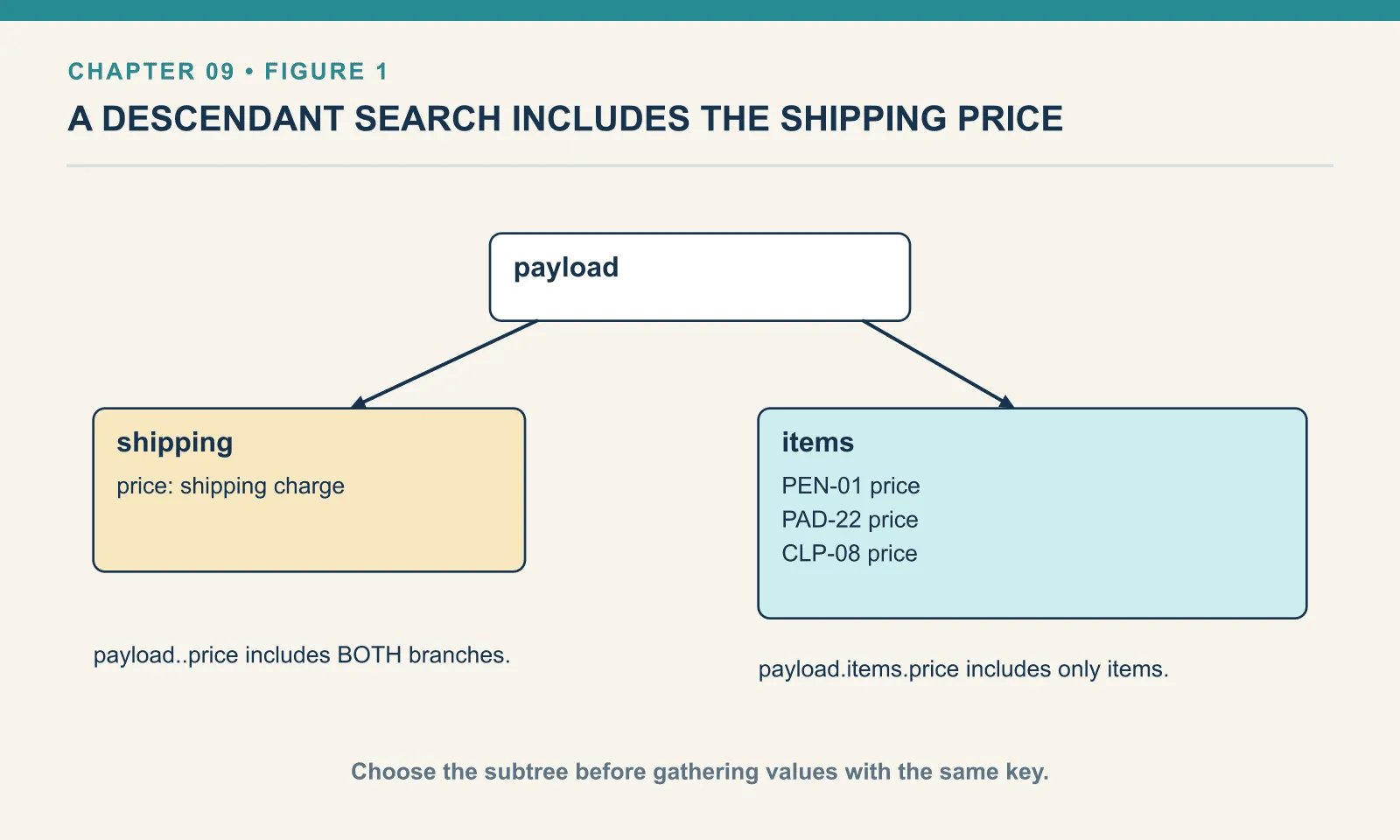
The descendant selector .. searches below the current point, at any depth, in document order. On these JSON objects each key appears once per parent. Repeated siblings need the ..* form, as chapter 20 demonstrates:
Example 64 — Limit the scope of a descendant search.
Use order.json as payload, as above.
%dw 2.0
output application/json
---
{
  prices: payload..price,
  itemPrices: payload.items..price,
  names: payload..name
}
{
"prices": [
4.0,
2.5,
6.0,
1.0
],
"itemPrices": [
2.5,
6.0,
1.0
],
"names": [
"Dana"
]
}payload..price found four prices. The shipping charge comes first because shipping precedes items in the document. The descendant selector treats shipping prices and line prices alike. It is the right tool when the values you want are scattered through an irregular structure and every one of them counts. It is the wrong tool for “the price of each item”, because it will happily fold in any other price a future version of the feed adds. Anchor it below the level you care about, as payload.items..price does, or use the dot.
There is one more difference between projecting over an array and reading a single object, and it concerns elements that lack the key:
Example 65 — Observe missing fields in a projection.
Use order.json as payload, as above.
%dw 2.0
output application/json
---
{
  withGaps: [ { sku: "PEN-01", note: "gift" }, { sku: "PAD-22" }, { sku: "CLP-08", note: null } ].note,
  starWithGaps: [ { sku: "PEN-01", note: "gift" }, { sku: "PAD-22" }, { sku: "CLP-08", note: null } ].*note,
  count: sizeOf([ { sku: "PEN-01", note: "gift" }, { sku: "PAD-22" } ].note)
}
{
"withGaps": [
"gift",
null
],
"starWithGaps": [
"gift",
null
],
"count": 1
}Three items, two results. The item with no note key contributed nothing, and the item whose note is explicitly null contributed a null. So a projected array is not guaranteed to line up with the array it came from: payload.items.note[1] is not necessarily the note of the second item. When you need position preserved, map (chapter 6) is the tool, because it produces exactly one output per input.
Exercises
Count items and gather descendants. Write a script that totals item qty using the dot and .*, then uses .. to gather every quantity into an array. Run it. Then change the payload so that the shipping block also has a qty and predict which of the three changes.
Show answer
Example 66 — Count quantities with three selectors.
Use order.json as payload, as above.
%dw 2.0
output application/json
---
{
  units: sum(payload.items.qty),
  starUnits: sum(payload.items.*qty),
  everyQty: payload..qty
}
{
"units": 16,
"starUnits": 16,
"everyQty": [
4,
2,
10
]
}Only everyQty would change, because payload..qty searches the whole document and the other two are anchored at payload.items. That is the argument for anchoring the descendant selector, or not using it where the dot will do.
Flattening changes the arrangement, not the meaning of a line. If the flattened report still needs the order identifier, copy it while the parent order is in scope. A later grouping cannot recover a relationship you discarded.
Comments