Sort, Select and Remove Duplicates
The report now contains lines from two orders.
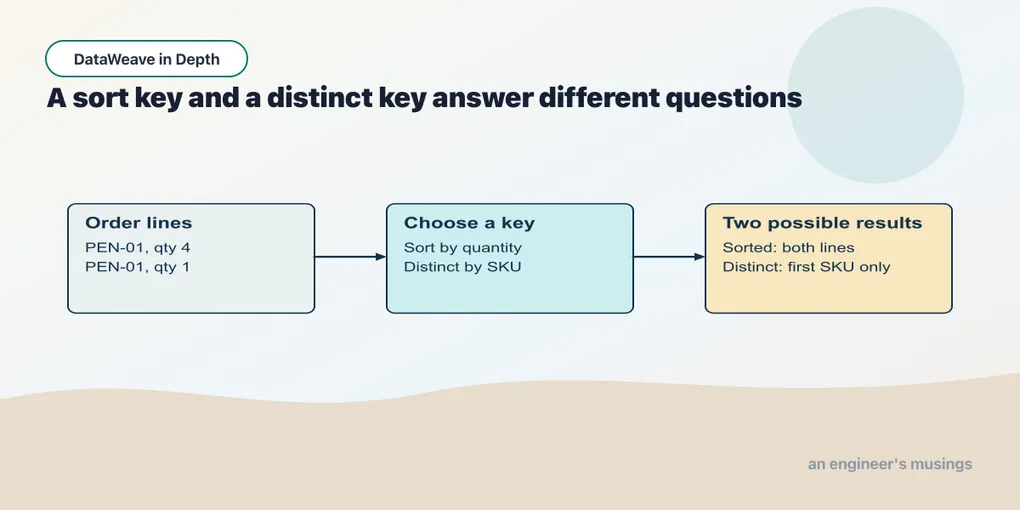
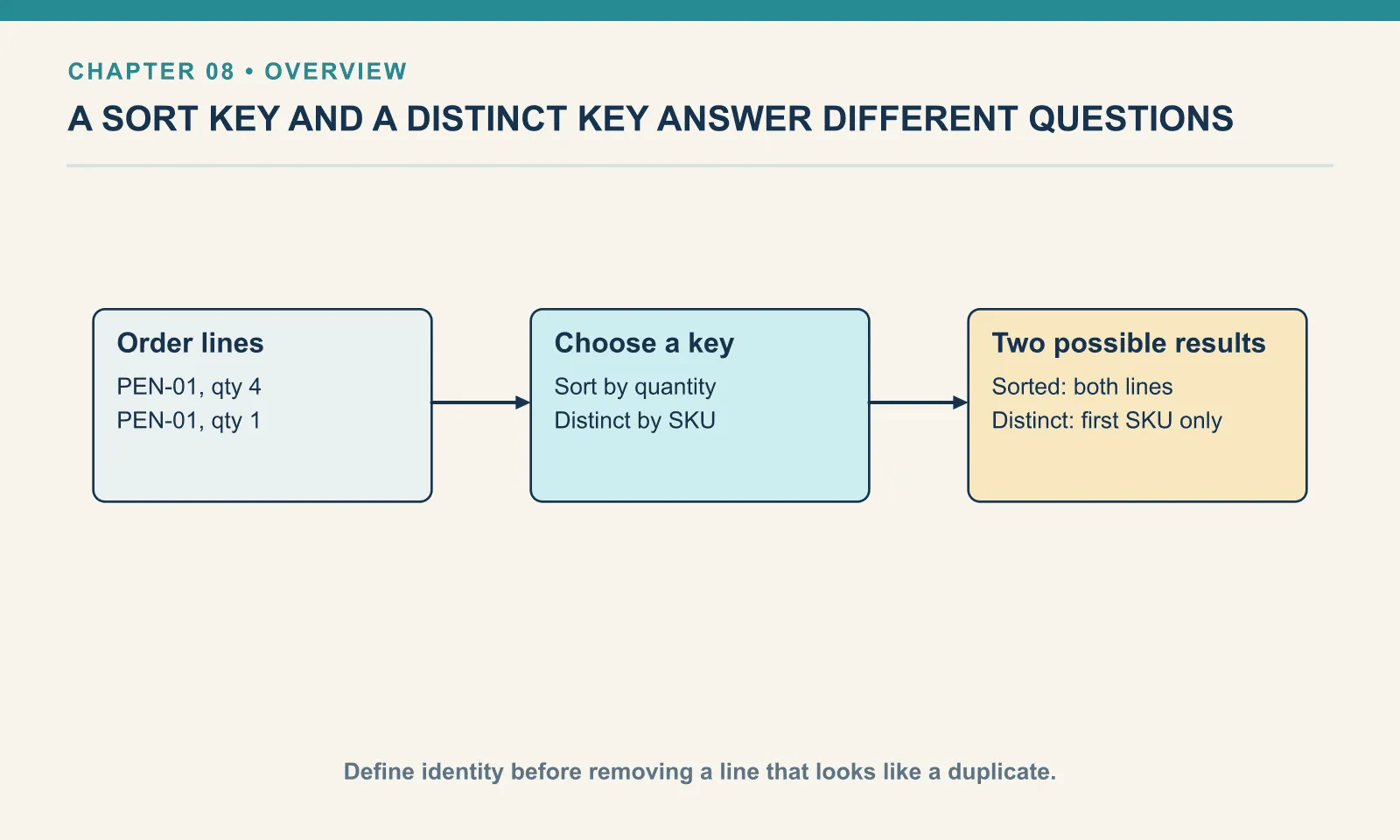
The report now contains lines from two orders. PEN-01 appears twice because both customers ordered pens. Before treating those lines as duplicate data, decide whether the report describes products, order lines or quantities sold.
Example 46 — Sort the line quantities.
Input payload — sort-the-line-quantities-input.json:
[
  {
    "orderId": "A-1001",
    "sku": "PEN-01",
    "name": "Gel Pen",
    "category": "writing",
    "price": 2.5,
    "qty": 4
  },
  {
    "orderId": "A-1001",
    "sku": "PAD-22",
    "name": "Notepad A5",
    "category": "paper",
    "price": 6.0,
    "qty": 2
  },
  {
    "orderId": "A-1001",
    "sku": "CLP-08",
    "name": "Binder Clips",
    "category": "desk",
    "price": 1.0,
    "qty": 10
  },
  {
    "orderId": "A-1008",
    "sku": "PEN-01",
    "name": "Gel Pen",
    "category": "writing",
    "price": 2.5,
    "qty": 1
  },
  {
    "orderId": "A-1008",
    "sku": "INK-03",
    "name": "Ink Refill",
    "category": "writing",
    "price": 3.0,
    "qty": 3
  }
]
%dw 2.0
output application/json
---
(payload orderBy (line) -> line.qty) map (line) -> { sku: line.sku, qty: line.qty }Result:
[
  {
    "sku": "PEN-01",
    "qty": 1
  },
  {
    "sku": "PAD-22",
    "qty": 2
  },
  {
    "sku": "INK-03",
    "qty": 3
  },
  {
    "sku": "PEN-01",
    "qty": 4
  },
  {
    "sku": "CLP-08",
    "qty": 10
  }
]
The callback supplies the key used to compare two lines. The result is an array of the original lines in ascending quantity order; the following map keeps just the fields needed to inspect that ordering.
The parentheses close the sort before the next map starts. Without that boundary, a named lambda can absorb a following infix operation into its own body. Keep this boundary visible whenever you chain calls.
distinctBy and orderBy
distinctBy removes duplicates, keeping the first occurrence. Whatever the lambda returns defines the identity. The identity can be a single field or a whole object:
Example 47 — Choose which fields define a duplicate.
Input payload — lines.json:
[
  { "orderId": "A-1001", "sku": "PEN-01", "name": "Gel Pen",      "category": "writing", "price": 2.5, "qty": 4 },
  { "orderId": "A-1001", "sku": "PAD-22", "name": "Notepad A5",   "category": "paper",   "price": 6.0, "qty": 2 },
  { "orderId": "A-1001", "sku": "CLP-08", "name": "Binder Clips", "category": "desk",    "price": 1.0, "qty": 10 },
  { "orderId": "A-1008", "sku": "PEN-01", "name": "Gel Pen",      "category": "writing", "price": 2.5, "qty": 1 },
  { "orderId": "A-1008", "sku": "INK-03", "name": "Ink Refill",   "category": "writing", "price": 3.0, "qty": 3 }
]
%dw 2.0
output application/json
---
{
bySku: (payload distinctBy (line) -> line.sku) map $.sku,
byLine: (payload distinctBy (line) -> { sku: line.sku, orderId: line.orderId }) map ($.orderId ++ "/" ++ $.sku)
}{
"bySku": [
"PEN-01",
"PAD-22",
"CLP-08",
"INK-03"
],
"byLine": [
"A-1001/PEN-01",
"A-1001/PAD-22",
"A-1001/CLP-08",
"A-1008/PEN-01",
"A-1008/INK-03"
]
}PEN-01 appears on both orders. By SKU it is one product; by SKU-and-order it is two lines, and the composite identity keeps both. orderBy sorts ascending by the lambda’s result — numbers or strings:
Example 48 — Sort by price and product name.
Use lines.json as payload, as above.
%dw 2.0
output application/json
---
{
  byPrice: (payload orderBy (line) -> line.price) map $.sku,
  byName:  (payload orderBy (line) -> line.name)  map $.name
}
{
"byPrice": [
"CLP-08",
"PEN-01",
"PEN-01",
"INK-03",
"PAD-22"
],
"byName": [
"Binder Clips",
"Gel Pen",
"Gel Pen",
"Ink Refill",
"Notepad A5"
]
}Ranges, and the bound that returns nothing
Before inspecting the slices, one selector shorthand will help: payload.items.sku collects sku from each object in the items array. Chapter 9 examines what happens when an element lacks the selected key.
A range selector takes a slice of an array as a new array. The bounds are inclusive at both ends, so [0 to 1] is two elements, not one. Negative bounds work, a range written backwards reverses the slice, and a range on a string slices its characters:
Example 49 — Select an array range.
Input payload — order.json:
{
  "orderId": "A-1001",
  "customer": { "name": "Dana", "email": "[email protected]", "tier": "gold" },
  "shipping": { "method": "courier", "price": 4.0 },
  "items": [
    { "sku": "PEN-01", "price": 2.5, "qty": 4 },
    { "sku": "PAD-22", "price": 6.0, "qty": 2 },
    { "sku": "CLP-08", "price": 1.0, "qty": 10 }
  ]
}
%dw 2.0
output application/json
---
{
firstTwo: payload.items[0 to 1].sku,
lastTwo: payload.items[-2 to -1].sku,
reversed: payload.items[-1 to 0].sku,
pastTheEnd: payload.items[1 to 10].sku,
outOfRange: payload.items[5],
stringSlice: payload.orderId[0 to 1]
}{
"firstTwo": [
"PEN-01",
"PAD-22"
],
"lastTwo": [
"PAD-22",
"CLP-08"
],
"reversed": [
"CLP-08",
"PAD-22",
"PEN-01"
],
"pastTheEnd": null,
"outOfRange": null,
"stringSlice": "A-"
}pastTheEnd shows that this range is not clipped to the available elements: [1 to 10] on three elements gives null, rather than the remaining two. The array has no element 10, so the range cannot be satisfied and the selection finds nothing. Both bounds must exist:
Example 50 — Check range boundaries.
Use order.json as payload, as above.
%dw 2.0
output application/json
---
{
  exact: payload.items[0 to 2].sku,
  oneTooFar: payload.items[0 to 3].sku,
  startInside: payload.items[2 to 5].sku,
  single: payload.items[1 to 1].sku
}
{
"exact": [
"PEN-01",
"PAD-22",
"CLP-08"
],
"oneTooFar": null,
"startInside": null,
"single": [
"PAD-22"
]
}[0 to 2] on three elements is the whole array; [0 to 3] is null. If you want “the first n or fewer”, a range is the wrong tool; take from dw::core::Arrays (introduced with the array helpers in chapter 13) clips instead. It needs import take from dw::core::Arrays in the header; without it the script stops with Unable to resolve reference of: take. With the import, (payload.items take 10).sku on this order is all three SKUs. A single out-of-range index, payload.items[5], is also null rather than an error, which is consistent with the missing-key rule and just as quiet.
Descending, and the string-key problem
There is no orderByDescending. For numbers the tidy trick is to negate the key:
Example 51 — Sort numbers in descending order.
Use lines.json as payload, as above.
%dw 2.0
output application/json
---
(payload orderBy (line) -> -line.price) map { sku: $.sku, price: $.price }
[
{
"sku": "PAD-22",
"price": 6.0
},
{
"sku": "INK-03",
"price": 3.0
},
{
"sku": "PEN-01",
"price": 2.5
},
{
"sku": "PEN-01",
"price": 2.5
},
{
"sku": "CLP-08",
"price": 1.0
}
]Negating the sort key works only when the key is numeric. A product name reaches unary minus as a string, and the argument list explains the rejection:
Example 52 — Try negating a string sort key.
Use lines.json as payload, as above.
%dw 2.0
output application/json
---
payload orderBy (line) -> -line.name
[ERROR] Error while executing the script:
[ERROR] You called the function '-' with these arguments:
1: String ("Notepad A5")
But it expects arguments of these types:
1: Number
4| payload orderBy (line) -> -line.name
^^^^^^^^^^
Trace:
at 052-orderby-desc-string-negate::orderBy (line: 4, column: 27)
at 052-orderby-desc-string-negate::main (line: 4, column: 9) at:
4| payload orderBy (line) -> -line.name
^^^^^^^^^^Reversing the sorted array would give descending order, but reverse is not a function in dw::Core:
Example 53 — Reverse a sorted string array.
Use lines.json as payload, as above.
%dw 2.0
output application/json
---
reverse(payload orderBy (line) -> line.name)
[ERROR] Error while executing the script:
[ERROR] Unable to resolve reference of: `reverse`.
4| reverse(payload orderBy (line) -> line.name)
^^^^^^^
Location:
053-orderby-desc-string-reverse (line: 4, column:1)The trick that works is the range selector we just used with the bounds reversed — [-1 to 0] reads the array from its last element to its first:
Example 54 — Reverse an array with a range.
Use lines.json as payload, as above.
%dw 2.0
output application/json
---
(payload orderBy (line) -> line.name)[-1 to 0] map $.name
[
"Notepad A5",
"Ink Refill",
"Gel Pen",
"Gel Pen",
"Binder Clips"
]Sort ascending, then read it backwards. The reversed bounds describe the traversal explicitly.
Two keys
orderBy takes one key, and the key cannot be an array:
Example 55 — Try sorting with an array key.
Use lines.json as payload, as above.
%dw 2.0
output application/json
---
payload orderBy (line) -> [line.category, -line.qty]
[ERROR] Error while executing the script:
[ERROR] You cannot compare a value of type :Array
4| payload orderBy (line) -> [line.category, -line.qty]
^^^^^^^^^^^^^^^^^^^^^^^^^^
Trace:
at 055-orderby-array-key::orderBy (line: 4, column: 27)
at 055-orderby-array-key::main (line: 4, column: 9) at:
4| payload orderBy (line) -> [line.category, -line.qty]
^^^^^^^^^^^^^^^^^^^^^^^^^^What you can do is sort twice, secondary key first, and let the second sort settle the primary order:
Example 56 — Sort by category and quantity.
Use lines.json as payload, as above.
%dw 2.0
output application/json
---
((payload orderBy (line) -> -line.qty) orderBy (line) -> line.category) map ($.category ++ ":" ++ $.qty)
[
"desk:10",
"paper:2",
"writing:4",
"writing:3",
"writing:1"
]Categories ascending, and within writing the quantities descending. This depends on the second sort keeping the relative order of items whose keys tie. It did on every run here, but I found no documented promise of it. If the secondary order matters in production, build a single string key that encodes both, and test it. Note also the parentheses around the first orderBy. Without them the script fails — the second sort belongs outside the first callback.
Exercises
The slice that vanished. Without running it first, predict the output of payload.items[1 to 5].sku and payload.items[1 to 2].sku on the three-item order. Then run both.
Show answer
[1 to 2] gives ["PAD-22", "CLP-08"]. [1 to 5] gives null, because element 5 does not exist and a range whose bound cannot be satisfied selects nothing. The example above (startInside: payload.items[2 to 5].sku) is the same case. A range is a request for exactly those positions, not for “up to” them.
A sort key establishes ordering; a distinct key establishes identity. They can use the same field, but they answer different questions. Keep that choice visible in both the example name and its expected result.
Next: Work with Nested Collections.
Comments