Select Lines and Calculate an Order Total
We can calculate an amount for every line.
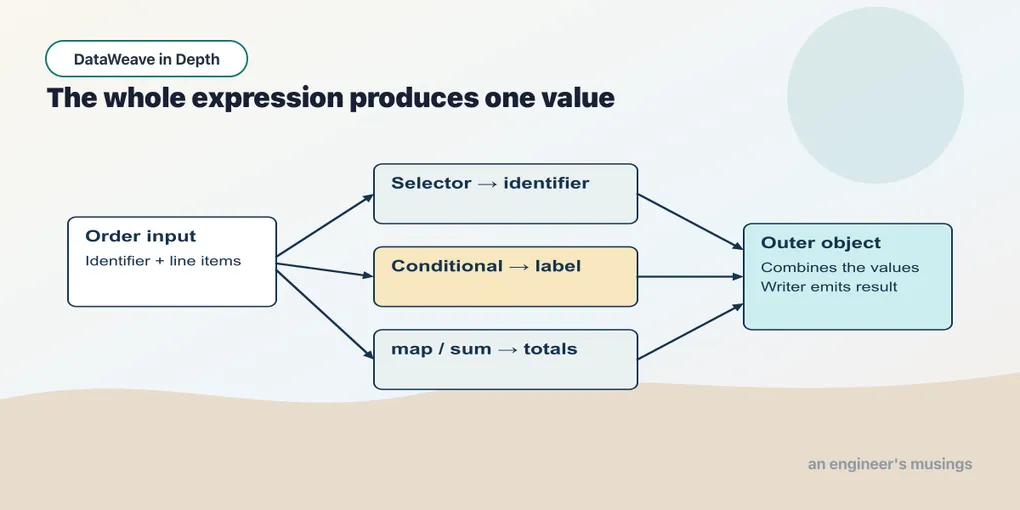
We can calculate an amount for every line. The next task is to select the lines a report needs and summarize their amounts. The order fixture now wraps the familiar item array with an identifier and customer name.
Example 40 — Keep the bulk lines.
Input payload — keep-the-bulk-lines-input.json:
{
  "orderId": "A-1001",
  "customer": "Dana",
  "items": [
    {
      "sku": "PEN-01",
      "price": 2.5,
      "qty": 4
    },
    {
      "sku": "PAD-22",
      "price": 6.0,
      "qty": 2
    },
    {
      "sku": "CLP-08",
      "price": 1.0,
      "qty": 10
    }
  ]
}
%dw 2.0
output application/json
---
payload.items filter (item) -> item.qty >= 4Result:
[
  {
    "sku": "PEN-01",
    "price": 2.5,
    "qty": 4
  },
  {
    "sku": "CLP-08",
    "price": 1,
    "qty": 10
  }
]
filter evaluates a Boolean condition for each item. It keeps the original elements for which the condition is true. The pens and clips qualify; the pads do not. Unlike map, it changes the membership rather than constructing a replacement for every item.
Example 41 — Count and total selected lines.
Use keep-the-bulk-lines-input.json as payload, as above.
%dw 2.0
output application/json
var bulk = payload.items filter (item) -> item.qty >= 4
var amounts = bulk map (item) -> item.price * item.qty
---
{ lineCount: sizeOf(bulk), amounts: amounts, total: sum(amounts) }
Result:
{
  "lineCount": 2,
  "amounts": [
    10,
    10
  ],
  "total": 20
}
bulk names the selected array. amounts maps its elements to numbers. sizeOf counts the selected elements, while sum adds the numbers in amounts. Keeping the intermediate array in the result makes the total easy to check: 10 plus 10 is 20.
These functions are available without an import. Later we will meet library functions that do need one. For now, notice that each function receives the shape its job requires: an array for the count, and an array of numbers for the sum.
Example 42 — Order totals.
Use keep-the-bulk-lines-input.json as payload, as above.
%dw 2.0
output application/json
var items = payload.items default []
var lineTotals = items map (item) -> item.price * item.qty
var subtotal = sum(lineTotals)
var delivery = if (subtotal == 0 or subtotal >= 100) 0 else 4.99
---
{
  orderId: payload.orderId,
  lineCount: sizeOf(items),
  lineTotals: lineTotals,
  subtotal: subtotal,
  delivery: delivery,
  grandTotal: subtotal + delivery
}
Result:
{
  "orderId": "A-1001",
  "lineCount": 3,
  "lineTotals": [
    10,
    12,
    10
  ],
  "subtotal": 32,
  "delivery": 4.99,
  "grandTotal": 36.99
}
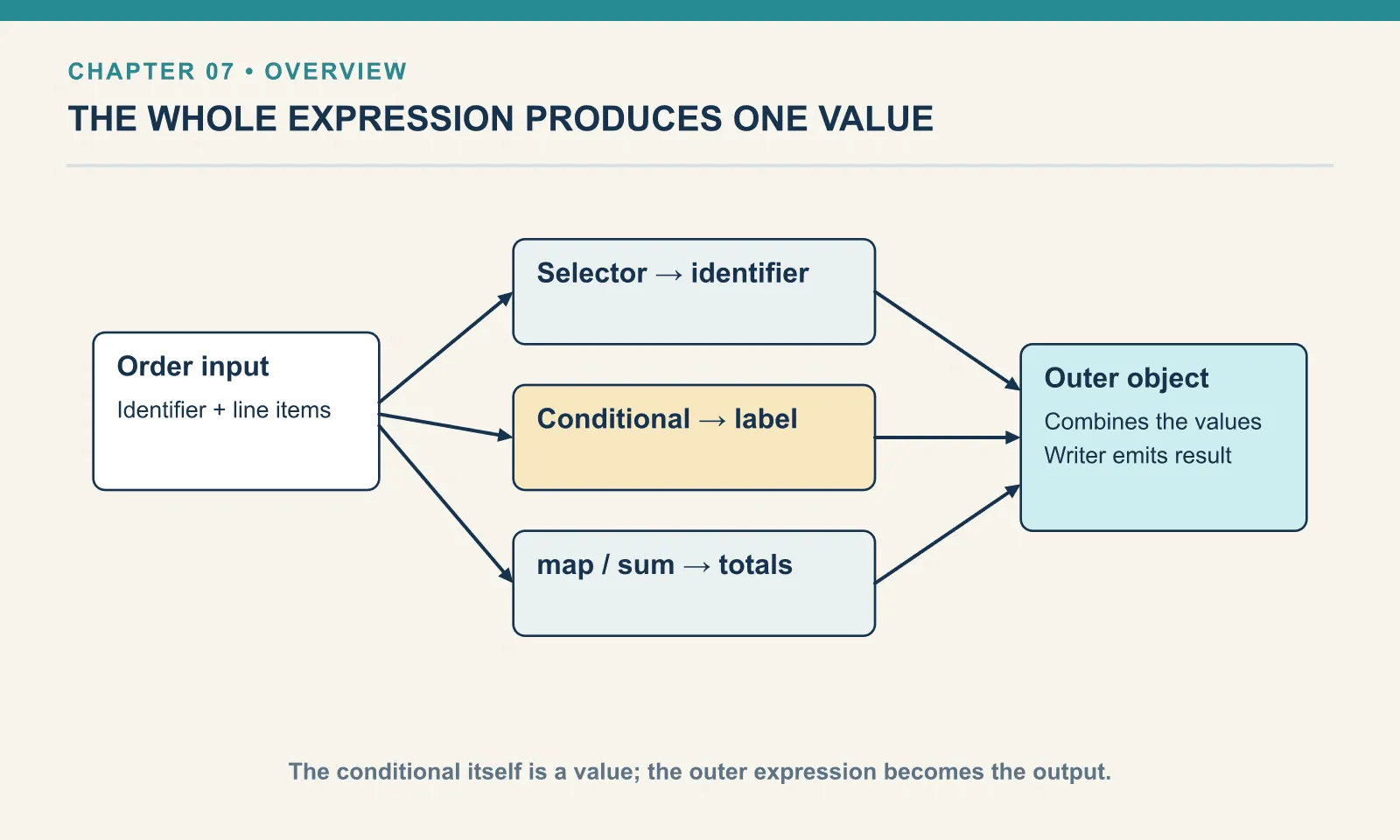
lineCount counts order lines, not the total quantity of products. lineTotals shows each extended price: 10, 12 and 10. subtotal sums those amounts to 32. The example’s delivery rule charges nothing for an empty order or an order worth at least 100; otherwise it charges 4.99. grandTotal adds that delivery charge to the subtotal.
The default on items states this example’s input contract: an absent or null item list is treated as empty. That policy is appropriate here because we allow cancelled orders with no lines. A system that requires at least one line would need to reject that input instead.
If the subtotal is wrong, inspect lineTotals before changing the delivery rule. If the subtotal is right but the grand total is wrong, the delivery decision is the next place to check. The named intermediate values give each investigation a small starting point.
Example 43 — An empty order total.
Input payload — an-empty-order-total-input.json:
{
  "orderId": "A-1007",
  "customer": "Dana",
  "items": []
}
%dw 2.0
output application/json
var items = payload.items default []
var amounts = items map (item) -> item.price * item.qty
---
{ count: sizeOf(items), amounts: amounts, total: sum(amounts) }Result:
{
  "count": 0,
  "amounts": [

  ],
  "total": 0
}
The array is empty, its count is zero, and its sum is zero. Delete the items field and run again: the default gives the same result. These two inputs exercise different source shapes but intentionally share one meaning under this contract.
Example 44 — Read the shorthand after the named form.
Use keep-the-bulk-lines-input.json as payload, as above.
%dw 2.0
output application/json
---
{ named: payload.items map (item) -> item.price * item.qty, short: payload.items map ($.price * $.qty) }
Result:
{
  "named": [
    10,
    12,
    10
  ],
  "short": [
    10,
    12,
    10
  ]
}
In the short form, $ is the current item. The two expressions produce the same values. Prefer the named form while following a calculation or when callbacks become nested. The shorthand is a way to read existing DataWeave, not a requirement for writing it.
A filter must still return a Boolean. filter (item) -> item.qty would return a number, not a decision. Use the explicit comparison that describes membership.
Try it
Produce the count and revenue of items whose quantity is at least four. Then change the threshold to 100 and predict both results before running.
Show answer
Example 45 — Check an empty selection.
Use keep-the-bulk-lines-input.json as payload, as above.
%dw 2.0
output application/json
var selected = payload.items filter (item) -> item.qty >= 100
---
{ count: sizeOf(selected), total: sum(selected map (item) -> item.price * item.qty) }
Result:
{
  "count": 0,
  "total": 0
}
No item qualifies. The selected array is empty, so both the count and total are zero. A valid result can describe no matching data.
This is the first complete order summary in the book. You have already practised every operation it combines. Keep it as a checkpoint: explain each field, then change the fixture and predict what should change.
Comments