Build a Chatbot You Can Talk To
The grand finale: wrap a small instruction-tuned model in a real chat interface with Gradio — system prompt, conversation memory, and a public link — then look back at everything the book taught you.
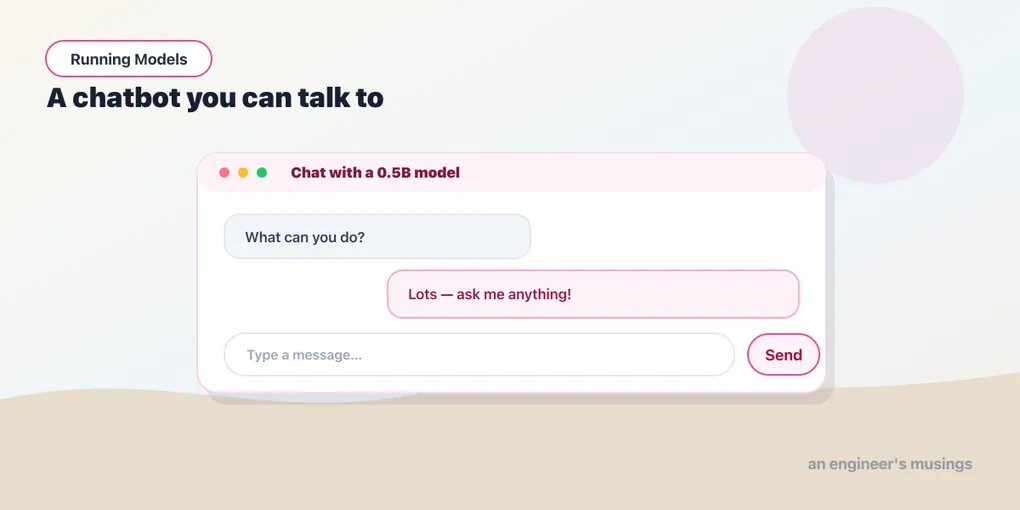
This is it — the finale the whole book has been walking toward. You’ve put an image classifier online, built a digit reader from a bare weights file, sorted an inbox, and stood up a semantic search engine. Now you’ll build the one everyone pictures when they hear “AI app”: a chatbot you can actually talk to, with a real chat window, a personality you set, memory across turns, and a link you can hand to a friend. It’s a few lines on top of everything you already know.
▶ Open the companion notebook in Colab
Run against: PyTorch 2.2.2 and transformers 4.57.6 on CPU (macOS) for the respond function, including a Gradio-6-shaped history; Gradio 6.17.3 for the ChatInterface signature. The chat window itself was not driven in a browser.
The whole bot is one function
By now the pattern is muscle memory: a model is a function, and an app is that function with a UI. For chat, the function takes the new message plus the conversation so far and returns a reply. We’ll use the instruct model and roles from chapter 24.
from transformers import pipeline

chat = pipeline("text-generation", model="Qwen/Qwen2.5-0.5B-Instruct", device_map="auto")
SYSTEM = "You are a friendly, concise assistant."

def respond(message, history):
    messages = [{"role": "system", "content": SYSTEM}]
    messages += history                              # past turns, as role/content dicts
    messages.append({"role": "user", "content": message})
    out = chat(messages, max_new_tokens=256, do_sample=True, temperature=0.7, top_p=0.9)
    return out[0]["generated_text"][-1]["content"]
Read it and every line is something you’ve already met: the system message sets behavior, history is the memory you resend (chapter 24), the user’s new turn goes on the end, and the sampling knobs are chapter 23’s. The function builds the conversation, runs the model, returns the last message’s text.
A real chat window, free
Gradio has a component built exactly for this — ChatInterface — that gives you the whole messaging UI: scrollback, the text box, send button, even a typing indicator. You hand it your function; it builds the chat.
import gradio as gr

gr.ChatInterface(
    respond,
    title="Chat with a 0.5B model",
    description="A tiny instruction-tuned model, running in your notebook.",
).launch(share=True)
Run that cell and a chat window appears in the notebook. Type a message, get a reply, keep the thread going — ChatInterface passes the growing history back to your respond function on every turn, as a list of {"role", "content"} dicts (with a couple of extra keys the chat template ignores), which is how the bot “remembers.” And share=True, one last time, hands you a public link. You built a chatbot. Send it to someone.
That’s Part IV closed: from a decoder writing one token at a time to a working chatbot with a URL.
Make it yours
Two one-line changes turn the demo into your demo:
- Rewrite
SYSTEM. “Reply only in haiku.” “You are a patient SQL tutor.” “Answer as a grumpy pirate.” The system prompt is the personality dial, and it’s free. - Turn the knobs. Drop
temperaturetoward 0.3 for focused, factual answers; push it toward 1.0 for playful ones. Same generation controls from chapter 23.
Gotchas
- Gradio version. Gradio 6 always passes
historyas role/content dicts, which is whatmessages += historyexpects. Gradio 4 and 5 neededtype="messages"onChatInterfaceto get that shape, and Gradio 6 removed the argument — passing it raisesTypeError. Ifmessages += historyfails with tuples inside, you are on an old Gradio; upgrade rather than convert. - Small model, small expectations. A 0.5B model is delightful for a demo and will still flub facts and lose hard threads. For better answers, swap in a larger instruct model — and lean on chapter 21’s levers to fit it on the free GPU.
- Long chats fill the context. Every turn resends the whole history; eventually it gets long and slow. For a demo it’s fine; production apps trim or summarize old turns.
- It can be confidently wrong. Same caveat as every generative model — fluent is not the same as correct. Don’t ship it as a source of truth.
- The share link is temporary. Great for “try my bot”; for something permanent, host it on Hugging Face Spaces (the gotchas in chapter 10 still apply).
What’s next
That’s Part IV closed: a decoder, the knobs that drive it, a chat model, and now a chatbot behind a link. Every text model in the book reads or writes language.
Part V points the same loop at sound. A text-to-speech model is an encoder, a spectrogram and a vocoder; a music model is a transformer predicting audio tokens with generate, the exact call you just made; and the capstone mixes the two into a scored scene. It starts where every modality starts — with what the tensor is.
Next: Audio Is a Tensor Too: Waveforms, Sample Rate, and Spectrograms.
Comments