Three Lines and a Verdict: Running Models with Hugging Face Pipelines
A beginner-friendly tour of the Hugging Face transformers pipeline — the fastest way to run a pretrained model in three lines, across text, images, and audio.
Back when you ran your first pretrained model end to end, it took maybe ten lines: load the model, load its preprocessing, shape the input just so, run it, then turn the raw numbers back into something a human can read. It worked, and it was worth doing once by hand so the machinery isn’t a mystery. But ten lines every time you want to classify a sentence is a tax nobody should pay. This chapter is about the shortcut, and it’s a big one.
▶ Open the companion notebook in Colab
Run against: PyTorch 2.2.2 and transformers 4.57.6 on CPU (macOS); where transformers 5.x behaves differently the text says so, from its source.
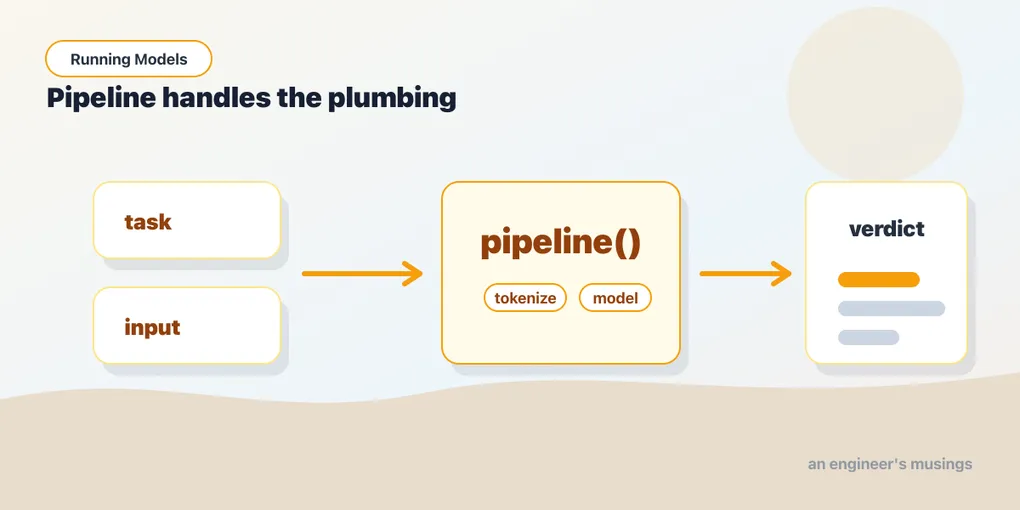
The shortcut is pipeline, from the transformers library. It’s the single highest-leverage tool in this whole book. Most “I just want to run a model” tasks collapse from ten lines to three, and the three lines read like plain intent.
Install it, then run a model
transformers isn’t in Colab by default, so install it once per session:
!pip install -q transformersNow the famous three lines — and if they look familiar, they should. You saw them in chapter 1, and you ran them as the “easy button” warm-up in chapter 4, where I promised this chapter would explain what they were hiding. This is that explanation. The first thing nearly everyone runs is sentiment analysis — hand it text, get back a verdict:
from transformers import pipeline

clf = pipeline("sentiment-analysis")
print(clf("I can't believe how easy this was."))
# [{'label': 'NEGATIVE', 'score': 0.9987}]
That’s it. You didn’t pick a model, you didn’t write any preprocessing, you didn’t decode anything. You named a task ("sentiment-analysis"), and pipeline did the rest. It even pulled a sensible default model down for you on that first call, picked the matching tokenizer, and wired the whole thing together. That default is a sentiment-tuned DistilBERT (distilbert/distilbert-base-uncased-finetuned-sst-2-english, pinned to a specific revision inside the library, which is why you and I get the same answer), and you’ll open that exact model up in chapter 14. The score is the model’s confidence in the label it chose; 0.9987 means it’s quite sure. Sure, not right: as chapter 1 showed, it reads “I can’t believe” as the opening of a complaint. Hand it "This was so easy." and you get POSITIVE at 98%.
It’s the inputs-and-outputs recipe, automated
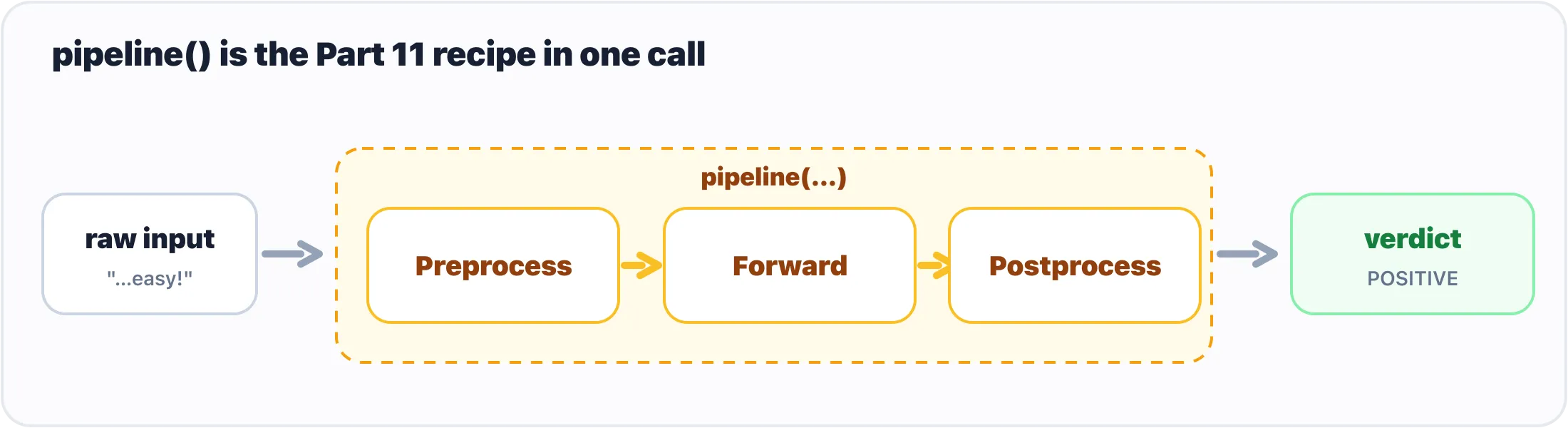
pipeline() hides the whole preprocess to postprocess recipe behind one call.
Here’s the thing worth internalizing, because it’s why pipeline isn’t magic and won’t leave gaps in your understanding: it’s doing exactly the steps you did by hand in chapter 6, just hidden behind one callable.
Remember the shape of that work — preprocess, forward, postprocess:
- Preprocess — take your raw input (a string, an image, an audio clip) and turn it into tensors the model expects. For text that’s tokenization; for images it’s resizing and normalizing.
- Forward — run those tensors through the model and get raw output (logits, basically: unscaled scores).
- Postprocess — turn that raw output back into something useful: a label, a probability, a sentence.
pipeline bundles all three. When you call clf("..."), it tokenizes your string, runs the model, and converts the logits into that tidy {'label': 'POSITIVE', 'score': 0.9998} for you. Same recipe, same model, none of the boilerplate. You’re not skipping the steps — you’ve just stopped typing them.
A tour of tasks
The real reason pipeline is the workhorse: the same three-line pattern works across wildly different jobs. You change the task name, and occasionally the arguments, and that’s the whole story. Text in, text out; image in, label out; audio in, transcript out. Here’s a quick tour, and as you read it, watch how little actually changes between examples.
Summarization — feed it a wall of text, get back a short version:
long_article = (
    "The Hugging Face Hub hosts hundreds of thousands of pretrained models, each with a page, "
    "a model card, and usually the weights themselves. Browsing it well is a skill: filter by "
    "task first, then sort by downloads, then read the card for what the model was trained on "
    "and what it was meant for. The licence sits in the card's metadata and decides what you "
    "may do with the weights, which matters the moment a model goes into a product. Gated "
    "models add a form you must accept before the weights download. Everything else is one "
    "from_pretrained call away."
)

summarize = pipeline("summarization")
print(summarize(long_article, max_length=60, min_length=20))
# [{'summary_text': '...'}]
max_length and min_length are token budgets for the summary, not strict character counts, so treat them as rough dials rather than exact limits.
Not run. The default summarization model (
sshleifer/distilbart-cnn-12-6) ships only an old-style.bincheckpoint, which currenttransformersrefuses to load on the PyTorch this chapter was run against (atorch.loadsecurity restriction lifted from PyTorch 2.6). On Colab’s current stack it loads; here the call was not executed and the output is a placeholder.
Zero-shot classification — sort text into categories you invent on the spot, with no training:
route = pipeline("zero-shot-classification")
print(route(
    "My card was charged twice this month.",
    candidate_labels=["billing", "tech support", "sales"],
))
# {'sequence': '...', 'labels': ['billing', 'sales', 'tech support'], 'scores': [0.962, 0.026, 0.012]}
This one feels like a small miracle the first time. You define the labels in a Python list (candidate_labels), and the model scores how well the text fits each one, even though it was never trained on your specific categories. It’s a genuinely useful routing trick for support tickets, intents, tags, and the like.
Image classification — point it at an image, get back what’s in it:
vision = pipeline("image-classification")
print(vision(img))            # the PIL image from chapter 4, or a file path
# [{'label': 'Labrador retriever', 'score': 0.957}, {'label': 'golden retriever', 'score': 0.01}, ...]
You can pass a PIL image object, a local file path, or a URL — the pipeline figures out how to load it. (A URL is the least reliable of the three: the pipeline fetches it with a bare requests.get, which is exactly what Wikimedia refused in chapter 4. Load the image yourself when a site is picky.) The default here is a vision transformer (google/vit-base-patch16-224), a different architecture from the ResNet you ran by hand, and it is far surer about the Labrador: 95.7%. Notice we didn’t switch libraries or learn a new API; it’s the same pipeline(...)(...) shape as the text tasks. That consistency is the point.
Automatic speech recognition — transcribe audio to text — works the same way, with pipeline("automatic-speech-recognition"), taking an audio file path. (It needs an audio backend installed, so it’s the one task in this tour I’d save for the notebook rather than spring on you here.)
Five very different problems (sentiment, summarizing, routing, vision, transcription) and one mental model. That’s the leverage.
Picking your own model, and where it runs
The defaults are fine for kicking the tires, but you’ll often want a specific model — one you read about, one that’s smaller, one tuned for your language or domain. Name it with model=:
clf = pipeline(
    "text-classification",
    model="distilbert/distilbert-base-uncased-finetuned-sst-2-english",
)
That string is a model’s address on the Hugging Face Hub, in the form org/name. The next chapter is about how to find the right one; for now, know that any model you spot on the Hub drops straight into this slot. The task name and the model just have to agree on what kind of job they’re doing.
And about where it runs. Current transformers (5.x) puts a pipeline on the first accelerator it can find — a CUDA GPU in Colab, Apple’s MPS on a Mac — and falls back to the CPU only when there is none. So on a GPU runtime you get the speedup without asking, and the device argument is for overriding that choice, not enabling it:
clf = pipeline("sentiment-analysis", device="cpu")   # force the CPU (e.g. to compare, or to spare VRAM)
clf = pipeline("sentiment-analysis", device=0)       # force the first GPU, specifically
Older tutorials, written when the default was the CPU, use device=0 to turn the GPU on; it still works, it just isn’t needed any more. For models too large for one device, device_map="auto" lets transformers spread the pieces across GPU and CPU memory, which chapter 21 covers. The payoff of the accelerator is real either way — the same call that crawls on a CPU runs an order of magnitude faster on a GPU.
Gotchas
A handful of things trip people up the first week. None are hard once you’ve seen them.
- The first run downloads the model. A call that hangs for thirty seconds (or a couple of minutes) usually isn’t broken — it’s fetching weights from the Hub. Subsequent calls hit the local cache and are fast. If a cell seems frozen on the first run, give it a moment before you panic.
- Default models can be chunky. Some tasks default to fairly large models — summarization especially. That means a bigger download and slower inference. If it feels heavy, that’s your cue to pick a smaller model with
model=(the next chapter helps you choose). - Task name typos fail loudly. It’s
"sentiment-analysis", not"sentiment_analysis"— hyphens, not underscores, and exact spelling. A wrong task name raises an error rather than guessing, which is annoying in the moment but better than silently running the wrong thing. - The output is almost always a list of dicts. Even for one input you’ll get
[{...}], not{...}. Reach forresult[0]['label'], notresult['label']. Zero-shot is the oddball that returns a single dict with parallellabels/scoreslists. - Forcing a device that isn’t there.
device=0on a runtime with no GPU is an error, not a fallback. Leavedeviceunset and let the library pick, or guard it:device=0 if torch.cuda.is_available() else "cpu". - Models are opinionated about their labels. A sentiment model might say
POSITIVE/NEGATIVE; another might sayLABEL_0/LABEL_1. The labels come from how that model was trained, not from a universal standard — so read what you get back before you build logic on top of it.
What’s next
You now have the fast path: name a task, optionally name a model, hand it an input, read the output — across text, images, and audio, all in three lines. For a huge share of “run a model” work, that’s all you’ll ever need, and reaching for pipeline first is the right instinct.
One thing has been waved past in every example so far: those model names. "distilbert/distilbert-base-uncased-finetuned-sst-2-english" is an address, and the place it points to has hundreds of thousands of others. Finding the right one, reading what its authors wrote about it, and checking you’re allowed to use it is the next chapter.
Next: The Hub: Finding Models, Reading Cards, and the Licence You Must Not Skip.
Comments