The Capstone: Fine-Tune a Model and Put It on the Hub
Series: Practical PyTorch · II (Phase II) — Part 9 of 9
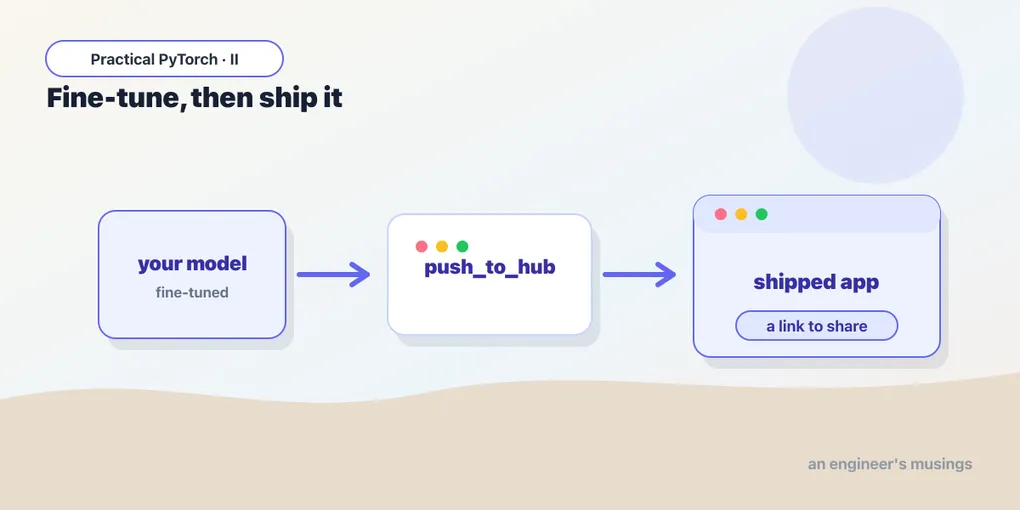
You can train a model now. That sentence wasn’t true for you eight posts ago, and it’s the whole point of Phase II. But there’s a difference between training one in a notebook that evaporates when the runtime restarts, and owning one: a model with a name, a home on the internet, and a one-line install for anyone (including future you) who wants to use it. This finale closes that gap end to end: fine-tune a classifier, evaluate it honestly, and then ship it: push the model and tokenizer to the Hugging Face Hub, and load it back with a pipeline to prove it’s the real thing.
We’ll keep the dataset small and the run short on purpose. The goal isn’t a state-of-the-art model; it’s the full loop, from raw data to a shareable artifact, in the time it takes to drink a coffee.
The base model is small and the dataset is sliced, so a free Colab GPU is more than enough.
Open the companion notebook in ColabThis one wants a GPU — Runtime → Change runtime type → GPU in Colab. On CPU it’ll still finish, just slower.
The task: a tiny sentiment classifier
We’ll fine-tune a small pretrained language model to tell positive movie reviews from negative ones. The dataset is imdb, and the base model is distilbert-base-uncased — a compact BERT that’s quick to fine-tune and forgiving on a free GPU. To keep the run honest about time, we take a slice of the data instead of the full 25,000 reviews:
from datasets import load_dataset

dataset = load_dataset("imdb")
train_ds = dataset["train"].shuffle(seed=42).select(range(2000))
eval_ds  = dataset["test"].shuffle(seed=42).select(range(1000))
Two thousand training examples is plenty to watch the model learn, and it finishes in a few minutes rather than an afternoon. Then we tokenize — turn text into the numbers the model eats — exactly as you saw earlier in the phase:
from transformers import AutoTokenizer

tokenizer = AutoTokenizer.from_pretrained("distilbert-base-uncased")

def tokenize(batch):
    return tokenizer(batch["text"], truncation=True)

train_ds = train_ds.map(tokenize, batched=True)
eval_ds  = eval_ds.map(tokenize, batched=True)
Fine-tune with the Trainer
This is the move from Part 5, so I’ll move fast. We load the base model with a fresh classification head sized for two labels, hand the Trainer our data and settings, and call train():
from transformers import AutoModelForSequenceClassification

model = AutoModelForSequenceClassification.from_pretrained(
    "distilbert-base-uncased", num_labels=2,
)
AutoModelForSequenceClassification is the language-model version of the head-swap you did by hand in Part 4: it keeps DistilBERT’s pretrained backbone and bolts a new, untrained two-class head on top. You only pay to train that head and nudge the backbone, never to teach a machine English from scratch.
from transformers import TrainingArguments, Trainer

args = TrainingArguments(
    output_dir="distilbert-imdb",
    num_train_epochs=1,
    per_device_train_batch_size=16,
    eval_strategy="epoch",
)

trainer = Trainer(
    model=model,
    args=args,
    train_dataset=train_ds,
    eval_dataset=eval_ds,
    processing_class=tokenizer,
    compute_metrics=compute_metrics,   # defined next
)

trainer.train()
One epoch over 2,000 examples is enough to get a clearly-better-than-chance model. (We’re hiding the data collator and the compute_metrics function for a moment — they’re both in the notebook and below.)
Evaluate it honestly
A model that trained without errors isn’t the same as a model that works. From Part 6, the compute_metrics function turns raw predictions into a number you can actually trust:
import numpy as np
import evaluate

accuracy = evaluate.load("accuracy")

def compute_metrics(eval_pred):
    logits, labels = eval_pred
    predictions = np.argmax(logits, axis=-1)
    return accuracy.compute(predictions=predictions, references=labels)
Because we passed this to the Trainer and set eval_strategy="epoch", it runs on the held-out test slice automatically and reports accuracy. On 2,000 training examples and one epoch you should land somewhere comfortably in the high 80s — not a leaderboard, but a genuinely useful classifier built in minutes. You can read it back any time with:
trainer.evaluate()
# {'eval_loss': ..., 'eval_accuracy': 0.88, ...}
That number is the difference between “the code ran” and “the model is good enough to ship.” Now let’s ship it.
Log in to the Hub
Pushing to the Hugging Face Hub needs you to be logged in, which means an access token. Create one at huggingface.co/settings/tokens with write permission — read-only tokens can pull models but can’t push them.
In a notebook, the simplest path is:
from huggingface_hub import login

login()   # paste your token into the box that appears
Run that and a little widget appears; paste the token and you’re authenticated for the session. In Colab there’s an even cleaner option: store the token once as a secret named HF_TOKEN (the key icon in the left sidebar), and pull it in without ever pasting it into a cell:
from huggingface_hub import login
from google.colab import userdata

login(userdata.get("HF_TOKEN"))
Either way, you’re now allowed to write to your corner of the Hub.
Push the model and tokenizer
Here’s the part that turns a notebook artifact into a real, shareable model. Throughout this post, replace your-username with your actual Hugging Face username — it’s a placeholder, not a real account.
The cleanest route, since we trained with the Trainer, is one method call:
trainer.push_to_hub()That creates a repo named after your output_dir (distilbert-imdb), uploads the model weights, the tokenizer, the config, and a starter model card (the README.md that describes what your model does). One line, and your model has a home: https://huggingface.co/your-username/distilbert-imdb.
If you trained without the Trainer — say, with the hand-rolled loop from Part 2 — you push the two pieces yourself. The tokenizer matters as much as the weights; a model that’s been tokenized one way will produce nonsense if loaded with a different tokenizer, so they travel together:
model.push_to_hub("your-username/distilbert-imdb")
tokenizer.push_to_hub("your-username/distilbert-imdb")
Both routes end in the same place: a public repo anyone can load by name.
Load it back and run it
This is the moment that proves it all worked. Forget the notebook state, forget the Trainer, forget the local files. We’ll load the model purely by its Hub name, exactly the way a stranger would, and run it through the pipeline you met at the very start of Phase I:
from transformers import pipeline

pipe = pipeline("text-classification", model="your-username/distilbert-imdb")

print(pipe("This was the most fun I've had at the movies all year."))
print(pipe("Two hours of my life I will never get back."))
# [{'label': 'LABEL_1', 'score': 0.98}]
# [{'label': 'LABEL_0', 'score': 0.97}]
That pipeline call downloads your model from the Hub, wires up the matching tokenizer, and hands you predictions, with no training code in sight. The labels come back as LABEL_0 / LABEL_1 because we never told the model which class is which in human terms; if you want it to say POSITIVE / NEGATIVE, set id2label on the model’s config before pushing (the notebook shows the one-liner). Either way, you’ve closed the loop: raw text in, a model you fine-tuned and shipped answering, loaded from the open internet by name. That’s a real model.
Gotchas
- A write token, not a read one. The default token type can pull public models but cannot push. When you create the token, give it write access — and never paste a token into a cell you’ll share or commit. Use
login()’s widget or a Colab secret so it stays out of your notebook’s text. - Repo names are
username/name.push_to_hub("distilbert-imdb")pushes under your account automatically;push_to_hub("your-username/distilbert-imdb")is the explicit form. You can’t push to a name you don’t own — that’s someone else’s repo. Pick a name that’s lowercase, hyphenated, and descriptive; you’ll thank yourself when you have a dozen of them. - The model card is yours to write.
push_to_hubgenerates a skeletonREADME.md, but the useful parts — what the model does, what data it saw, its accuracy, how to load it — are blank until you fill them in. A two-line model card is the difference between a model people trust and one they scroll past. Edit it on the Hub or push an updatedREADME.md. - Private vs. public, and gated models. New repos can be created private (
push_to_hub(..., private=True)) — handy while you iterate — but then you must be logged in to load them back, even withpipeline. Some base models on the Hub are gated: you have to click “agree to access” on their page beforefrom_pretrainedwill download them. If a load hangs on a permission error, check that you’ve accepted the base model’s terms and that your token can see the repo. - The tokenizer must ship with the weights. If you push the model but forget the tokenizer, loading it back fails or silently uses a default that doesn’t match — and your accuracy evaporates.
trainer.push_to_hub()handles both; if you push by hand, push both pieces to the same repo. - First load downloads, then it’s cached. Loading your model back the first time pulls it over the network, so it’s not instant. After that Colab caches it. If you see a download bar on
pipeline(...), that’s expected, not a bug.
What’s next — and a look back
That’s Phase II. Stand back and look at the arc you just walked, because each piece was a deliberate rung on the ladder:
- How models learn — the intuition that learning is just nudging numbers to reduce error, no calculus required.
- The training loop — the five-line ritual that does the nudging, by hand, so it’s never a mystery.
- Datasets and DataLoaders — how data gets batched and fed to a model without melting memory.
- Transfer learning — the core move: keep a pretrained backbone, swap the head, and pay only for the small new thing.
- The Trainer — handing the boilerplate to Hugging Face so you watch the parts that matter.
- Evaluating your model — the difference between “it ran” and “it’s good,” measured honestly.
- LoRA and PEFT — fine-tuning enormous models by training a tiny fraction of them.
- When not to fine-tune — the discipline to reach for a prompt or RAG before you reach for training.
- And here — bringing it together: fine-tune, evaluate, and ship a model with a name and a home.
You started Phase I able to run models other people made. You finish Phase II able to adapt off-the-shelf models to your own tasks and put the result somewhere others can use it. That’s the whole skill, and most people shipping AI features into products are working at exactly this altitude, not deriving gradients.
Where does a curious reader go from here? Two honest directions: serving — wrapping a model behind an API so an app can call it in production — and larger LLM fine-tuning, where the LoRA ideas from Part 7 scale up to instruction-tuning chat models on your own data. Both build directly on what you now know. But you don’t need a Part 10 to start being useful. You can fine-tune a model and ship it. Go own one.
Target keyword(s): fine-tune and push to hugging face hub, fine-tune text classifier, share model hugging face.
Comments