LoRA: Fine-Tune a Giant Model on a Free GPU
Series: Practical PyTorch · II (Phase II) — Part 7 of 9
Here’s an uncomfortable fact about fine-tuning the way Part 5 did it: it doesn’t scale. The Trainer happily fine-tuned a small model on a free GPU, but try the same trick on a 7-billion-parameter language model and Colab falls over before the first epoch — you simply don’t have the memory to hold all those weights and the bookkeeping that training needs. The naive conclusion is “real fine-tuning requires a data center.” The actual conclusion is “you’ve been fine-tuning the expensive way.” There’s a cheaper way, it runs on the same free GPU, and the artifact it produces is a few megabytes instead of several gigabytes.
That cheaper way is LoRA, delivered through Hugging Face’s peft library. This post is the intuition and the recipe — no new math, just a small change to the model before you hand it to the same Trainer you already know.
Why full fine-tuning is expensive
When you fine-tune a model the way Part 5 did, you’re updating every weight in it. For a small classifier that’s fine. But a modern model can hold billions of numbers, and “update” is doing a lot of work in that sentence — for each weight, the optimizer also tracks gradients and a couple of running statistics, so the memory cost during training is several times the model’s own size. A 7B model that’s awkward but loadable for inference becomes flatly impossible to train on consumer hardware.
And then there’s storage. Full fine-tuning gives you a brand-new copy of the entire model. Fine-tune it three ways for three customers and you’re sitting on three multi-gigabyte checkpoints that are 99%-identical to each other and to the original. That’s wasteful even when you can afford it.
So the question LoRA asks is: do we actually need to move all those weights to teach the model a new trick? It turns out — no.
The LoRA idea, in plain terms
LoRA stands for Low-Rank Adaptation, and you can ignore every word of that name. Here’s the whole idea:
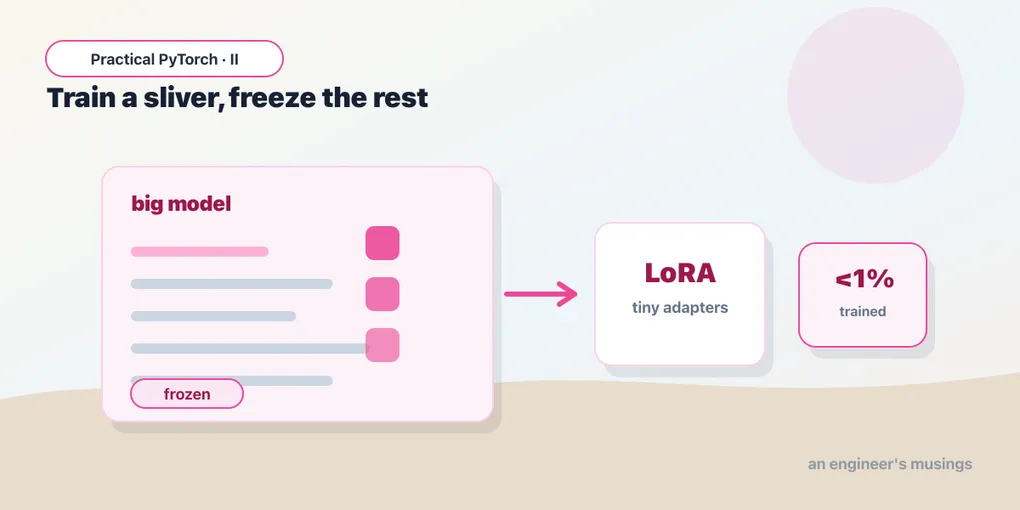
Freeze the original model so not a single one of its weights changes. Then bolt a small set of brand-new weights — the adapters — onto a few of its layers, and train only those.
The frozen original keeps everything it already knew from pretraining. The tiny adapters learn the adjustment your task needs, sitting alongside the real layers and nudging their output. Because the adapters are deliberately small, you end up training well under 1% of the model’s parameters — often a fraction of a percent.
That one change cascades into every benefit:
- Memory. You only keep optimizer bookkeeping for the handful of adapter weights, not the billions of frozen ones. That’s what drops training from “impossible” to “fits on a Colab GPU.”
- Storage. The thing you save afterward is just the adapters — megabytes, not gigabytes. The big model stays exactly as it shipped.
- Swappability. One frozen base model can host many different adapters. Load the base once, snap on the “legal-summaries” adapter or the “support-tone” adapter as needed. You’re not storing three giant models — you’re storing one, plus three tiny hats for it.
The mental picture: the base model is a piano you’re not allowed to retune. LoRA hands you a small pedal that bends the notes just enough for your song. The piano is untouched; the pedal is cheap; and you can keep a drawer full of pedals for different songs.
peft: config, then wrap
The peft library (“parameter-efficient fine-tuning”) turns that idea into about four lines. You start with an ordinary pretrained model loaded the usual way, describe the adapters with a LoraConfig, and wrap the model with get_peft_model.
from transformers import AutoModelForSequenceClassification
from peft import LoraConfig, get_peft_model, TaskType

base_model = AutoModelForSequenceClassification.from_pretrained(
    "distilbert-base-uncased", num_labels=2
)

config = LoraConfig(
    r=8,                              # size of the adapters
    lora_alpha=16,                    # strength of the adapters
    lora_dropout=0.05,                # a little regularization
    target_modules=["q_lin", "v_lin"],  # which layers to adapt (see gotchas!)
    task_type=TaskType.SEQ_CLS,       # sequence classification
)

model = get_peft_model(base_model, config)
Four knobs are worth knowing:
ris the size of the adapters. Biggerrmeans more adapter weights — a touch more capacity to learn, a touch more to train.8is a sane, common starting point;16if the task is hard. You don’t need to understand “rank” to turn this dial.lora_alphais roughly the strength of the adapters — how loudly they’re allowed to speak relative to the frozen model. The common convention is to set it to about twicer(here,16) and otherwise leave it alone.target_moduleslists which layers get adapters. These names are internal to the model’s architecture, so they differ from model to model —"q_lin"and"v_lin"are DistilBERT’s query and value attention layers. This is the one argument you can’t copy-paste blindly between models; there’s a gotcha on it below.task_typetellspeftwhat kind of head to expect.TaskType.SEQ_CLSfor classification (what we’re doing);TaskType.CAUSAL_LMfor a text-generating language model. Getting this wrong is a common, confusing source of errors, so set it deliberately.
The wow moment: count what you’re training
Now run the line that makes LoRA click:
model.print_trainable_parameters()
# trainable params: 739,586 || all params: 67,694,596 || trainable%: 1.0925
Read that again. The model has ~67 million parameters; you are training about 740 thousand of them — roughly 1%. On a billion-parameter model the percentage gets even more absurd. Everything else is frozen, carrying its pretrained knowledge for free. This single line is the entire pitch for LoRA, printed in numbers.
Train it with the same Trainer
Here’s the part that should feel anticlimactic, in the best way: once the model is wrapped, you train it exactly like Part 5. peft returns a model that behaves like any other Hugging Face model, so the Trainer, the TrainingArguments, the tokenized dataset — all of it is unchanged.
from transformers import Trainer, TrainingArguments

args = TrainingArguments(
    output_dir="lora-out",
    num_train_epochs=2,
    per_device_train_batch_size=16,
    learning_rate=2e-4,   # LoRA likes a slightly higher LR than full fine-tuning
    logging_steps=20,
)

trainer = Trainer(
    model=model,
    args=args,
    train_dataset=tokenized_train,
    eval_dataset=tokenized_eval,
)

trainer.train()
The only thing I’d nudge from the Part 5 defaults is the learning rate — LoRA typically wants a higher one (something like 2e-4) because there are so few weights to move and they start from scratch. Beyond that, the loop reports its falling loss and finishes far faster than full fine-tuning, because there’s so little to update.
Saving and swapping tiny adapters
When training finishes, save the adapters:
model.save_pretrained("my-adapter")Go look at that folder and enjoy it: it’s a few megabytes. save_pretrained on a peft model writes only the adapter weights and a small config — not the base model, which never changed and doesn’t need re-saving. This is the storage win made concrete.
Loading later is a two-step move, and noticing why matters: you load the original base model, then attach the adapter on top.
from peft import PeftModel

base = AutoModelForSequenceClassification.from_pretrained(
    "distilbert-base-uncased", num_labels=2
)
model = PeftModel.from_pretrained(base, "my-adapter")
That two-step is the whole swappability story. Keep one base model in memory and you can attach "my-adapter", then "another-adapter", then a third — each one a tiny file, each one teaching the same frozen model a different specialty. It’s why teams serving many fine-tuned variants reach for LoRA: they pay for one big model and a drawer of cheap hats, instead of a warehouse of near-duplicate giants.
Gotchas
target_modulesnames are architecture-specific.["q_lin", "v_lin"]is correct for DistilBERT and wrong for most other models — Llama uses["q_proj", "v_proj"], plain BERT uses["query", "value"], and so on. Copy a config from a model that isn’t yours and you’ll get an error (or, worse, adapters on nothing). When in doubt,print(base_model)to see the layer names, or check that model’s LoRA examples. Many newerpeftversions also accepttarget_modules="all-linear"to skip the guessing.- It still needs a GPU. LoRA makes big-model fine-tuning possible on a free GPU; it doesn’t make it CPU-friendly. You still want Runtime → Change runtime type → GPU in Colab. LoRA cuts the memory and the parameter count, not the requirement for hardware acceleration.
- You need the base model and the adapter at load time. The adapter is meaningless on its own — it’s a small adjustment to a specific base model. Save only the adapter, but remember which base it goes with (the config records the name). Lose the base, and your megabytes of adapter are inert.
task_typemust match the model.SEQ_CLSfor classifiers,CAUSAL_LMfor text generators. A mismatch produces errors that don’t obviously point back here, so set it on purpose rather than copying.- Bump the learning rate. LoRA adapters start random and there are few of them, so the learning rate that worked for full fine-tuning is often too timid. If your LoRA loss barely moves, try
1e-4to3e-4before assuming something’s broken. ris capacity, not magic. If the model underfits a genuinely hard task, raisingr(8 → 16 → 32) gives the adapters more room. But biggerrisn’t free and rarely fixes a wrongtarget_modulesor a too-small dataset — reach for it last, not first.
What’s next
You can now fine-tune a model far larger than your hardware should allow: freeze the giant, train tiny adapters with peft, watch print_trainable_parameters confirm you’re touching barely 1% of it, train with the same Trainer as before, and walk away with a few megabytes you can swap onto a shared base. That’s the technique behind a huge share of the fine-tuned models you’ll meet in the wild.
Which raises a question we’ve been dodging for seven posts: just because you can fine-tune, should you? Fine-tuning is one tool among several — and it’s frequently the wrong one. Before you spin up another training run, the next post makes the case for when to put the GPU away entirely.
Next: Part 8 — When NOT to Fine-Tune, the cheaper answers that beat fine-tuning more often than you’d think.
Target keyword(s): LoRA fine-tuning, PEFT parameter-efficient fine-tuning, fine-tune large model single GPU.
Comments