Build a Semantic Search Engine
The transformer capstone: turn the embeddings from the last post into a tiny search engine that finds results by meaning, not keywords — embed a corpus, rank by cosine similarity, and wrap it in a Gradio app.
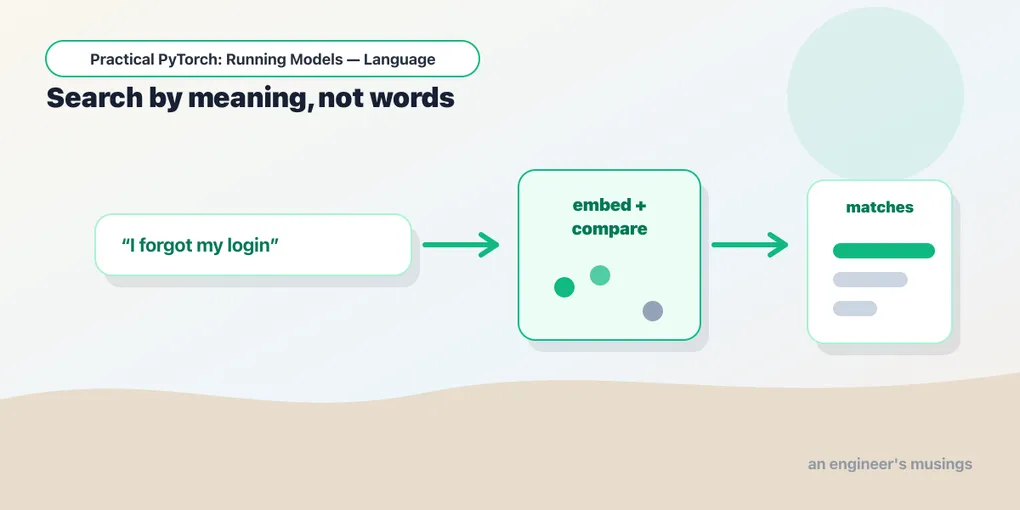
Series: Practical PyTorch: Running Models — Language — Part 9 of 9
Keyword search has a dumb failure mode: search “how do I reset my password” and a document titled “account recovery steps” never shows up, because they share no words. Embeddings (Part 8) fix exactly this — they turn text into vectors where meaning lives close together, so “reset password” and “account recovery” land near each other even with nothing in common on the surface. This capstone turns that idea into a working semantic search engine you can type into, closing out the transformer arc with the encoder doing real work.
No training, no shipped weights — just MiniLM running inference, the way you ran it last post.
Open the companion notebook in ColabEmbed the corpus once
A search engine has two halves: a collection of documents you’ve turned into vectors ahead of time, and a query you turn into a vector on the fly. Let’s start with a tiny corpus — in a real app this would be thousands of help articles — and embed it all at once with the sentence-transformers model from Part 8.
from sentence_transformers import SentenceTransformer, util

model = SentenceTransformer("sentence-transformers/all-MiniLM-L6-v2")

docs = [
    "How to reset your account password",
    "Updating your billing and payment method",
    "Steps to recover a locked account",
    "Exporting your data as a CSV file",
    "Turning on two-factor authentication",
]

doc_embeddings = model.encode(docs, convert_to_tensor=True)
print(doc_embeddings.shape)   # torch.Size([5, 384])
Each document is now a point in 384-dimensional space — [5, 384] is “five documents, 384 numbers each.” You embed the corpus once and reuse it for every search; only the query changes.
Search by meaning
Searching is three steps: embed the query, compare it to every document with cosine similarity (the angle-based closeness from Part 8), and return the nearest few.
def search(query):
    if not query.strip():
        return {}
    q = model.encode(query, convert_to_tensor=True)
    scores = util.cos_sim(q, doc_embeddings)[0]    # one score per document
    top = scores.topk(3)
    return {docs[i]: float(scores[i]) for i in top.indices}
util.cos_sim does the comparison you wrote by hand last post, just vectorized over the whole corpus. topk(3) grabs the three highest scores. Try it: search("I forgot my login") ranks “recover a locked account” and “reset your account password” right at the top — neither shares a meaningful word with the query. That’s the whole point of searching by meaning.
Put a search box on it
Same Gradio move as the other capstones: describe the input and output, get a UI. A text box in, a ranked list out.
import gradio as gr

gr.Interface(
    fn=search,
    inputs=gr.Textbox(label="Search", placeholder="Describe what you're looking for…"),
    outputs=gr.Label(num_top_classes=3, label="Best matches"),
    title="Semantic search",
    description="Finds results by meaning, not keywords.",
).launch(share=True)
Run it and you’ve got a search box that understands intent. share=True gives you the public link to send someone. Swap docs for your own list — notes, recipes, product descriptions — and you’ve built search for that, with no change to the logic.
Gotchas
- Embed the corpus once, not per query. Re-encoding all documents on every search is the classic beginner mistake — it’s slow and wasteful. Encode them once at startup; only the query is embedded live.
- Query and documents need the same model. Cosine similarity only means something if both vectors come from the same embedding model. Mixing models gives garbage scores.
- Cosine similarity isn’t truth. A high score means “nearby according to MiniLM,” not “the correct answer.” For a few documents that’s plenty; at scale you’d add re-ranking.
- This is the retrieval half of RAG. Swap the
gr.Labelfor “paste the top matches into a prompt and send them to a chat model” and you’ve built retrieval-augmented generation — which is exactly where the next arc is heading. - Big corpora need a vector database. Comparing against five documents in a loop is fine; comparing against five million is what tools like FAISS or a vector DB are for. Same idea, built to scale.
What’s next
You’ve now used the encoder side of the transformer for everything it’s good at: classification, embeddings, and now search by meaning. The model understands text and hands you back vectors and labels.
But it never writes anything. The next arc fixes that — the decoder half of the family, the generative models that actually produce words and feel like the “AI” everyone talks about. It’s also the most demanding stretch of the series: bigger downloads, GPUs, more ways to trip. So before we get there, two quick tooling stops — starting with how to find good models on the Hub and fit large ones onto a free GPU.
Next up, the LLMs series begins: The Hub and the Heavyweights, where we go shopping for bigger models and run ones that shouldn’t fit.
Target keyword(s): semantic search python, sentence transformers search, cosine similarity search, build search engine embeddings.
Comments