Embeddings: Vectors You Can Search and Compare
A practical introduction to embeddings for PyTorch and Hugging Face users: turning text into vectors, comparing meaning with cosine similarity, batching inputs, and knowing when embeddings beat generation.
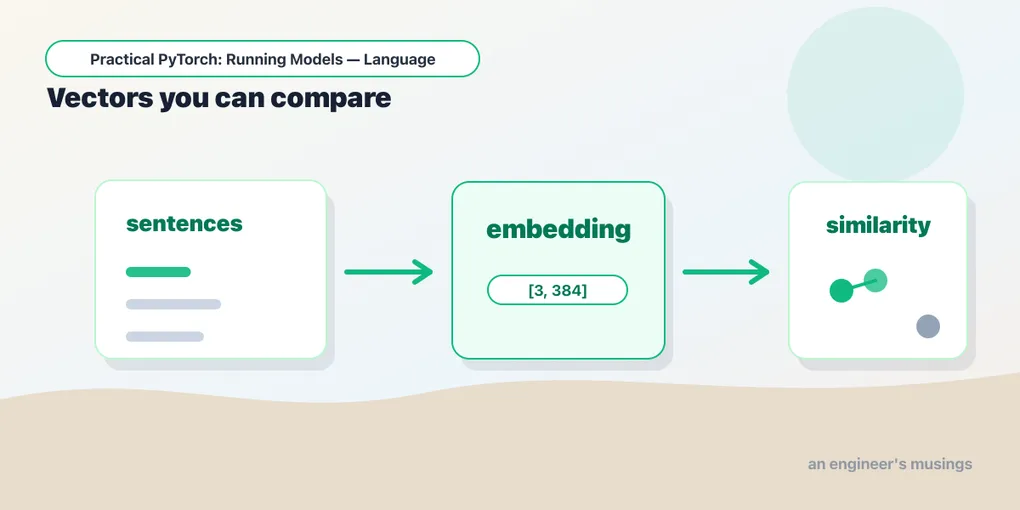
Series: Practical PyTorch: Running Models — Language — Part 8 of 9
So far, most of our models have returned a human-facing answer: positive or negative, Labrador or golden retriever, summary or generated text. But some of the most useful AI features do not start with a label or a paragraph. They start with a vector.
That vector is called an embedding. It is a list of numbers that captures enough about an input’s meaning that you can compare it with other inputs. This is the idea behind semantic search, recommendations, clustering, deduplication, and “find me things like this.”
If classification is “which bucket is this?”, embeddings are “what is this close to?”
Open the companion notebook in ColabA vector as a location
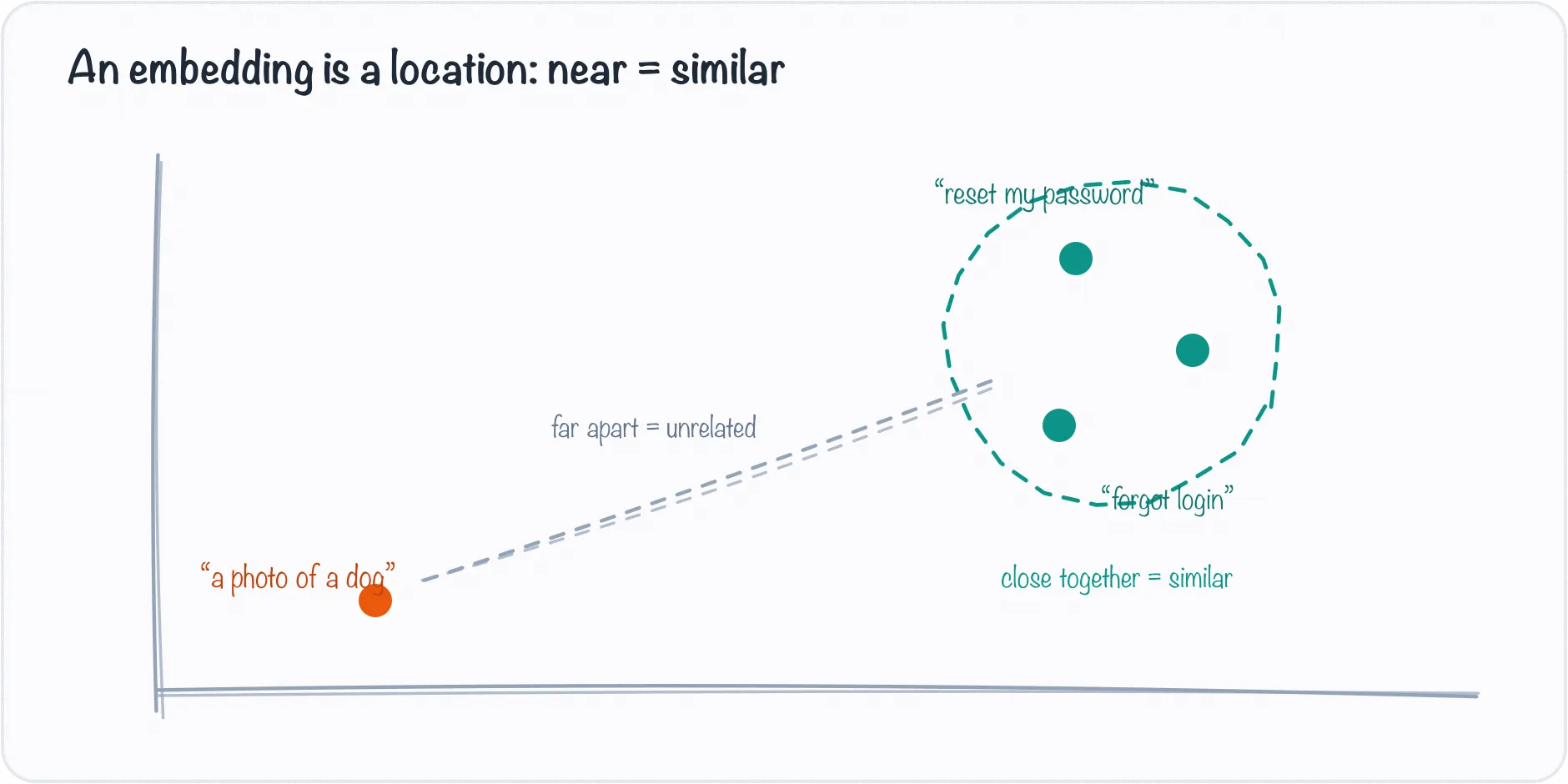
An embedding is a location: similar sentences land near each other, unrelated ones far apart.
Imagine every sentence as a point on a giant map. Similar sentences land near each other; unrelated sentences land far apart.
"reset my password"       near       "I cannot log in"
"refund my order"         far from   "GPU memory error"
The map has too many dimensions for a human to draw, but PyTorch has no problem holding the coordinates in a tensor:
torch.Size([3, 384])Read that as “three pieces of text, each represented by 384 numbers.”
Getting embeddings with sentence-transformers
For practical work, the friendliest path is the sentence-transformers library:
!pip install -q sentence-transformersfrom sentence_transformers import SentenceTransformer
model = SentenceTransformer("sentence-transformers/all-MiniLM-L6-v2")
texts = [
"How do I reset my password?",
"I forgot my login and need a new password.",
"The image classifier thinks my dog is a wolf.",
]
emb = model.encode(texts, convert_to_tensor=True)
print(emb.shape)You should see one vector per input:
torch.Size([3, 384])The model did the familiar work under the hood: tokenize, batch, forward pass, then return vectors instead of class logits.
Comparing meaning with cosine similarity
To compare embeddings, use cosine similarity. It asks whether two vectors point in a similar direction.
from sentence_transformers import util

scores = util.cos_sim(emb[0], emb)
print(scores)
# tensor([[1.00, 0.62, 0.09]])
Read those three numbers off the first sentence: it’s identical to itself (1.00), close to the second password sentence (0.62), and far from the dog/image one (0.09). The scale runs from 1.0 (same direction) through 0 (unrelated) to -1.0 (opposite), so higher means more alike in meaning. That single comparison — one query vector against a pile of others — is the whole engine behind semantic search.
That is semantic search in miniature:
- Embed the query.
- Embed the documents.
- Compare the query vector to every document vector.
- Return the nearest matches.
No labels. No generation. Just vector comparison.
A tiny search example
import torch

docs = [
    "Reset your password from the account settings page.",
    "Use a GPU runtime when image generation is too slow.",
    "Model cards usually include license and intended-use details.",
]

query = "Where do I find the license for a model?"

doc_emb = model.encode(docs, convert_to_tensor=True)
query_emb = model.encode(query, convert_to_tensor=True)

scores = util.cos_sim(query_emb, doc_emb)[0]

# real search returns a *ranked* list, not just the single best
top = torch.topk(scores, k=len(docs))
for score, idx in zip(top.values, top.indices):
    print(f"{score:.2f}  {docs[idx]}")
# 0.71  Model cards usually include license and intended-use details.
# 0.18  Use a GPU runtime when image generation is too slow.
# 0.05  Reset your password from the account settings page.
The model-card sentence ranks first even though the query shares no keywords with it — embeddings compare meaning, not string overlap. And note we got a ranked list, not just one answer: real search shows the top few matches with their scores, so a human (or the next system) can pick. Swapping argmax for topk is the difference between “the answer” and “the shortlist.”
When embeddings are the right tool
Reach for embeddings when you need to:
- search by meaning rather than exact keywords
- group similar support tickets
- find duplicate or near-duplicate content
- recommend related posts, products, or documents
- route a user question to the most relevant help page
- feed relevant context into a larger language model
Do not use a text generator when a vector comparison solves the problem. Embeddings are often cheaper, faster, easier to evaluate, and easier to explain.
This is the retrieval in RAG
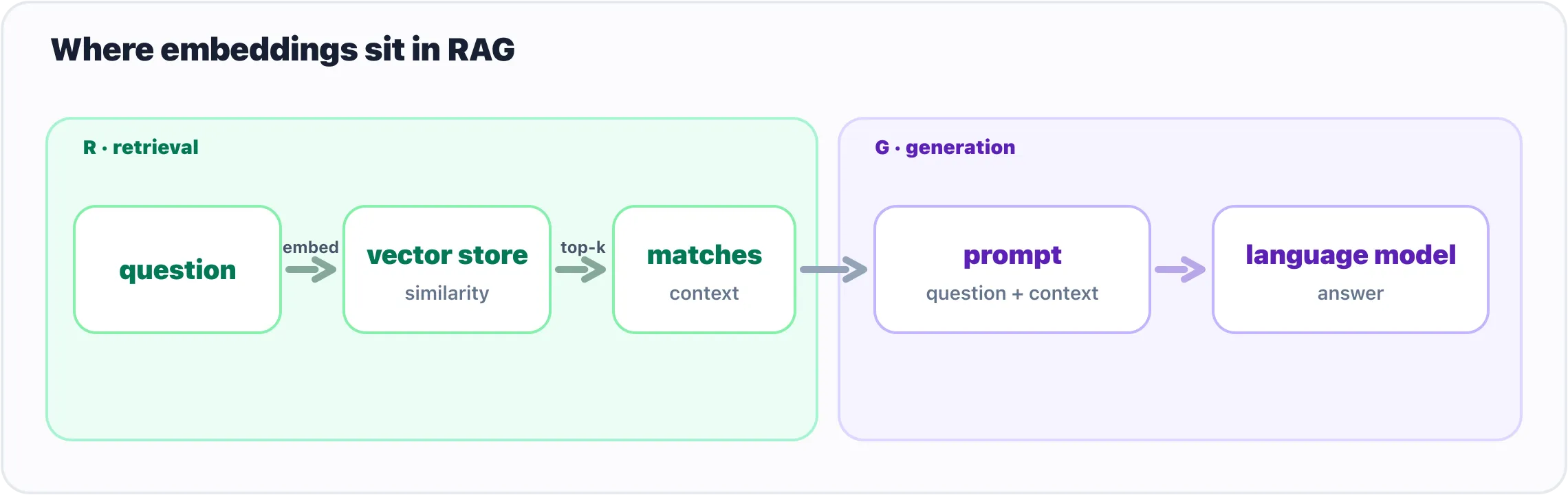
In RAG, embeddings power the retrieval half: find relevant context, then let the model generate.
That last bullet — “feed relevant context into a larger language model” — has a name you’ve probably heard: RAG (retrieval-augmented generation). The “retrieval” is exactly the search you just built. Before you ask a language model a question, you embed the question, compare it against an embedded pile of your documents, and paste the top few matches into the prompt as context. The model then answers from your material instead of guessing. Embeddings are the R; the generation you’ll meet elsewhere is the G.
The toy version compares one query against three sentences with cos_sim. Once you have thousands or millions of documents, you stop comparing against a Python list and reach for a vector database (FAISS, Chroma, pgvector, and friends) — it stores the vectors and finds nearest neighbours fast. The idea doesn’t change, only the scale: embed, compare, return the nearest.
What the numbers mean
A common beginner question is whether individual embedding dimensions have human names. Usually, no. Dimension 17 does not mean “password-ness” and dimension 242 does not mean “dog-ness.” The useful meaning lives in the whole vector and in its relationship to other vectors.
So you normally do not inspect an embedding one number at a time. You compare vectors, cluster them, store them in a vector database, or use them as features for another system.
Gotchas
- Use an embedding model, not any random text model. A model trained for sentence embeddings gives vectors meant to be compared.
- Normalize consistently. Some libraries normalize embeddings for you; some do not. Know which behavior your similarity search expects.
- Embedding quality is domain-specific. A general model may be fine for support tickets and weak for legal, medical, or code search.
- Bigger is not always better. Small embedding models are often fast enough and good enough for product features.
- Similarity is not truth. A high similarity score means “nearby according to this model,” not “correct.”
What’s next
Embeddings give you a second useful pattern besides labels: turn inputs into vectors, then compare them. Time to put it to work. The next post is the transformer capstone — we turn MiniLM into a tiny semantic search engine that finds results by meaning, not keywords.
Next: Build a Semantic Search Engine, the payoff for everything you just learned about embeddings.
Target keyword(s): embeddings pytorch, sentence transformers, semantic search embeddings, cosine similarity.
Comments