Better Voices: Bark, MMS, and the Trade-offs
Run two more open text-to-speech models in Colab — Bark for expressive, human-sounding voices and Meta's MMS-TTS/VITS for 1000+ languages — and learn to pick a TTS model by its trade-offs.
Series: Practical PyTorch: Running Models — Audio — Part 3 of 8
SpeechT5 talked, and it was fast, and it sounded like a GPS unit reading you the news. That flatness wasn’t a bug — it was the price of a small model that runs on a CPU. This post is about what you can buy with a bigger budget. We’ll run two more open text-to-speech models: one that laughs, sighs, and even sings, and one that speaks a thousand languages. Neither is “better” than SpeechT5 in some absolute sense. They’re different points on a trade-off curve, and the real skill here is learning to read that curve.
Open the companion notebook in ColabThe only install you need is transformers — both models ship through it:
!pip install -q transformersThis is a GPU-leaning post, so before you run anything heavy, flip Colab to a GPU: Runtime → Change runtime type → GPU. The first model will crawl without one.
Bark — the expressive one
Bark, from Suno, is the model you reach for when you want a voice that sounds like a person who’s actually feeling something. It does prosody — the rise and fall of real speech — and it does nonverbal sounds: laughter, sighs, throat-clears, even singing. The catch is size. The full model is a multi-gigabyte download and slow even on a GPU, so we’ll use bark-small, the lighter checkpoint that gives you most of the character for a fraction of the wait.
from transformers import AutoProcessor, BarkModel
import torch

device = "cuda" if torch.cuda.is_available() else "cpu"
processor = AutoProcessor.from_pretrained("suno/bark-small")
model = BarkModel.from_pretrained("suno/bark-small").to(device)

inputs = processor(
    "Whoa — this one actually sounds human. [laughs]",
    voice_preset="v2/en_speaker_6",
)
inputs = {k: v.to(device) for k, v in inputs.items()}
audio = model.generate(**inputs)

from IPython.display import Audio
Audio(audio.cpu().numpy().squeeze(), rate=model.generation_config.sample_rate)
A few things worth reading line by line. The device dance is the same guard you saw with pipelines: use the GPU if one’s attached, fall back to CPU otherwise. But note that Bark really wants cuda; on CPU this generation can take minutes per sentence, not seconds. The model goes to the device with .to(device), and then so do its inputs, which is what the {k: v.to(device) for ...} dict comprehension does. Model and data have to live on the same device or PyTorch refuses to run, and forgetting to move the inputs is a classic stumble.
The output comes back on the GPU, so audio.cpu() pulls it down to host memory before .numpy() hands it to Audio. The .squeeze() drops the batch dimension, the same [1, N]-to-[N] flattening you’ve done before. And the sample rate isn’t 16 kHz this time; you read it off model.generation_config.sample_rate rather than assuming, because every model picks its own.
The fun part — tags and presets
That [laughs] in the text wasn’t a typo. Bark reads nonverbal tags inline and acts them out:
[laughs],[sighs],[gasps],[clears throat]— acted-out sounds, dropped into the text right where you want them.[music]and the♪character — wrap a line in♪and Bark will sing it. The result is uneven, but it genuinely sings....for hesitation,CAPITALSfor emphasis — Bark picks up on punctuation and case the way a person reading aloud would.
The voice itself comes from the voice_preset. These are fixed strings of the form v2/en_speaker_0 through v2/en_speaker_9 — ten English narrators — plus presets for other languages (v2/de_speaker_3 for German, v2/hi_speaker_2 for Hindi, and so on). Swap the preset, get a different voice:
inputs = processor(
    "Singing now ♪ la la laaa ♪",
    voice_preset="v2/en_speaker_3",
)
The presets are an exact, closed list — v2/en_speaker_6, not en-speaker-6 or speaker6. Get the name wrong and Bark won’t pick a sensible default; it falls back to an unconditioned voice or errors outright, so copy them carefully.
MMS — the multilingual one
Now the opposite corner of the trade-off space. Meta’s MMS (Massively Multilingual Speech) project trained text-to-speech for over a thousand languages on a single architecture called VITS. Each language is its own small, fast model — no GPU required, no speaker embedding to hunt down. Where Bark is big, expressive, and slow, MMS is lean, neutral, and quick.
from transformers import VitsModel, AutoTokenizer
import torch

model = VitsModel.from_pretrained("facebook/mms-tts-eng")
tokenizer = AutoTokenizer.from_pretrained("facebook/mms-tts-eng")

inputs = tokenizer("One model, over a thousand languages.", return_tensors="pt")
with torch.no_grad():
    waveform = model(**inputs).waveform

Audio(waveform.numpy(), rate=model.config.sampling_rate)   # 16000
The shape of this is simpler than Bark’s, and deliberately so. There’s no voice_preset, no speaker embedding, no device juggling in the basic case: you tokenize the text, run a plain forward pass, and read .waveform off the result. The torch.no_grad() is the same inference guard from the Running Models series: you’re not training, so you switch off autograd’s bookkeeping. Notice the output isn’t a dict or a special object — it’s a model output with a .waveform field, and that field is your audio. Sampling rate is 16 kHz again, read off model.config.sampling_rate.
The thousand-language claim lives entirely in the model id. There is no language argument you pass at runtime. To speak German instead of English, you load a different model:
model = VitsModel.from_pretrained("facebook/mms-tts-deu")       # German
tokenizer = AutoTokenizer.from_pretrained("facebook/mms-tts-deu")
facebook/mms-tts-hin for Hindi, facebook/mms-tts-fra for French, facebook/mms-tts-spa for Spanish — the three-letter ISO code at the end of the id is the whole interface. This is a different mental model from Bark’s presets: there, one model held many voices and you selected with a string; here, the language is the model, and you select by loading.
The trade-offs, side by side
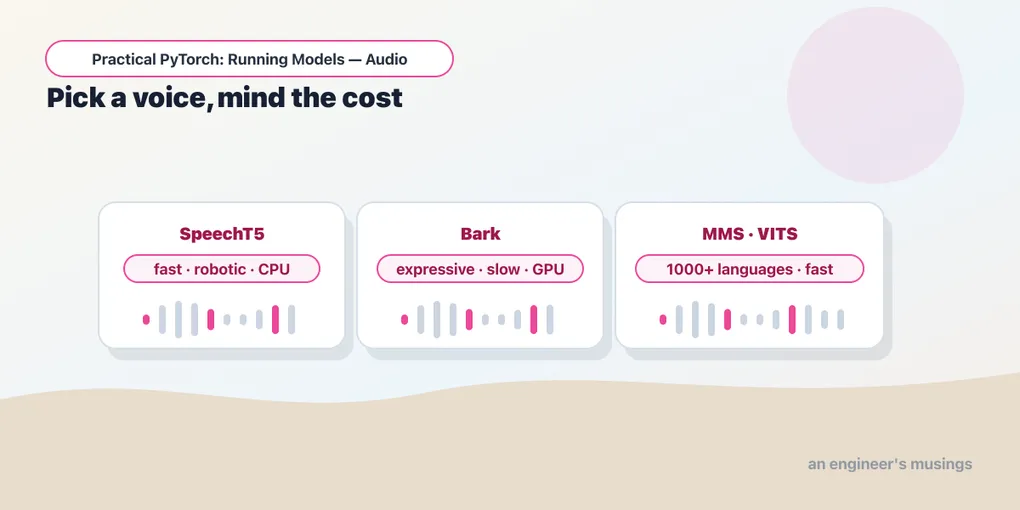
Three models, three honest profiles. There’s no winner row — there’s the one that fits your job:
| SpeechT5 (Part 2) | Bark | MMS / VITS | |
|---|---|---|---|
| Expressiveness | Flat, robotic | High — laughs, sighs, singing | Neutral, clean |
| Speed | Fast | Slow (wants a GPU) | Fast |
| Compute | CPU is fine | GPU strongly preferred | CPU is fine |
| Languages | English-focused | ~13 languages | 1000+ (one model each) |
| Speaker embedding? | Required | No — uses presets | No |
Read it as a decision tree, not a scoreboard. Need a quick, free English voice on a CPU and don’t care that it’s flat? SpeechT5. Need character, a narrator that laughs, a line that’s sung, real emotional shape, and you’ve got a GPU? Bark, and budget for the download. Need to speak a language outside the usual handful, or want fast neutral speech with zero setup ceremony? MMS. The trade-off is always the same shape: expressiveness and breadth cost compute and time, and you decide which axis you’re optimizing.
Gotchas
- Bark’s first run is a long download. The full
barkmodel is several gigabytes; evenbark-smallpulls a meaningful chunk on first use and then caches it. A cell that sits for a minute or two on the first run isn’t frozen — it’s fetching weights. Reach forbark-smalloverbarkunless you specifically need the larger model’s polish. - Bark on CPU is painfully slow. Without a GPU, generation can take minutes per sentence. The
deviceguard keeps it from crashing, but if it’s crawling, check Runtime → Change runtime type → GPU before you assume something’s broken. - Voice presets are exact strings.
v2/en_speaker_6is a fixed identifier from a closed list, not a pattern you can improvise. A wrong name doesn’t get auto-corrected — it falls back to an unconditioned voice or errors. Copy the presets, don’t retype them from memory. - Move the inputs to the device too. With Bark you move the model with
.to(device)and every input tensor, or PyTorch throws a device-mismatch error. Pipelines hid this; here you do it yourself. - MMS is one model per language. There’s no
language=argument. The language code lives in the model id (mms-tts-eng,mms-tts-deu), so switching languages means loading a new model and tokenizer, not flipping a flag. - VITS output is
.waveform, underno_grad. The audio comes offmodel(**inputs).waveform, and you wanttorch.no_grad()around the forward pass — same inference hygiene as every other model run in this series.
Final thoughts
The trap with generative audio is hunting for the “best” model, as if there’s a single leaderboard somewhere with a clear winner. There isn’t. There’s a CPU-or-GPU question, a one-language-or-many question, and a how-much-personality question, and the answer to those three picks your model in about ten seconds. SpeechT5, Bark, and MMS aren’t three rungs on a ladder — they’re three answers to three different problems, and knowing which problem you have is the actual skill. Next we put that to work: we take the fast, no-fuss model and build something with it, splitting a whole article into sentences and stitching the speech back into one clip you can press play on.
Next: Part 4 — Narrator in a Box: Read Any Article Aloud — turning a wall of text into a single narrated audio file.
Target keyword(s): bark text-to-speech, mms-tts vits, open tts models comparison.
Comments