Painting by X and Y
Learn the screen's secret map — where (0,0) lives, how colors are made of three numbers, and how to paint robots and houses out of rectangles, circles, and lines.
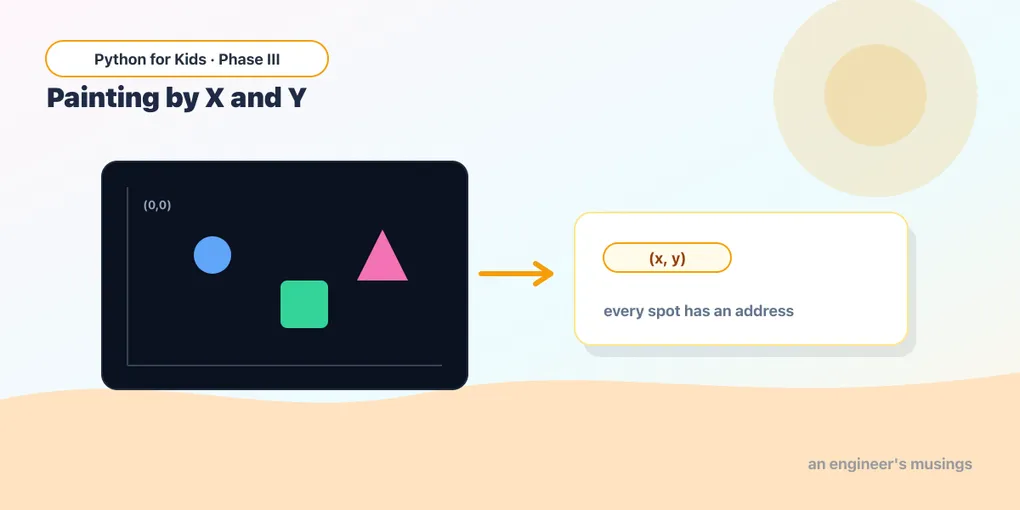
Last time you opened a game window and drew a circle. But how did pygame know to put it right there? Because the screen has a hidden map — and once you can read it, you can paint anything, anywhere.
Today: the map, colors, and four shapes. By the end you’ll have built a little robot out of nothing but numbers.
The secret map of the screen
Every spot on the screen has an address: two numbers, (x, y).
- x is how far across — small x is on the left, big x is on the right.
- y is how far down — small y is at the top, big y is at the bottom.
Here’s the part that trips everyone up: y grows downward. Not up like in math class! The very top-left corner is (0, 0). On a 400-wide, 300-tall window, the bottom-right corner is (400, 300).
Let’s see it. This program draws a dot wherever you guess, plus labels so you can find your bearings:
Runs on Skulpt + pygame4skulpt — in your browser, nothing installed.
See? The first dot hugs the top-left, the second sits dead center. Small numbers = top-left, big numbers = bottom-right.
Try it 🎯
Edit the program and Run after each change:
- Add a dot near the bottom-right. Change one circle’s
(40, 40)to(360, 260). Did it land in the corner? - What happens at
(0, 0)? Try it — the dot half-hides off the edge, because that’s the very corner. - Make the x bigger but leave y alone (try
(300, 40)). The dot slides right, not down.
Colors are three numbers
A color is (red, green, blue) — three numbers from 0 (none) to 255 (lots). Mix them like paint:
(255, 0, 0)is red,(0, 255, 0)is green,(0, 0, 255)is blue.(0, 0, 0)is black (no light),(255, 255, 255)is white (all the light).(255, 255, 0)is red + green = yellow. Surprise!
Runs on Skulpt + pygame4skulpt — in your browser, nothing installed.
Four swatches: red, green, blue, yellow. Poke at the numbers and watch the colors change. Try (255, 120, 0) for orange, or (150, 80, 200) for purple.
Four shapes to build anything
You’ve met rect and circle. Here are all four you’ll use the most:
- Rectangle:
pg.draw.rect(screen, color, (left, top, width, height)) - Circle:
pg.draw.circle(screen, color, (x, y), radius)—(x, y)is the center. - Line:
pg.draw.line(screen, color, (x1, y1), (x2, y2), thickness)— from one point to another. - Polygon:
pg.draw.polygon(screen, color, [(x1,y1), (x2,y2), (x3,y3)])— any shape, from a list of corners.
Now watch what happens when you stack them up. Here’s a robot, built entirely from shapes:
Runs on Skulpt + pygame4skulpt — in your browser, nothing installed.
That’s a whole robot — no pictures, no drawings, just rectangles, circles, lines, and triangles placed by their x and y. Every game character starts exactly like this.
Your mission 🚀
Make the robot yours:
- Give it a different eye color — change both eye circles to
(255, 255, 0)for spooky yellow eyes. - Move the whole head down a bit: add 20 to the head’s
top(the70becomes90) and to both eyeyvalues. Does the head still line up? - Add legs: two more
pg.draw.rectlines below the body, around(160, 240, 25, 40)and(215, 240, 25, 40).
Remember: a shape before another goes behind it. You can’t break anything — keep tinkering!
What you learned today
- The screen is a map:
(x, y), with(0,0)top-left, x grows right, y grows down. - A color is three numbers — (red, green, blue), each 0 to 255.
- Four trusty shapes: rect, circle, line, polygon — and stacking them builds anything.
Your robot is gorgeous… but it’s frozen solid. Next time we give it life: change a position number every frame and watch a ball zip across the screen and bounce off the walls.
Next: Make It Move 🎮
Comments