N Systems, One Conversation: What MuleSoft Actually Is
Before the components and the DataWeave, the problem MuleSoft solves — and how Anypoint Platform, the Mule runtime, and Studio each fit into it.
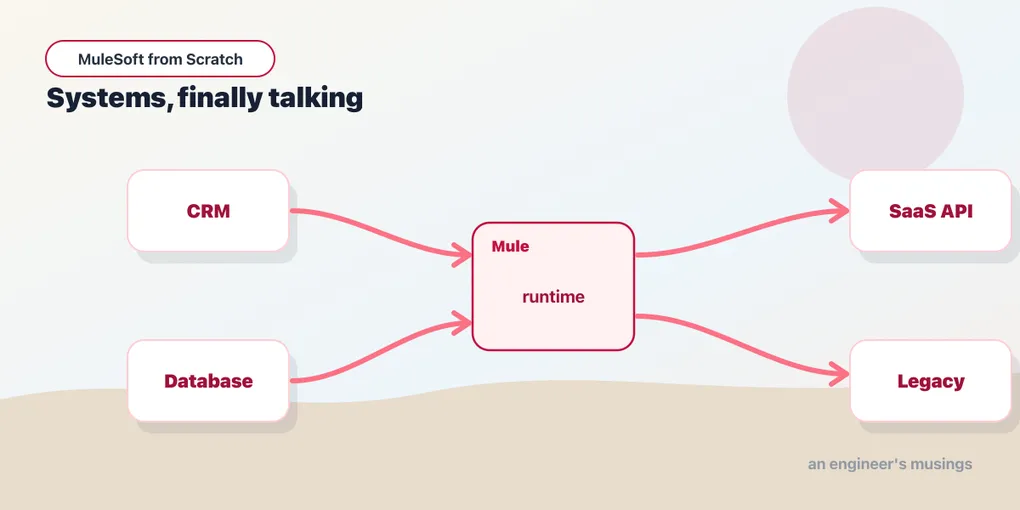
Every company past a certain size runs on systems that were never introduced to each other. A CRM bought in 2014, an ERP older than that, a shiny SaaS billing tool from last quarter, a warehouse database somebody built in a hurry. Each holds a piece of the truth about a customer, an order, an invoice — and none of them agree on the format, the protocol, or even what a “customer” is. The work of making them cooperate is integration, and it is most of what enterprise software actually does.
MuleSoft is a platform for that work. This series is about learning it from zero — no prior ESB, no prior integration battle scars assumed, just the general programming literacy you already have. Before we open a single tool, let’s be honest about the problem, because the problem is what makes the tool make sense.
The spaghetti you’re trying to avoid
Two systems that need to talk need one connection. Add a third and you might need three. By the time you have ten systems all sharing data, the number of possible point-to-point links is in the dozens — the connections grow roughly with the square of the systems, not with the systems themselves. That’s the N² problem, and it isn’t just a diagram that looks bad.
Each of those links is bespoke code someone wrote: this system speaks SOAP, that one wants JSON over REST, the third only exports nightly CSV files to an SFTP folder. Each link has its own error handling, its own retry logic, its own idea of what to do when the other side is down. Change one system’s data format and you go hunting for every link that touched it. Nobody set out to build this. It accretes — one urgent integration at a time — until the map of how data flows through the company is a thing no single person can hold in their head.
Integration middleware is the answer the industry landed on: instead of wiring every system to every other system directly, you put a layer in the middle. Systems connect to the middle; the middle handles translation, routing, and the messy reality of one side being slow or offline. The N² tangle collapses toward something you can reason about.
ESB, then iPaaS, in one honest paragraph
The first popular shape for that middle layer was the Enterprise Service Bus — a central piece of infrastructure, usually running in your own data center, that applications published messages to and subscribed from. ESBs worked, but they were heavy: a big central bus was a big central thing to operate, scale, and eventually resent. As workloads moved to the cloud, the model shifted to iPaaS — integration Platform as a Service — where the vendor runs the plumbing and you build and deploy integrations to it like any other cloud app. MuleSoft spans both worlds: its roots are in the open-source Mule ESB, and today its center of gravity is a cloud platform. You’ll feel that lineage in the vocabulary, but you’ll deploy to the cloud.
Three names you need to keep straight
“MuleSoft” gets used to mean several different things, and untangling them early saves a lot of confusion.
Anypoint Platform is the umbrella — the whole product. It’s the web-based suite where you design APIs, manage them, deploy applications, monitor them, and share reusable pieces across teams. When someone says “we’re a MuleSoft shop,” they mean they live in Anypoint Platform.
The Mule runtime (or Mule engine) is the thing that actually executes your integrations. It’s a JVM-based server — we’re targeting Mule 4.9 LTS on Java 17 in this series — that loads a Mule application and runs it. It can run on MuleSoft’s cloud, in a container you manage, or on a server in your own data center. Think of it the way you’d think of a servlet container or a Node process: it’s the engine; your app is the cargo.
Anypoint Studio is the IDE — an Eclipse-based desktop tool where you build Mule applications by dragging components onto a canvas and wiring them together, then run and debug them locally before you ship. It’s where you’ll spend the next several posts.
So: you build in Studio, your app runs on the Mule runtime, and you manage and deploy it through Anypoint Platform. One umbrella, one engine, one workshop.
What a Mule application actually is
Under the drag-and-drop canvas, a Mule application is configuration — XML, mostly — describing flows. A flow is an ordered pipeline: something arrives (an HTTP request, a scheduled tick, a file dropping into a folder), and then a series of steps process it in order. Here’s the smallest honest teaser, an HTTP endpoint that answers with a greeting:
<flow name="helloFlow">
    <http:listener config-ref="httpListener" path="/hello"/>
    <set-payload value="Hello, Mule!"/>
</flow>
You don’t need to understand every attribute yet — we build this exact app by hand next post. The point is the shape: a trigger at the top, processing steps below, data flowing down. That’s the whole mental model, and everything else in this series is variations on it.
Where this fits — and where it doesn’t
You could write all of this yourself. A small integration between two systems is often just a script and a cron job, and reaching for a platform to move one file a day is over-engineering. The case for MuleSoft is when integration stops being a side task and becomes the job: many systems, many formats, real reliability requirements, and multiple teams who each need to reuse “the customer data” without reinventing the connection every time.
It’s also not an event bus in the Kafka sense. Kafka is durable, high-throughput event streaming — a backbone for events. MuleSoft is oriented around APIs and integration logic: transforming a payload, calling three systems and merging their answers, enforcing a rate limit at the door. The two coexist happily; a Mule flow can produce to and consume from Kafka. Different tools, different center of gravity.
What the series will do
We’ll build up the way you’d actually learn it. Next post gets you an Anypoint account and Studio installed, and you’ll ship a running “Hello, Mule!” app you can hit with curl. After that we take apart the message model that everything rides on, learn DataWeave (Mule’s transformation language, and the single most valuable skill here), add real connectors, route and handle errors, deploy to the cloud, and write tests. A second series picks up where this one ends, with the architecture and production concerns.
Final thoughts
Integration has a reputation for being unglamorous — the plumbing behind the features people actually talk about. But plumbing is exactly the thing you notice only when it fails, and getting it right is a genuine engineering discipline, not a wiring diagram you draw once and forget. MuleSoft is a bet that this work deserves real tools. Whether that bet pays off depends entirely on using it like an engineer rather than a person dragging boxes onto a canvas and hoping — which is the whole reason this series exists.
Comments