Building an MCP Client: The Other Side of the Protocol
Most people write servers, but writing a client is how you embed MCP in your own app, test a server, or provide the sampling and elicitation callbacks a server asks for. In Python and TypeScript.
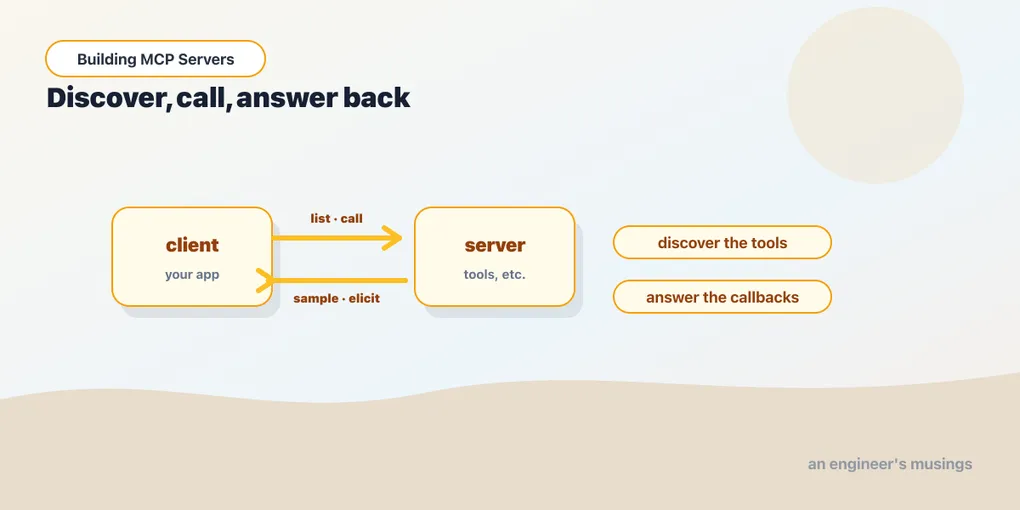
Series: Building MCP Servers — Part 9 of 12
For eight posts you’ve been the server. But someone has to be on the other end calling tools/list, and sometimes that someone is you. You write a client for a few reasons: to embed MCP into your own application or agent, to test a server in CI without a full host, or to supply the sampling and elicitation callbacks a server reaches for. This post crosses the wire and consumes the very server we’ll formalize as the capstone.
When you write a client
The host — Claude Desktop, an IDE — already is a client, so you don’t write one to use a server casually. You write one when you’re building the host: an agent that needs to reach tools, a backend that calls an internal MCP server, a test harness. The mental model is one client per server connection; a host that talks to five servers runs five clients. What follows is a single connection.
The lifecycle
A client is four steps: create a transport, wrap it in a session, initialize (the capability handshake), then call. Connecting over stdio means launching the server as a subprocess. Here it is, listing the tools and calling one:
import sys
from mcp import ClientSession, StdioServerParameters
from mcp.client.stdio import stdio_client

params = StdioServerParameters(command=sys.executable, args=["tasks_server.py"])
async with stdio_client(params) as (read, write):
    async with ClientSession(read, write) as session:
        await session.initialize()
        tools = await session.list_tools()
        print([t.name for t in tools.tools])
        await session.call_tool("add_task", {"title": "write post 9"})
import { Client } from "@modelcontextprotocol/sdk/client/index.js";
import { StdioClientTransport } from "@modelcontextprotocol/sdk/client/stdio.js";
const transport = new StdioClientTransport({ command: "npx", args: ["tsx", "tasks_server.ts"] });
const client = new Client({ name: "probe", version: "1.0.0" });
await client.connect(transport);
const tools = await client.listTools();
console.log(tools.tools.map((t) => t.name));
await client.callTool({ name: "add_task", arguments: { title: "write post 9" } });initialize is the step people forget — it’s the handshake where both sides exchange capabilities, and nothing else works until it’s done. (The TypeScript connect runs it for you; the Python session wants the explicit call.) Swap stdio_client/StdioClientTransport for the Streamable HTTP transports from Part 7, and everything below is identical. The client API doesn’t care how it’s connected.
Reading resources and getting prompts
The other two primitives are symmetric to tools. Resources are read by URI; prompts are fetched by name with arguments, returning the rendered messages.
res = await session.read_resource("tasks://all")
print(res.contents[0].text)

prompt = await session.get_prompt("standup")
print(prompt.messages[0].content.text)
const res = await client.readResource({ uri: "tasks://all" });
console.log(res.contents[0].text);
const prompt = await client.getPrompt({ name: "standup" });
console.log(prompt.messages[0].content.text);That’s the entire consuming surface: list_* to discover, call_tool / read_resource / get_prompt to use. A real agent would feed the tool list to its model and let the model choose, but the calls it ends up making are exactly these.
Providing the callbacks
Here’s the part only a client can do, and the other half of Part 6: when a server calls sampling or elicitation, your client is who answers. You supply callbacks at session creation — one to run a model completion, one to ask the user.
async def sampling_cb(context, params):
    # A real client calls its LLM here.
    return CreateMessageResult(
        role="assistant",
        content=TextContent(type="text", text="A one-line summary."),
        model="your-model", stopReason="endTurn",
    )

async def elicit_cb(context, params):
    # A real client prompts the user here.
    return ElicitResult(action="accept", content={"confirmed": True})

session = ClientSession(
    read, write, sampling_callback=sampling_cb, elicitation_callback=elicit_cb
)
const client = new Client(
{ name: "probe", version: "1.0.0" },
{ capabilities: { sampling: {}, elicitation: {} } }
);
client.setRequestHandler(CreateMessageRequestSchema, async () => ({
role: "assistant",
content: { type: "text", text: "A one-line summary." },
model: "your-model", stopReason: "endTurn",
}));
client.setRequestHandler(ElicitRequestSchema, async () => ({
action: "accept", content: { confirmed: true },
}));Notice the TypeScript client declares the sampling and elicitation capabilities — that declaration is what tells a server it may make those requests. Register the handlers and the round trips from Part 6 complete: a server tool calls back, your callback answers, the tool continues. This is exactly the harness you’d reach for to test those server features without a full host in the loop.
Final thoughts
Writing a client demystifies the protocol more than any amount of server code, because it’s where you see both halves move. The server side is “expose capabilities”; the client side is “discover, call, and answer back.” Once you’ve held both ends of one connection, a host stops being magic. It’s just this, multiplied across every server it’s configured to launch, with a model deciding which calls to make.
Next: Test, Debug, and Ship, where we make a server something you can trust in CI and run in production.
Target keyword(s): mcp client, mcp client python typescript.
Comments